
Introduction
This manual provides essential instructions for the proper use and handling of Fujifilm Instax Mini Instant Film (Star Dust frame). This film is designed exclusively for use with Fujifilm Instax Mini series cameras, producing vibrant, credit-card sized instant prints with a unique Star Dust themed border.
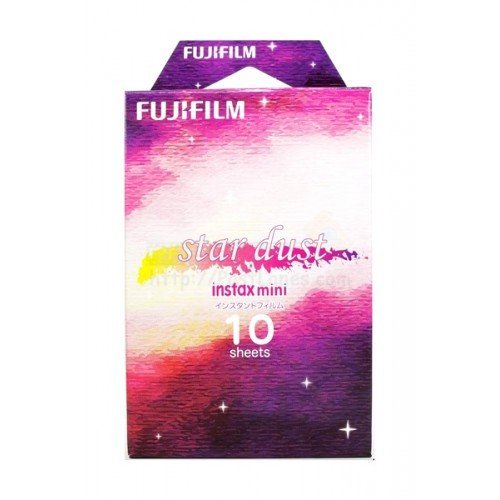
Image: Fujifilm Instax Mini Instant Film (Star Dust) packaging and several example photographs showcasing the unique Star Dust frame design.
Setup: Loading the Film
- Check Camera Compatibility: Ensure your camera is a Fujifilm Instax Mini series model. This film is not compatible with Instax Wide or Instax Square cameras.
- Open Film Pack: Remove the film cartridge from its foil packaging. Avoid exposing the film to direct sunlight or strong artificial light before loading.
- Open Camera Back: Open the film compartment cover on your Instax Mini camera.
- Align Film Cartridge: Match the yellow mark on the film cartridge with the yellow mark inside the camera's film compartment. Gently slide the cartridge into place.
- Close Camera Back: Close the film compartment cover firmly until it clicks. Do not open the film compartment again until all 10 exposures have been used, as this will expose and ruin the remaining film.
- Eject Dark Slide: Turn on your camera and press the shutter button once. The dark slide (a black protective sheet) will eject automatically. This indicates the film is correctly loaded and ready for use. The film counter will now display "10" (or the remaining number of exposures).
Operating: Taking Photos
- Compose Your Shot: Look through the viewfinder and frame your subject.
- Adjust Settings (if applicable): Depending on your Instax Mini camera model, adjust brightness, flash, or other settings as needed for optimal exposure.
- Press Shutter Button: Press the shutter button to take a photograph.
- Film Ejection: The exposed film sheet will automatically eject from the film slot at the top of the camera. Do not pull the film out manually during ejection.
- Developing Process: Once ejected, the image will begin to develop. Development typically takes 90 seconds to a few minutes, depending on ambient temperature. Avoid bending or shaking the print during this time.
- Handling Prints: Hold the print by its edges to avoid fingerprints on the image area. Store developing prints in a dark place or face down to protect them from light during the initial development phase.
Maintenance and Storage
- Unexposed Film Storage: Store unused film packs in a cool, dry place, ideally between 5°C and 40°C (41°F and 104°F). Avoid extreme temperatures and direct sunlight.
- Exposed Film Handling: Once a photo is ejected, allow it to develop naturally. Do not expose it to strong light immediately after ejection.
- Developed Print Storage: For long-term preservation, store developed prints in an album or a dark, dry environment away from direct sunlight, high temperatures, and humidity.
- Film Expiration: Always check the expiration date on the film packaging. Using expired film may result in reduced image quality or development issues.
Troubleshooting Common Issues
- Blank or Underexposed Photo:
- Insufficient Light: Ensure adequate lighting for your subject. Use the camera's flash in low-light conditions.
- Camera Settings: Check if your camera's brightness adjustment is set correctly for the environment.
- Expired Film: Verify the film's expiration date.
- Overexposed Photo:
- Excessive Light: Avoid shooting in overly bright conditions or direct harsh sunlight without appropriate camera settings.
- Camera Settings: Adjust brightness settings on your camera if available.
- Film Not Ejecting:
- Film Loaded Incorrectly: Re-open the film compartment (in a dark room if possible to minimize light exposure to remaining film) and ensure the film cartridge is seated correctly.
- Low Battery: Check your camera's battery level. Low batteries can prevent film ejection.
- Camera Malfunction: If the issue persists, consult your camera's manual or contact Fujifilm support.
- Image Appears Streaky or Discolored:
- Film Damage: Film may have been exposed to light or pressure before or during development.
- Temperature Extremes: Developing film in very cold or very hot conditions can affect color and quality.
- Expired Film: Expired film can lead to inconsistent results.
Specifications
| Feature | Detail |
|---|---|
| Film Format Type | Instax Mini |
| Image Size | 6.2 cm x 4.6 cm (2.4 in x 1.8 in) |
| Picture Size (including frame) | 8.6 cm x 5.4 cm (3.4 in x 2.1 in) |
| Exposures per Pack | 10 sheets |
| Frame Design | Star Dust |
| ISO Equivalent | 800 |
| Product Dimensions | 0.94 x 3.86 x 2.6 inches |
| Item Weight | 1.58 ounces |
| Compatible Devices | Fujifilm Instax Mini series cameras |
Customer Support
For further assistance, technical support, or warranty information regarding your Fujifilm Instax Mini camera or film, please visit the official Fujifilm website or contact their customer service department. Keep your product's model number and purchase details ready when contacting support.
Official Fujifilm Website: www.fujifilm.com


