1. Introduction
The LogiLink SC0212 is a universal 4-digit combination lock designed for securing various items such as bicycles, scooters, and motorcycles. It features an integrated alarm system that activates upon movement or if the cable is cut, providing an additional layer of security. The lock offers 10,000 possible combinations for personalized security.

Image 1.1: Front view of the LogiLink SC0212 combination lock. This image displays the main unit with the 4-digit combination dials visible on the left side, and the LogiLink branding on the body. A red button is also visible on the top right.
Key Features:
- 4-digit resettable combination lock, offering up to 10,000 unique codes.
- Integrated alarm function with a 90 dB siren (maximum setting).
- Alarm activates upon movement or cable cutting.
- Adjustable sensitivity level to prevent accidental alarms.
- Durable 2 x 600 mm cable for versatile securing options.
- Compact and portable design.
2. Setup
2.1. Battery Installation
The LogiLink SC0212 requires 4 LR44 batteries, which are included with the product. The battery cover is designed to be removable only when the correct combination is set, ensuring security.
- Ensure the lock is set to the factory default combination (usually 0000) or your current combination.
- Locate the battery compartment cover on the back of the lock.
- Carefully remove the battery cover.
- Insert the 4 LR44 batteries, ensuring correct polarity (+/-).
- Replace the battery cover securely.

Image 2.1: Back view of the LogiLink SC0212 lock. This image shows the rear of the device, where the battery compartment is located. The reset button is also visible on this side.
2.2. Setting Your Personal Combination
The factory default combination is typically 0000. You can set your own personal 4-digit combination for enhanced security.
- Open the lock by setting the dials to the current combination (default is 0000).
- With the lock open, locate the reset button. This is usually a small button or lever on the side or back of the lock (refer to Image 2.1).
- Use a pointed object (like a pen tip) to press and hold the reset button.
- While holding the reset button, set your desired new 4-digit combination by rotating the dials.
- Release the reset button. Your new combination is now set.
- Important: Test your new combination immediately to ensure it works correctly before locking the device. Remember your combination, as there is no master key to reset it if forgotten.
3. Operating Instructions
3.1. Locking and Unlocking
- To Lock:
- Set the dials to your personal 4-digit combination.
- Insert the cable end into the locking mechanism until it clicks securely.
- Scramble the dials to secure the lock.
- To Unlock:
- Align the dials to your personal 4-digit combination.
- Press the release button (if present) or pull the cable end out of the locking mechanism.
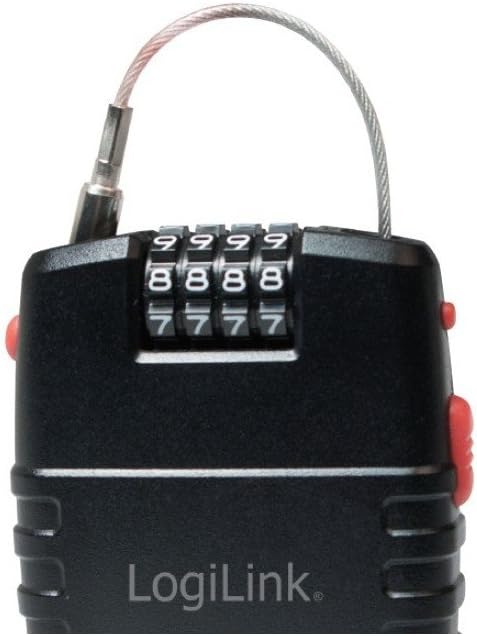
Image 3.1: Front view of the LogiLink SC0212 with the cable inserted into the locking mechanism. This demonstrates how the lock is secured with the cable.
3.2. Alarm Function
The LogiLink SC0212 features an integrated alarm system that provides an audible deterrent.
- Activating the Alarm:
- After locking the device with the cable, the alarm system will automatically arm itself.
- A short beep and a blinking LED light typically indicate that the alarm is armed.
- Alarm Trigger:
- The alarm will sound if the lock detects significant movement or if the cable is cut.
- The siren volume is approximately 90 dB at its maximum setting.
- Adjusting Sensitivity:
- To adjust the alarm sensitivity, locate the sensitivity adjustment button (often a small red button, refer to Image 1.1).
- Press and hold this button. The lock will emit a series of beeps (e.g., 1 beep for low sensitivity, 2 beeps for medium, 3 beeps for high).
- Release the button at your desired sensitivity level. Higher sensitivity means the alarm will trigger with less movement.
- Disarming the Alarm:
- The alarm is disarmed when the lock is opened using the correct combination.
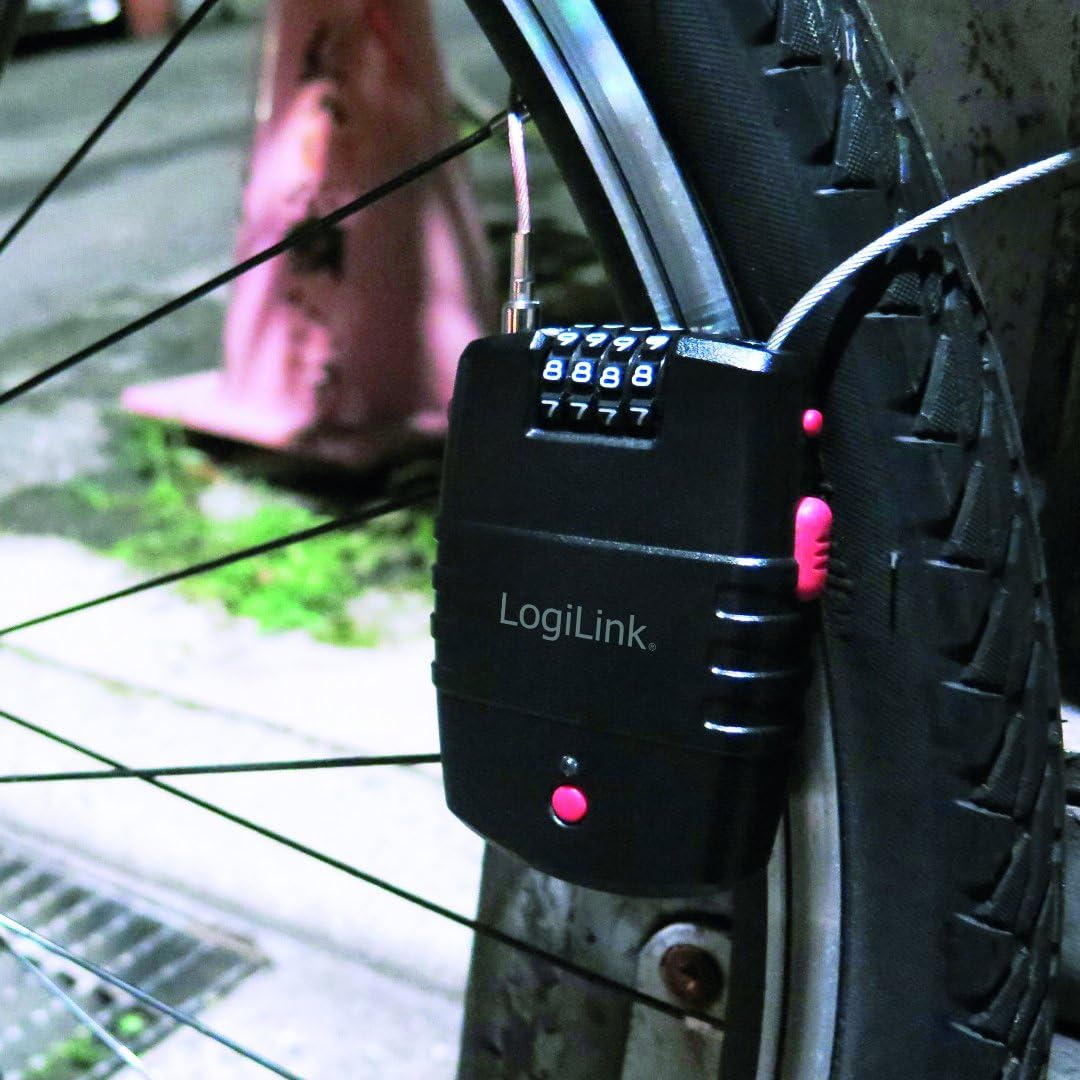
Image 3.2: The LogiLink SC0212 lock securing a bicycle wheel. This image illustrates a practical application of the lock, showing the cable wrapped around the wheel and frame.
4. Maintenance
4.1. Battery Replacement
When the alarm sound becomes weak or the LED indicator fails to light up, it is time to replace the batteries. Follow the steps outlined in Section 2.1 for battery installation.
4.2. General Care
- Keep the lock clean and free from dirt and debris.
- Avoid exposing the lock to extreme temperatures or prolonged direct sunlight.
- While designed for outdoor use, prolonged exposure to heavy rain or moisture may affect electronic components. If the lock gets wet, dry it thoroughly.
- Do not attempt to force the locking mechanism or combination dials.
5. Troubleshooting
- Alarm not sounding or weak: Check battery levels and replace if necessary (refer to Section 4.1). Ensure the alarm is armed.
- Combination dials are stiff: Apply a small amount of lubricant suitable for locks to the dials.
- Cannot set new combination: Ensure the lock is open with the current combination set before pressing the reset button. Make sure the reset button is fully pressed.
- Lock not opening with correct combination: Double-check that the dials are perfectly aligned with your combination. Ensure no debris is obstructing the mechanism.
- Accidental alarms: Adjust the alarm sensitivity to a lower setting (refer to Section 3.2).
6. Specifications
| Feature | Detail |
|---|---|
| Model Number | SC0212 |
| Lock Type | 4-Digit Combination Lock with Alarm |
| Cable Length | 2 x 600 mm |
| Alarm Volume | Up to 90 dB |
| Batteries | 4 x LR44 (included) |
| Dimensions (L x W x H) | 9.1 x 6.6 x 2.4 cm |
| Weight | 30 g |
| Material | Metal (locking mechanism), Plastic (housing) |
7. Warranty and Support
For warranty information and technical support, please refer to the manufacturer's official website or contact their customer service department. Keep your purchase receipt as proof of purchase.
Manufacturer: 2direct GmbH
Brand: LogiLink


