1. Introduction
Thank you for choosing the Pigeon Oven Toaster Grill (OTG) 9 Liters, Model 12381. This appliance is designed for baking, toasting, and grilling, offering versatility for various culinary needs. Please read this manual thoroughly before initial use to ensure safe operation and optimal performance. Keep this manual for future reference.
2. Product Overview
The Pigeon OTG 9 Liters features a compact design suitable for various kitchen spaces. It includes essential controls for temperature and time, along with a transparent glass door for monitoring.
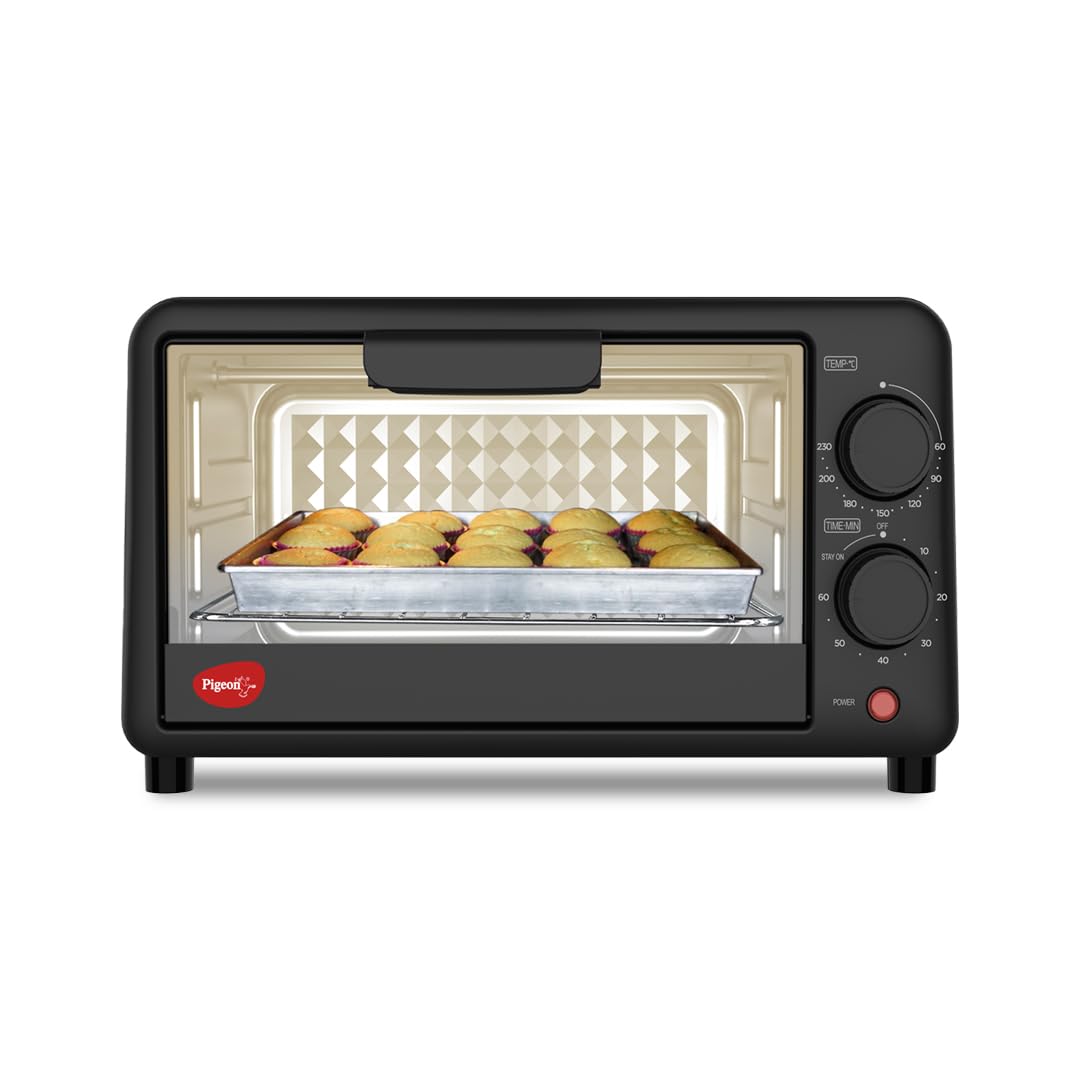
Image 1: Front view of the Pigeon Oven Toaster Grill (OTG) 9 Liters, Model 12381. This image displays the appliance's overall appearance, including the control knobs and glass door.

Image 2: Close-up of the control panel, highlighting the adjustable temperature control knob (60-230°C) and the 60-minute timer with auto turn-off and alarm. An automatic power indicator is also visible.
3. Safety Instructions
- Always place the OTG on a stable, heat-resistant surface.
- Ensure adequate ventilation around the appliance. Do not block air vents.
- Do not touch hot surfaces. Use oven mitts or gloves when handling hot items or parts.
- Unplug the appliance from the power outlet when not in use and before cleaning.
- Do not immerse the appliance, cord, or plug in water or other liquids.
- Supervise children closely when the appliance is in use.
- Do not operate the appliance with a damaged cord or plug, or if it malfunctions or has been damaged in any way.
- Only use accessories recommended by the manufacturer.
- Do not place paper, cardboard, or plastic in the oven.
4. Setup and First Use
4.1 Unpacking
- Carefully remove the OTG and all accessories from the packaging.
- Remove any protective films, stickers, or packaging materials from the appliance.
- Inspect the appliance for any damage. Do not use if damaged.
4.2 Placement
- Place the OTG on a flat, stable, and heat-resistant surface.
- Ensure there is at least 10-15 cm of clear space on all sides and above the appliance for proper ventilation.
- Keep away from walls, curtains, and other flammable materials.
4.3 Initial Cleaning
- Wipe the exterior with a damp cloth.
- Wash the baking tray, grill rack, and pan handle with warm, soapy water. Rinse thoroughly and dry completely.
4.4 First Use Burn-Off
- Plug the OTG into a grounded electrical outlet.
- Set the temperature to maximum (250°C) and the timer to 15 minutes.
- Allow the oven to run empty to burn off any manufacturing residues. A slight odor or smoke is normal during this process. Ensure the area is well-ventilated.
- After 15 minutes, turn off the oven and unplug it. Allow it to cool completely before use.
5. Operating Instructions
5.1 Controls
- Temperature Control Knob: Adjusts the internal temperature from 100°C to 250°C.
- Timer Knob: Sets the cooking time up to 60 minutes. The oven will automatically turn off and sound an alarm when the set time expires.
- Power Indicator Light: Illuminates when the oven is operating.
5.2 Cooking Modes
The OTG features 4-stage heating options using upper and lower stainless steel heating elements, allowing for various cooking methods:
- Bake: Typically uses both upper and lower heating elements for even cooking. Ideal for cakes, cookies, and casseroles.
- Toast: Primarily uses the upper heating element for browning bread or other items.
- Grill: Uses the upper heating element at high temperatures for grilling meats, vegetables, or browning the top of dishes.
- Warm: Uses lower heat to keep food warm without further cooking.

Image 3: This image illustrates the versatility of the Pigeon OTG, showcasing various cooking modes such as Bake, Toast, Warm, Convection, and Defrost, suitable for different food preparations.
5.3 General Operation Steps
- Preheat the oven by setting the desired temperature and timer for 5-10 minutes.
- Place food on the baking tray or grill rack. Use the pan handle to safely insert and remove accessories.
- Close the glass door.
- Set the desired temperature and cooking time using the respective knobs.
- Monitor cooking progress through the glass door.
- When cooking is complete, the timer will sound, and the oven will turn off.
- Carefully remove the food using oven mitts.
6. Maintenance and Cleaning
6.1 Cleaning the Interior
- Always unplug the OTG and allow it to cool completely before cleaning.
- Remove the baking tray and grill rack. Wash them with warm, soapy water and a non-abrasive sponge.
- Wipe the interior walls with a damp cloth and mild detergent. For stubborn stains, use a non-abrasive oven cleaner designed for toaster ovens.
- Do not use abrasive cleaners, scouring pads, or metal utensils on the interior surfaces.
6.2 Cleaning the Exterior
- Wipe the exterior surfaces with a soft, damp cloth.
- Do not use harsh chemicals or abrasive cleaners.
6.3 Storage
- Ensure the appliance is clean and dry before storing.
- Store in a cool, dry place.
7. Troubleshooting
If you encounter any issues with your Pigeon OTG, please refer to the following common problems and solutions:
- Appliance does not turn on: Check if the power cord is securely plugged into a working outlet. Ensure the timer knob is set to a cooking duration and not 'OFF'.
- Food not cooking evenly: Ensure the oven is preheated properly. Rotate food halfway through cooking. Verify that the correct heating elements are selected for the desired cooking mode.
- Excessive smoke during operation: A small amount of smoke during first use is normal. If smoke persists, ensure the oven interior and accessories are clean and free of food debris or grease.
- Timer not working: Ensure the timer knob is turned past the 10-minute mark to activate the timer mechanism.
For issues not listed here, please contact customer support.
8. Specifications
| Feature | Detail |
|---|---|
| Brand | Pigeon |
| Model Name | OTG (Model 12381) |
| Capacity | 9 Liters |
| Color | Black |
| Product Dimensions (L x W x H) | 24 cm x 20 cm x 18.3 cm |
| Item Weight | 2.7 kg |
| Power Source | Electric |
| Power Consumption | 1380 W |
| Voltage | 220-240 V |
| Temperature Range | 100-250 Degrees Celsius |
| Timer | 60 minutes with auto turn-off and alarm |
| Control Type | Knob |
| Door Material Type | Tempered Glass |
| Heating Elements | 4 pieces upper and lower stainless steel |
| Included Components | Baking tray, grill rack, pan handle |
9. Included Components
Your Pigeon OTG package includes the following items:
- Pigeon Oven Toaster Grill (OTG) Unit
- Baking Tray
- Grill Rack
- Pan Handle
- User Manual (this document)

Image 4: A visual representation of the accessories included with the Pigeon OTG: a bake pan designed for even cooking, a chrome steel pan handle for safe handling, and a durable chromed steel bake rack for grilling and even cooking.
10. Visual Guide and Product Videos
Explore the features and operation of your Pigeon OTG through these helpful videos and images.
Video 1: A brief overview highlighting the key features and elegant design of the Pigeon Oven Toaster Grill 9 Liters. This video demonstrates the appliance's compact size and ease of use.
Video 2: A detailed product video showcasing the various functionalities, adjustable temperature control, and timer features of the Pigeon Oven Toaster Grill. It also highlights the included accessories and their uses.
11. Warranty and Support
This product comes with a standard brand warranty. For detailed information regarding warranty terms, replacement policies, or any other inquiries, please refer to the product detail page on Amazon or contact the manufacturer directly.
Manufacturer Contact Information:
Stovekraft Limited, 81/1 Harohalli Industrial Area Kanakapura Taluk Bangalore Kanakapura, Bengaluru, Karnataka 562112.
Phone: +91 63649 14202 (also available on WhatsApp)
Email: customercare@stovekraft.com

Image 5: Scan this QR code to connect with the customer support team for any concerns or assistance. Direct Link to Support


