
Lenco PDR-020
Lenco PDR-020 DAB+/FM Radio Alarm Clock
User Manual
Model: PDR-020 | Brand: Lenco
Introduction
This manual provides essential information for the safe and efficient operation of your Lenco PDR-020 DAB+/FM Radio Alarm Clock. Please read these instructions carefully before using the device and retain them for future reference.
The Lenco PDR-020 is a compact and versatile radio featuring DAB+ and FM reception, an LCD display, dual alarm functions, snooze, and a sleep timer. Its integrated battery allows for portable use, while the telescopic antenna ensures optimal reception.
Important Safety Information
- Do not expose the device to rain or moisture to prevent fire or electric shock.
- Ensure proper ventilation. Do not block ventilation openings.
- Avoid placing the device near heat sources such as radiators, heat registers, stoves, or other apparatus (including amplifiers) that produce heat.
- Only use attachments/accessories specified by the manufacturer.
- Protect the power cord from being walked on or pinched, particularly at plugs, convenience receptacles, and the point where they exit from the apparatus.
- Unplug this apparatus during lightning storms or when unused for long periods.
- Refer all servicing to qualified service personnel. Servicing is required when the apparatus has been damaged in any way, such as power-supply cord or plug is damaged, liquid has been spilled or objects have fallen into the apparatus, the apparatus has been exposed to rain or moisture, does not operate normally, or has been dropped.
Package Contents
Please check that all items are present:
- Lenco PDR-020 DAB+/FM Radio Alarm Clock
- USB Charging Cable
- User Manual (this document)
Product Overview
Familiarize yourself with the controls and features of your Lenco PDR-020.
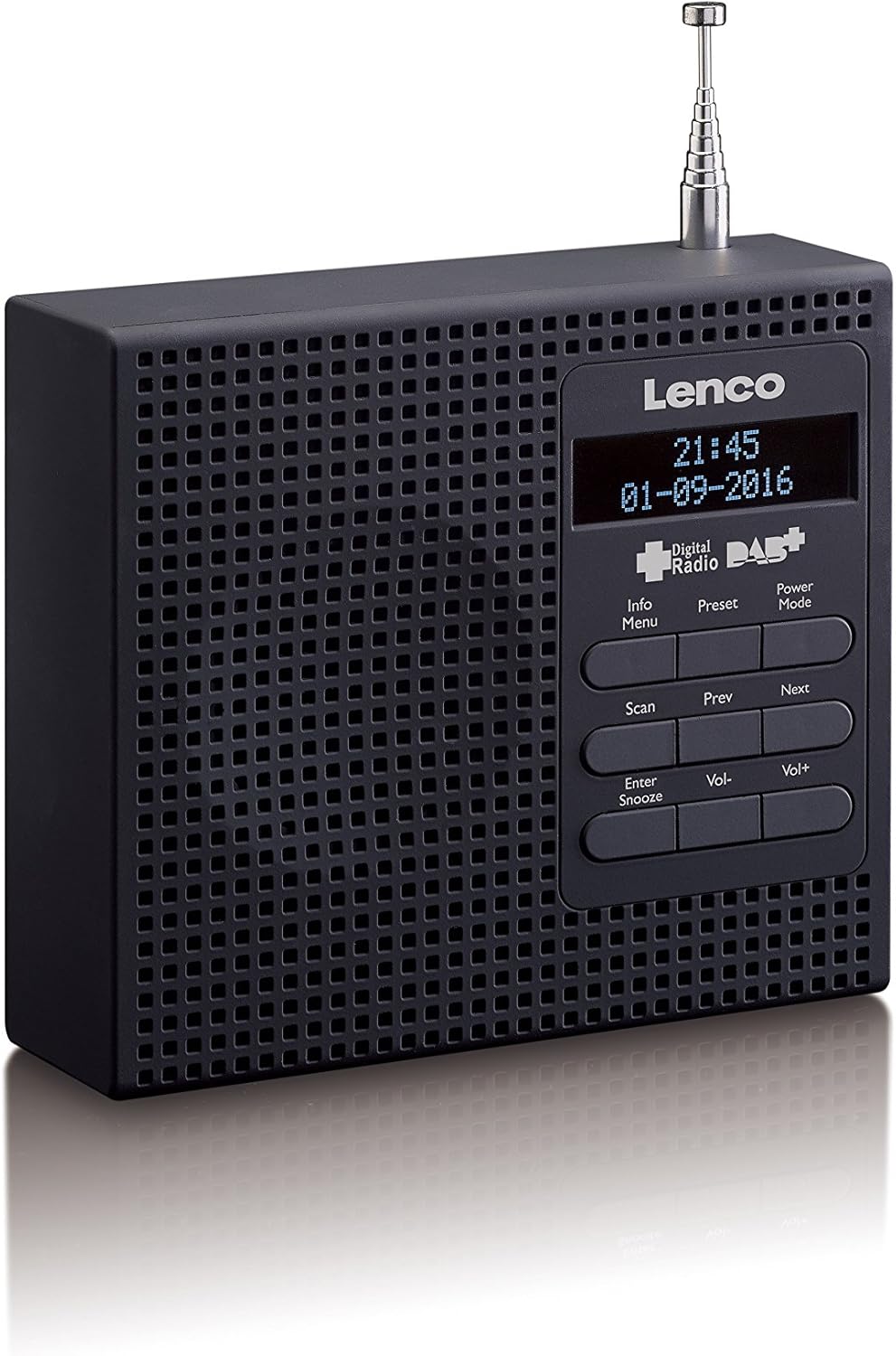
Image 1: Front view of the Lenco PDR-020 radio, showing the LCD display, speaker grille, and control buttons. The buttons include Info/Menu, Preset, Power/Mode, Scan, Prev, Next, Enter/Snooze, Vol-, and Vol+.
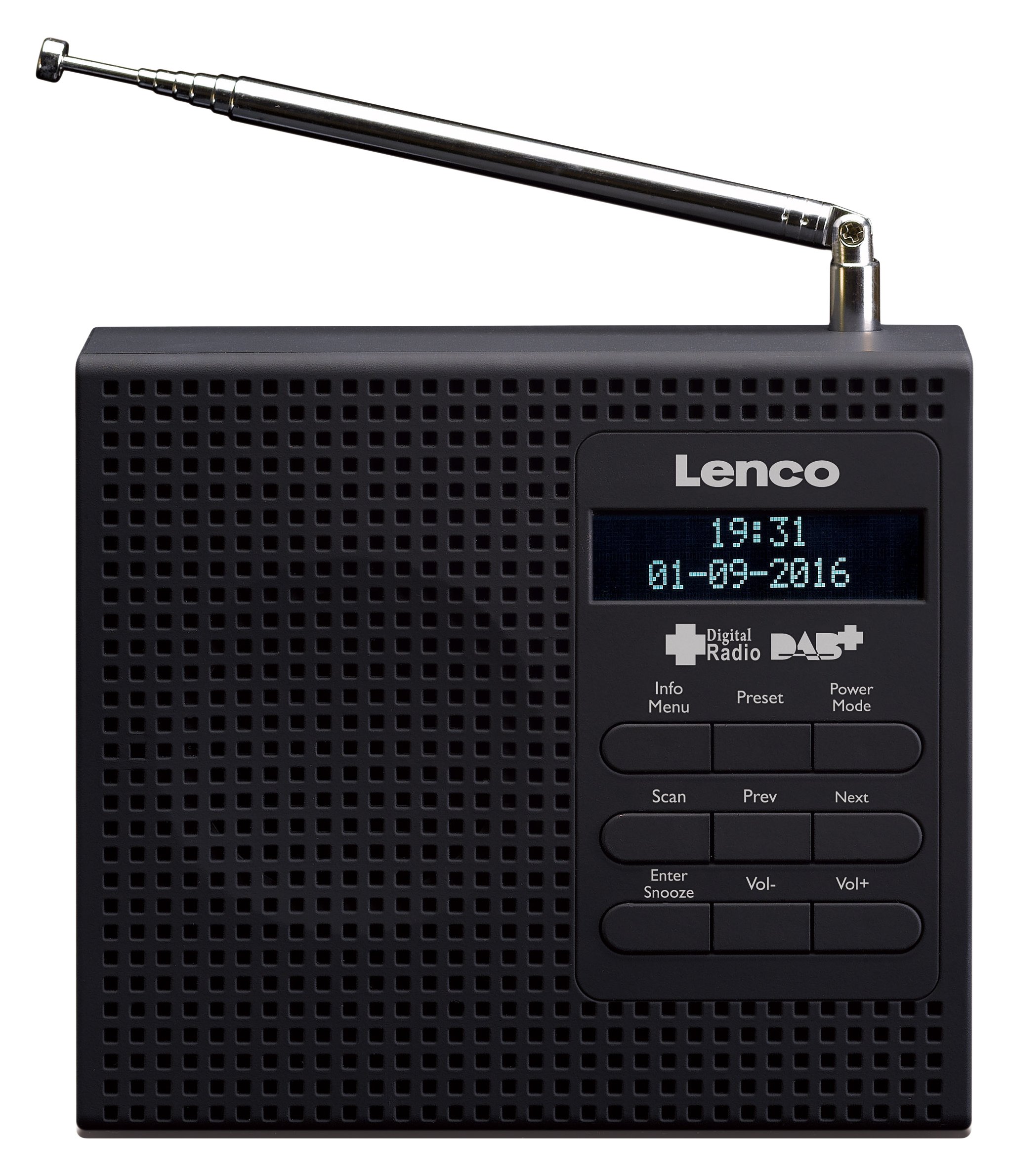
Image 2: Two Lenco PDR-020 radios, one in black and one in white, displayed side-by-side with their telescopic antennas extended. This image highlights the compact design and color options.
Key Components:
- LCD Display: Shows time, date, station information, and menu options.
- Control Buttons: For power, mode selection, tuning, volume, alarm settings, and menu navigation.
- Telescopic Antenna: For optimal DAB+ and FM signal reception.
- Speaker: Integrated speaker for audio output.
- 3.5mm Headphone Jack: For private listening.
- USB Charging Port: For charging the internal battery.
Setup
1. Powering the Device
The Lenco PDR-020 can be powered via its integrated rechargeable battery or by connecting it to a power source using the provided USB cable.
- Charging the Battery: Connect the USB charging cable to the radio's USB port and the other end to a USB power adapter (not included) or a computer's USB port. The charging indicator will illuminate.
- First Use: For optimal battery life, fully charge the device before its first use.
2. Antenna Positioning
Extend the telescopic antenna fully and adjust its position for the best possible DAB+ or FM signal reception. Experiment with different angles to find the strongest signal.
Operating Instructions
1. Power On/Off and Mode Selection
- Power On: Press the Power/Mode button to turn on the radio.
- Power Off: Press and hold the Power/Mode button to turn off the radio.
- Select Mode: Briefly press the Power/Mode button to switch between DAB+ and FM radio modes.
2. DAB+ Radio Operation
- Automatic Scan: When in DAB+ mode for the first time, the radio will automatically perform a full scan for available stations. This may take a few minutes.
- Manual Scan: To initiate a scan manually, press the Scan button.
- Station Selection: Use the Prev and Next buttons to navigate through the list of available DAB+ stations.
- Volume Adjustment: Use the Vol- and Vol+ buttons to adjust the volume level.
- Preset Stations: The radio supports storing up to 10 DAB+ stations.
- To Store: Tune to the desired station, then press and hold the Preset button. Use Prev/Next to select a preset number (1-10), then press Enter/Snooze to confirm.
- To Recall: Briefly press the Preset button, then use Prev/Next to select the desired preset and press Enter/Snooze.
3. FM Radio Operation
- Automatic Tuning (PLL): In FM mode, press the Scan button to automatically scan for and stop at the next available strong station.
- Manual Tuning: Use the Prev and Next buttons to fine-tune the frequency step-by-step.
- Volume Adjustment: Use the Vol- and Vol+ buttons to adjust the volume level.
- Preset Stations: The radio supports storing up to 10 FM stations. The procedure is identical to DAB+ preset storage and recall.
4. Setting the Alarm Clock
The Lenco PDR-020 features two independent alarms.
- Access Alarm Settings: Press the Info/Menu button repeatedly until "Alarm 1 Setup" or "Alarm 2 Setup" appears on the display. Press Enter/Snooze to enter the setting mode.
- Set Alarm Time: Use Prev/Next to adjust the hour, then press Enter/Snooze. Repeat for minutes.
- Set Alarm Source: Choose between "Buzzer" or "Radio" (DAB+ or FM). If "Radio" is selected, you may need to select a preset station.
- Set Alarm Volume: Adjust the desired alarm volume using Vol- and Vol+.
- Enable/Disable Alarm: After setting, ensure the alarm is set to "ON" or "OFF" as desired.
5. Snooze Function
When an alarm sounds, press the Enter/Snooze button to temporarily silence the alarm. The alarm will sound again after a short interval (typically 9 minutes).
6. Sleep Timer Function
The sleep timer allows the radio to play for a set duration before automatically turning off.
- Activate Sleep Timer: Press the Info/Menu button repeatedly until "Sleep Timer" appears.
- Set Duration: Use Prev/Next to select the desired sleep duration (e.g., 15, 30, 45, 60, 90 minutes, or OFF).
- Confirm: Press Enter/Snooze to confirm the setting. The radio will turn off automatically after the selected time.
7. Headphone Use
Connect standard 3.5mm headphones to the headphone jack for private listening. The internal speaker will be muted automatically when headphones are connected.
Maintenance
- Cleaning: Use a soft, dry cloth to clean the exterior of the radio. Do not use abrasive cleaners, waxes, or solvents.
- Storage: If storing the radio for an extended period, ensure the battery is partially charged and store it in a cool, dry place.
- Battery Care: To prolong battery life, avoid fully discharging the battery frequently. Recharge regularly.
Troubleshooting
| Problem | Possible Cause | Solution |
|---|---|---|
| No power / Device does not turn on. | Battery is discharged. USB cable not connected properly. |
Charge the battery using the USB cable. Ensure the USB cable is securely connected to both the radio and the power source. |
| Poor radio reception (DAB+/FM). | Antenna not extended or poorly positioned. Weak signal in the area. Interference from other electronic devices. |
Fully extend and adjust the telescopic antenna. Try moving the radio to a different location. Move the radio away from other electronic devices. |
| No sound. | Volume is too low or muted. Headphones are connected. Incorrect mode selected. |
Increase the volume using Vol+. Disconnect headphones if you want to use the speaker. Ensure you are in DAB+ or FM mode. |
| Alarm does not sound. | Alarm is disabled. Alarm volume is too low. Incorrect alarm time set. |
Check alarm settings and ensure it is enabled. Increase alarm volume in the settings. Verify the set alarm time. |
Specifications
| Brand: | Lenco |
| Model Number: | PDR-020 |
| Color: | Black (also available in White) |
| Radio Bands: | DAB+, FM (with PLL) |
| Display: | LCD Display |
| Presets: | 10 DAB+ stations, 10 FM stations |
| Alarm Functions: | Dual Alarms (Buzzer or Radio), Snooze Function |
| Timer Functions: | Sleep Timer |
| Connectivity: | 3.5mm Headphone Jack |
| Power Source: | Integrated Lithium-ion Battery, USB Power |
| Battery Type: | Lithium-ion (1 required) |
| Special Features: | Digital Tuning, Telescopic Antenna |
Warranty and Support
Warranty Information
Lenco products are designed and manufactured to the highest quality standards. This product is covered by a manufacturer's warranty against defects in materials and workmanship. Please refer to the warranty card included with your purchase or visit the official Lenco website for detailed warranty terms and conditions specific to your region.
Customer Support
Should you encounter any issues or have questions regarding your Lenco PDR-020 that are not addressed in this manual, please contact Lenco customer support. Contact details can typically be found on the official Lenco website (www.lenco.com) or on your product's packaging.
When contacting support, please have your product model number (PDR-020) and purchase details readily available.
Related documentsPDR-020


Ask a question about this manual
Ask about setup, troubleshooting, compatibility, parts, safety, or missing instructions. Manuals+ will review the question and use this page’s manual context to help answer it.