
Sauder 420834
User Manual: Sauder Harvey Park Modern Media Console
Model: 420834
Introduction
This manual provides comprehensive instructions for the assembly, operation, and maintenance of your Sauder Harvey Park Modern Stand Media Console Credenza. Designed to accommodate TVs up to 70 inches, this credenza offers both stylish display and practical storage solutions for your entertainment needs. Please read this manual thoroughly before beginning assembly or use to ensure proper setup and longevity of your product.

Image: Front view of the Sauder Harvey Park Modern Media Console Credenza in Grand Walnut finish, showcasing its three open shelves and three lower drawers.
Safety Information
Always prioritize safety during assembly and use. Failure to follow these guidelines may result in injury or damage to the product.
- Keep all hardware and small parts out of reach of children and pets.
- Assemble the unit on a soft, clean surface (e.g., a rug or blanket) to prevent scratching the furniture or your floor.
- Ensure all connections are secure before placing items on or inside the credenza.
- Do not exceed the maximum weight limit of 95 pounds for the top surface.
- Use caution when moving the assembled unit due to its weight (approximately 147 pounds).
- Consider using furniture straps or anchors to secure the unit to a wall, especially in homes with children, to prevent tipping.
Package Contents
Before beginning assembly, verify that all components are present and undamaged. The package typically includes:
- All necessary engineered wood panels and pieces.
- Hardware kit (screws, dowels, cam locks, drawer slides, handles, etc.).
- Assembly instructions manual.
The credenza is shipped in two separate boxes due to its size and weight. Please ensure you have received both boxes before starting assembly. If any parts are missing or damaged, refer to the "Support" section for assistance.
Setup and Assembly
Assembly is required for this product. It is recommended to have at least two people for certain steps due to the size and weight of the components.
Tools Required:
- Hammer
- #2 Phillips Head Screwdriver
Assembly Steps:
- Preparation: Clear a large, open area for assembly. Lay down a rug or blanket to protect both the furniture pieces and your flooring from scratches. Unpack all components and organize them by their labels.
- Follow Instructions: Refer to the detailed, step-by-step assembly instructions included in your package. Sauder instructions are known for their clarity and well-labeled parts.
- Component Identification: All parts and fasteners are clearly labeled. Pay close attention to these labels to avoid confusion.
- T-Lock Assembly System: This credenza utilizes a T-lock assembly system for secure connections. Ensure all T-locks are properly engaged as per the instructions.
- Drawer Assembly: Assemble the three smooth-gliding drawers carefully. Ensure drawer slides are installed correctly for proper function.
- Back Panel Installation: The back panel typically requires hammering approximately 40 nails. This step often requires the unit to be on its side or upside down.
- Final Placement: Assemble the unit as close to its final desired location as possible, as it will be heavy and difficult to move once fully assembled.

Image: Dimensional diagram of the media console, indicating overall length, height, depth, and internal shelf and drawer dimensions.
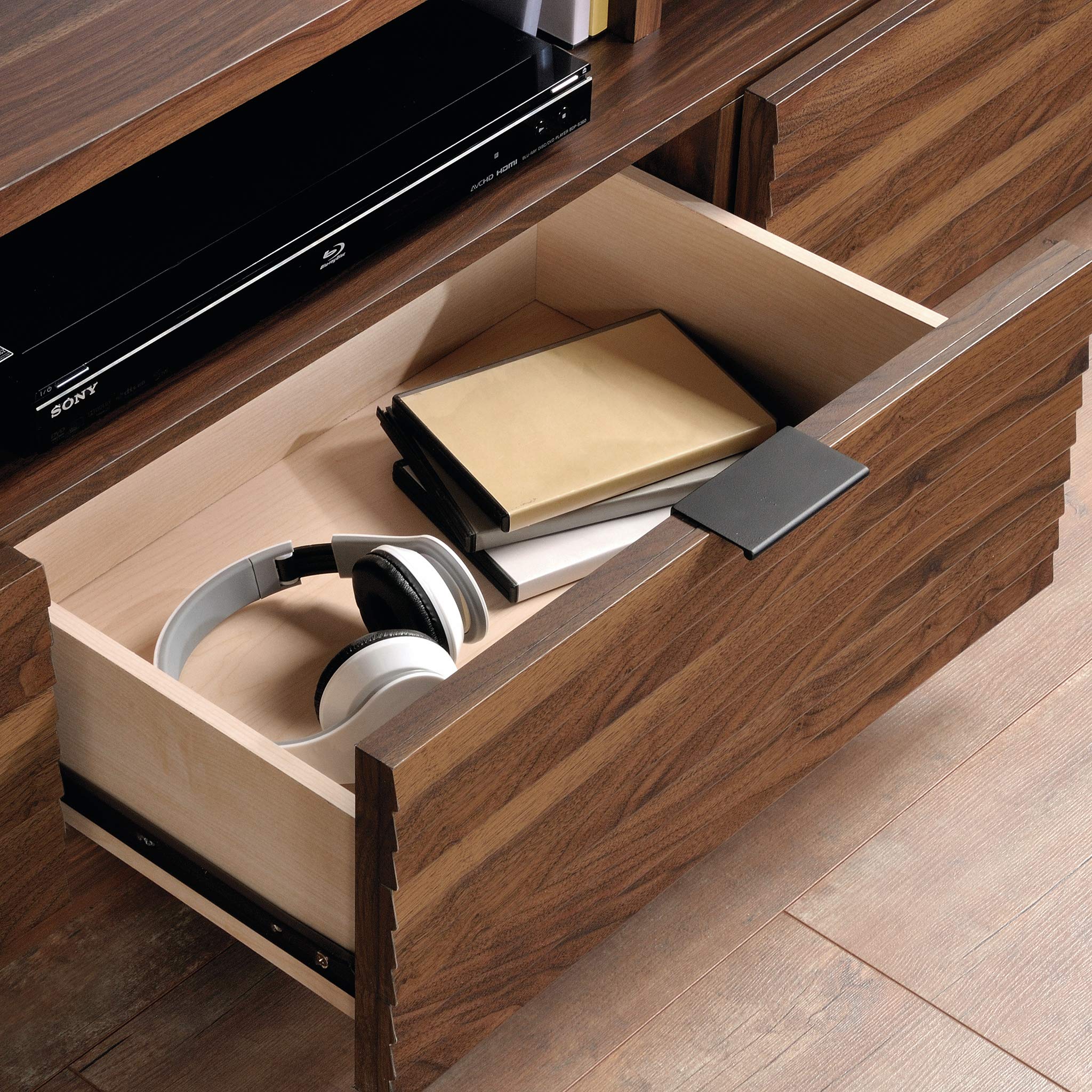
Image: A drawer of the media console pulled open, revealing ample storage space for media accessories like headphones and DVDs.
Operating and Usage
The Sauder Harvey Park Media Console is designed to be a central hub for your home entertainment system.
- TV Placement: The top surface is designed to accommodate televisions up to 70 inches and weighing up to 95 pounds. Ensure the TV is centered and stable.
- Open Shelves: Utilize the three open shelves for electronic devices such as Blu-ray players, gaming consoles, sound systems, or decorative items.
- Storage Drawers: The three lower drawers provide concealed storage for remotes, DVDs, CDs, cables, and other media accessories, helping to keep your living space organized and clutter-free.

Image: The media console with a large television placed on its top surface, and various media devices and decorative items arranged on the open shelves.
Maintenance
To maintain the appearance and longevity of your Sauder Harvey Park Media Console:
- Cleaning: Wipe surfaces with a damp cloth. Avoid harsh chemicals or abrasive cleaners, which can damage the Grand Walnut finish.
- Spills: Clean up spills immediately to prevent staining or damage to the engineered wood.
- Sunlight: Avoid prolonged exposure to direct sunlight, which can cause fading or discoloration over time.
- Heat and Moisture: Keep the unit away from direct heat sources and excessive moisture.
Troubleshooting
If you encounter issues during assembly or use, consider the following:
- Missing/Damaged Parts: If you find any missing or damaged components upon unboxing, do not proceed with assembly. Contact Sauder customer support immediately for replacement parts.
- Assembly Difficulties: Double-check the instruction manual for the specific step you are on. Ensure all parts are oriented correctly and all hardware is used as indicated. Sometimes, a small misalignment can prevent larger pieces from fitting together.
- Drawers Not Gliding Smoothly: Verify that the drawer slides are installed correctly and are not obstructed. Ensure all screws are tightened, but not overtightened.
- Unit Wobbles: Ensure the unit is placed on a level surface. Check all cam locks and screws to confirm they are fully tightened.
For further assistance, please contact Sauder customer support.
Specifications
| Feature | Detail |
|---|---|
| Brand | Sauder |
| Model Name | Harvey Park |
| Model Number | 420834 |
| Color | Grand Walnut |
| Product Dimensions | 19"D x 78.75"W x 20.75"H |
| Item Weight | 147 Pounds |
| Weight Limit (Top) | 95 Pounds |
| Material | Engineered Wood |
| Finish Type | Grand Walnut Finish |
| Assembly Required | Yes |
| Number of Shelves | 1 (referring to the main open shelf area, though it's divided into 3 sections) |
| Number of Pieces | 2 (referring to shipping boxes) |
| UPC | 042666032988 |
Warranty Information
Your Sauder Harvey Park Media Console is backed by a 5-year limited warranty on parts. This warranty covers defects in materials and workmanship under normal use. Please retain your proof of purchase for warranty claims. For full details regarding warranty coverage and claims, please visit the Sauder website or contact customer support.
Support
Sauder is committed to providing excellent customer service. If you have any questions, require replacement parts, or need assistance with assembly, please contact us:
- Website: sauder.com/service
- Phone: 800-523-3987
Our domestic call center is ready to assist you. You can also find assembly tip videos and information on replacement parts through our website.

Image: A Sauder customer service representative wearing a headset, ready to provide assistance.
Related documents420834


Ask a question about this manual
Ask about setup, troubleshooting, compatibility, parts, safety, or missing instructions. Manuals+ will review the question and use this page’s manual context to help answer it.