1. Introduction
The Sangean U4 is an ultra-rugged digital tuning radio designed for versatility and durability. It features AM/FM-RBDS, Weather Alert capabilities, Bluetooth wireless audio streaming, and an Aux-in port. Built to withstand challenging environments, the U4 is rain, dust, and shock resistant with an IP64 certified rating. It also includes a real-time clock with alarm timers and multiple power options to ensure you stay connected and informed.
2. Product Overview
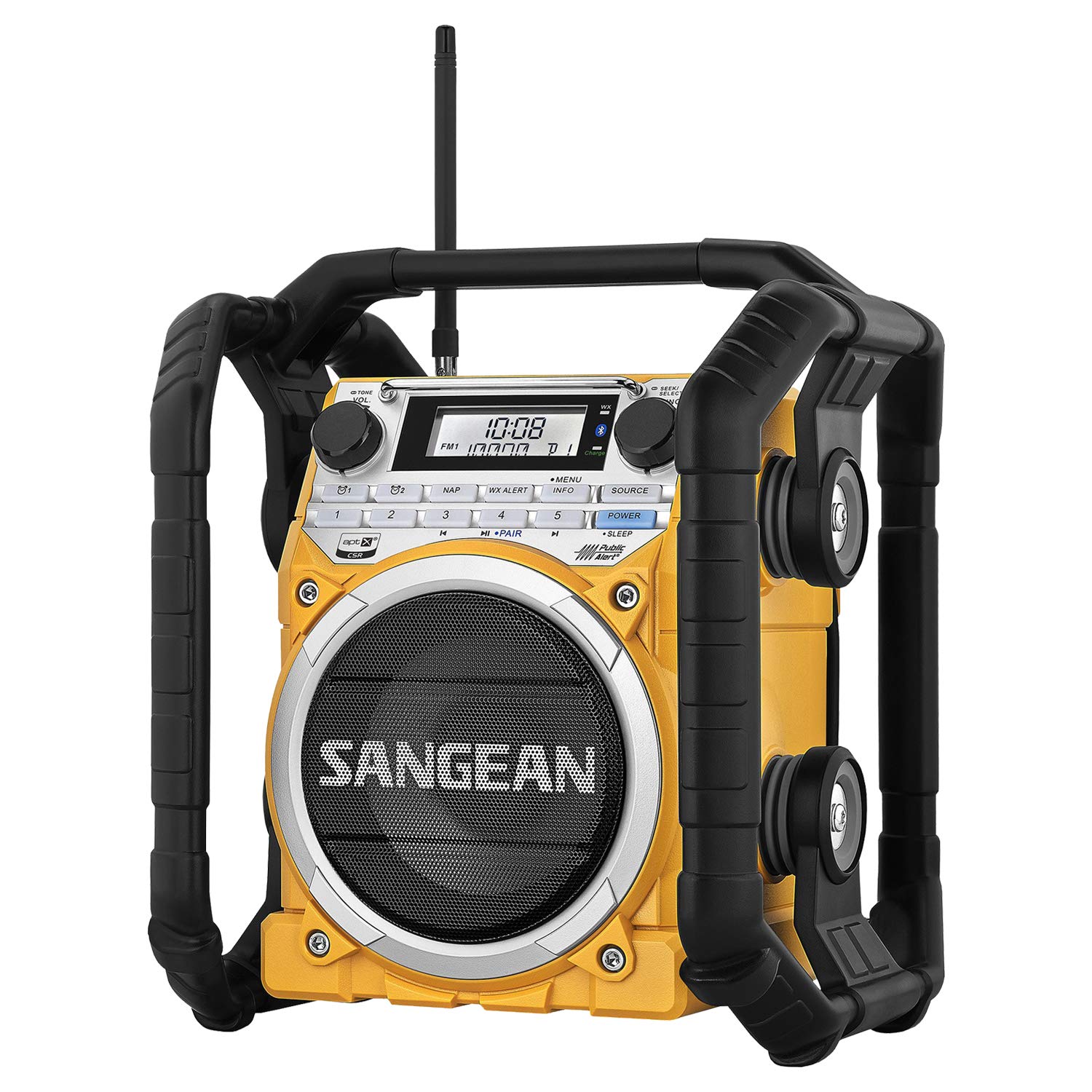
Figure 1: Front view of the Sangean U4 Weather Alert Radio.
2.1 Included Components
- Sangean U4 Radio
- Antenna
- Owners Manual
2.2 Key Features
- AM/FM-RBDS/Weather Alert/Bluetooth/Aux-In Digital Tuning: Access a wide range of radio stations and weather alerts.
- Station Presets: Store up to 5 FM1, 5 FM2, 5 AM, and 5 Weather Band stations for quick access.
- Bluetooth Wireless Audio Streaming: Easily connect your smartphone or other Bluetooth-enabled devices with NFC technology for high-fidelity audio (supports aptX decoding).
- Ultra-Rugged Design: IP64 certified for rain, dust, and shock resistance, making it ideal for outdoor and demanding environments.
- Rechargeable: Built-in rechargeable battery with a charging LED indicator.
- USB Charging Port: DC out (5V / 1A) USB A Type socket for charging mobile phones or MP3 players.
- Real-Time Clock & Alarms: Features a real-time clock with 2 alarm timers, adjustable Nap, Sleep, and Snooze functions.
3. Setup
3.1 Powering the Radio
The Sangean U4 offers multiple power options:
- AC Power: Plug the radio into a standard wall outlet using the provided AC power cord.
- Rechargeable Batteries: The radio has a built-in rechargeable battery. Ensure it is fully charged before initial use for optimal performance.
- Alkaline Batteries: The radio can also operate on alkaline batteries (not included) as an alternative power source.

Figure 2: Rear view showing the battery compartment for the Sangean U4 Radio.
3.2 Antenna Setup
Extend the telescopic antenna for optimal FM and Weather band reception. For AM reception, rotate the radio for the best signal.
4. Operating Instructions

Figure 3: Close-up of the Sangean U4 Radio's control panel and display.
4.1 Power On/Off
Press the POWER button to turn the radio on or off.
4.2 Band Selection
Press the BAND button repeatedly to cycle through AM, FM1, FM2, and Weather (WX) bands.
4.3 Tuning and Presets
- Manual Tuning: Rotate the TUNING knob to manually adjust the frequency.
- Auto Scan: Press and hold the SEEK/SELECT knob to automatically scan for the next available station.
- Setting Presets: Tune to your desired station, then press and hold one of the numbered preset buttons (1-5) until the display confirms the station is saved.
- Recalling Presets: Briefly press a numbered preset button (1-5) to recall a saved station.
4.4 Bluetooth Audio Streaming
- Pairing: Press the SOURCE button to select Bluetooth mode. The display will show "BT" and flash, indicating it's ready to pair.
- NFC Pairing: For NFC-enabled devices, simply touch your device to the NFC logo on the radio to initiate pairing.
- Manual Pairing: On your device, search for "Sangean U4" and select to connect.
- Once paired, you can stream audio from your device to the radio. Use the radio's controls or your device to adjust volume and playback.
4.5 Aux-In Connection
Connect an external audio device (e.g., MP3 player) to the AUX-IN port using a 3.5mm audio cable. Press the SOURCE button to select Aux-in mode.
4.6 USB Charging Out
The U4 features a DC out (5V / 1A) USB A Type socket. Connect your mobile phone or MP3 player to this port using a USB cable to charge your device. This function is active when the radio is powered on or connected to AC.
4.7 Clock, Alarms, Nap, Sleep & Snooze
Refer to the detailed Owners Manual for specific instructions on setting the real-time clock, configuring the 2 alarm timers, and utilizing the Nap, Sleep, and Snooze functions.
4.8 Weather Alert Function
Press the WX ALERT button to activate or deactivate the weather alert function. When active, the radio will automatically switch to the weather band and sound an alarm if a severe weather alert is broadcast.
Video 1: Official Sangean U4 Product Overview, demonstrating key features and ruggedness.
5. Maintenance
5.1 Cleaning
Wipe the radio with a soft, damp cloth. Do not use abrasive cleaners or solvents, as they may damage the finish. Ensure all port covers are securely closed to maintain IP64 rating.
5.2 Battery Care
If using rechargeable batteries, allow them to fully discharge occasionally before recharging to prolong battery life. If using alkaline batteries, remove them if the radio will not be used for an extended period to prevent leakage.
5.3 Water and Dust Resistance
The U4 is IP64 certified, meaning it is protected against dust ingress and splashing water from any direction. However, it is not designed for submersion. Always ensure the rubber covers for all ports are firmly sealed when not in use to maintain its resistance.
6. Troubleshooting
| Problem | Possible Cause | Solution |
|---|---|---|
| No power | Batteries are depleted or incorrectly installed; AC adapter not connected. | Replace/install batteries correctly; connect AC adapter. |
| Poor radio reception | Antenna not extended; weak signal area; interference. | Extend antenna fully; reposition radio; check for local interference sources. |
| Bluetooth not connecting | Device not in pairing mode; out of range; already connected to another device. | Ensure radio is in Bluetooth pairing mode; move device closer; disconnect from other devices. |
| USB charging not working | Radio not powered on or connected to AC; device not compatible. | Ensure radio is on or plugged into AC; check device compatibility. |
7. Specifications
| Feature | Detail |
|---|---|
| Model Number | U-4 |
| Product Dimensions | 11.73 x 10.55 x 13.46 inches |
| Item Weight | 10.69 pounds |
| Tuner Technology | AM/FM/WX (Weather) |
| Radio Bands Supported | AM/FM/WX |
| Connectivity Technology | Auxiliary, Bluetooth (with NFC and aptX) |
| Special Feature | Portable, Rechargeable, IP64 Certified (Rain, Dust, Shock Resistant) |
| Power Source | Battery Powered, Corded Electric |
| USB Output | DC 5V / 1A (for charging mobile devices) |
| Manufacturer | Sangean America, Inc. |
8. Warranty and Support
Sangean America, Inc. warrants this product to be free from defects in material and workmanship under normal use and conditions for a period of one year from the date of original purchase. For warranty service or technical support, please refer to the contact information provided in your product packaging or visit the official Sangean website.


