
Mediashop 1881844
Mediashop Vibro Shaper - Fitness Vibration Plate User Manual
Model: 1881844 | Brand: Mediashop
Introduction
The Mediashop Vibro Shaper is a versatile fitness device designed for home use, offering an efficient way to train various muscle groups. Utilizing oscillation technology, it helps in muscle building and can contribute to overall fitness improvement with short daily sessions. This manual provides essential information for the safe and effective operation, maintenance, and troubleshooting of your Vibro Shaper.
Safety Information
Please read all safety warnings and instructions carefully before using the Vibro Shaper. Failure to follow these instructions may result in injury.
- Consult a physician before starting any new exercise program, especially if you have pre-existing health conditions, heart rhythm disorders, or are pregnant.
- Ensure the Vibro Shaper is placed on a stable, level surface during use.
- Do not exceed the maximum user weight of 100 kg.
- Keep children and pets away from the device during operation.
- Do not insert any objects into the openings of the device.
- Unplug the device from the power outlet when not in use or before cleaning.
- Use only the original power adapter supplied with the device.
- If you experience dizziness, nausea, chest pain, or any other abnormal symptoms, stop your workout immediately and consult a physician.
Package Contents
Verify that all items are present in the package:
- 1x Vibro Shaper Vibration Plate
- 2x Power Resistance Bands
- 1x Nutrition Plan (printed guide)
- 1x Remote Control (Note: 2 AAA batteries are required for the remote control and are not included)
- 1x Power Cable
- 1x User Manual (this document)

Image: The Vibro Shaper vibration plate shown with its accompanying remote control. The plate is orange and grey with a white base, designed for fitness exercises.
Setup
- Unpacking: Carefully remove all components from the packaging. Retain packaging for future storage or transport.
- Placement: Place the Vibro Shaper on a firm, level, and non-slip surface. Ensure there is enough clear space around the device for safe exercise.
- Power Connection: Connect the power cable to the Vibro Shaper's power input and then plug it into a suitable electrical outlet.
- Remote Control Batteries: Open the battery compartment on the remote control and insert 2 AAA batteries, observing the correct polarity. Close the compartment.
- Resistance Bands (Optional): If you plan to use the resistance bands, attach them securely to the designated attachment points on the sides of the Vibro Shaper.
Operating Instructions
Getting Started
- Turn on the main power switch located on the side of the Vibro Shaper. The LED display will illuminate.
- You can control the device using either the control panel on the unit or the remote control.
Training Programs and Modes
The Vibro Shaper features 3 automatic training programs and adjustable speed settings.
- Manual Mode: Adjust the vibration speed manually using the '+' and '-' buttons. There are 2 resistance levels.
- Automatic Programs (P1, P2, P3): Select one of the three pre-set programs. Each program offers a varied intensity and duration for a balanced workout.
- Time Setting: Most workouts are recommended for a maximum of 10 minutes per day. The device may have a default timer or allow for adjustment.

Image: A person standing on the Vibro Shaper, demonstrating a basic usage position. The orange waves indicate the vibration effect.
Exercise Examples
The included nutrition plan and exercise poster provide detailed guidance. Here are a few examples:
- Standing Position: Stand with feet shoulder-width apart on the plate. This targets leg and core muscles.
- Plank: Place hands or forearms on the plate and hold a plank position. This engages core and upper body.
- Push-ups: Place hands on the plate and perform push-ups. This strengthens chest, shoulders, and triceps.
- Resistance Band Exercises: Use the attached resistance bands for arm, shoulder, and back exercises while standing on the plate.
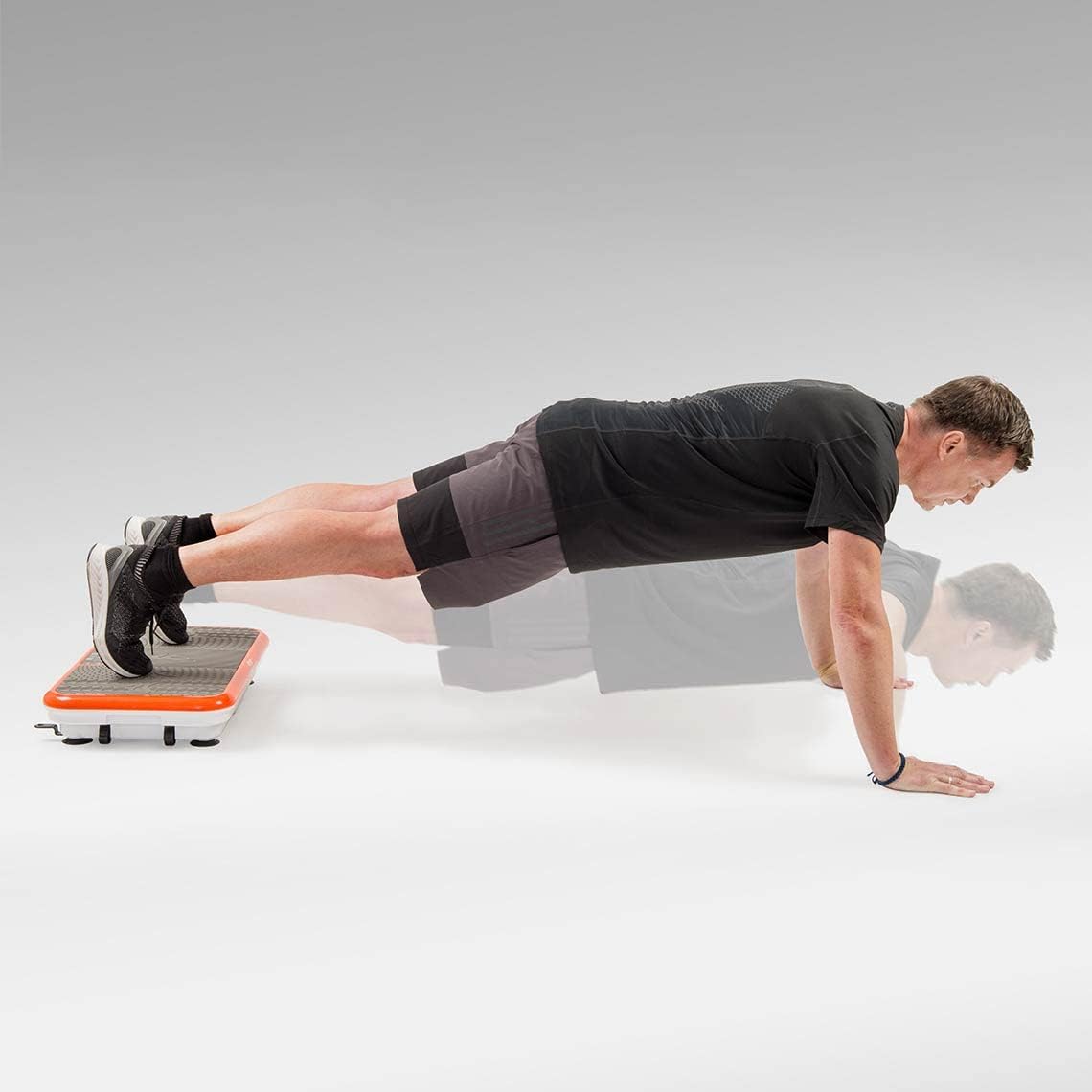
Image: A male user demonstrating a plank exercise with hands on the Vibro Shaper, engaging core muscles.

Image: A male user performing arm exercises using the resistance bands attached to the Vibro Shaper, targeting shoulder and arm muscles.

Image: A female user performing crunches with her feet on the Vibro Shaper, focusing on abdominal muscles.
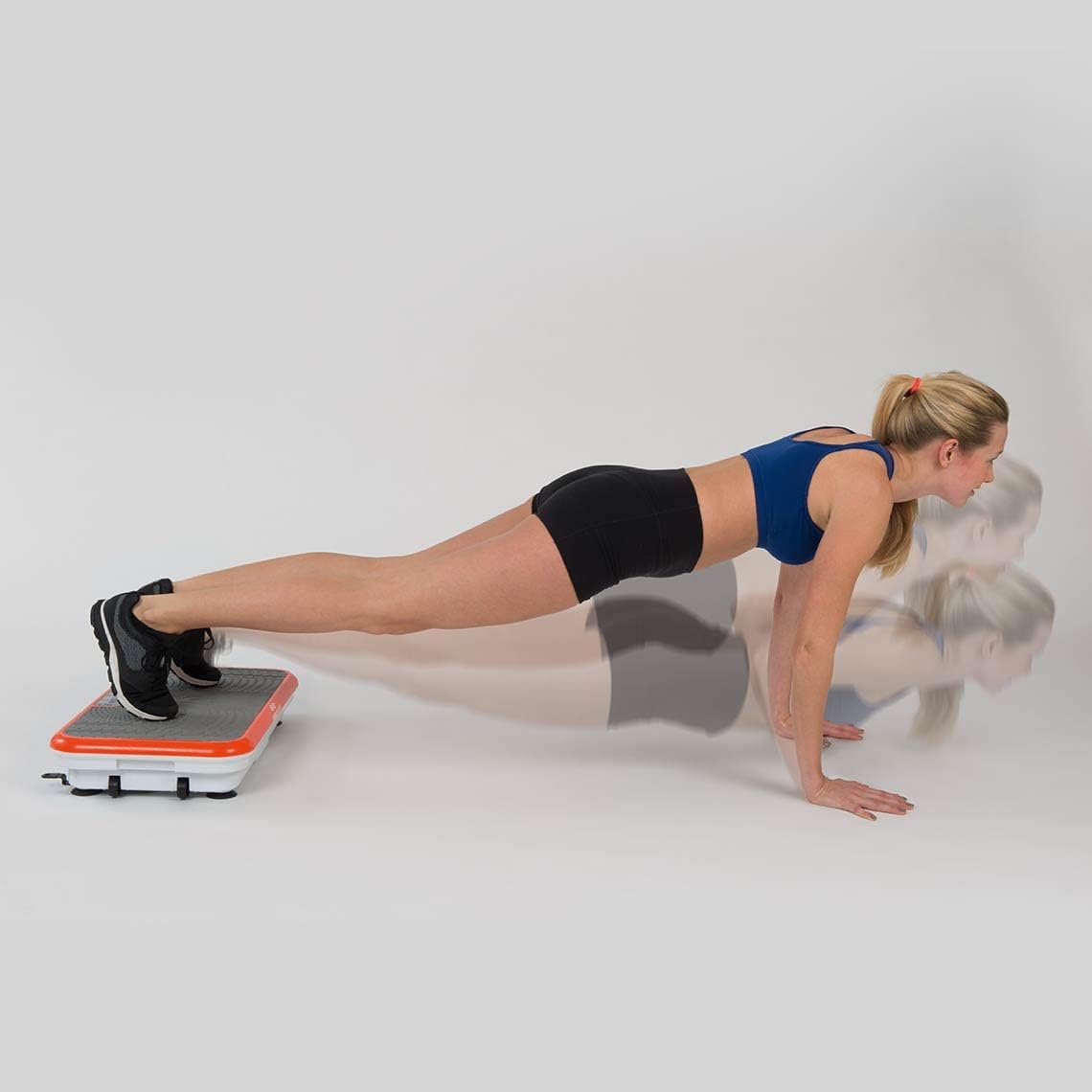
Image: A female user demonstrating a plank exercise with hands on the Vibro Shaper, engaging core muscles.

Image: A female user performing push-ups with her feet elevated on the Vibro Shaper, increasing the challenge for upper body and core.
Maintenance
- Cleaning: Always unplug the device before cleaning. Wipe the surface of the Vibro Shaper with a soft, damp cloth. Do not use abrasive cleaners or solvents.
- Storage: Store the Vibro Shaper in a cool, dry place away from direct sunlight and moisture.
- Inspection: Periodically check the power cord for any damage. If damaged, contact customer support for replacement.
Troubleshooting
| Problem | Possible Cause | Solution |
|---|---|---|
| Device does not turn on. | Power cable not connected; Main switch off; Power outlet issue. | Ensure power cable is securely plugged in. Turn on the main power switch. Test the outlet with another device. |
| Remote control not working. | Batteries are dead or incorrectly inserted; Remote out of range. | Replace batteries (2 AAA). Check battery polarity. Ensure remote is pointed at the device and within range. |
| Unusual noise or vibration. | Device not on a level surface; Internal malfunction. | Ensure the device is on a flat, stable surface. If noise persists, discontinue use and contact customer support. |
Specifications
| Feature | Detail |
|---|---|
| Model Number | 1881844 |
| Maximum Weight Recommendation | 100 Kilograms |
| Control Type | Remote Control |
| Display Type | LED |
| Maximum Speed | 780 Revolutions per Minute |
| Number of Programs | 3 |
| Number of Resistance Levels | 2 |
| Operating Mode | Automatic |
| Power Source | Battery-operated (main unit is mains powered, remote is battery) |
| Product Dimensions (L x W x H) | 62.5 x 38.5 x 12 cm |
| Item Weight | 12.2 Kilograms |
| Material Type | Metal |
| Batteries Required for Remote | 2 AAA (not included) |
Warranty and Support
Information regarding product warranty and customer support was not available in the provided data. Please refer to the product packaging or the manufacturer's official website for details on warranty coverage and how to contact customer support for service or inquiries.
For general inquiries or to purchase replacement parts, please visit the Mediashop official website or contact their customer service department.
Ask a question about this manual
Ask about setup, troubleshooting, compatibility, parts, safety, or missing instructions. Manuals+ will review the question and use this page’s manual context to help answer it.