
Introduction
This manual provides instructions for the proper use and care of your Amazon Fire 7 Tablet Case, designed specifically for the 7th Generation (2017 Release) Fire 7 Tablet. This case offers protection and enhanced functionality for your device.
Compatibility
This case is exclusively compatible with the Amazon Fire 7 Tablet (7th Generation, 2017 Release). It is not designed for other Fire tablet models or generations. Please verify your tablet model before installation.
Features
- Slim Design: Maintains the tablet's sleek profile while providing protection.
- Built-in Stand: Allows for hands-free viewing in both landscape and portrait orientations.
- Magnetic Closure: Securely keeps the cover shut, protecting the screen.
- Automatic Wake/Sleep: Automatically wakes your tablet when opened and puts it to sleep when closed.
- Premium Materials: Constructed with durable fabric exterior and a soft microfiber interior to protect the screen.
- Precise Cutouts: Provides easy access to all buttons, ports, and cameras without removing the case.
Setup and Installation
- Ensure your Fire 7 Tablet is clean and free of debris.
- Align the tablet with the case, ensuring the camera and ports match the case's cutouts.
- Gently press the tablet into the case, starting from one corner and working your way around until it is securely seated.
- Verify that all buttons, ports, and the camera are accessible and unobstructed.

This image shows the Fire 7 Tablet inserted into the case, highlighting the precise fit and access to the screen.
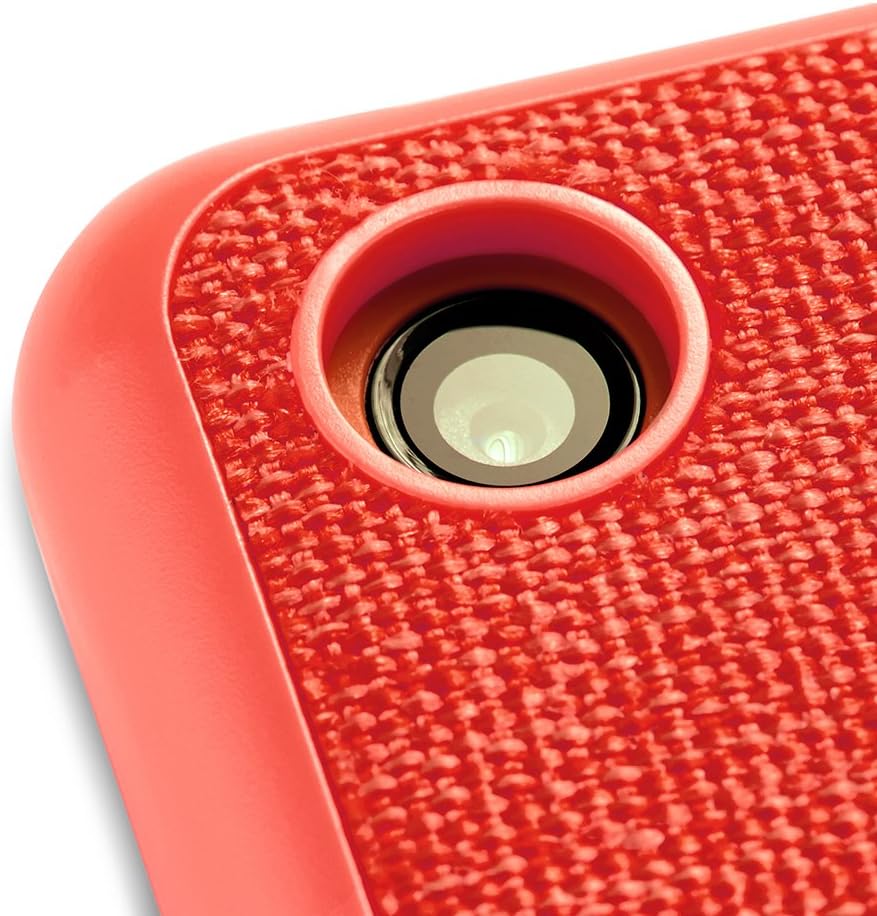
A detailed view of the case's rear, showing the precise cutout for the tablet's camera, ensuring full functionality.
Operating Instructions
Using the Built-in Stand
The case features a multi-fold design that allows it to convert into a stand for hands-free viewing.
- Landscape Orientation: Fold the front cover back and manipulate the creases to form a triangular stand. Place the tablet into the groove created by the fold.
- Portrait Orientation: For some viewing angles, the case can also be folded to support the tablet in a portrait position.

This image demonstrates how the case can be folded to create a stable stand, ideal for hands-free viewing in landscape orientation.

The Fire 7 Tablet is shown in its case, configured for hands-free viewing in portrait orientation, suitable for reading or video calls.
Magnetic Closure and Auto Wake/Sleep
The front cover of the case contains magnets that secure it shut when closed. These magnets also interact with your Fire 7 Tablet to automatically wake the device when the cover is opened and put it to sleep when the cover is closed.
Maintenance
Cleaning Your Case
To maintain the appearance and functionality of your case:
- For general cleaning, wipe the exterior fabric with a soft, damp cloth.
- Avoid using harsh chemicals or abrasive cleaners, as these can damage the material.
- For the microfiber interior, gently wipe with a dry, lint-free cloth to remove dust or smudges from the screen.
- Allow the case to air dry completely if it becomes wet.
Troubleshooting
- Case does not fit: Ensure your tablet is an Amazon Fire 7 (7th Generation, 2017 Release). This case is not compatible with other models.
- Auto wake/sleep not working: Verify the tablet is correctly seated in the case and that the cover is fully closing. If the issue persists, ensure your tablet's settings for cover functionality are enabled (refer to your Fire Tablet's user guide).
- Stand is unstable: Ensure the folds are properly creased and the tablet is placed securely in the designated groove.
Specifications
- Compatibility: Amazon Fire 7 Tablet (7th Generation, 2017 Release)
- Materials: Premium fabric exterior, microfiber interior
- Features: Built-in stand, magnetic closure, auto wake/sleep functionality, precise cutouts
Warranty and Support
This Amazon-branded product is covered by Amazon's standard limited warranty. For detailed warranty information, product support, or to contact customer service, please visit the official Amazon Support website or refer to the documentation included with your Fire 7 Tablet.
Amazon Support: https://www.amazon.com/gp/help/customer/display.html