
Artlii YG300
Contents
Artlii YG300 Mini Portable Projector User Manual
Model: YG300
1. Introduction
This manual provides detailed instructions for the safe and efficient operation of your Artlii YG300 Mini Portable Projector. Please read this manual thoroughly before using the product and retain it for future reference.
2. Safety Information
Observe the following safety precautions to prevent damage to the projector and ensure user safety:
- Do not look directly into the projector lens when the lamp is on.
- Ensure proper ventilation to prevent overheating. Do not block ventilation openings.
- Use only the provided power adapter or a compatible power bank (5V/2A).
- Keep the projector away from water or other liquids.
- Do not attempt to disassemble or repair the projector yourself. Contact qualified service personnel.
- Keep out of reach of small children.
3. Package Contents
Verify that all items are present in the package:
- Artlii YG300 Mini Portable Projector
- Power Adapter
- Remote Control (AAA batteries not included)
- AV Cable (3-in-1)
- User Guide (this manual)

Image: Contents of the Artlii YG300 package, including the projector, remote control, power adapter, and AV cable.
4. Product Overview
Familiarize yourself with the projector's components and controls.
4.1 Front View
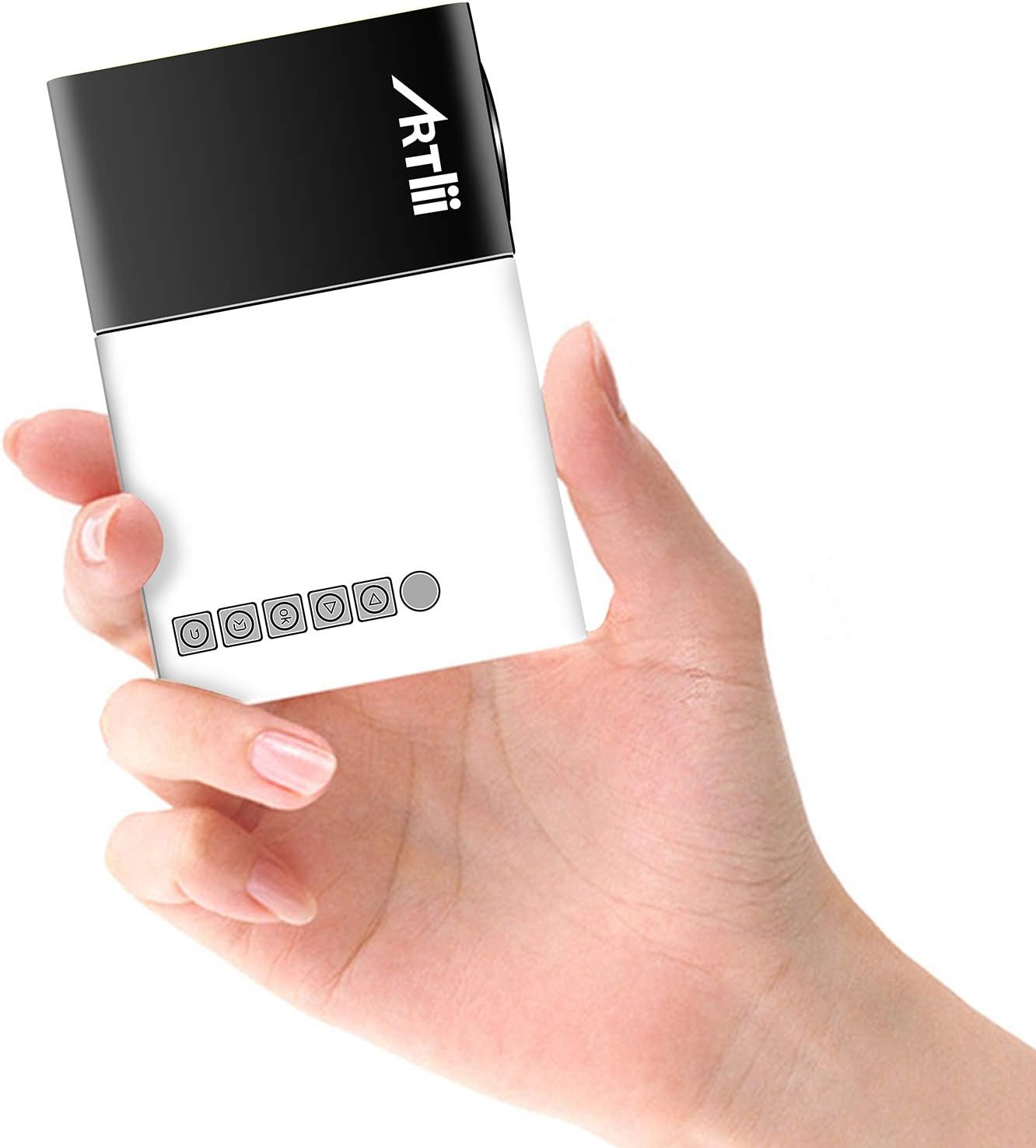
Image: The Artlii YG300 Mini Portable Projector, showing its compact size and top-mounted control buttons.
The front of the projector features the lens and a focus adjustment dial. The top panel includes control buttons for navigation and selection.
4.2 Side and Rear Views (Ports and Connections)

Image: Diagram illustrating the various input and output ports on the Artlii YG300 projector, including HDMI, USB, Micro SD, AV, and audio out.
- HDMI Port: Connect to devices like laptops, game consoles, or streaming sticks.
- USB Port: Connect USB flash drives for media playback.
- Micro SD Card Slot: Insert Micro SD cards for media playback.
- AV Port: Connect to older devices using the included AV cable.
- Audio Out (3.5mm Jack): Connect external speakers or headphones.
- DC Power Input: Connect the power adapter.
- Micro USB (5V) Input: Alternative power input for power banks.
5. Setup
5.1 Powering On the Projector
- Connect the power adapter to the DC Power Input port on the projector and then to a power outlet.
- Alternatively, connect a 5V/2A power bank to the Micro USB (5V) Input port.
- Press the power button on the projector or remote control to turn it on.

Image: The Artlii YG300 projector being powered by a portable power bank via its Micro USB input, demonstrating its portability.
5.2 Placement and Screen Size
Place the projector on a stable surface. The optimal projection distance and screen size are:
- Projection Distance: 0.8m to 2.0m (approximately 2.6ft to 6.5ft)
- Projected Dimension Range: 24 to 60 inches diagonally
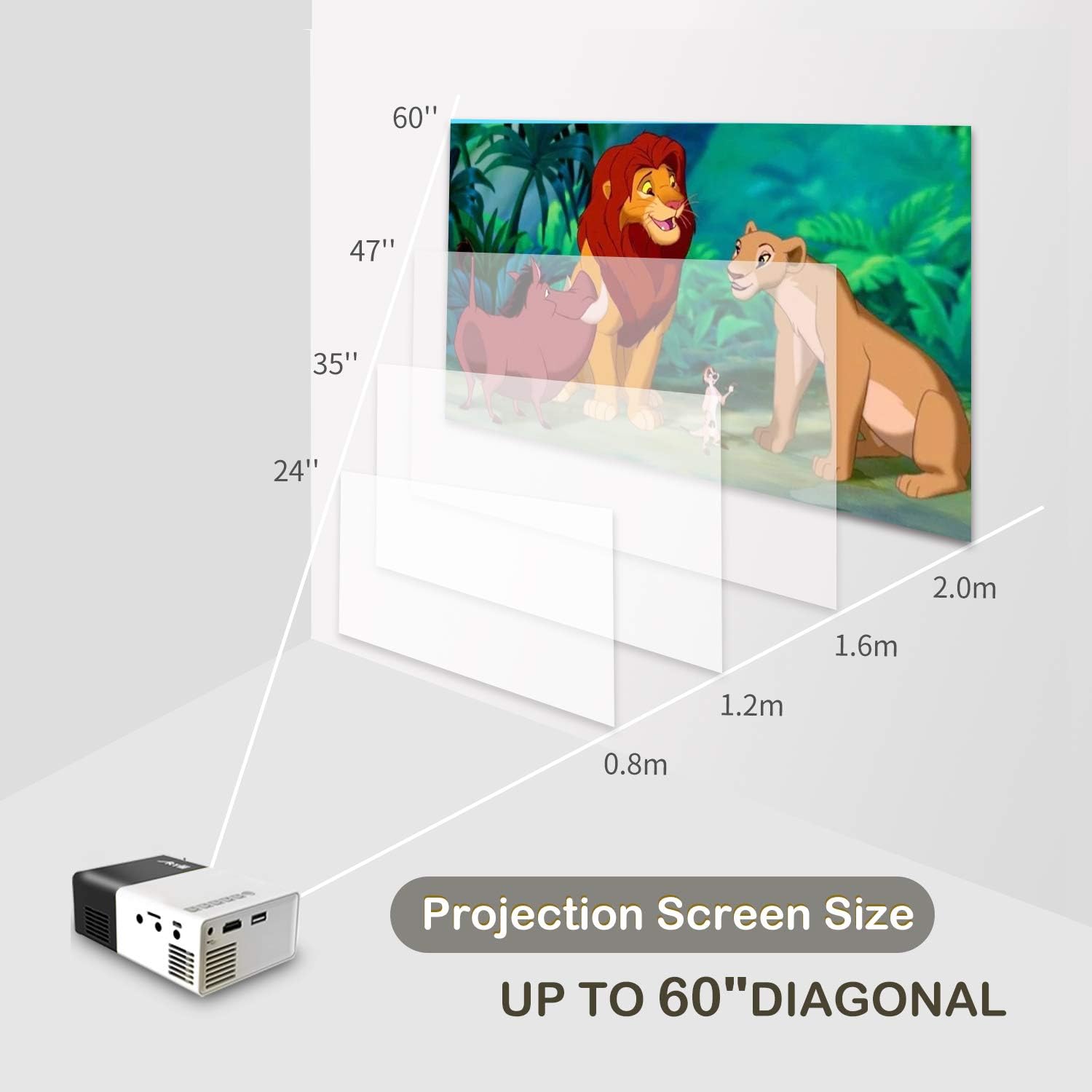
Image: A diagram illustrating the relationship between projection distance and screen size for the Artlii YG300 projector, showing screen sizes from 24 to 60 inches.
5.3 Adjusting Focus
Rotate the focus adjustment dial located near the lens until the projected image is clear and sharp.
6. Operating the Projector
6.1 Connecting Input Devices
The projector supports various input sources:
- HDMI: Connect an HDMI cable from your device (laptop, streaming stick, game console) to the projector's HDMI port.
- USB: Insert a USB flash drive into the USB port.
- Micro SD: Insert a Micro SD card into the Micro SD card slot.
- AV: Use the included 3-in-1 AV cable to connect to devices with AV output.
6.2 Selecting Input Source
After connecting a device, use the remote control or the projector's control buttons to navigate to the main menu and select the corresponding input source (e.g., HDMI, USB, SD, AV).
6.3 Media Playback
When a USB drive or Micro SD card is selected, the projector's interface will allow you to browse and play supported media files:
- Video Formats: AVI(AC3)/FLV/MKV/MP4/RM/MPG(MPEG1)/MPG(MPEG2)/MOV(MPEG4)/AVI (MPEG)/3GP/ DIVX/RMVB/VOB/TS/TP
- Audio Formats: MP3/MAV/WMA/M4A(AAC)/AC3
- Picture Formats: JPEG/JPG/PNG/BMP/MPO
- Document Formats: TXT
6.4 Audio Output
The projector has a built-in speaker. For enhanced audio, connect external speakers or headphones to the 3.5mm Audio Out jack.
7. Maintenance
7.1 Cleaning
- Use a soft, dry cloth to clean the projector's exterior.
- For the lens, use a lens cleaning cloth and specialized lens cleaning solution. Avoid abrasive materials.
- Ensure ventilation openings are free from dust and debris.
7.2 Lamp Life
The projector utilizes an LED lamp with an estimated lifespan of up to 30,000 hours. No lamp replacement is typically required during the product's lifetime under normal usage conditions.
8. Troubleshooting
| Problem | Possible Cause | Solution |
|---|---|---|
| No image projected |
|
|
| Image is blurry |
|
|
| No sound |
|
|
| Remote control not working |
|
|
9. Specifications
| Brand | Artlii |
| Model | YG300 (Artlii-MINI) |
| Display Technology | LCD |
| Light Source | LED |
| Lamp Brightness | 400-600 Lumens |
| Native Resolution | 320 x 240 pixels |
| Supported Resolution | Up to 1920 x 1080 pixels (1080p) |
| Contrast Ratio | 800:1 |
| Aspect Ratio | 4:3 / 16:9 |
| Projected Dimension Range | 24-60 inches |
| Throw Ratio | 1.6:1 |
| Input Ports | HDMI, AV, MicroSD (TF), USB, Micro USB (5V) |
| Output Port | 3.5mm Audio Jack |
| Built-in Speaker | Yes |
| Noise Level | 21 dB |
| Power Supply | AC 220V (adapter) / DC 5V/2A (Micro USB) |
| Power Consumption | 24 Watts |
| Product Dimensions | 12.4 x 8.3 x 4.6 cm |
| Product Weight | 250 g |
| Remote Control | Included |
10. Warranty and Support
The Artlii YG300 Mini Portable Projector comes with a 1-month 100% Money-Back Policy and a 1-year factory warranty. For technical assistance or warranty claims, please contact Artlii customer support. Local maintenance centers are available to assist with service needs.
For further information or support, please visit the official Artlii website or contact their customer service department.
Ask a question about this manual
Ask about setup, troubleshooting, compatibility, parts, safety, or missing instructions. Manuals+ will review the question and use this page’s manual context to help answer it.