
1. Introduction
The iDance Party MIC PM 10 is a versatile Bluetooth karaoke microphone with an integrated speaker, designed for portable entertainment. It features LED lighting and echo control, allowing you to stream music wirelessly and sing along with enhanced vocal effects. This manual provides essential information for the safe and effective use of your device.

Image 1.1: The iDance Party MIC PM 10 in white, showcasing its sleek design.
2. What's in the Box
Please check the contents of your package. If any items are missing or damaged, contact your retailer.
- iDance Party MIC PM 10 Microphone with Integrated Speaker
- USB Charging Cable
- User Manual
3. Setup
3.1 Charging the Device
- Locate the USB charging port on the microphone.
- Connect the provided USB charging cable to the microphone.
- Plug the other end of the USB cable into a compatible USB power adapter (not included) or a computer's USB port.
- The LED indicator will show the charging status. A full charge typically takes 2-3 hours and provides up to 6 hours of playback.
3.2 Powering On/Off
- To power on: Press and hold the power button until the device activates.
- To power off: Press and hold the power button until the device shuts down.
4. Operating Instructions
4.1 Bluetooth Pairing
The Party MIC PM 10 can connect wirelessly to your smartphone, tablet, or laptop via Bluetooth.
- Ensure the microphone is powered on. It will automatically enter Bluetooth pairing mode, indicated by a flashing LED.
- On your device (smartphone, tablet, etc.), enable Bluetooth and search for available devices.
- Select "iDance PM 10" from the list of devices.
- Once paired, the microphone will emit an audible confirmation, and the LED will stop flashing. You can now stream music from your device to the microphone's speaker.
4.2 Micro SD Card Playback
You can play music directly from a Micro SD card.
- Insert a Micro SD card (with MP3 music files) into the designated slot on the microphone.
- The microphone will automatically detect the card and begin playing music.
- Use the track control buttons (if available) to navigate through your music.
4.3 Volume and Echo Control
- Volume Control: Use the dedicated volume buttons or knob on the microphone to adjust the overall sound output.
- Echo Control: Adjust the echo effect using the echo control knob to add a reverberation effect to your vocals.
4.4 LED Lighting
The microphone features integrated LED lights that synchronize with the music, creating a party atmosphere.
- The LED lights activate automatically when the microphone is in use.
- The lights will change colors and patterns in sync with the audio.

Image 4.1: A user demonstrating the iDance Party MIC PM 10 with its vibrant pink LED lighting.

Image 4.2: A user demonstrating the iDance Party MIC PM 10 with its vibrant blue LED lighting.
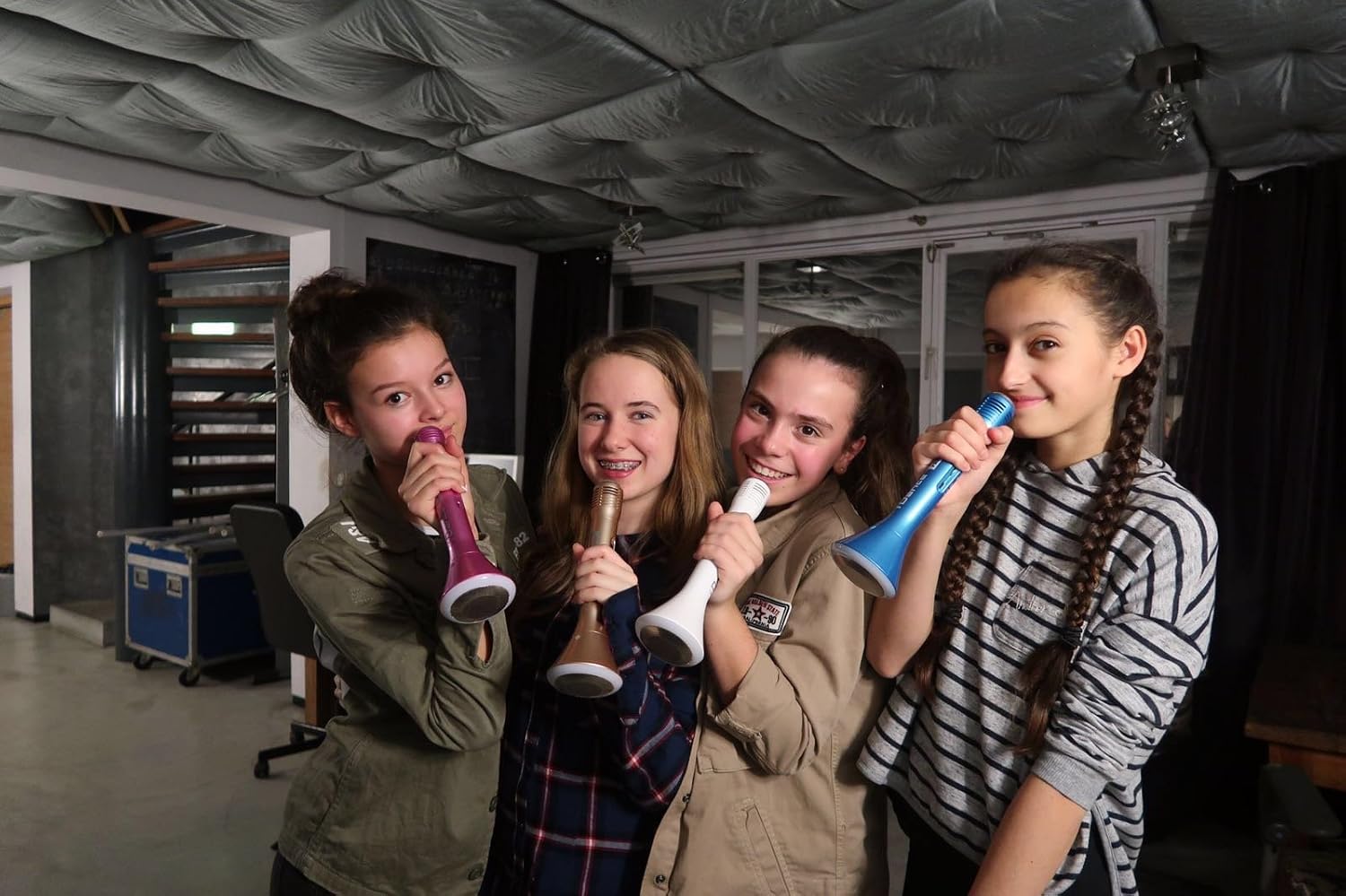
Image 4.3: Multiple users enjoying the iDance Party MIC PM 10, highlighting its group entertainment potential.
5. Maintenance
5.1 Cleaning
- Wipe the microphone's exterior with a soft, dry cloth.
- Do not use abrasive cleaners, solvents, or harsh chemicals.
- Avoid getting moisture into any openings.
5.2 Storage
- Store the microphone in a cool, dry place away from direct sunlight and extreme temperatures.
- If storing for an extended period, ensure the battery is partially charged (around 50%) to prolong its lifespan.
6. Troubleshooting
- No Power: Ensure the device is fully charged. Connect it to a power source using the USB cable.
- Cannot Pair Bluetooth: Make sure Bluetooth is enabled on your device and the microphone is in pairing mode. Try restarting both devices. Ensure no other devices are currently connected to the microphone.
- Low Microphone Volume: Adjust the microphone volume control on the device. Ensure you are speaking directly into the microphone grille.
- No Sound from Speaker: Check the master volume control on the microphone and your connected device. Ensure music is playing from the source.
- Distorted Sound: Reduce the volume on both the microphone and your connected device. Ensure the microphone is not too close to the speaker, which can cause feedback.
7. Specifications
| Feature | Specification |
|---|---|
| Model Name | Party MIC PM 10 |
| Brand | iDance |
| Connectivity Technology | Bluetooth, USB Type-A |
| Special Feature | Wireless, LED Lighting, Echo Control |
| Compatible Devices | Laptop, Tablet, Smartphone |
| Color | White |
| Components Included | Microphone, Speaker (integrated) |
| Polar Pattern | Unidirectional |
| Microphone Features | Handheld |
| Power Source | Battery Powered (1 Lithium-ion included) |
| Battery Life | Up to 6 hours (approx.) |
| Speaker Output | 5W |
| Dimensions | 50 x 50 x 250 mm |
| Weight | 250g (approx.) |
| Material | ABS Plastic |
| Model Number | PM10White |
| UPC | 489436706869 |
| Country of Origin | China |
8. Safety Information
- Do not expose the device to water or excessive moisture.
- Avoid dropping or subjecting the device to strong impacts.
- Do not attempt to disassemble or repair the device yourself. Refer to qualified service personnel.
- Keep out of reach of children.
- Dispose of the battery and device according to local regulations.
9. Warranty and Support
For warranty information and customer support, please refer to the documentation provided with your purchase or visit the official iDance website. Keep your proof of purchase for warranty claims.


