
Introduction
The PAC AmpPRO AP4-CH41 is an advanced power adapter designed to simplify the integration of upgraded amplifiers into modern vehicle audio systems. Specifically engineered for select 2015 to 2021 Chrysler, Dodge, Jeep, and Ram vehicles, this interface eliminates the need for complex summing and DSP devices. It allows for enhanced audio performance while retaining the original factory radio's features and aesthetics.
Product Overview
The PAC AmpPRO AP4-CH41 package includes the main AmpPRO module, a vehicle-specific wiring harness, and an accessory harness. These components work together to provide a seamless integration solution for aftermarket audio upgrades.

Figure 1: Complete PAC AmpPRO AP4-CH41 kit showing the main module, vehicle-specific harness, and accessory wiring.
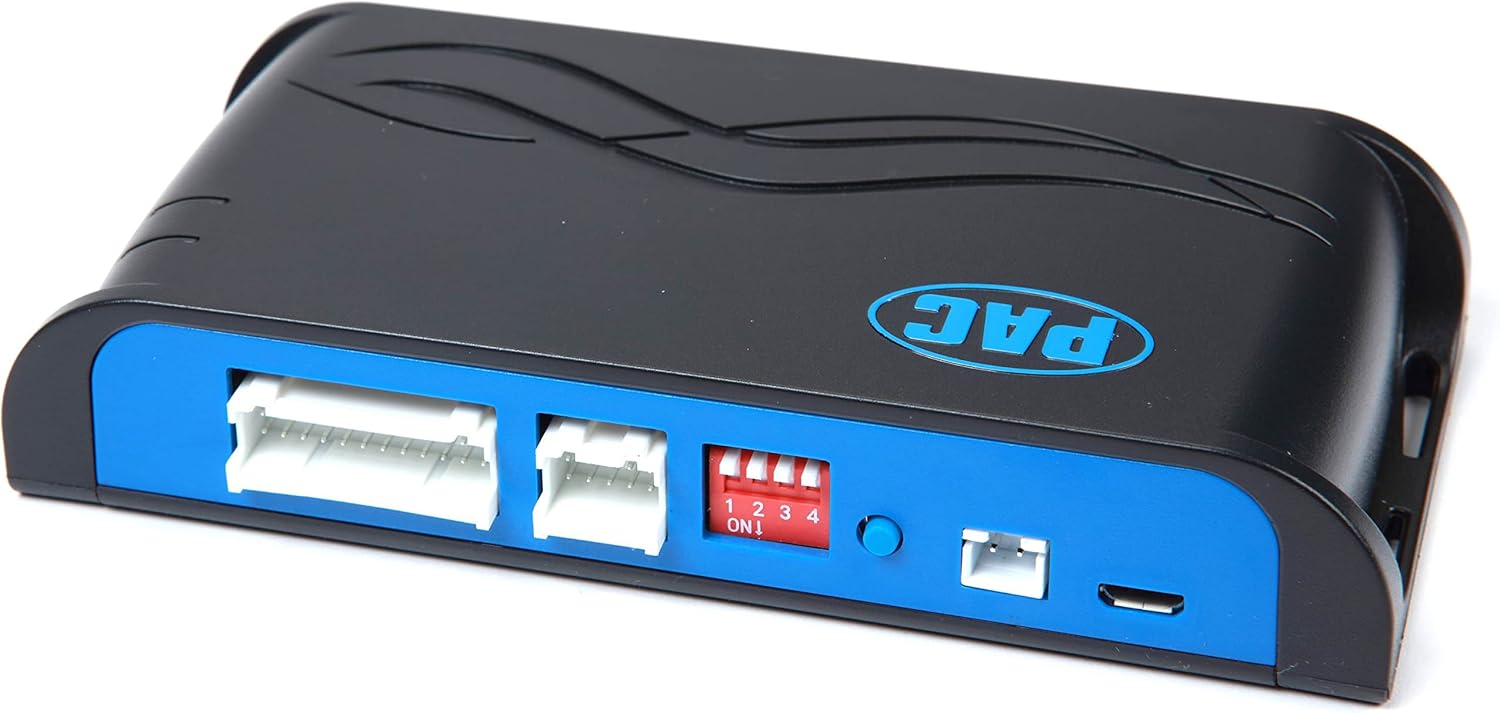
Figure 2: Top view of the AmpPRO module, highlighting the input connectors and the four-position dip switch block for configuration.
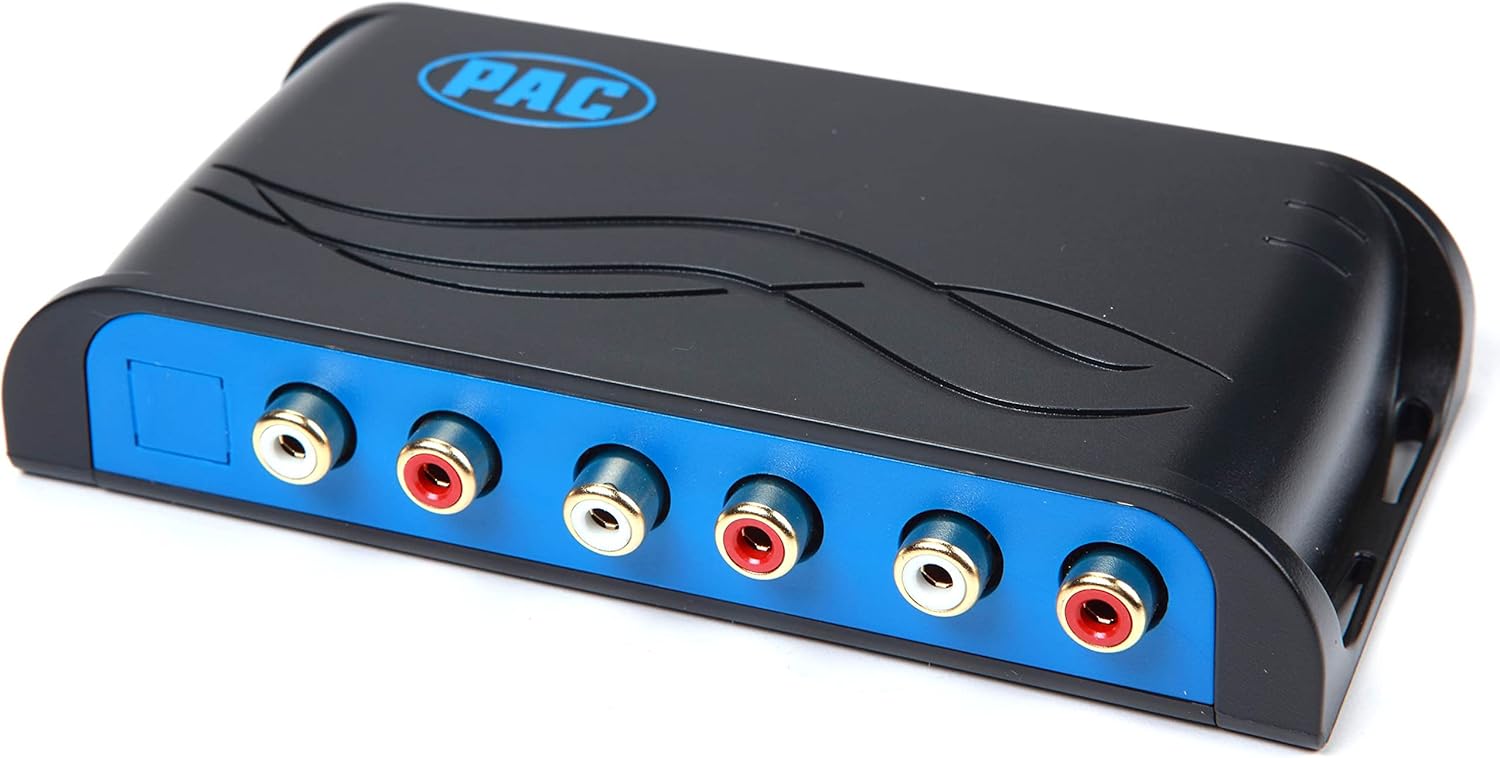
Figure 3: Side view of the AmpPRO module, displaying the RCA pre-outs for connecting to aftermarket amplifiers.
Setup and Installation
Installation of the AmpPRO AP4-CH41 involves connecting the module to the vehicle's existing wiring harness, typically behind the factory radio or amplifier. This process requires careful attention to wiring diagrams and vehicle-specific instructions, which are usually provided in a detailed installation guide accompanying the product. Ensure the vehicle's battery is disconnected before beginning any electrical work.
Pre-Installation Steps:
- Review Vehicle Compatibility: Confirm your vehicle's make, model, and year are compatible with the AP4-CH41.
- Gather Tools: Ensure you have all necessary tools, including wire strippers, crimpers, electrical tape, and a multimeter.
- Disconnect Battery: Always disconnect the negative terminal of the vehicle's battery before starting installation to prevent electrical shorts.
Module Configuration (Dip Switches):
The AmpPRO module features dip switches (visible in Figure 2) that must be set according to your specific vehicle and desired audio output configuration. Refer to the detailed installation manual for the correct dip switch settings for your application. Incorrect settings can lead to improper operation or damage.
Wiring Connections:
- Connect the vehicle-specific harness to the factory radio/amplifier harness.
- Connect the other end of the vehicle-specific harness to the AmpPRO module.
- Connect the accessory harness to the AmpPRO module and wire it to provide power, ground, and remote turn-on signals for your aftermarket amplifier(s).
- Connect RCA cables from the AmpPRO module's pre-outs (Figure 3) to your aftermarket amplifier's inputs.
Operating Instructions
Once properly installed and configured, the PAC AmpPRO AP4-CH41 operates automatically with your vehicle's factory radio. It converts the vehicle's digital audio signals into a clean, low-level analog signal suitable for aftermarket amplifiers, while retaining factory features such as steering wheel controls, navigation prompts, and warning chimes.
Initial Power-Up:
After installation, reconnect the vehicle's battery. The AmpPRO module will power on with the vehicle's ignition. Verify that your aftermarket audio system powers on and produces sound. Adjust gain settings on your aftermarket amplifier(s) as needed for optimal sound quality.
Volume Control:
Volume control will continue to be managed by the factory radio's volume knob or steering wheel controls. The AmpPRO module ensures a consistent and clean audio signal across the entire volume range.
Maintenance
The PAC AmpPRO AP4-CH41 is designed for maintenance-free operation. No user-serviceable parts are inside the module. Keep the module and its connections free from moisture and excessive heat. Periodically check all wiring connections to ensure they remain secure, especially after initial installation.
Troubleshooting
| Problem | Possible Cause | Solution |
|---|---|---|
| No audio output from aftermarket system. | Incorrect dip switch settings; loose wiring connections; amplifier not powered on. | Verify dip switch settings against manual; check all power, ground, and RCA connections; ensure amplifier is receiving remote turn-on signal. |
| Distorted or poor sound quality. | Incorrect gain settings on amplifier; improper dip switch settings; ground loop noise. | Adjust amplifier gain settings carefully; re-check dip switch configuration; ensure proper grounding for all audio components. |
| Factory features (e.g., chimes, steering wheel controls) not working. | Module not properly communicating with vehicle's data bus; incorrect wiring. | Ensure all vehicle-specific harness connections are secure and correct; verify module is receiving proper power and data signals. |
Specifications
| Feature | Detail |
|---|---|
| Model Number | AP4-CH41 |
| Product Dimensions | 8.9 x 5.75 x 1.75 inches |
| Item Weight | 12 ounces |
| Manufacturer | PAC |
| Color | Black |
| Contents | AmpPRO Module, Vehicle-Specific Harness, Accessory Harness, Manual |
Important Information
WARNING: This product contains chemicals known to the State of California to cause cancer and birth defects or other reproductive harm.
Warranty and Support
Specific warranty details and direct support contact information for the PAC AmpPRO AP4-CH41 are typically provided with the product packaging or on the manufacturer's official website. Please refer to those resources for the most accurate and up-to-date information regarding product warranty and technical support.


