
1. Introduction
This manual provides essential information for the safe and efficient operation, installation, and maintenance of your AEG BEB331010M Multifunction Oven. Please read these instructions carefully before using the appliance and keep them for future reference.
The AEG BEB331010M oven is designed to deliver precise heat control for consistent cooking results, whether you are baking, roasting, or grilling. Its advanced features ensure even heat distribution and user-friendly operation.

Figure 1.1: The AEG BEB331010M Multifunction Oven. This image shows the sleek design of the oven, integrated into a modern kitchen setting.
2. Safety Information
Always prioritize safety when operating electrical appliances. Failure to follow these safety instructions may result in injury or damage to the appliance.
- Electrical Safety: Ensure the oven is correctly installed by a qualified professional and connected to a properly grounded electrical outlet. Do not use adapter plugs or extension cords.
- Hot Surfaces: The oven interior and exterior surfaces become hot during operation. Use oven mitts when handling hot dishes or oven accessories.
- Safe to Touch Outer Door: This oven features a 'Safe to Touch' outer door, which maintains a lower external temperature to reduce the risk of burns. However, caution is still advised.
- Children and Pets: Keep children and pets away from the appliance during operation and when it is cooling down.
- Cleaning: Always disconnect the power supply before cleaning the oven.
- Ventilation: Ensure adequate ventilation around the appliance as specified in the installation instructions.

Figure 2.1: Safe to Touch Outer Door. This image illustrates the 'Safe to Touch' feature, highlighting that the outer door remains cool to prevent burns due to special door glazing.
3. Product Overview
Familiarize yourself with the components and controls of your AEG BEB331010M oven.
3.1. Key Features
- SurroundCook Multifunction Oven: Offers various cooking functions for versatile meal preparation.
- MaxiKlasse™: An extra-large cooking compartment (71 Liters) providing more space for perfect results.
- Retractable Knobs: For a sleek design and easy cleaning.
- Electronic Clock with Timer Functions: Provides a clear overview of cooking status and allows precise programming.
- Easy Clean Door: Features a removable glass pane for particularly easy cleaning.
- Anti-Fingerprint Stainless Steel Coating: Reduces visible fingerprints, keeping the appliance looking clean.
- Insertion Aid: Designed for easy and secure insertion of racks and baking trays.

Figure 3.1: MaxiKlasse™ Oven Interior. This image shows the spacious interior of the oven, demonstrating the extra-large cooking compartment with food being prepared.

Figure 3.2: Insertion Aid. This image highlights the design of the oven racks, which allow for quick and secure insertion of baking trays and grids.
4. Setup and Installation
Proper installation is crucial for the safe and efficient operation of your oven. It is recommended that installation be performed by a qualified technician.
4.1. Unpacking
- Carefully remove all packaging materials from the oven.
- Check for any damage during transit. If damage is found, contact your retailer immediately.
- Keep packaging materials out of reach of children.
4.2. Electrical Connection
The oven requires a 220 Volt electrical supply with a power rating of 3500 Watts. Ensure the electrical circuit can support this load. The appliance must be properly grounded.
4.3. Dimensions and Cabinet Requirements
The oven is designed for integrated installation. Refer to the installation diagrams for precise dimensions and cabinet cutout requirements.

Figure 4.1: Installation Diagram (Type G). This diagram provides detailed measurements for cabinet cutouts and electrical connection points for integrated installation of the oven.

Figure 4.2: Installation Diagram (Type F). This diagram shows an alternative set of detailed measurements for cabinet cutouts and electrical connection points, similar to Figure 4.1.
5. Operating Instructions
This section guides you through the basic operation of your AEG BEB331010M oven.
5.1. Control Panel
The oven features retractable knobs for function selection and temperature control, along with an electronic clock display for timing functions.

Figure 5.1: Electronic Clock. This image displays the electronic clock and control buttons, which are quick to read and easy to program for time, cooking duration, and timer settings.
5.2. Cooking Functions
The oven offers various cooking modes, including Convection (Hot Air with Ring Heating Element), which ensures even heat distribution for consistent results across multiple levels.

Figure 5.2: Hot Air System. This image compares a standard oven's cooking to the hot air system with a ring heating element, demonstrating superior, even heat distribution for better roasting and baking results.
5.3. Setting Temperature and Time
- Turn the function knob to select your desired cooking mode.
- Turn the temperature knob to set the desired temperature (range: 50°C - 275°C).
- Use the electronic clock to set the cooking duration or a timer. The display provides a complete overview of the cooking status.
6. Cleaning and Maintenance
Regular cleaning and maintenance will ensure the longevity and optimal performance of your oven.
6.1. General Cleaning
- Always ensure the oven is cool and disconnected from the power supply before cleaning.
- Wipe exterior surfaces with a soft cloth and mild detergent.
- The anti-fingerprint stainless steel coating helps keep surfaces spotless with less effort.

Figure 6.1: Anti-Fingerprint Coating. This image demonstrates the anti-fingerprint feature on the stainless steel surface, showing how it resists smudges and makes cleaning easier.
6.2. Cleaning the Oven Interior
- The oven features smooth interior walls made of Longclean enamel for easy cleaning.
- Remove racks and baking trays for separate cleaning.
- Wipe the interior with a damp cloth and a non-abrasive oven cleaner.
6.3. Easy Clean Door
The oven door is designed for easy cleaning, with a removable glass pane.
- Refer to the specific instructions in your full user manual for safely removing and re-installing the glass pane.
- Clean the glass panes with a glass cleaner.
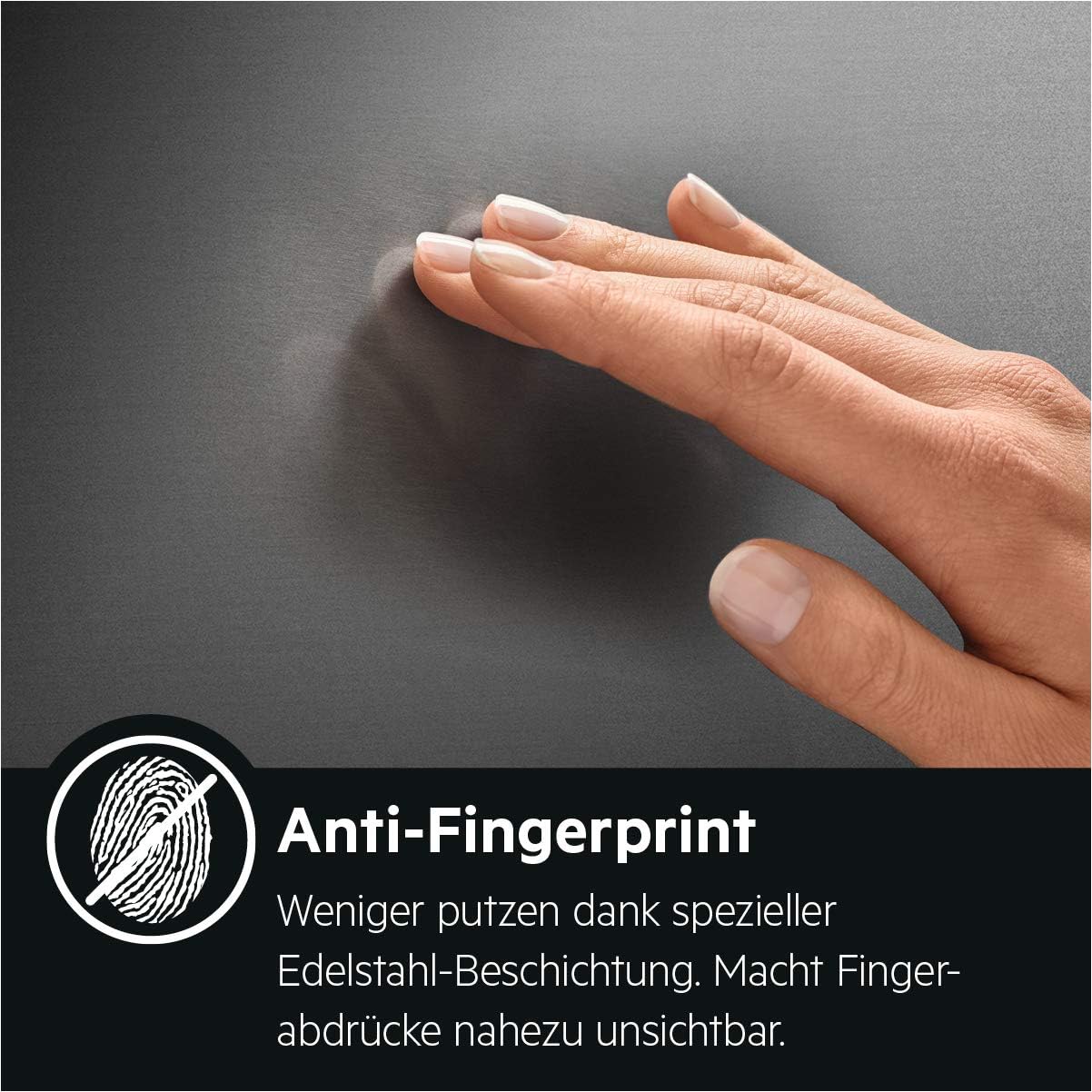
Figure 6.2: Easy Clean Door. This image illustrates the removable glass pane of the oven door, designed for particularly easy cleaning.
7. Troubleshooting
Before contacting service, check the following common issues:
| Problem | Possible Cause | Solution |
|---|---|---|
| Oven does not heat | No power supply; Incorrect settings | Check circuit breaker; Ensure oven is plugged in; Verify function and temperature settings. |
| Uneven cooking | Incorrect rack position; Overcrowding; Door opened too frequently | Use recommended rack positions; Avoid overcrowding; Minimize opening the door during cooking. |
| Electronic display not working | Power interruption; Faulty connection | Reset power at the circuit breaker; If issue persists, contact service. |
| Oven light not working | Bulb needs replacement | Ensure oven is cool and unplugged. Replace bulb according to full manual instructions. |
8. Specifications
Detailed technical specifications for the AEG BEB331010M Multifunction Oven.
| Feature | Specification |
|---|---|
| Brand | AEG |
| Model Number | BEB331010M (944188242) |
| Product Dimensions (L x W x H) | 56.7 x 59.5 x 59.4 cm |
| Weight | 31.5 Kilograms |
| Capacity | 71 Liters |
| Energy Efficiency Class | A |
| Energy Efficiency (10 levels) | A+++ to D |
| Noise Level | 47 Decibels |
| Installation Type | Integrated |
| Oven Type | Single Oven |
| Special Features | Interior lighting |
| Cooking Mode | Convection |
| Color | Black |
| Voltage | 220 Volts |
| Power | 3500 Watts |
| Energy Type Used | Electric |
| Door Type | Frontal |
| Material | Stainless Steel |
| Included Components | AEG BEB331010M; Baking tray |
| Heating Method | Convection |
| Finish Type | Brushed |

Figure 8.1: EU Energy Label. This label shows the energy efficiency class A, capacity of 71 liters, and energy consumption per cycle for the AEG BEB331010M oven.
9. Warranty and Support
For warranty information, technical support, or spare parts, please refer to the manufacturer's official channels.
- EPREL Product Database: For detailed product information and official documentation, visit the EPREL database using the registration number: https://eprel.ec.europa.eu/qr/54974
- Manufacturer Website: https://www.electroluxgroup.com/en/
- Support Email: eprel.info@electrolux.com
- Support Phone: +48 12 296 99 44
- Manufacturer Address: AB Electrolux, al. Powstancow Slaskich 26, 30-570 Krakow, Poland

Figure 9.1: Product Fiche. This document provides detailed product information, including EPREL registration number and manufacturer contact details.


