
1. Introduction
This manual provides instructions for the safe and effective use of the Velleman AIM6010A-VP Analog DC Current Panel Meter. This device is designed for measuring direct current (DC) in various electronic instruments, switchboards, test bench panels, and vehicles. It features a moving coil indication system and a zero adjustment screw for precise readings.
2. Safety Information
WARNING: Electrical shock hazard. Always disconnect power before installation or maintenance.
- Ensure all wiring is performed by qualified personnel and complies with local electrical codes.
- Do not exceed the specified maximum current rating of 10A DC.
- Avoid installing the meter in environments with excessive moisture, dust, or corrosive gases.
- Do not open the meter casing; there are no user-serviceable parts inside.
- Verify correct polarity when connecting the meter in a DC circuit.
3. Product Overview
The Velleman AIM6010A-VP is an analog panel meter designed for clear and accurate current measurement. Below is an illustrative image of a typical analog panel meter, highlighting its key components.
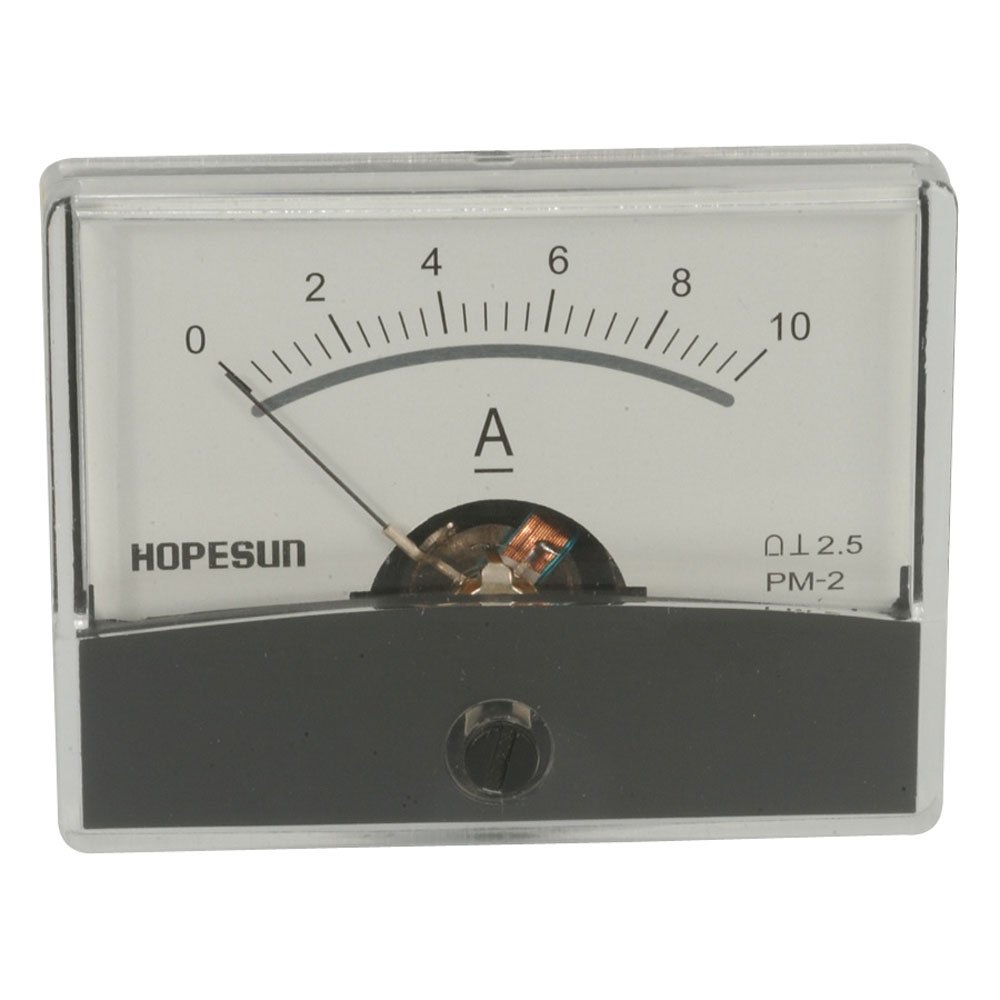
Figure 1: Analog Panel Meter Front View
This image displays the front of an analog panel meter. Key features include a clear scale marked from 0 to 10 Amperes (A), a black needle indicating the current value, and a small screw at the bottom center for zero adjustment. The meter is housed in a transparent plastic casing with a dark gray base.
Key Components:
- Scale: Marked from 0 to 10 Amperes (A), indicating the measurement range.
- Needle: A pointer that moves across the scale to indicate the measured current.
- Zero Adjustment Screw: Located at the bottom center, used to set the needle to zero when no current is applied.
- Terminals: (Located at the rear, not visible in image) For electrical connections to the circuit.
4. Specifications
| Parameter | Value |
|---|---|
| Model Number | AIM6010A-VP |
| Measurement Range | 0 - 10A DC |
| Accuracy Class | 2.5 |
| Dimensions (W x H x D) | 2.4" x 1.8" x 1.3" (61mm x 46mm x 33mm approx.) |
| Mounting Type | Panel Mount |
5. Installation and Setup
5.1 Panel Mounting
- Select a suitable location on your panel for mounting the meter.
- Cut a rectangular opening in the panel according to the meter's dimensions (approximately 2.2" x 1.6" or 56mm x 41mm for a snug fit, verify actual cutout size if available).
- Insert the meter into the opening from the front of the panel.
- Secure the meter using the provided mounting clips or screws from the rear of the panel.
5.2 Electrical Connections
The AIM6010A-VP is an ammeter and must be connected in series with the load to measure current. Ensure the power supply to the circuit is disconnected before making any connections.
- Identify the positive (+) and negative (-) terminals on the rear of the meter.
- Connect the positive (+) terminal of the meter to the positive side of the circuit where current is to be measured.
- Connect the negative (-) terminal of the meter to the negative side of the load, completing the series circuit.
- Double-check all connections for correct polarity and secure fastening.
CAUTION: Incorrect wiring can damage the meter or the circuit.
6. Operation
6.1 Zero Adjustment
Before applying power, ensure the meter's needle rests precisely on the '0' mark. If it does not, use a small flat-head screwdriver to gently turn the zero adjustment screw (located at the bottom center of the meter face) until the needle aligns with zero.
6.2 Taking a Measurement
- Ensure the meter is correctly installed and wired in series with the circuit.
- Apply power to the circuit.
- Observe the needle's position on the scale. The value indicated by the needle is the current in Amperes (A).
- For accurate readings, view the meter face directly to avoid parallax error.
7. Maintenance
- Cleaning: Use a soft, dry cloth to clean the meter's face and casing. Do not use abrasive cleaners or solvents.
- Inspection: Periodically inspect the meter for any signs of physical damage or loose connections.
- Storage: Store the meter in a dry, dust-free environment when not in use.
8. Troubleshooting
| Problem | Possible Cause | Solution |
|---|---|---|
| No reading / Needle not moving |
|
|
| Incorrect reading |
|
|
9. Warranty and Support
For warranty information and technical support, please refer to the documentation provided with your purchase or visit the official Velleman website. Keep your proof of purchase for warranty claims.
Velleman Official Website: www.velleman.eu

