
Introduction
Thank you for choosing the hansgrohe Talis Select E Bathroom Faucet. This manual provides essential information for the safe and efficient installation, operation, and maintenance of your new faucet. Please read these instructions carefully before beginning installation and keep them for future reference.
Important Safety Information
- Always turn off the main water supply before installing or performing any maintenance on the faucet.
- It is recommended that a licensed plumber install this product to ensure proper function and compliance with local codes.
- Wear appropriate personal protective equipment, such as safety glasses and gloves, during installation.
- Do not overtighten connections, as this may damage the faucet or plumbing.
- This product contains chemicals known to the State of California to cause cancer and birth defects or other reproductive harm (Proposition 65 warning).
Package Contents
Verify that all components are present before beginning installation:
- Single-lever bathroom faucet
- Connection hoses
- Shaft attachment
- Drain assembly
- Assembly instructions
Setup and Installation
The hansgrohe Talis Select E faucet is designed for easy installation, typically as a single-hole deck mount. For best results and to ensure proper functionality, hansgrohe recommends installation by a licensed plumber.
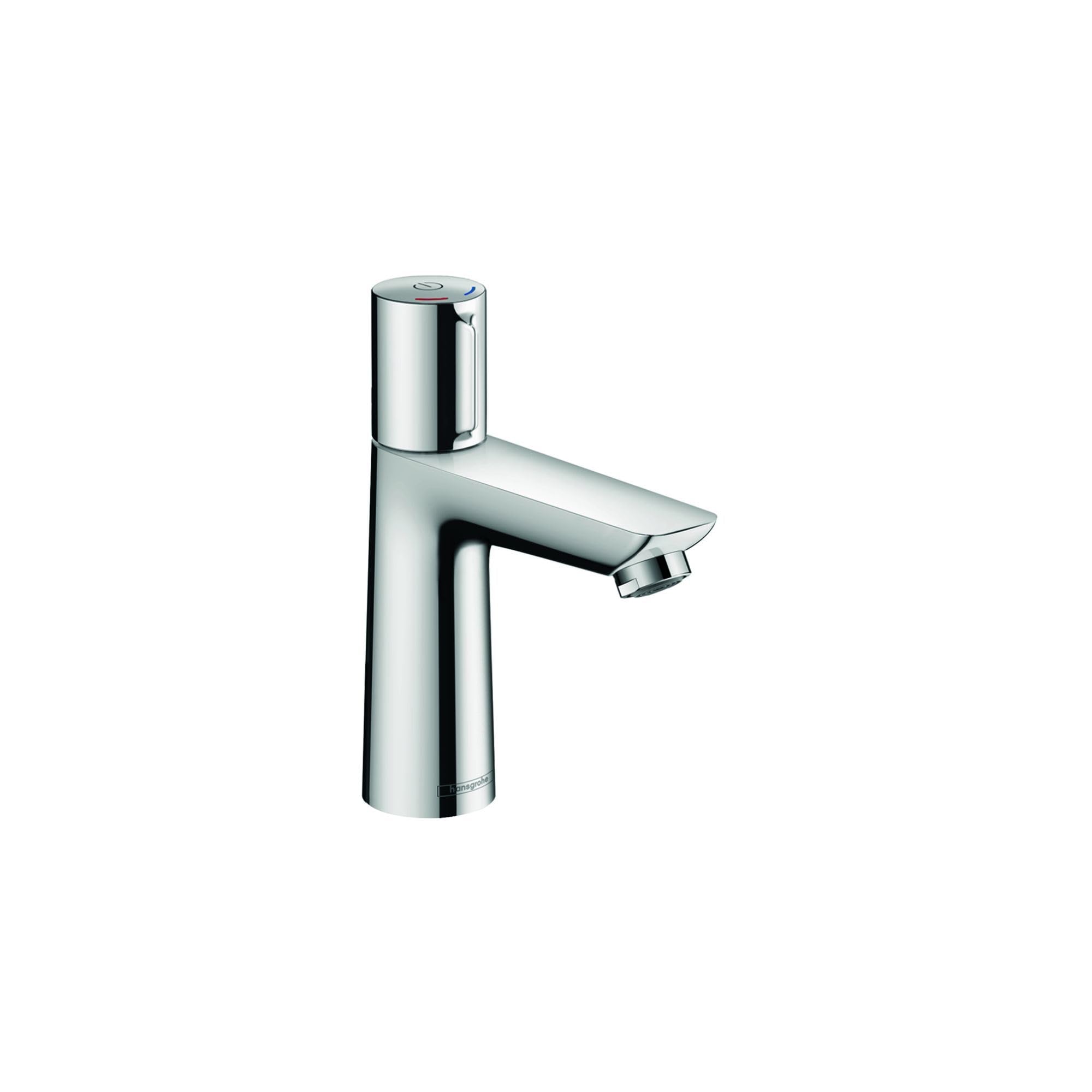
Image: The hansgrohe Talis Select E Bathroom Faucet in Chrome, showcasing its modern design and single-handle operation.
Video: An official hansgrohe product video demonstrating the features and operation of the Talis Select E Single-Hole Faucet 110, including the Select button and ComfortZone.
General Installation Steps (Summary)
- Ensure the mounting surface is clean and prepared for a single-hole faucet.
- Secure the faucet to the sink or countertop using the provided shaft attachment.
- Connect the hot and cold water supply lines to the corresponding inlets on the faucet.
- Install the drain assembly according to the included instructions.
- Carefully turn on the main water supply and check for leaks.
Refer to the detailed assembly instructions included in your package for specific steps and diagrams.
Operating Instructions
Select Feature
The Talis Select E faucet features an intuitive Select button for easy water control. Simply press the button on top of the faucet to turn the water flow on or off. This allows for convenient operation with your finger, arm, or elbow, even when your hands are full or dirty.
Temperature and Flow Control
Adjust the water temperature by moving the handle left for hot water and right for cold water. The handle also controls the water flow rate. The faucet is equipped with EcoRight technology, automatically restricting the flow rate to a maximum of 1.2 GPM, saving water and energy.
ComfortZone
The ComfortZone design provides a generous distance between the spout and the sink, offering more space for comfortable use. This feature enhances flexibility for various tasks at the sink.
AirPower Technology
This faucet incorporates AirPower technology, which enriches the water with air. This creates fuller, lighter, and softer droplets, providing a more pleasant and efficient water experience.
Maintenance and Care
Regular cleaning and maintenance will help preserve the appearance and functionality of your hansgrohe faucet.
QuickClean Feature
The faucet is equipped with QuickClean technology. Limescale deposits on the silicone aerator can be easily removed by gently wiping them with your finger. This maintains a consistent spray pattern and extends the life of the faucet.
General Cleaning
- Use only mild soap and water or a non-abrasive liquid cleaner.
- Avoid abrasive cleaners, scouring pads, or cleaners containing alcohol, ammonia, bleach, or other harsh chemicals, as these can damage the chrome finish.
- Wipe the faucet dry with a soft cloth after each use to prevent water spots and maintain the shiny chrome finish.
Troubleshooting
If you experience issues with your faucet, please consult the following common troubleshooting tips. For complex problems, contact a licensed plumber or hansgrohe customer support.
- Low Water Flow: Check if the aerator is clogged with debris or limescale. Clean the aerator using the QuickClean feature or by unscrewing and rinsing it. Ensure water supply valves are fully open.
- Leaks: Check all connections for tightness. Do not overtighten. If leaks persist, internal components may require inspection by a professional.
- Temperature Issues: Verify that both hot and cold water supplies are functioning correctly. Ensure the handle is positioned correctly for desired temperature.
Product Specifications
| Feature | Detail |
|---|---|
| Brand | hansgrohe |
| Model Name | Talis E |
| Model Number | 71750001 |
| Color | Chrome |
| Material | Brass |
| Mounting Type | Deck Mount |
| Hole Count | 1 |
| Number of Handles | 1 |
| Handle Type | Lever |
| Flow Rate | Max 1.2 GPM (EcoRight) |
| Special Features | Easy to Install, QuickClean, AirPower, ComfortZone |
| Item Dimensions (D x W x H) | 14.02"D x 7.13"W x 2.99"H |
Warranty Information
Hansgrohe, Inc. warrants to the original consumer purchaser that hansgrohe products will be free from defects in material and workmanship for as long as the original consumer purchaser owns both the product and the home in which the product was originally installed. For commercial purchasers, the warranty period is (a) one (1) year for hansgrohe products from the date of purchase. The warranty period for products in the Rubbed Bronze, Matte Black, Matte White finishes is three (3) years from the date of purchase. This warranty is non-transferable. Because Hansgrohe, Inc. is unable to control the quality of hansgrohe products sold by unauthorized sellers, unless otherwise prohibited by law, this warranty does not cover hansgrohe products purchased from unauthorized sellers. Authorized sellers can be found on hansgrohe branded websites. Additional warranty restrictions apply. See manufacturer website for full warranty details.
For complete and up-to-date warranty details, please visit the official hansgrohe website.
Customer Support
If you have any questions, require technical assistance, or need to report a warranty claim, please contact hansgrohe customer support. Contact information can typically be found on the official hansgrohe website or in the documentation provided with your product.


