
Sharp SH-EL1750V Printing Calculator User Manual
1. Introduction
This manual provides comprehensive instructions for the proper setup, operation, and maintenance of your Sharp SH-EL1750V Printing Calculator. Please read this manual thoroughly before using the calculator to ensure optimal performance and longevity of the device.
The Sharp SH-EL1750V is designed for efficient and accurate calculations, featuring a 12-digit display and a built-in printer for a permanent record of your computations. Its compact design makes it suitable for various office and personal accounting needs.
2. Package Contents
Verify that all items listed below are included in your product package:
- Sharp SH-EL1750V Printing Calculator
- Starter size paper roll
- 4 AAA batteries (pre-installed or included separately)
- User Manual (this document)
Note: An optional power adapter is not included and must be purchased separately if AC power operation is desired.
3. Product Overview
The Sharp SH-EL1750V Printing Calculator features an angled 12-digit display for easy viewing and a clear, well-spaced keypad for comfortable operation. The integrated printer provides a physical record of calculations.

Figure 3.1: Angled view of the Sharp SH-EL1750V Printing Calculator, showing the display, keypad, and paper roll.
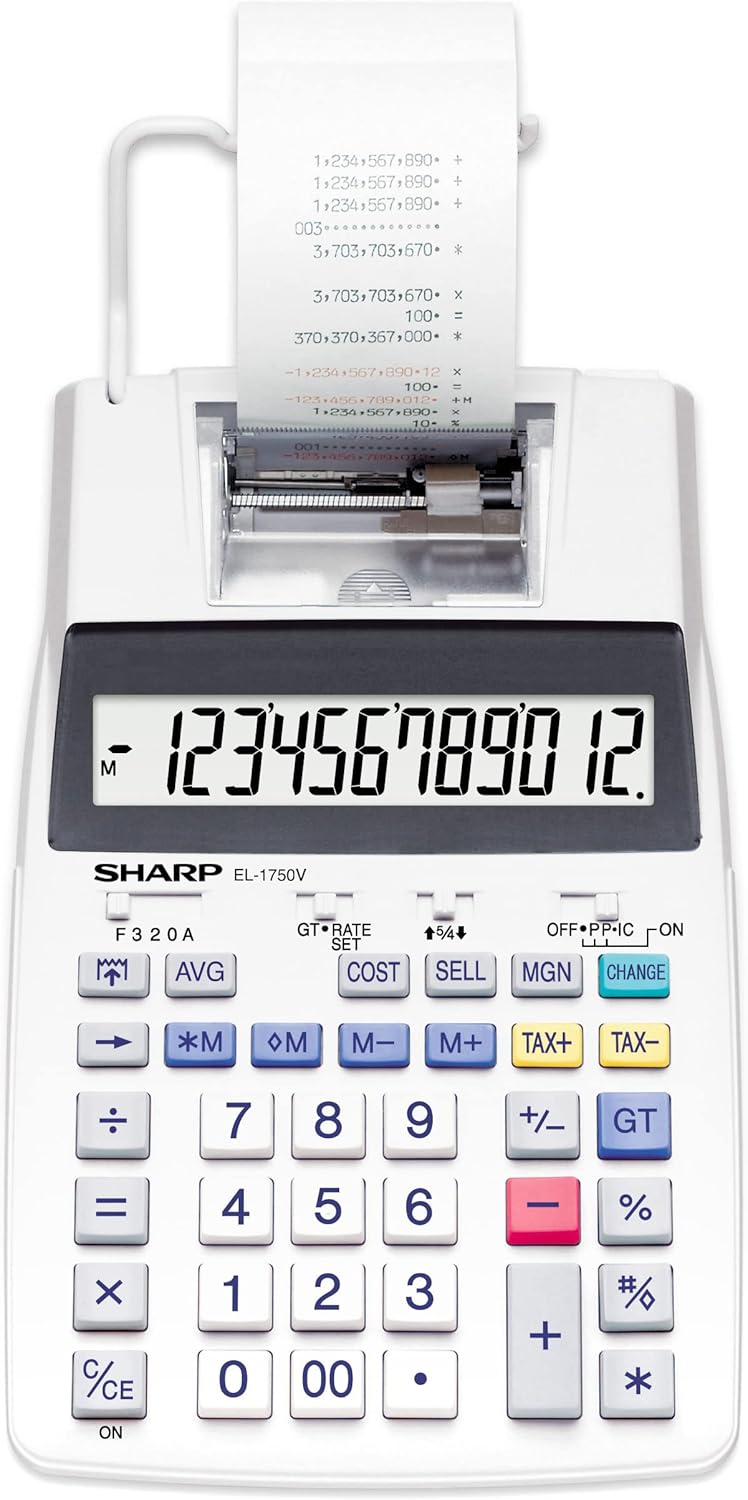
Figure 3.2: Front view of the Sharp SH-EL1750V Printing Calculator, highlighting the full keypad layout.

Figure 3.3: The calculator positioned on a wooden desk, demonstrating its compact size in a typical office environment.
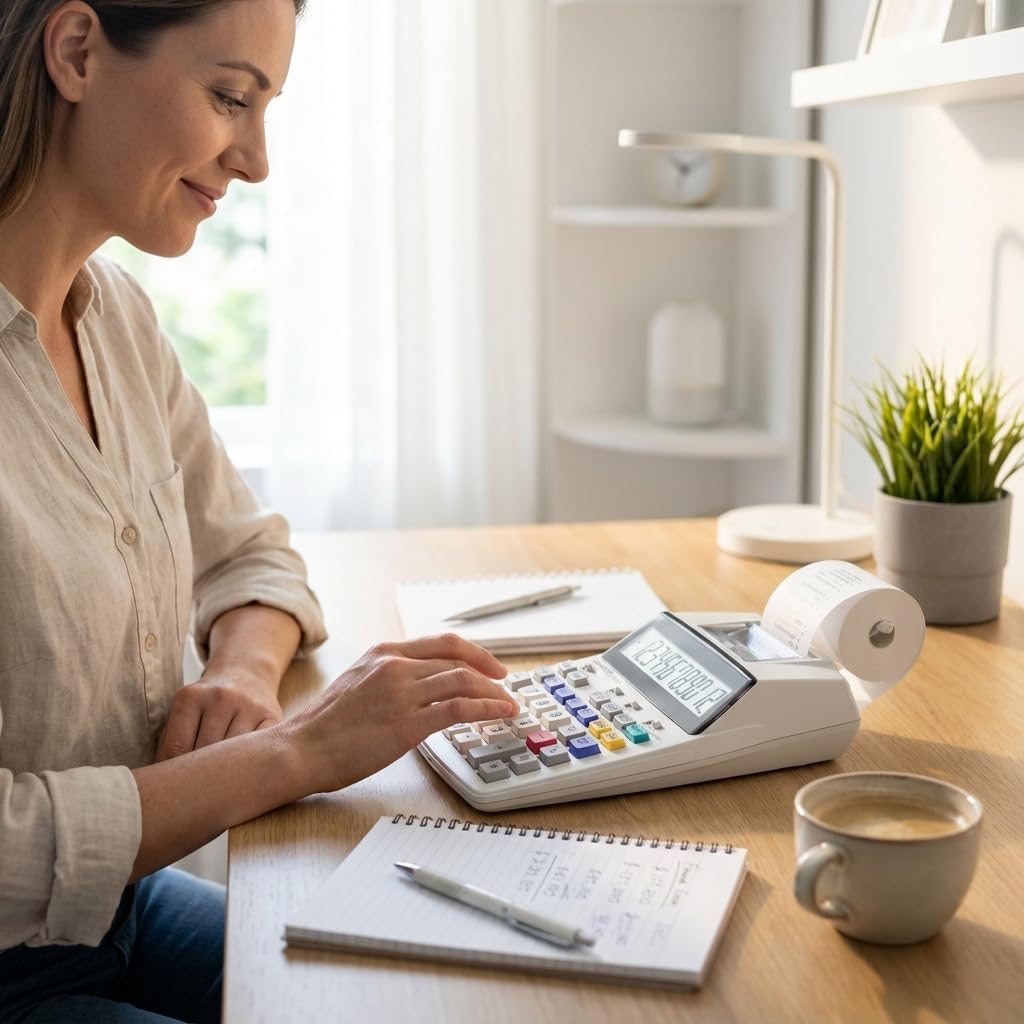
Figure 3.4: A user's hands interacting with the calculator's keypad, showing the ergonomic design.
4. Setup
4.1. Battery Installation
The calculator operates on 4 AAA batteries, which are included. If the display is dim or unresponsive, replace the batteries.
- Locate the battery compartment cover on the underside of the calculator.
- Slide the cover open.
- Insert the 4 AAA batteries, ensuring correct polarity (+/-) as indicated inside the compartment.
- Replace the battery compartment cover.
4.2. Paper Roll Installation
A starter paper roll is included. For continuous printing, ensure a new roll is properly installed.
- Lift the paper roll arm located at the back of the calculator.
- Place the new paper roll onto the arm, ensuring the paper feeds from the bottom of the roll towards the front of the calculator.
- Feed the leading edge of the paper into the printer slot until it catches and begins to feed automatically.
- Pull a small amount of paper through the printer to ensure it is aligned.
4.3. Power Adapter (Optional)
The calculator can also be powered by an optional AC adapter (not included). To use the adapter:
- Locate the DC input jack on the side or back of the calculator.
- Connect the AC adapter to the DC input jack.
- Plug the AC adapter into a standard wall outlet.
5. Operating Instructions
The Sharp SH-EL1750V offers a range of functions for various calculations. Familiarize yourself with the keypad and function switches.
5.1. Basic Calculations
Perform addition, subtraction, multiplication, and division using the respective keys (+, -, ×, ÷).
- Enter the first number.
- Press the desired operation key.
- Enter the second number.
- Press the equals key (=) to display the result.
5.2. Special Functions
- Cost/Sell/Margin Calculation: Use the COST, SELL, and MGN keys to perform profit margin calculations.
- Tax Calculation: Utilize the TAX+ and TAX- keys for adding or subtracting tax. The tax rate can be set using the RATE SET switch.
- Memory Functions: M+, M-, *M (Memory Recall), and M (Memory Clear) keys allow for storing and recalling values.
- Decimal Settings: Adjust the decimal point setting using the F 3 2 0 A switch to control the number of decimal places or floating decimal.
- Grand Total (GT): The GT key accumulates the results of calculations for a grand total.
5.3. Printing Functionality
The calculator can print a record of your calculations. The print function is controlled by a switch, typically labeled OFF P IC or similar, allowing you to select between printing, non-printing, or item count modes.
- Set the print switch to 'P' for printing all calculations.
- Set the print switch to 'IC' for printing with item count.
- Set the print switch to 'OFF' to disable printing.
6. Key Features
The Sharp SH-EL1750V Printing Calculator includes the following features:
- Angled 12-digit display for enhanced readability.
- Cost/Sell/Margin calculation functions.
- Tax calculation with adjustable rate.
- Memory functions (M+, M-, *M, M).
- Dual power source: battery and optional AC adapter.
- Compact dimensions: 230 x 150 x 52 mm.
- Lightweight design: approximately 500 g.
7. Maintenance
7.1. Cleaning
To maintain the calculator's appearance and functionality:
- Wipe the exterior with a soft, dry cloth.
- For stubborn dirt, use a cloth lightly dampened with water and mild soap, then wipe dry immediately.
- Do not use abrasive cleaners, solvents, or spray directly onto the calculator.
7.2. Paper Roll Replacement
Replace the paper roll when it runs out or the print becomes faint. Refer to Section 4.2 for installation instructions.
7.3. Battery Replacement
Replace the AAA batteries when the display dims or the calculator ceases to function. Refer to Section 4.1 for installation instructions.
8. Troubleshooting
If you encounter issues with your calculator, refer to the following common problems and solutions:
- No Display/Calculator Not Turning On:
- Check battery installation and ensure correct polarity.
- Replace batteries if they are depleted.
- Ensure the ON/OFF switch is in the 'ON' position.
- If using an AC adapter, ensure it is properly connected and the power outlet is functional. - Faint or No Print:
- Check if the paper roll is installed correctly and not empty.
- Ensure the print switch is set to 'P' or 'IC'.
- The ink roller might need replacement (refer to separate instructions for ink roller replacement, if applicable). - Incorrect Calculation Results:
- Verify that the decimal setting switch (F 3 2 0 A) is set appropriately for your calculations.
- Ensure correct input of numbers and operations.
9. Specifications
Technical specifications for the Sharp SH-EL1750V Printing Calculator:
| Feature | Detail |
|---|---|
| Model Number | SH-EL1750V |
| Display | 12-digit Angled LCD |
| Dimensions (L x W x H) | 9.06 x 5.91 x 2.05 inches (230 x 150 x 52 mm) |
| Item Weight | 1.17 pounds (530 g) |
| Power Source | 4 AAA batteries (included), Optional AC adapter (not included) |
| Calculator Type | Financial Printing Calculator |
| Screen Size | 4 Inches |

Figure 9.1: Dimensions of the Sharp SH-EL1750V Printing Calculator.
10. Warranty and Support
Sharp products are manufactured to high-quality standards. For information regarding warranty coverage, terms, and conditions, please refer to the warranty card included with your purchase or visit the official Sharp website. For technical support or service inquiries, please contact Sharp customer service through their official support channels.


