
1. Introduction
The MIPRO MA-808PAB is a high-performance portable wireless PA system designed for various applications requiring clear and powerful audio. This system integrates efficient Class-D/AB amplifiers with high-sensitivity two-way loudspeakers and limiter circuitry to ensure distortion-free sound. It features Bluetooth connectivity for wireless audio streaming and is suitable for large audiences.
This manual provides essential information for the safe and effective operation, setup, and maintenance of your MA-808PAB system. Please read it thoroughly before use.
2. Safety Instructions
- Power Source: Use only the specified power adapter and voltage. Ensure the power outlet matches the system's requirements.
- Ventilation: Do not block ventilation openings. Ensure adequate airflow around the unit to prevent overheating.
- Water and Moisture: Keep the unit away from water, rain, and excessive moisture. Do not operate with wet hands.
- Heat Sources: Avoid placing the unit near heat sources such as radiators, heat registers, stoves, or other heat-producing appliances.
- Cleaning: Disconnect power before cleaning. Use a dry, soft cloth. Do not use liquid cleaners or aerosol cleaners.
- Servicing: Do not attempt to service this product yourself. Refer all servicing to qualified service personnel.
- Placement: Place the unit on a stable, level surface to prevent it from falling.
- Children: Keep the unit and its accessories out of reach of children.
3. Package Contents
Please check that all items are present in the package:
- MIPRO MA-808PAB Portable PA System Unit
- AC Power Cord
- User Manual
- Optional accessories (e.g., wireless microphones, stands) may be included depending on your specific purchase.
4. Setup
4.1 Power Connection
- Ensure the MA-808PAB power switch is in the OFF position.
- Connect the supplied AC power cord to the AC inlet on the rear panel of the MA-808PAB.
- Plug the other end of the AC power cord into a suitable wall outlet.
- The system can operate on AC power or its internal rechargeable battery.
4.2 Initial Charging
For optimal battery life, fully charge the MA-808PAB before its first use. Connect the unit to AC power and allow it to charge for several hours until the battery indicator shows a full charge.
4.3 Positioning the PA System
Place the MA-808PAB on a stable, flat surface or mount it on a compatible speaker stand (sold separately). Ensure the unit is positioned to provide optimal sound coverage for your audience.
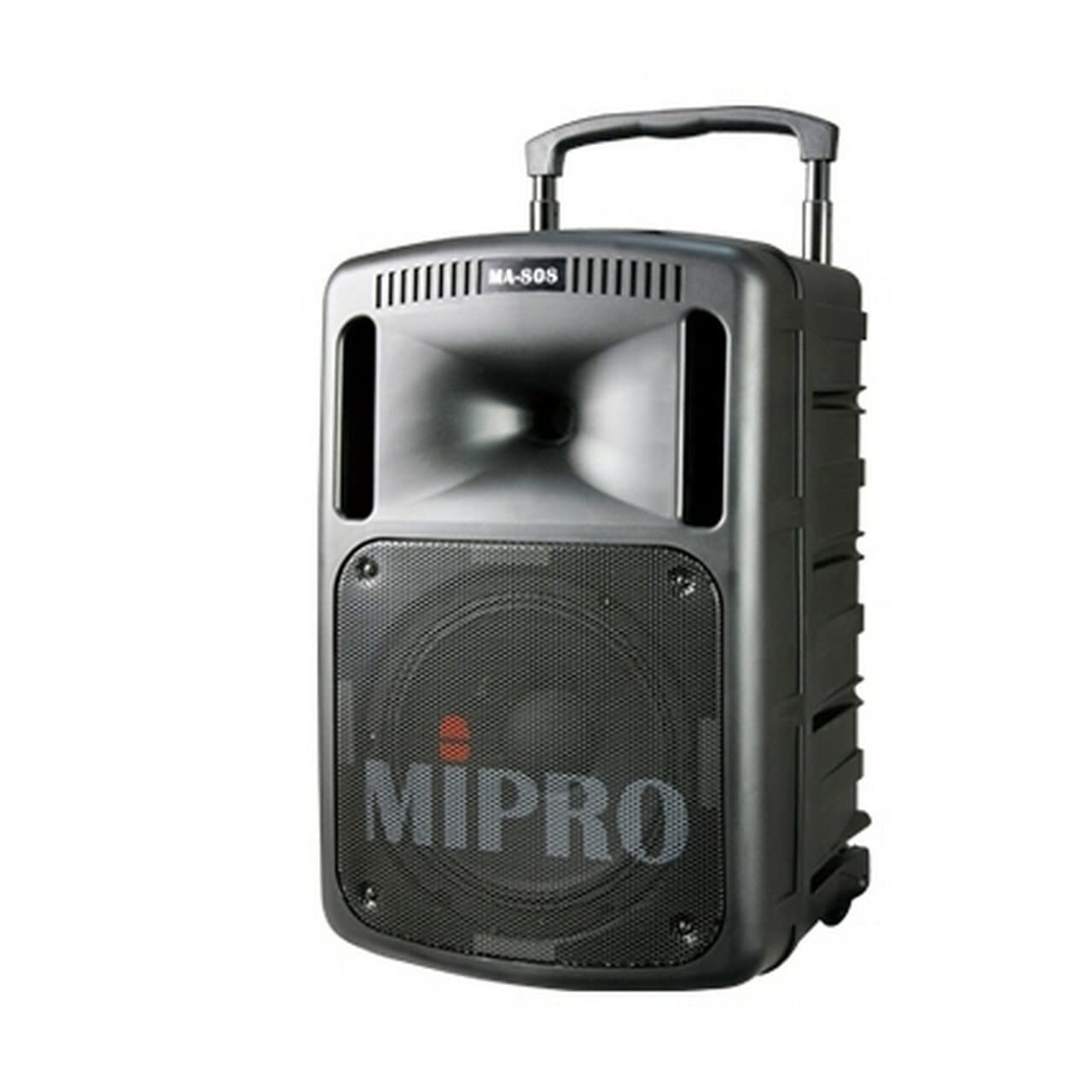
Image 1: Front view of the MIPRO MA-808PAB Portable PA System, showing the speaker grille and control panel. This image illustrates the general appearance of the unit.
5. Operating Instructions
5.1 Powering On/Off
- To power on, press the power switch to the ON position. The power indicator light will illuminate.
- To power off, press the power switch to the OFF position.
5.2 Adjusting Volume
Use the master volume control knob on the control panel to adjust the overall output level of the system. Individual input volumes (e.g., microphone, line-in) can also be adjusted separately.
5.3 Bluetooth Connectivity
- Activate the Bluetooth function on the MA-808PAB (refer to the control panel for the Bluetooth button/switch).
- On your smartphone or other Bluetooth-enabled device, search for available Bluetooth devices.
- Select "MIPRO MA-808PAB" (or similar name) from the list to pair.
- Once paired, you can stream audio wirelessly from your device to the PA system.
5.4 Connecting External Devices
- Microphones: Connect wired microphones to the XLR or 1/4-inch input jacks. Adjust individual microphone volume controls.
- Line-In Devices: Connect audio sources like CD players, laptops, or mixers to the line-in inputs using appropriate cables.
- Wireless Microphones: If equipped with optional wireless receiver modules, follow the instructions for pairing MIPRO wireless microphones.
6. Maintenance
6.1 Cleaning
Regularly clean the exterior of the MA-808PAB with a soft, dry, lint-free cloth. Do not use abrasive cleaners, solvents, or waxes. Ensure the unit is powered off and unplugged before cleaning.
6.2 Storage
When not in use for extended periods, store the MA-808PAB in a cool, dry place, away from direct sunlight and extreme temperatures. If the unit has an internal battery, ensure it is charged periodically (e.g., every 3-6 months) to maintain battery health.
7. Troubleshooting
- No Power: Check if the power cord is securely connected and the wall outlet is functional. Ensure the power switch is ON. If operating on battery, check battery charge level.
- No Sound: Verify that the master volume and individual input volumes are turned up. Check all cable connections. Ensure the audio source is playing and its volume is adequate.
- Distorted Sound: Reduce the input volume from the source or the MA-808PAB's input gain. Ensure cables are not damaged.
- Bluetooth Pairing Issues: Ensure Bluetooth is enabled on both the MA-808PAB and your device. Move your device closer to the PA system. Try unpairing and re-pairing the device.
- Low Battery Life: Ensure the unit is fully charged before use. Battery performance may degrade over time.
If problems persist, consult the MIPRO website or contact customer support for further assistance.
8. Specifications
| Feature | Specification |
|---|---|
| Brand | MIPRO |
| Model Number | MA-808PAB |
| Connectivity Technology | Bluetooth |
| Compatible Devices | Smartphone |
| Item Weight | 44 pounds |
| Product Dimensions (L x W x H) | 14 x 9 x 12 inches |
| Mounting Type | Tabletop |
| UPC | 642892784974 |
9. Warranty and Support
MIPRO products are manufactured to high-quality standards. For information regarding warranty coverage, terms, and conditions, please refer to the warranty card included with your product or visit the official MIPRO website. Keep your proof of purchase for warranty claims.
For technical support, service, or replacement parts, please contact your authorized MIPRO dealer or visit the support section of the MIPRO official website. Provide your product model number (MA-808PAB) and serial number when seeking assistance.


