
Jebao SW-8
Jebao SW8 Propeller Water Pump Wave Maker Instruction Manual
Model: SW-8
Introduction
This manual provides detailed instructions for the installation, operation, and maintenance of your Jebao SW8 Propeller Water Pump Wave Maker. Please read this manual thoroughly before using the product to ensure proper function and longevity. The Jebao SW8 is designed to create various wave patterns and water flow conditions in freshwater and saltwater aquariums, enhancing the aquatic environment.
Safety Instructions
- Always disconnect power before performing any maintenance or installation.
- Ensure the pump is fully submerged in water during operation. Running dry can cause damage.
- Do not operate if the power cord or plug is damaged.
- This product is designed for indoor aquarium use only.
- Keep the controller dry and away from water splashes.
- Children should be supervised to ensure they do not play with the appliance.
- The power supply unit must be placed in a position where it cannot fall into the water.
Package Contents
Verify that all items listed below are included in your package:
- Jebao SW8 Propeller Water Pump
- Wireless Controller
- Magnet Mount
- Power Adapter
- Instruction Manual (this document)

Image: All components of the Jebao SW8 Propeller Water Pump Wave Maker, including the pump, controller, power adapter, and magnet mount, laid out for inspection.
Product Overview
Pump Unit
The pump unit is designed for efficient water movement and wave generation. It features a durable ceramic shaft for long life and quiet operation.
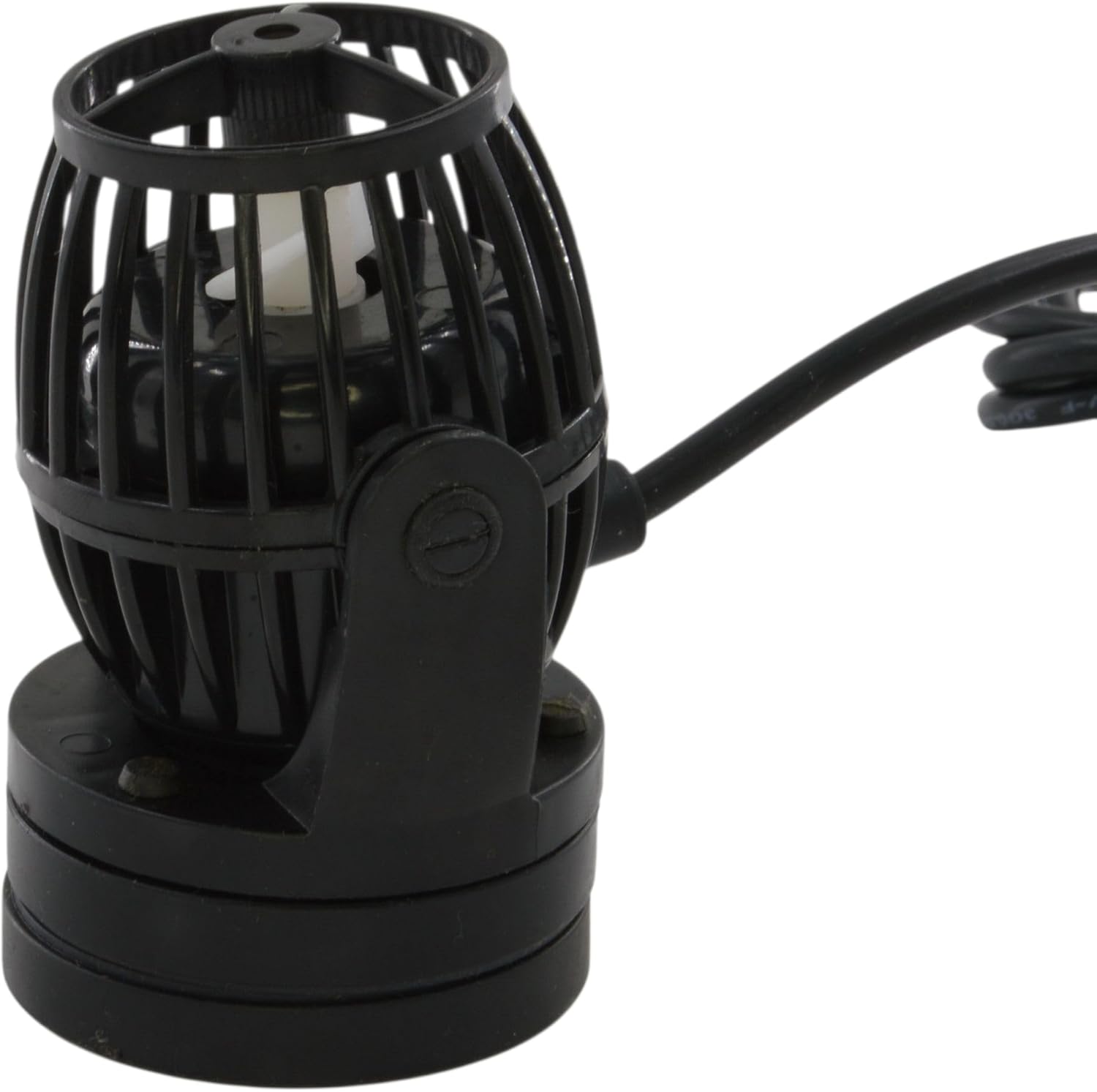
Image: Close-up view of the Jebao SW8 Propeller Water Pump unit, showing its compact design and protective cage.
Controller
The wireless controller allows for easy adjustment of flow rates and wave patterns. It includes a light sensor for night mode and a one-touch feed mode.

Image: The Jebao SW8 controller connected to the pump, illustrating the compact size of both units.
Setup
1. Mounting the Pump
- Position the pump inside the aquarium at the desired location, ensuring it is fully submerged.
- Place the external magnet mount on the outside of the aquarium glass, directly opposite the pump. The strong magnets will secure the pump in place.
- Adjust the pump's angle to direct water flow as needed. The outlet flow direction can be adjusted 180 degrees.
2. Electrical Connection
- Connect the pump cable to the controller.
- Connect the power adapter to the controller.
- Plug the power adapter into a suitable electrical outlet.
- Ensure all connections are secure and dry.
Operating Instructions
The controller allows for various modes and adjustments:
- Mode/Night Button: Press to cycle through wave modes (W1, W2, Else, H, C). Hold to activate/deactivate Night Sensor mode. In Night Sensor mode, the pump automatically slows down when tank lights go out.
- Speed/Feed Button: Press to adjust flow rate (8 different levels). Hold to activate One-Touch Feed Mode, which slows the pump for 10 minutes to allow feeding without food being swept away.
- Master/Slave Function: For multiple pumps, one controller can be set as 'Master' and others as 'Slave' to synchronize wave patterns. Refer to the controller's specific markings for setting this up.
- 0-10V Input Port: The SW8 includes a 0-10V input port for integration with APEX systems or other external controllers.
Image: The Jebao SW8 controller, highlighting the various buttons and dial for mode selection, speed adjustment, and feed mode activation.
Maintenance
Regular maintenance ensures optimal performance and extends the life of your pump.
- Cleaning the Impeller: Disconnect power. Carefully remove the pump from the aquarium. Twist and pull the front cage to expose the impeller. Remove any algae or debris from the impeller and its housing. Rinse with clean water.
- Cleaning the Pump Body: Wipe down the exterior of the pump and magnet mount.
- Reassembly: Reassemble the pump components, ensuring they are securely fitted.
- Frequency: It is recommended to clean the pump every 2-4 weeks, depending on the bio-load of your aquarium.

Image: Close-up of the Jebao SW8 pump's propeller and protective grate, illustrating the area that requires regular cleaning to prevent algae buildup.
Troubleshooting
| Problem | Possible Cause | Solution |
|---|---|---|
| Pump not running | No power; loose connection; impeller jammed. | Check power supply and connections. Clean impeller for obstructions. |
| Reduced flow rate | Impeller dirty; pump partially blocked. | Clean impeller and pump housing. Ensure no debris is blocking the intake/output. |
| Unusual noise | Impeller obstructed; pump not securely mounted. | Clean impeller. Re-secure pump with magnet mount. |
| Controller not responding | Power issue; controller malfunction. | Check power connection to controller. If problem persists, contact support. |
Specifications
| Feature | Detail |
|---|---|
| Model | SW-8 |
| Flow Rate | 185-2100 GPH (8000 L/H Max) |
| Power Consumption | 23 Watts |
| Input Voltage | AC 100-240V 50/60Hz |
| Output Voltage | DC 24V |
| Dimensions (Pump) | Approx. 7 x 5 x 5 inches |
| Weight | Approx. 3 pounds |
| Material | Polypropylene (PP) |
| Features | 8 flow rates, silent design, one-touch feed mode, night sensor, 0-10V input port, wireless controller. |
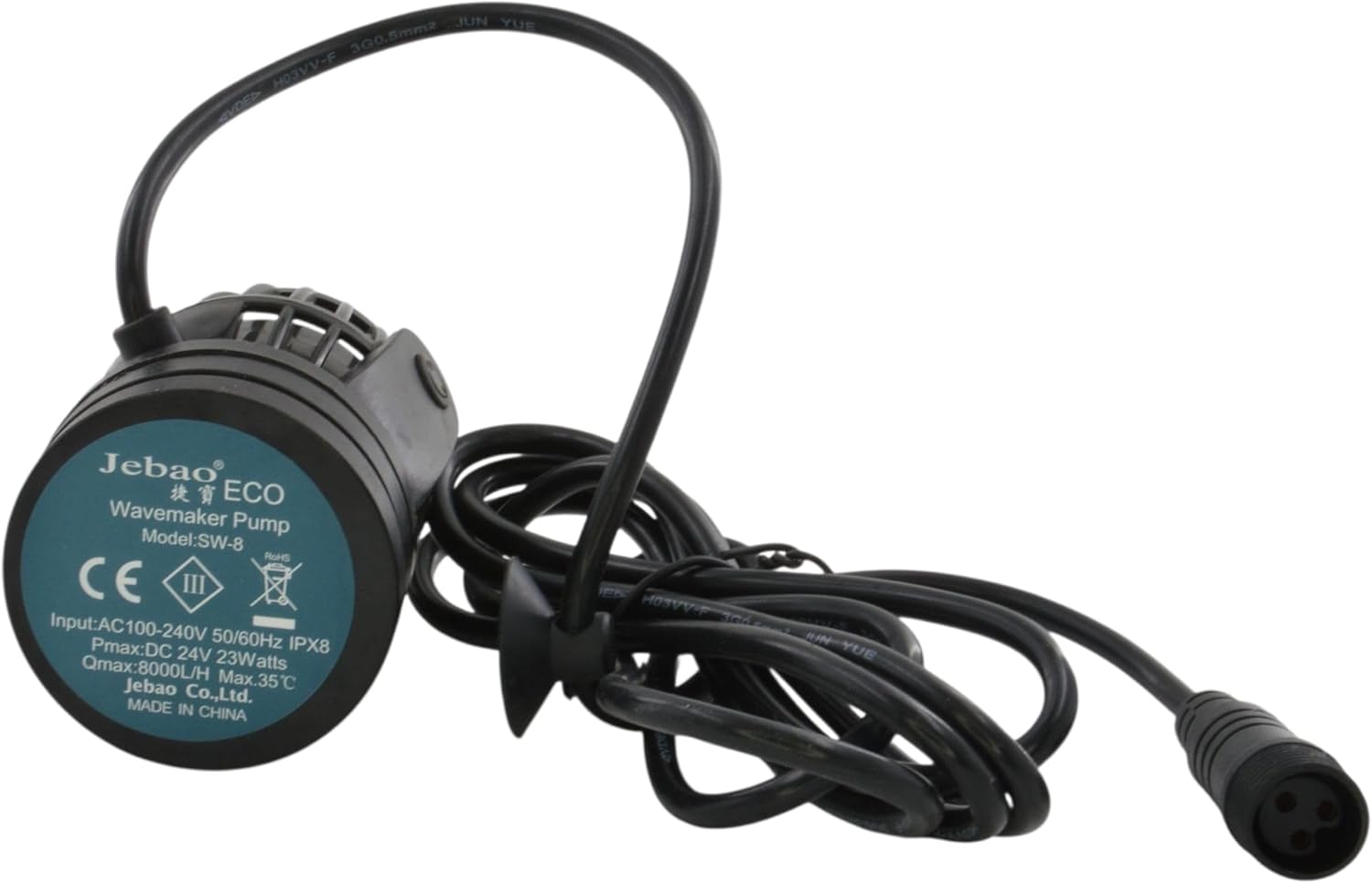
Image: The label on the back of the Jebao SW8 pump unit, displaying technical specifications such as model number, power input, and maximum flow rate.
Warranty and Support
Jebao products are manufactured to high-quality standards. For warranty information or technical support, please contact your retailer or the manufacturer directly. Keep your purchase receipt as proof of purchase.
For further assistance, please visit the official Jebao website or contact their customer service department.
Related documentsSW-8


Ask a question about this manual
Ask about setup, troubleshooting, compatibility, parts, safety, or missing instructions. Manuals+ will review the question and use this page’s manual context to help answer it.