
1. Introduction
This manual provides essential information for the proper setup, operation, and maintenance of your Retevis HM003 2-Pin Speaker Microphone. Designed for clear and reliable communication, this speaker microphone is compatible with a wide range of Motorola two-way radios.

Figure 1: Retevis HM003 2-Pin Speaker Microphone with coiled cable and 2-pin connector.
2. Key Features
- Clear Audio: Equipped with a loud speaker and sensitive microphone for clear communication.
- Wide Compatibility: Compatible with Motorola CP, BPR, CLS, DLR, DTR, RDX, RM, VL series, including models like CP100D, CP200, BPR40, RDU4100, and more.
- Durable Construction: Features a strong, pull-resistant PU coiled cable for long-term use in various environments.
- 3.5mm Audio Jack: Includes a 3.5mm audio jack for connecting a listen-only earpiece, allowing for discrete communication.
- Rotatable Clip: A 360-degree rotatable clip allows for convenient attachment to clothing or gear.

Figure 2: The durable coiled cable and overall design of the speaker microphone.
3. Setup
- Identify Connector: Ensure your Motorola two-way radio has a standard 2-pin connector. The Retevis HM003 features a 2.5mm stereo top pin and a 3.5mm stereo bottom pin, with an 8mm space between them.
- Connect to Radio: Align the 2-pin connector of the speaker microphone with the corresponding ports on your Motorola radio. Gently push until it is securely seated.
- Secure the Microphone: Use the 360-degree rotatable clip on the back of the speaker microphone to attach it to your lapel, shoulder, or other convenient location on your clothing or gear.

Figure 3: Detailed view of the 2-pin connector with dimensions for compatibility verification.
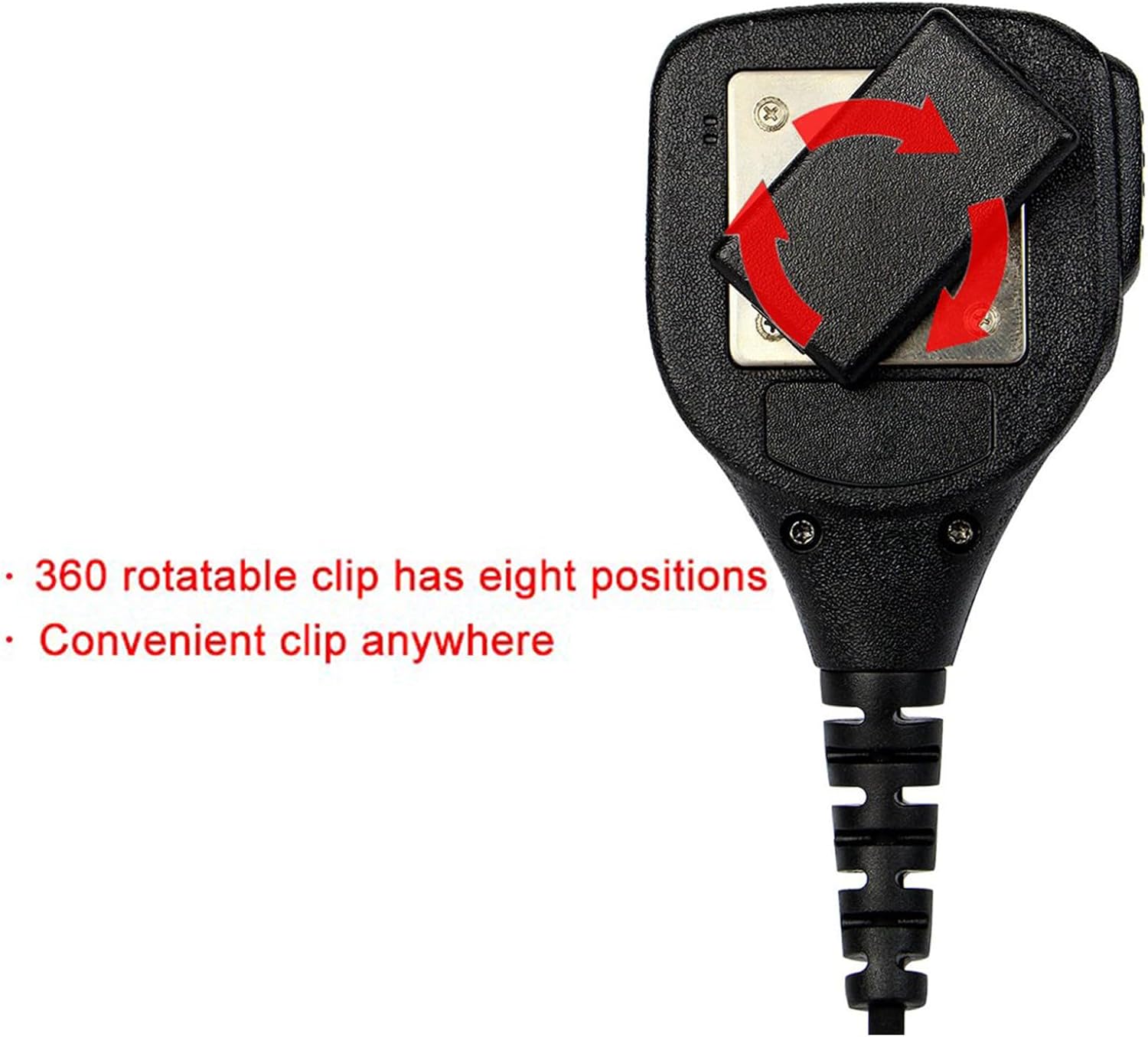
Figure 4: The 360-degree rotatable clip on the back of the speaker microphone for flexible attachment.
4. Operating Instructions
- Power On/Off: Ensure your Motorola two-way radio is powered on. The speaker microphone draws power directly from the radio.
- Transmit (PTT): To transmit your voice, press and hold the Push-To-Talk (PTT) button located on the side of the speaker microphone. Speak clearly into the microphone. Release the PTT button when you are finished speaking to return to receive mode.
- Receive Audio: Incoming audio from your radio will be played through the speaker on the front of the microphone.
- Using Earpiece (Optional): For private listening, plug a 3.5mm listen-only earpiece into the audio jack located on the side of the speaker microphone. This will mute the main speaker and direct audio to the earpiece.
Video 1: Demonstration of the ArrowMax APM250-M1 Speaker MIC, showing its features and connection to a Motorola radio. This video highlights the functionality of a similar speaker microphone.
5. Maintenance
- Cleaning: Wipe the speaker microphone with a soft, damp cloth. Do not use harsh chemicals or abrasive cleaners.
- Storage: Store the microphone in a dry, cool place away from direct sunlight and extreme temperatures when not in use.
- Cable Care: Avoid excessive pulling or twisting of the coiled cable to prevent damage.
- Connector Inspection: Periodically check the 2-pin connector for any signs of wear or damage.
6. Troubleshooting
- No Audio from Speaker Mic:
- Ensure the 2-pin connector is fully and securely inserted into the radio's ports.
- Check the radio's volume level.
- If an earpiece is connected, ensure it is functioning correctly or remove it to test the main speaker.
- Unclear Transmission:
- Speak directly into the microphone, ensuring it is not obstructed.
- Verify that the PTT button is fully pressed during transmission.
- Check the radio's settings for microphone gain or noise reduction, if applicable.
- Intermittent Connection:
- Inspect the cable and connectors for any visible damage or loose connections.
- Ensure the radio's ports are clean and free of debris.
7. Specifications
| Feature | Description |
|---|---|
| Model Name | HM003 |
| Item Model Number | FC9051A |
| Connectivity Technology | Wired |
| Connector Type | Motorola 2-pin (2.5mm stereo top, 3.5mm stereo bottom, 8mm space) |
| Audio Jack | 3.5mm for listen-only earpiece |
| Cable Length (no stretch) | 19.29 inches / 49 cm |
| Material | Rubber |
| Color | Black |
| Item Weight | 4.8 ounces |
| Product Dimensions (L x W x H) | 5.71 x 3.74 x 2.17 inches |
| Audio Sensitivity | 40 Decibels |
| Impedance | 2200 Ohms |
| Polar Pattern | Unidirectional |
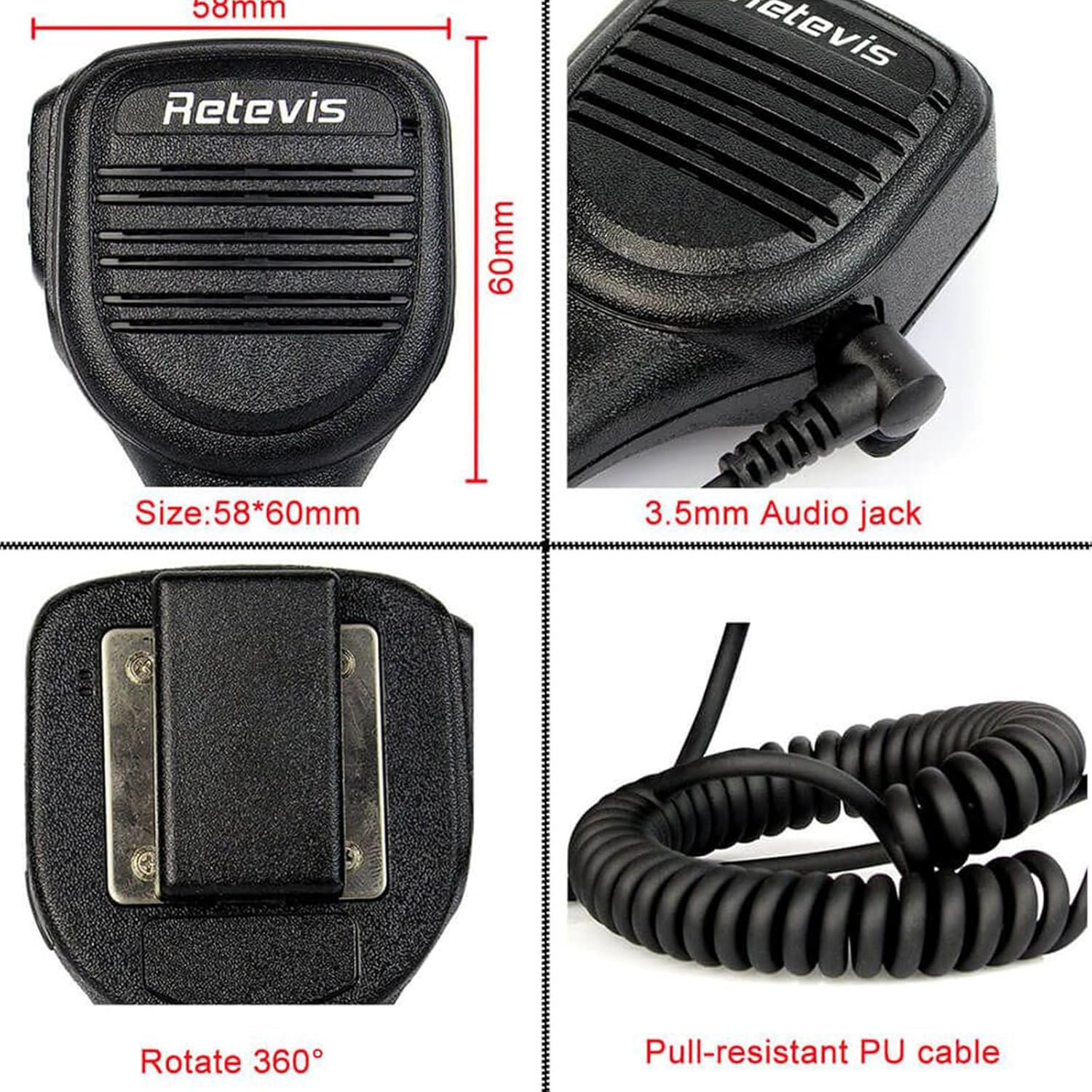
Figure 5: Dimensions of the speaker microphone and location of the 3.5mm audio jack.
8. Warranty Information
Retevis provides a 1-year warranty for accessories and a 30-day no-reason return policy. Beyond the warranty period, maintenance services are offered, with buyers responsible for associated costs. For any warranty or service inquiries, please contact Retevis customer support on Amazon. Responses are typically provided within 12 hours.
9. Support
For further assistance, technical support, or to inquire about compatible accessories, please visit the official Retevis store on Amazon or contact their customer service directly through the Amazon platform. When contacting support, please provide your product model (HM003) and a detailed description of your issue.


