
ReTrak ETUADP
ReTrak ETUADP Universal Travel Adapter with Built-in Dual USB Charger User Manual
Model: ETUADP
Introduction
This manual provides essential instructions for the safe and effective use of your ReTrak ETUADP Universal Travel Adapter with Built-in Dual USB Charger. Please read this manual thoroughly before using the device and retain it for future reference.
Important Safety Information
- This product is an AC-AC adapter and does not convert voltage. Ensure your devices are compatible with the local voltage.
- For indoor use only.
- The USB ports are for charging only and provide +5Vdc, 1000mA Max.
- Do not use with appliances requiring grounding. This adapter does not provide grounding.
- Keep out of reach of children.
- Do not expose to moisture or extreme temperatures.
- Do not disassemble or attempt to repair the unit.
- Always unplug the adapter from the wall outlet when not in use.
Product Overview
The ReTrak ETUADP is a universal travel adapter designed to provide power connectivity in various regions worldwide, featuring built-in dual USB charging ports.
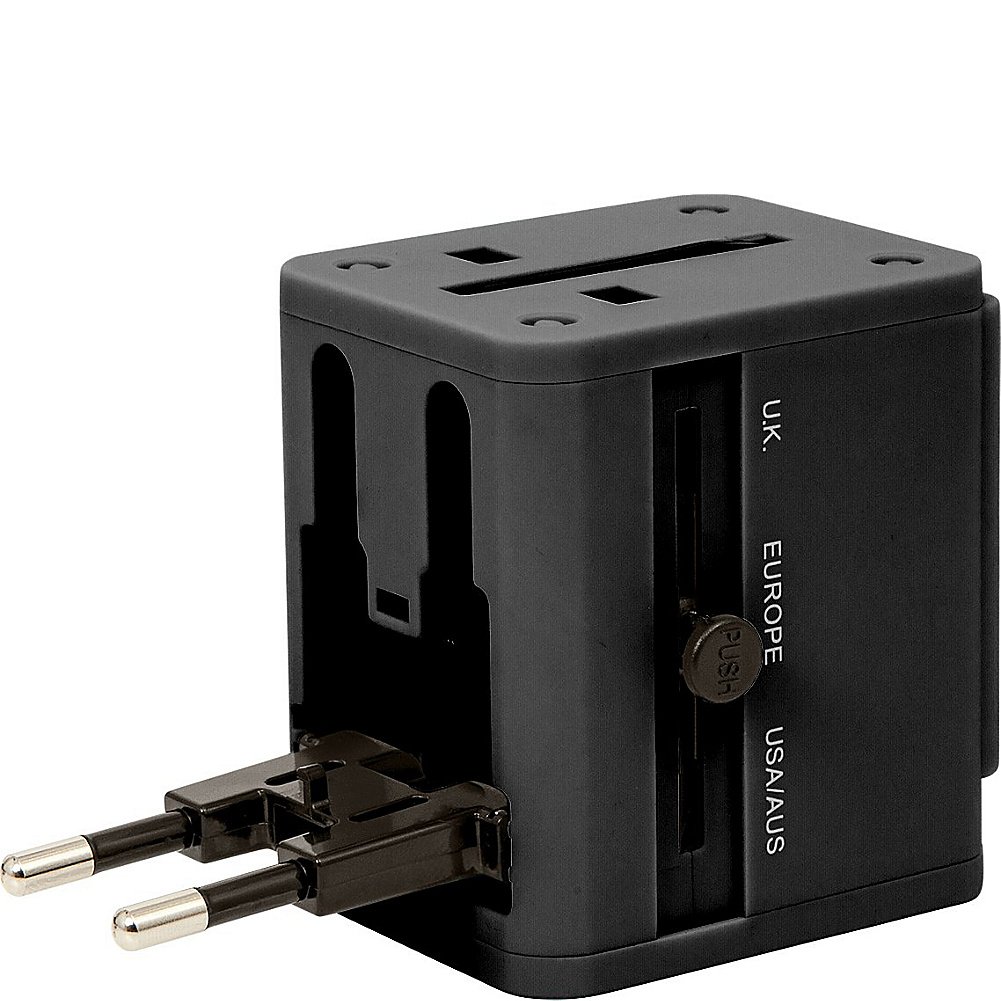
Image: Front view of the ReTrak ETUADP Universal Travel Adapter, showing the dual USB charging ports and printed power specifications (AC 6A Max. 100-240Vac 50/60Hz, USB 1000mA Max. +5Vdc).
Setup and Configuration
The adapter features retractable prongs for different regions. To use, select the appropriate plug type for your destination.
- Identify the correct plug type: The adapter supports UK, Europe, and USA/AUS plug standards.
- Extend the prongs:
- For UK plugs, slide the lever labeled "U.K." to extend the three rectangular prongs.
- For Europe plugs, slide the lever labeled "EUROPE" to extend the two round prongs.
- For USA/AUS plugs, slide the lever labeled "USA/AUS" to extend the two flat parallel prongs.

Image: Side view of the adapter with the UK plug prongs extended, showing the "U.K.", "EUROPE", and "USA/AUS" labels and the "PUSH" button for retraction.
- Retract the prongs: After use, press the "PUSH" button and slide the lever back to retract the prongs into the adapter body.
- Connect to power outlet: Insert the extended prongs into the appropriate wall socket.
Operating Instructions
Once the adapter is securely plugged into a wall outlet, you can connect your devices.
Using the AC Outlet:
- Ensure your device's power plug matches the universal AC socket on the adapter.
- Insert your device's power plug into the universal AC socket on the adapter.
- Verify that your device's voltage requirements are compatible with the local power supply (100-240Vac). This adapter does not convert voltage.
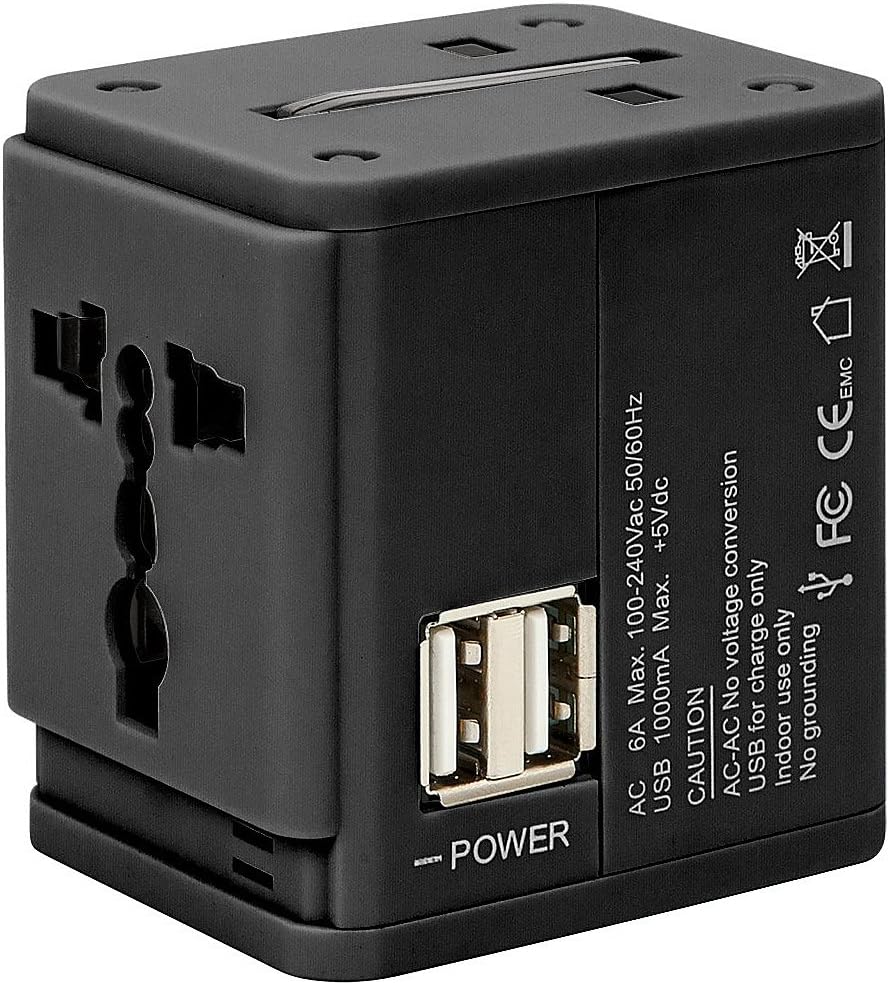
Image: Angled view of the adapter highlighting the universal AC input socket, ready to accept various plug types.
Using the Dual USB Charging Ports:
- Locate the two USB ports on the side of the adapter.
- Connect your USB charging cable to one of the USB ports.
- Connect the other end of the USB cable to your device (e.g., smartphone, tablet, power bank).
- The USB ports provide a maximum output of 5Vdc, 1000mA. Ensure your device is compatible with these charging specifications.
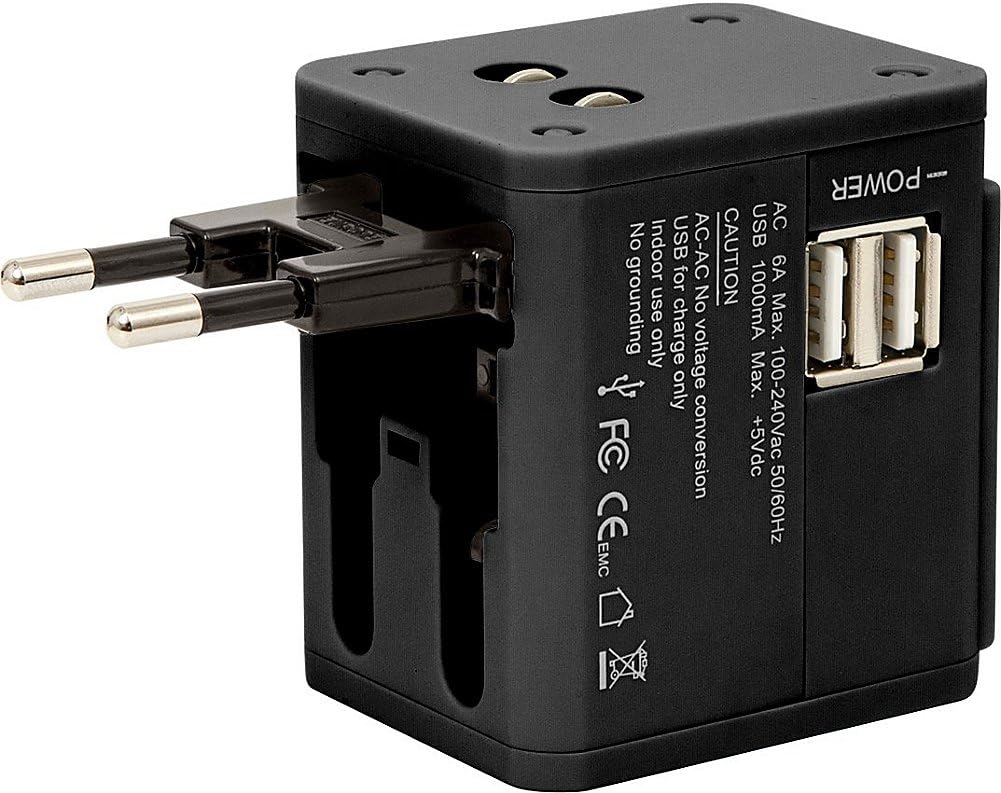
Image: Side view of the adapter, clearly showing the two USB charging ports and the "POWER" indicator.
Maintenance and Care
- Cleaning: Disconnect the adapter from the power outlet before cleaning. Use a dry, soft cloth to wipe the surface. Do not use liquid cleaners or aerosols.
- Storage: When not in use, retract all prongs and store the adapter in a cool, dry place away from direct sunlight and moisture.
- Inspection: Periodically inspect the adapter for any signs of damage, such as frayed cables (if applicable), cracked casing, or loose prongs. Do not use if damaged.
Troubleshooting
| Problem | Possible Cause | Solution |
|---|---|---|
| No power from AC outlet. | Adapter not fully plugged in; wall outlet is not active; device requires grounding. | Ensure adapter is fully inserted. Test wall outlet with another device. This adapter does not provide grounding. |
| Device not charging via USB. | USB cable is faulty; device requires more than 1000mA; adapter not receiving power. | Try a different USB cable. Check device's charging requirements. Ensure adapter is plugged into a live outlet. |
| Prongs do not extend or retract smoothly. | Mechanism obstruction or damage. | Do not force. Ensure no debris is blocking the mechanism. If damaged, discontinue use. |
Specifications
- Model: ETUADP
- AC Input: 100-240Vac, 50/60Hz
- AC Output: 6A Max.
- USB Output: +5Vdc, 1000mA Max. (Dual USB)
- Dimensions (L x W x H): 6.3 x 17 x 11.4 cm
- Color: Black
- Compatible Devices: USB devices (for charging), various AC devices (voltage compatible)
- UPC: 816983016781
Warranty and Support
For warranty information or technical support, please refer to the contact details provided with your purchase documentation or visit the official ReTrak website. Keep your proof of purchase for warranty claims.
Note: Spare parts availability and software updates are not specified by the manufacturer.
Ask a question about this manual
Ask about setup, troubleshooting, compatibility, parts, safety, or missing instructions. Manuals+ will review the question and use this page’s manual context to help answer it.