
Product Overview
The Fujifilm X100F is the latest premium compact digital camera to join the X series family. It is the ultimate in premium compact digital camera, equipped with the advanced hybrid viewfinder of enhanced convenience. While maintaining the elegant design and same 23mm f/2 focal length that has proven to be popular, the new camera has been developed in pursuit for easy operability, reflecting requests from users of previous models.
Key Features:
- 24.3MP X-Trans CMOS III APS-C sensor with no low-pass filter and X-Processor Pro
- 8-way focus lever plus the number of focusing points has been expanded from 49 in previous models to 91 (up to 325 points)
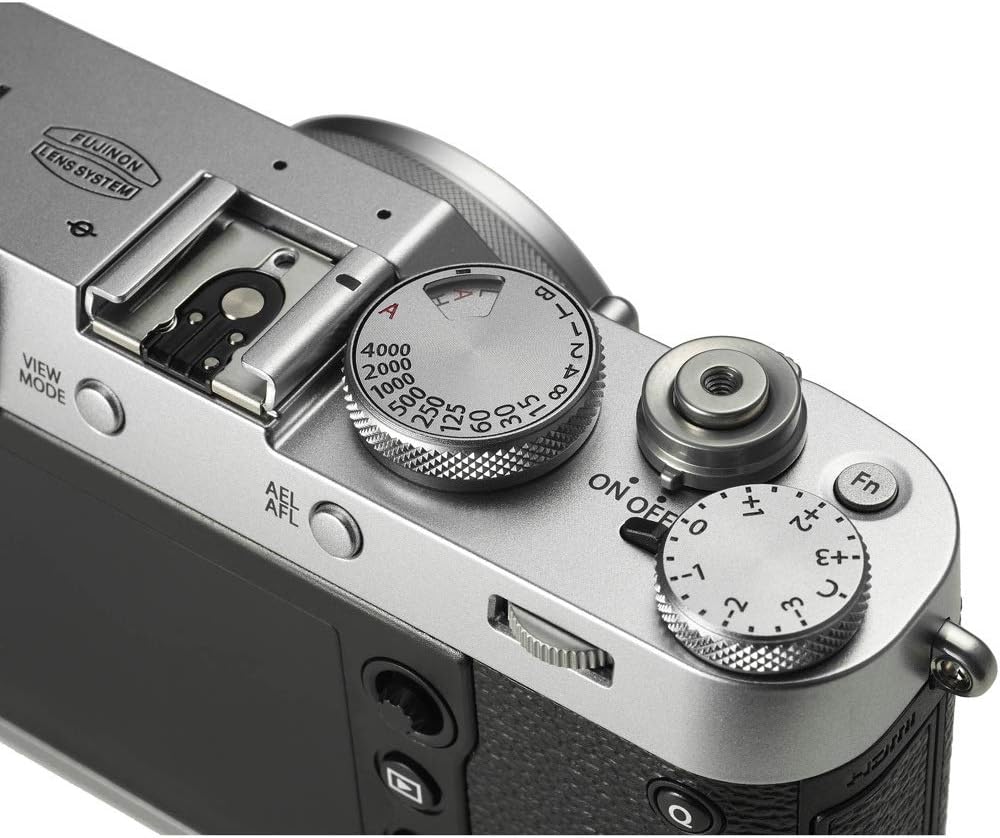
- Built-in ISO dial, incorporated into the shutter speed dial
- AF mode (single / Zone / wide tracking)
- New NP-W126S lithium battery
Setup Guide
Unboxing and Initial Setup
Your Fujifilm X100F comes with the following items:
- Camera
- Battery
- Battery Charger
- Strap
- USB Cable
- Manual
- U.S.A. Warranty
Battery Installation and Charging
Insert the NP-W126S battery into the battery compartment located at the bottom of the camera. Use the provided battery charger to fully charge the battery before first use. A full charge typically takes approximately 5 hours.
Memory Card Insertion
The camera supports SDXC flash memory cards. Open the memory card slot cover and insert the card with the label facing the front of the camera until it clicks into place. Ensure the card is properly formatted before use.
Operating Your Camera
Body and Design

The Fujifilm X100F features a vintage-style body, reminiscent of classic film cameras from the 1940s and 60s. This design evokes a sense of nostalgia and offers a unique visual appeal.
Controls and Dials

The camera boasts tactile, clicky dials for intuitive control. The shutter dial is conveniently located on top, allowing for quick adjustments. Modern front and back dials are also present for customizable control over settings like shutter speed and aperture.

The Fujifilm X100F offers highly customizable buttons, including a function button and a programmable focus ring. These can be assigned to various functions such as digital zoom or film simulation changes, catering to individual shooting styles.
Manual Aperture Ring
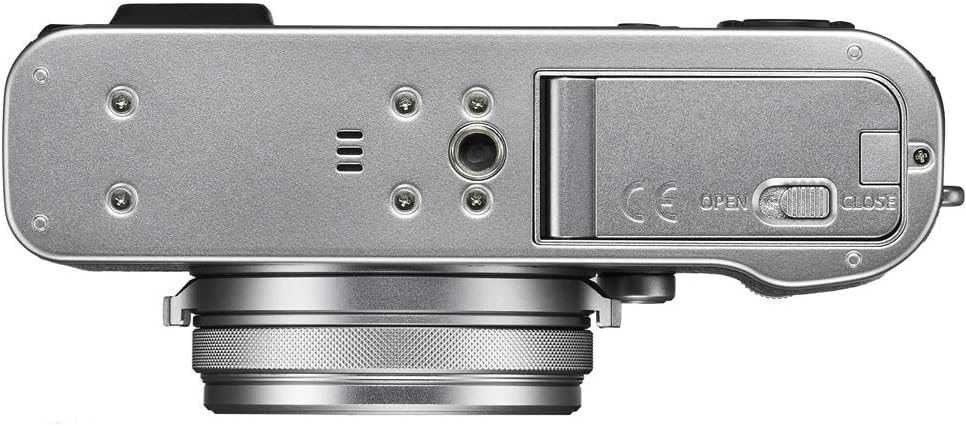
A key feature is the manual aperture ring on the lens, providing a hands-on, tactile experience for adjusting aperture settings. This manual control enhances the photographic process, offering a feel similar to traditional film cameras.
Prime Lens

The camera is equipped with a high-quality prime lens. Prime lenses are known for their compact size and superior sharpness compared to zoom lenses, as they have simpler glass elements. This fixed focal length encourages photographers to improve their composition skills by physically moving to frame shots.
Superfast Aperture
The prime lens features a fast f/2.0 aperture, which is excellent for low-light photography and creating beautiful shallow depth-of-field effects (bokeh). This wide aperture allows for more light to enter the sensor, resulting in cleaner images in challenging lighting conditions.
Autofocus

The Fujifilm X100F boasts an impressive 91-point autofocus system, offering fast and reliable focusing performance. This advanced AF system makes it ideal for fast-paced scenarios like street photography, ensuring sharp images even with moving subjects.
Noise Performance

Thanks to Fujifilm's X-Processor Pro, the X100F delivers exceptional noise performance, producing clean images even at high ISO sensitivities (e.g., 12,800 ISO). This is particularly beneficial for low-light shooting and ensures smooth, film-like results without noticeable grain or color noise, especially for black and white photography.
Viewfinder
The camera features a unique hybrid viewfinder, combining an optical viewfinder (OVF) with an electronic viewfinder (EVF) that can flip up. This allows photographers to choose between a traditional optical view or a digital preview with exposure and focus information, enhancing the shooting experience and ensuring accurate framing.
Maintenance and Care
Cleaning the Camera
Regularly clean the camera body with a soft, dry cloth. Use a lens brush or air blower to remove dust from the lens and sensor. For stubborn smudges, use a specialized lens cleaning solution and microfiber cloth.
Battery Care
Store batteries in a cool, dry place. Avoid fully discharging the battery frequently to prolong its lifespan. Remove the battery if the camera will not be used for an extended period.
Storage
When not in use, store the camera in a dry, dust-free environment, preferably in a camera bag or case. Avoid extreme temperatures and high humidity, which can damage electronic components.
Troubleshooting Common Issues
Camera Not Turning On
- Ensure the battery is fully charged and correctly inserted.
- Try using a different, fully charged battery if available.
- Check the battery contacts for any dirt or corrosion.
Images Are Blurry
- Verify that the lens is clean and free of smudges.
- Check your focus settings (autofocus mode, focus point).
- Ensure your shutter speed is fast enough to prevent motion blur, especially in low light or with moving subjects.
- Confirm that the camera is stable (use a tripod if necessary).
Memory Card Errors
- Reinsert the memory card firmly.
- Try a different, compatible memory card.
- Format the memory card (note: this will erase all data).
- If the issue persists, the card may be corrupted or damaged.
Technical Specifications
| Feature | Specification |
|---|---|
| Photo Sensor Resolution | 24.3 MP |
| Photo Sensor Size | APS-C |
| Lens Type | Fujinon 23mm f/2 fixed focal length lens |
| Maximum Aperture | f/2 |
| Autofocus Points | 91 |
| Screen Size | 3 Inches |
| Supported File Format | JPEG, RAW |
| Video Resolution | 1080p |
| Battery Type | NP-W126S Lithium Ion |
| Item Weight | 2 Pounds |
Warranty and Support
Your Fujifilm X100F Digital Camera comes with a manufacturer's warranty. Please refer to the official user manual for detailed warranty information.
For further assistance, you can visit the Fujifilm Store or consult the Official User Manual (PDF).


