
1. Introduction
This manual provides essential information for the proper use and maintenance of your Irix 11mm f/4.0 Firefly Lens with Built-in AE Chip for Canon EF. Please read this manual thoroughly before using the lens to ensure optimal performance and longevity.
The Irix 11mm f/4.0 Firefly is a manual focus, ultra-wide-angle lens designed for full-frame cameras with a Canon EF mount. It features a built-in AE chip for electronic communication with the camera, allowing for aperture control directly from the camera body and focus confirmation.
2. Safety Information
- Do not expose the lens to extreme temperatures, humidity, or direct sunlight for extended periods.
- Avoid dropping or subjecting the lens to strong impacts.
- Keep the lens away from strong magnetic fields.
- Do not attempt to disassemble or modify the lens. Repairs should only be performed by authorized service personnel.
- Use a soft, lint-free cloth for cleaning optical surfaces.
3. Package Contents
Verify that all items are present in your package:
- Irix 11mm f/4.0 Firefly Lens (Canon EF Mount)
- Front Lens Cap
- Rear Lens Cap
- Soft Lens Pouch
- Instruction Manual

Image: Irix 11mm f/4.0 Firefly Lens and soft lens pouch.
4. Product Overview
The Irix 11mm f/4.0 Firefly lens is designed for precision and durability. Key features include:
- Focus Ring Locking: A dedicated ring allows you to lock the focus at a desired position.
- Hyperfocal Scale: Provides a visual guide for setting the hyperfocal distance, useful for landscape photography.
- Infinity Click: A tactile click at the infinity focus point for quick and accurate setting, especially in low light.
- Weather Sealing: Offers resistance against dust and moisture.
- Neutrino Coating: Reduces ghosting and lens flare.
- Built-in Petal Style Lens Hood: Provides protection and reduces stray light.

Image: Front view of the Irix 11mm f/4.0 Firefly Lens.
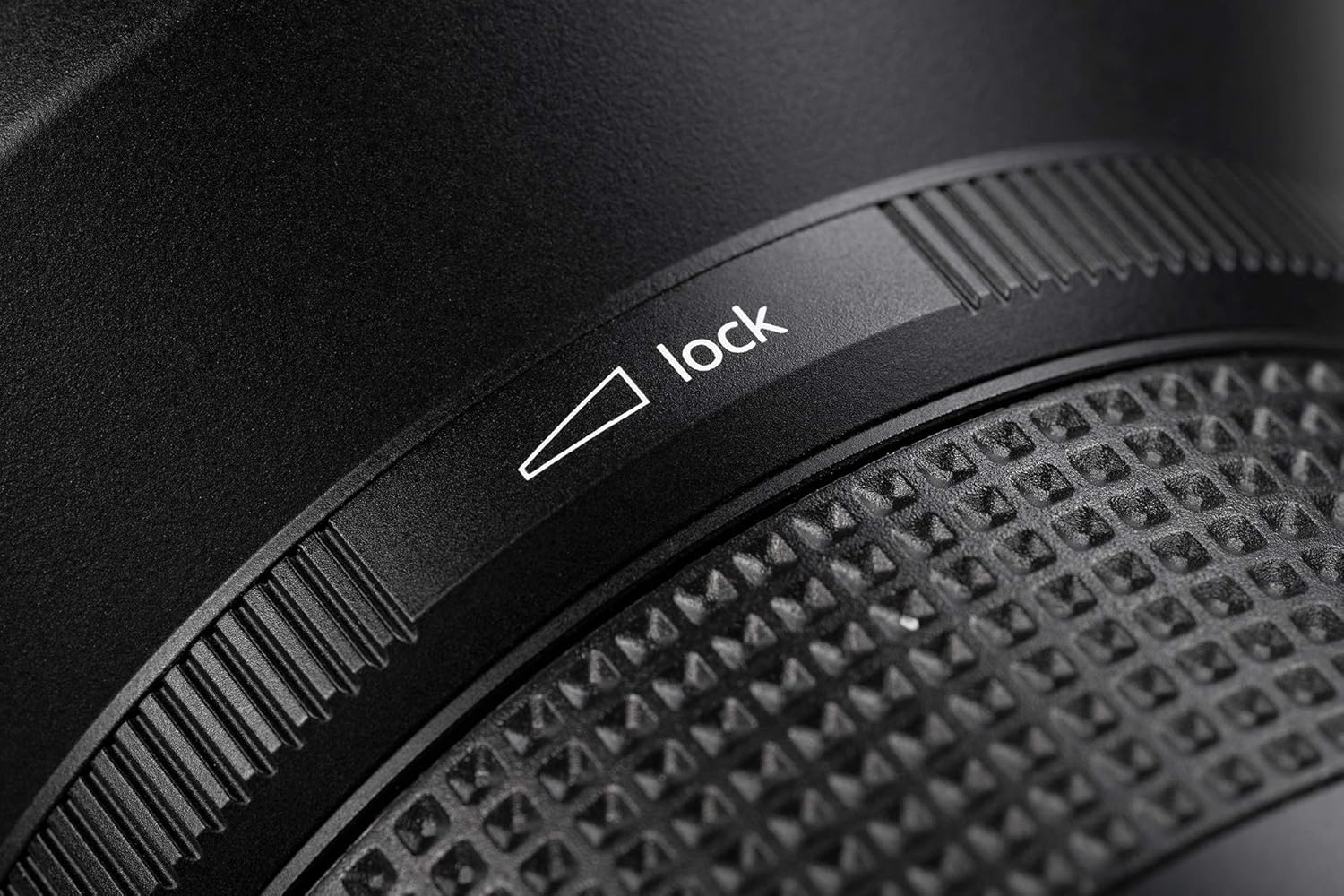
Image: Detail of the focus lock mechanism.

Image: Detail of the hyperfocal scale and infinity click.
5. Setup
5.1 Attaching the Lens
- Ensure your camera is turned off.
- Remove the rear lens cap from the Irix lens and the body cap from your camera.
- Align the red dot on the lens barrel with the red dot on your camera's lens mount.
- Insert the lens into the camera mount and rotate it clockwise until it clicks into place.
- Turn on your camera. The built-in AE chip will communicate with the camera for aperture control and focus confirmation.
5.2 Detaching the Lens
- Ensure your camera is turned off.
- Press and hold the lens release button on your camera body.
- Rotate the lens counter-clockwise until it detaches from the camera body.
- Attach the front and rear lens caps to protect the lens elements.

Image: Rear view of the lens, highlighting the Canon EF mount.
6. Operating the Lens
6.1 Manual Focus
The Irix 11mm f/4.0 Firefly is a manual focus lens. Rotate the focus ring to adjust the focus. The built-in AE chip provides focus confirmation through your camera's viewfinder or live view, indicating when your subject is in sharp focus.
6.2 Infinity Click
The lens features an audible and tactile 'infinity click' that helps you quickly set the focus to infinity without needing to look at the focus scale. This is particularly useful for astrophotography or landscape shots where distant subjects need to be sharp.
Video: Demonstration of the Irix lens infinity click feature. This video shows the feature on a 15mm lens, but the functionality is identical for the 11mm lens.
6.3 Hyperfocal Scale
Utilize the hyperfocal scale on the lens barrel to maximize depth of field. By setting the focus to the hyperfocal distance, you can achieve sharp focus from half that distance to infinity.
6.4 Aperture Control
Thanks to the built-in AE chip, the aperture of the Irix 11mm f/4.0 Firefly lens can be controlled directly from your camera body, just like an autofocus lens. This allows for seamless integration with your camera's exposure modes.
7. Maintenance
7.1 Cleaning the Lens
- Use a blower brush to remove dust from the lens surface.
- For smudges or fingerprints, apply a small amount of lens cleaning solution to a microfiber cloth and gently wipe the lens in a circular motion.
- Never apply cleaning solution directly to the lens element.
- Clean the lens mount contacts with a dry, soft cloth if necessary.
7.2 Storage
- Always attach the front and rear lens caps when the lens is not in use.
- Store the lens in a cool, dry place, away from direct sunlight and extreme temperatures.
- If storing for an extended period, consider using a dehumidifying agent to prevent mold growth.
8. Troubleshooting
| Problem | Possible Cause | Solution |
|---|---|---|
| Difficulty achieving sharp focus | Incorrect manual focus setting. | Utilize your camera's focus peaking or magnification features for precise manual focusing. Ensure the focus lock ring is disengaged. |
| Aperture not controllable from camera | Poor contact between lens and camera. | Ensure the lens is securely mounted. Clean the electronic contacts on both the lens and camera with a dry, soft cloth. |
| Purple fringing or color aberrations | Common with ultra-wide lenses, especially in high-contrast areas. | These can often be corrected in post-processing software (e.g., Lightroom, Photoshop) using chromatic aberration removal tools. |
| Lens feels loose on camera mount | Lens not fully engaged. | Re-mount the lens, ensuring it clicks securely into place. |
9. Specifications
| Feature | Detail |
|---|---|
| Model Number | IL-11FF-EF |
| Focal Length | 11mm |
| Maximum Aperture | f/4.0 |
| Minimum Aperture | f/22 |
| Lens Type | Ultra-Wide Angle, Rectilinear |
| Compatible Mountings | Canon EF |
| Optical Construction | 16 elements in 10 groups (includes 4 high refractive, 2 ED, and 3 aspherical lenses) |
| Field of View | 126° |
| Diaphragm Blades | 9 (rounded) |
| Focus Type | Manual Focus |
| Special Features | Focus Lock, Infinity Click, Hyperfocal Scale, Weather Sealed, Neutrino Coating, Built-in AE Chip |
| Product Dimensions | 3.94 x 5.51 x 3.94 inches |
| Item Weight | 1.32 pounds |
| Country of Origin | Korea, Republic Of (South) |
10. Warranty and Support
Irix products are manufactured to high standards. For warranty information and technical support, please refer to the official Irix website or contact your local Irix distributor. Keep your proof of purchase for warranty claims.
For additional resources and product information, visit the Irix Store on Amazon.