
1. Introduction
This manual provides instructions for the Smartby CT-90302 replacement remote control, designed for use with various Toshiba LCD HDTV models. This remote functions as a direct replacement for the original Toshiba CT-90302 and CT-90275 remote controls, offering immediate functionality without complex programming for most compatible televisions.
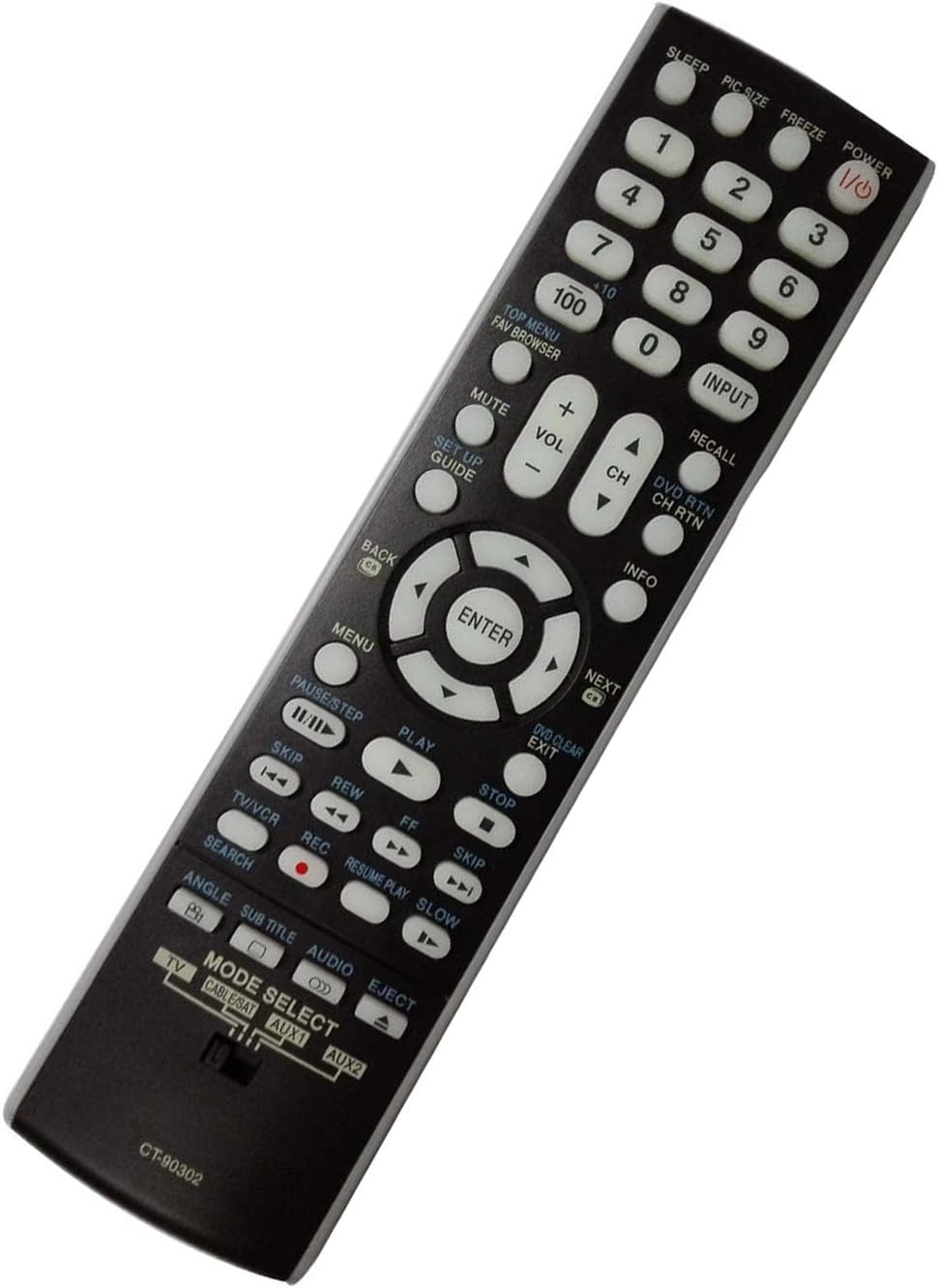
Image 1.1: Angled view of the Smartby CT-90302 remote control, showcasing its ergonomic design and button layout.
2. Setup
2.1 Battery Installation
- Locate the battery compartment on the back of the remote control.
- Press down on the tab and slide the battery cover downwards to open.
- Insert two (2) AAA batteries, ensuring the positive (+) and negative (-) terminals align correctly with the markings inside the compartment.
- Slide the battery cover back into place until it clicks securely.
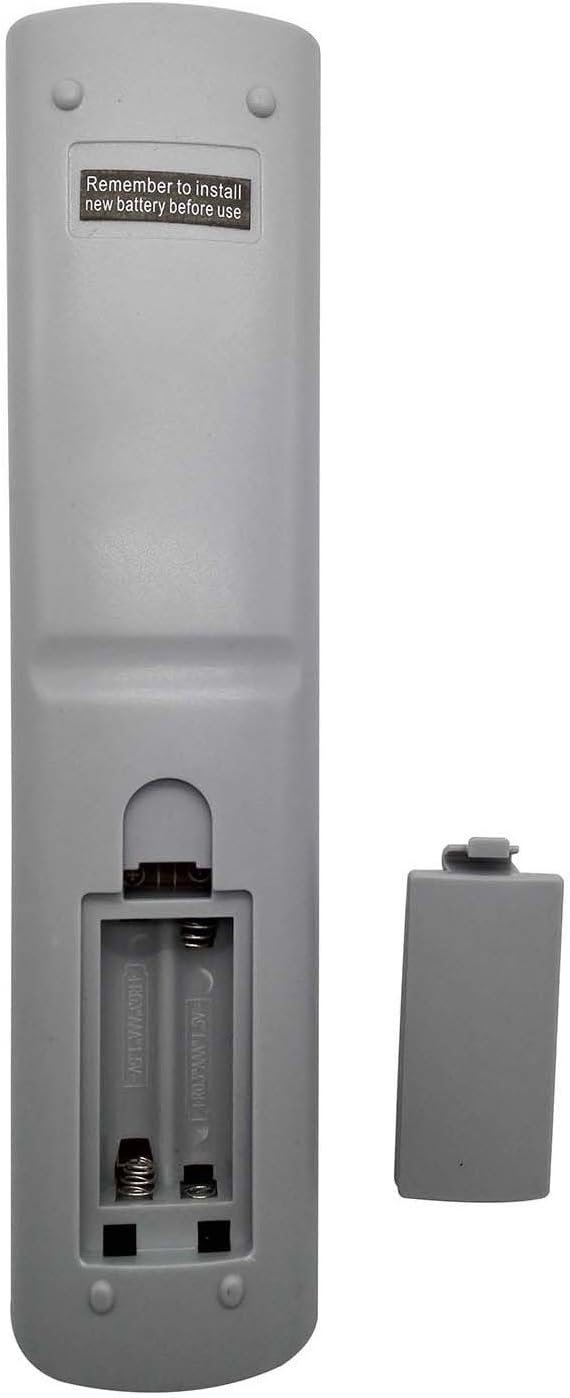
Image 2.1: Rear view of the remote control with the battery cover removed, showing the battery compartment for two AAA batteries.
2.2 Initial Setup
The Smartby CT-90302 remote control is pre-programmed to work with compatible Toshiba LCD HDTVs. In most cases, no additional programming is required after battery installation. Simply point the remote at your television and press the POWER button.
Ensure the MODE SELECT switch at the bottom of the remote is set to TV for television operation. If you intend to control other devices, adjust this switch accordingly.
3. Operating Instructions
This section details the functions of the buttons on your Smartby CT-90302 remote control.
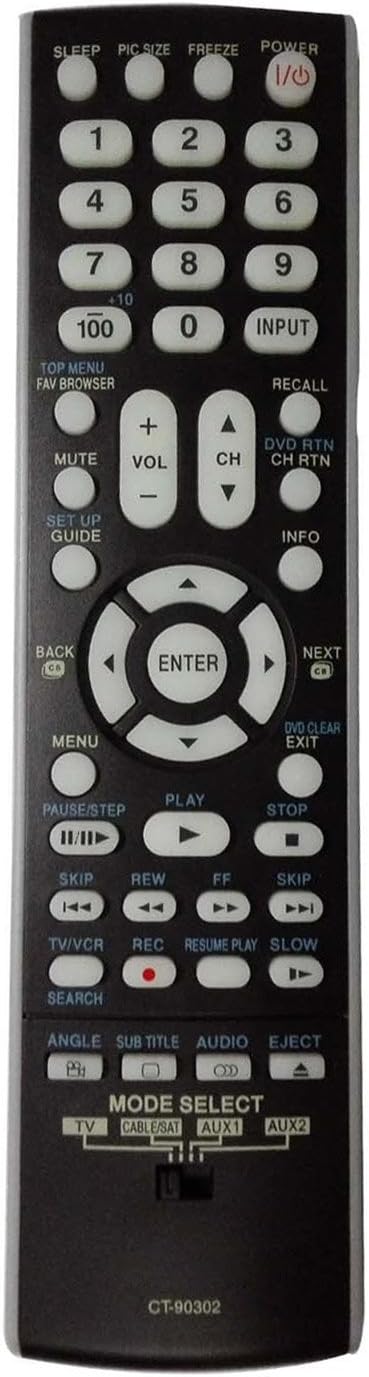
Image 3.1: Front view of the Smartby CT-90302 remote control, displaying the full array of control buttons.
3.1 Button Functions
- POWER: Turns the TV on or off.
- SLEEP: Sets a timer for the TV to turn off automatically.
- PIC SIZE: Adjusts the picture size or aspect ratio.
- FREEZE: Pauses the current image on screen.
- Number Buttons (0-9, 100, +10): Directly select channels. Use '+10' for channels 10 and above, and '100' for three-digit channels.
- INPUT: Cycles through available input sources (HDMI, AV, Component, etc.).
- TOP MENU / FAV BROWSER: Accesses the main menu or favorite channel browser.
- RECALL: Switches between the current and previously viewed channel.
- MUTE: Mutes or unmutes the TV audio.
- VOL +/-: Adjusts the volume level.
- CH +/-: Changes the channel up or down.
- DVD RTN / CH RTN: Returns to the DVD menu or previous channel.
- SETUP GUIDE: Accesses the setup menu or guide.
- INFO: Displays information about the current program or input.
- Navigation Pad (Up, Down, Left, Right, ENTER): Navigates through menus and confirms selections.
- BACK / NEXT: Moves back or forward in menus or media.
- MENU: Opens the TV's main menu.
- DVD CLEAR / EXIT: Clears DVD settings or exits a menu.
- PAUSE/STEP: Pauses playback or steps through frames.
- PLAY: Starts media playback.
- STOP: Stops media playback.
- SKIP (<< / >>): Skips backward or forward in media.
- REW / FF: Rewinds or fast-forwards media.
- TV/VCR: Switches between TV and VCR modes.
- REC: Initiates recording (if supported by the connected device).
- RESUME PLAY / SLOW: Resumes playback or activates slow motion.
- SEARCH: Activates search function.
- ANGLE: Changes camera angle (for DVDs).
- SUBTITLE: Toggles subtitles on/off.
- AUDIO: Selects audio tracks or modes.
- EJECT: Ejects disc (for DVD players).
3.2 Mode Selection Switch
The MODE SELECT switch located at the bottom of the remote allows you to control different devices. Slide the switch to the desired position:
- TV: For controlling your Toshiba television.
- CABLE/SAT: For controlling a cable box or satellite receiver.
- AUX1 / AUX2: For controlling auxiliary devices.
For optimal performance with your Toshiba TV, ensure the switch is set to TV.
4. Compatible TV Models
The Smartby CT-90302 remote control is compatible with a wide range of Toshiba LCD HDTV models, including but not limited to:
- 32CV510U, 32RV530U, 37CV510U, 37RV530U, 42RV530U, 46RV530U, 52RV530U
- 42RV535U, 46RV535U, 52RV535U, 46RV53CU, 52RV53CU
- 26AV502U, 32AV502U, 37AV502U, 52RV53U
- 46RV525U, 40RV525U, 37AV502R, 37AV52R, 32AV502R, 32AV52R
- 40RV52R, 40RV525R, 46XV640U, 40XV645U, 46XV645U, 52XV645U
- 26AV52R, 40XV640U, 40RV52U, 26AV502R, 46RV525R, 26AV502R
- 46RV525U, 37AV502R, 26AV52U, 37RV52R, 52XV648U, 46XV648U, 40XV648U
- 46RV530U, 37RV525RZ, 32RV525RZ, 40G300U, 46G300U, 55G300U
- 26AV502RY, 26AV52RZ, 26AV52R, 26AV52RZ, 26AV502R, 26AV502RZ, 26AV502RY
- 32AV52R, 32AV52RZ, 32AV502R, 32AV502RZ, 26AV52U
If your Toshiba TV model is not listed, the remote may still be compatible. Please refer to your TV's original manual or test the remote's functionality.
5. Troubleshooting
- Remote is not responding:
- Ensure batteries are inserted correctly with proper polarity (+/-).
- Replace old batteries with new ones.
- Check for any obstructions between the remote and the TV's infrared sensor.
- Verify the MODE SELECT switch is set to TV.
- Certain buttons are not working:
- Some advanced functions may require specific TV settings or may not be supported by all Toshiba models.
- Ensure the remote is pointed directly at the TV.
- TV is not turning on/off:
- Confirm the TV is plugged into a power source and is not in standby mode due to a power outage.
- Check the MODE SELECT switch is on TV.
6. Specifications
- Model Number: CT-90302
- Brand: Smartby
- Compatible Devices: Television (Toshiba LCD HDTVs)
- Max Number of Supported Devices: 1 (per mode selection)
- Color: Black
- Special Feature: Universal (replacement for specific Toshiba models)
- Product Dimensions: 8.8 x 2.4 x 1 inches
- Item Weight: 3.2 ounces
- Power Source: 2 x AAA Batteries (not included)
7. Maintenance
- Keep the remote control clean by wiping it with a soft, dry cloth.
- Avoid exposing the remote to extreme temperatures, moisture, or direct sunlight.
- If the remote will not be used for an extended period, remove the batteries to prevent leakage.
8. Warranty and Support
For warranty information or technical support regarding your Smartby CT-90302 remote control, please refer to the retailer where the product was purchased or visit the official Smartby website for customer service contact details.
Please retain your proof of purchase for any warranty claims.