
1. Introduction
Thank you for choosing the AfterShokz Sportz Titanium AS401XB Open Ear Wired Bone Conduction Headphones. These headphones utilize advanced bone conduction technology to deliver audio through your cheekbones, leaving your ears open to ambient sounds. This design enhances situational awareness, making them ideal for activities where being aware of your surroundings is crucial.
This manual provides essential information for setting up, operating, and maintaining your headphones to ensure optimal performance and longevity.
2. Product Overview
The AfterShokz Sportz Titanium AS401XB headphones are engineered for comfort and performance. Key features include:
- Bone Conduction Technology: Transmits sound through cheekbones, ensuring open ears for environmental awareness.
- Extended Playtime: Enjoy up to 12 hours of continuous music on a single charge from the integrated battery compartment.
- Durable & Lightweight Design: Features a flexible titanium headband for durability and portability.
- Premium Audio: PremiumPitch Plus technology delivers a wide dynamic range and rich bass.
- Sweat-Resistant: Designed to repel sweat, dust, and moisture, suitable for workouts and various weather conditions.
- Wired Connectivity: Equipped with a 4-foot cord and a 3.5mm audio jack for reliable connection to compatible devices.
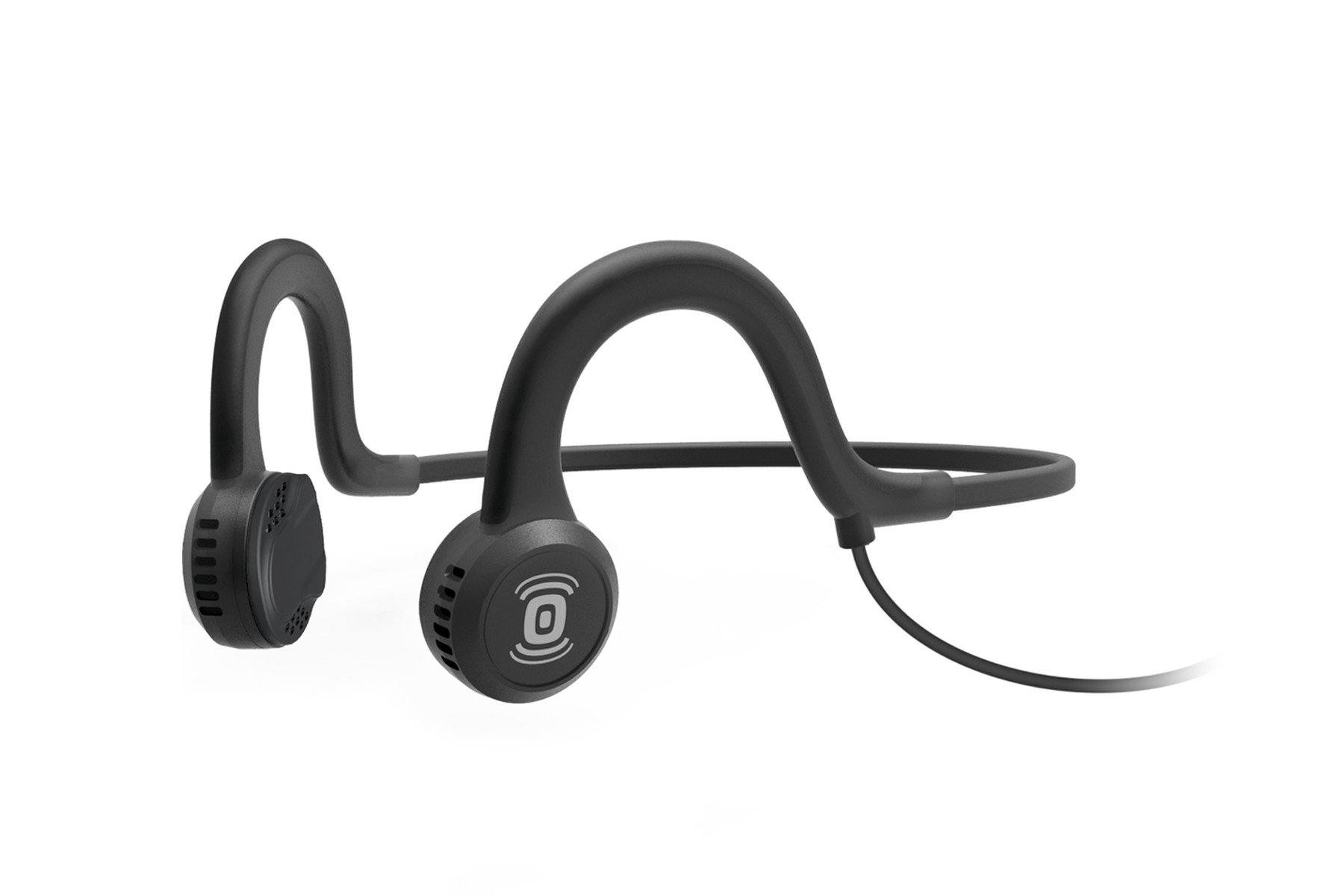
Description: This image displays the AfterShokz Sportz Titanium headphones in Onyx Black. The headphones feature a flexible band that wraps around the back of the head, with transducers resting in front of the ears. An inline control unit and a 3.5mm audio jack are visible on the wired connection.
3. Setup & Wearing Instructions
3.1 Connecting Your Headphones
To connect your AfterShokz Sportz Titanium headphones:
- Locate the 3.5mm audio jack on the headphone cable.
- Plug the 3.5mm audio jack firmly into the headphone port of your compatible device (e.g., smartphone, tablet, laptop, MP3 player).
- Ensure the connection is secure for optimal audio transmission.
3.2 Proper Wearing
For the best sound experience and comfort, wear your Sportz Titanium headphones as follows:
- Place the flexible headband around the back of your head.
- Position the transducers (the parts that deliver sound) directly in front of your ears, resting on your cheekbones.
- Adjust the headband to ensure a snug yet comfortable fit. The transducers should make firm contact with your cheekbones.

Description: This image shows a woman running outdoors, wearing the AfterShokz Sportz Titanium headphones. The transducers are positioned in front of her ears, and the flexible band wraps around the back of her head. She is also wearing an armband for her phone.

Description: This image features a woman cycling, wearing the AfterShokz Sportz Titanium headphones underneath her bicycle helmet straps. The headphones are positioned correctly for bone conduction, allowing her to hear both music and ambient sounds for safety.
4. Operating Instructions
4.1 Inline Controls
The Sportz Titanium headphones feature an inline control unit on the cable for easy management of your audio and calls:
- Play/Pause: Press the center button once to play or pause audio.
- Volume Up/Down: Use the '+' and '-' buttons to adjust the volume.
- Skip Tracks: Double-press the center button to skip to the next track. Triple-press to go to the previous track.
- Answer/End Calls: Press the center button once to answer an incoming call or end an ongoing call.
- Reject Call: Press and hold the center button for 2 seconds to reject an incoming call.
- Microphone: The built-in microphone allows for hands-free calls and voice commands.

Description: This image shows the AfterShokz Sportz Titanium headphones laid out, highlighting the inline control unit on the cable and the separate battery pack. The control unit has buttons for media playback and volume adjustment.
4.2 Battery Operation
The Sportz Titanium headphones include a separate battery compartment that powers the bone conduction transducers. This battery provides up to 12 hours of continuous music playback.
- Charging: Connect the micro-USB charging cable (included) to the battery compartment and a USB power source.
- Battery Indicator: Refer to the LED indicator on the battery pack for charging status.
5. Maintenance & Care
To ensure the longevity and performance of your headphones, follow these care guidelines:
- Cleaning: Wipe the headphones with a soft, damp cloth. Avoid using harsh chemicals or abrasive cleaners.
- Moisture: While sweat-resistant, avoid submerging the headphones in water. Dry them thoroughly after exposure to sweat or moisture.
- Storage: Store the headphones in the provided storage case when not in use to protect them from dust and damage. Avoid extreme temperatures.
- Cable Care: Handle the cable gently to prevent kinks or damage. Do not pull on the cable to unplug from devices.

Description: This image shows a man hiking outdoors, wearing the AfterShokz Sportz Titanium headphones. He has a backpack on, and the headphones are comfortably positioned, demonstrating their suitability for outdoor activities.
6. Troubleshooting
If you encounter any issues with your headphones, refer to the following common solutions:
- No Sound:
- Ensure the 3.5mm jack is fully inserted into your device.
- Check the volume levels on both your device and the headphone's inline controls.
- Test with a different audio source or device to rule out device-specific issues.
- Ensure the headphone battery is charged.
- Poor Sound Quality:
- Verify the transducers are correctly positioned on your cheekbones.
- Clean the transducers and your skin to ensure good contact.
- Adjust the volume to a comfortable level.
- Microphone Not Working:
- Ensure the 3.5mm jack is fully inserted, as some devices require a full connection for microphone functionality.
- Check your device's audio input settings to ensure the external microphone is selected.
7. Specifications
| Feature | Specification |
|---|---|
| Brand | Aftershokz |
| Model Number | AS401XB |
| Ear Placement | Open Ear |
| Connectivity Technology | Wired (3.5 mm Jack) |
| Audio Driver Type | Bone Conduction Driver |
| Frequency Range | 20Hz - 20,000Hz |
| Battery Life (Music) | Up to 12 hours |
| Control Type | Media Control, Push Button |
| Water Resistance Level | Sweat-resistant (Not Water Resistant for submersion) |
| Item Weight | 42 Grams |
8. Warranty & Support
Aftershokz provides a standard manufacturer's warranty for the AS401XB model. For detailed warranty information, product support, or service inquiries, please visit the official Aftershokz website or contact their customer service directly.
9. Important Safety Information
- Do not disassemble or modify the product.
- Keep the product away from extreme temperatures, humidity, and corrosive substances.
- Avoid listening at excessively high volumes for prolonged periods to prevent hearing damage.
- Always be aware of your surroundings, especially when using headphones in traffic or other potentially hazardous environments.
10. Product Videos
Watch these videos for additional information and tips on using open-ear headphones.
AfterShokz Sportz Titanium on the Move
Description: This official AfterShokz video showcases the Sportz Titanium headphones in various active scenarios, emphasizing their open-ear design for situational awareness during activities like running and pushing a stroller.
Tips & Tricks - Avantree Resolve Wired Open-Ear Earbuds
Description: This video, while featuring a different brand (Avantree Resolve), provides general tips and tricks for wired open-ear earphones, including benefits of comfort, awareness, built-in microphone use for calls/meetings, and integrated controls. It highlights the advantages of wired connectivity without needing to charge.
Bone conduction earphones, 3.5mm wired earphones
Description: This video, featuring a different product, demonstrates the use and benefits of 3.5mm wired bone conduction earphones, including their design for comfort and the ability to hear surrounding sounds. It illustrates how the sound is transmitted through the cheekbones.