
Introduction
This manual provides instructions for the safe and effective use of your Exergen Temporal Artery Thermometer, Model TAT-2000C. This device is designed for accurate, non-invasive temperature measurement by scanning across the forehead. It is suitable for use on individuals of all ages, including infants and adults.
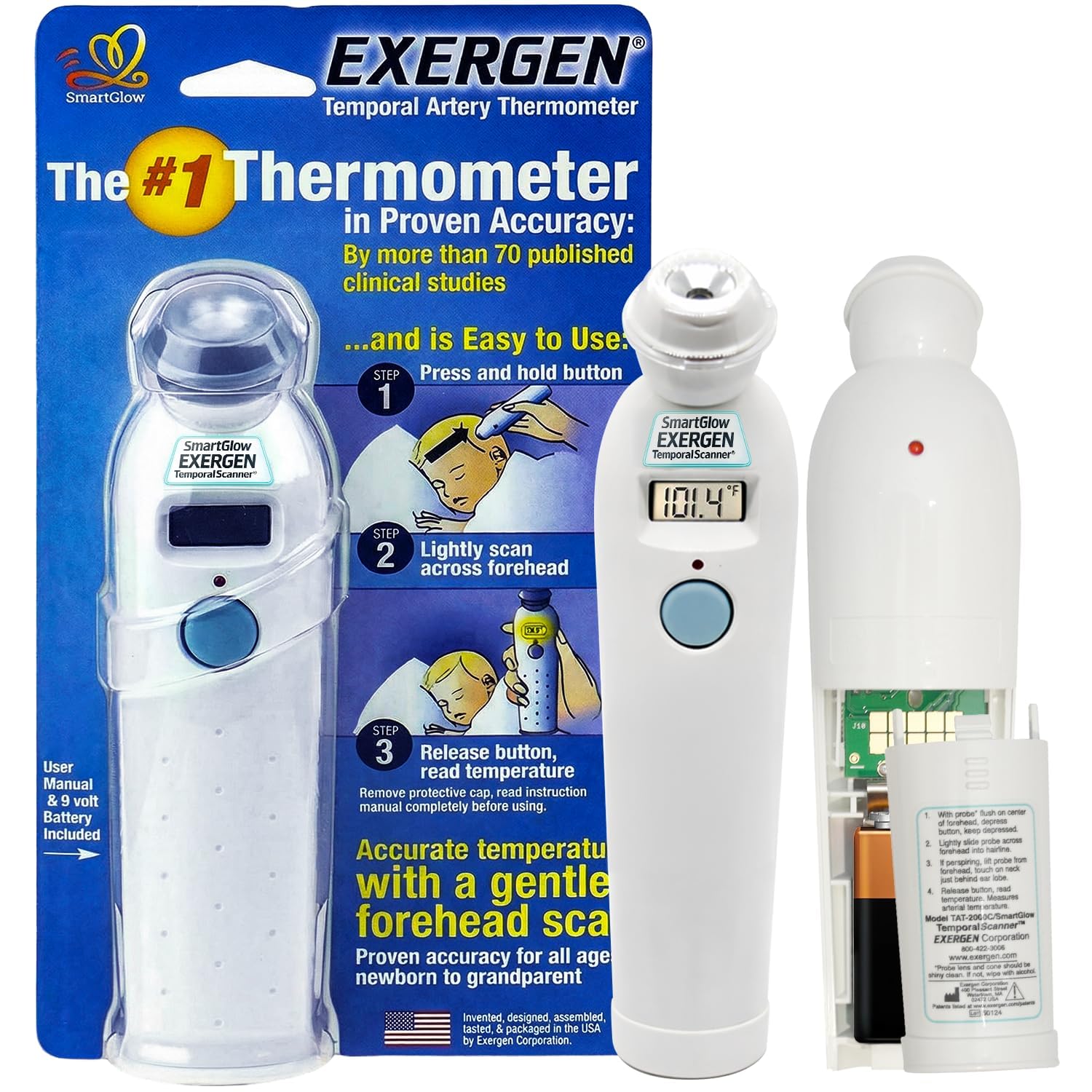
Figure 1: Exergen Temporal Artery Thermometer, Model TAT-2000C.
Key Features
- High Accuracy: Provides precise temperature readings.
- Non-Invasive Scanning: Measures temperature by gently scanning across the forehead, ideal for all ages.
- Soft-Glow Digital Display: Easy-to-read digital display, often with a backlight for low-light conditions.
- 8 Temperature Memory: Stores the last eight temperature readings for tracking and comparison.
- Programmable Units: Switch between Fahrenheit (°F) and Celsius (°C) measurement units.
- Quick Response Time: Delivers readings rapidly, typically within 500 milliseconds.
- Reusable Design: Durable and designed for repeated use.
Setup
Battery Installation
- Locate the battery compartment cover on the back of the thermometer.
- Slide the cover downwards to open the compartment.
- Insert one 9V battery, ensuring the positive (+) and negative (-) terminals are correctly aligned.
- Slide the battery compartment cover back into place until it clicks securely.
Note: A 9V battery is included with your thermometer.
Operating Instructions
Taking a Temperature Reading
- Remove the protective cap from the probe lens.
- Press and hold the scan button located on the front of the thermometer. The display will illuminate.
- While holding the button, gently place the probe flush on the center of the forehead.
- Slowly slide the probe across the forehead towards the hairline, ending at the temple. Ensure continuous contact with the skin.
- If the individual is perspiring, lift the probe from the forehead and touch it on the neck just behind the earlobe.
- Release the scan button. The measured temperature will be displayed on the screen.
Memory Function
To recall previous temperature readings, briefly press the scan button without placing the probe on the skin. Each press will cycle through the stored readings (up to 8). This feature allows for monitoring temperature trends over time.
Changing Temperature Units (°F/°C)
Refer to the specific instructions provided with your device for changing between Fahrenheit and Celsius. This setting is typically adjusted via a small switch or a combination of button presses within the battery compartment or on the device itself.
Maintenance and Care
Cleaning Instructions
- To clean the thermometer, wipe the probe lens and the body of the device with an alcohol wipe or a cotton swab moistened with alcohol.
- Ensure the probe lens is clean and free of debris before each use to maintain accuracy.
- Do not immerse the thermometer in water or any other liquid.
- Store the thermometer with its protective cap on in a dry, cool place.
Troubleshooting
| Problem | Possible Cause | Solution |
|---|---|---|
| No display when pressing scan button | Dead or incorrectly installed battery. | Check battery orientation or replace with a new 9V battery. |
| Inaccurate readings | Dirty probe lens, improper scanning technique, or environmental factors. | Clean the probe lens. Ensure continuous contact and proper scanning motion across the forehead. Avoid taking readings in drafts or extreme temperatures. |
| "LO" or "HI" displayed | Temperature is outside the measurable range or an error occurred. | Ensure the thermometer is used in an appropriate ambient temperature. Re-scan following proper technique. If the issue persists, contact customer support. |
Specifications
- Model: TAT-2000C
- Brand: Exergen
- Power Source: 1 x 9V Battery (included)
- Display Type: Digital
- Response Time: 500 Milliseconds
- Material: Plastic
- Special Feature: High Accuracy
- Age Range (Description): Adult (suitable for all ages per product description)
- Product Care Instructions: Wipe Clean
- Indoor/Outdoor Usage: Indoor
- Reusability: Reusable
- Manufacturer: Exergen Corporation
Warranty and Support
For warranty information, technical support, or service inquiries, please refer to the documentation included with your product or visit the official Exergen website. Keep your purchase receipt as proof of purchase for warranty claims.
Manufacturer: Exergen Corporation
Website: www.exergen.com


