
1. Introduction
Thank you for purchasing the UBON BT-60 Wireless Bluetooth Speaker. This manual provides essential information for the safe and efficient operation of your device. Please read it thoroughly before use and retain it for future reference.
2. Package Contents
Please check the package for the following items:
- UBON BT-60 Wireless Bluetooth Speaker
- USB Charging / AUX Cable
3. Product Overview
Familiarize yourself with the speaker's components and ports.
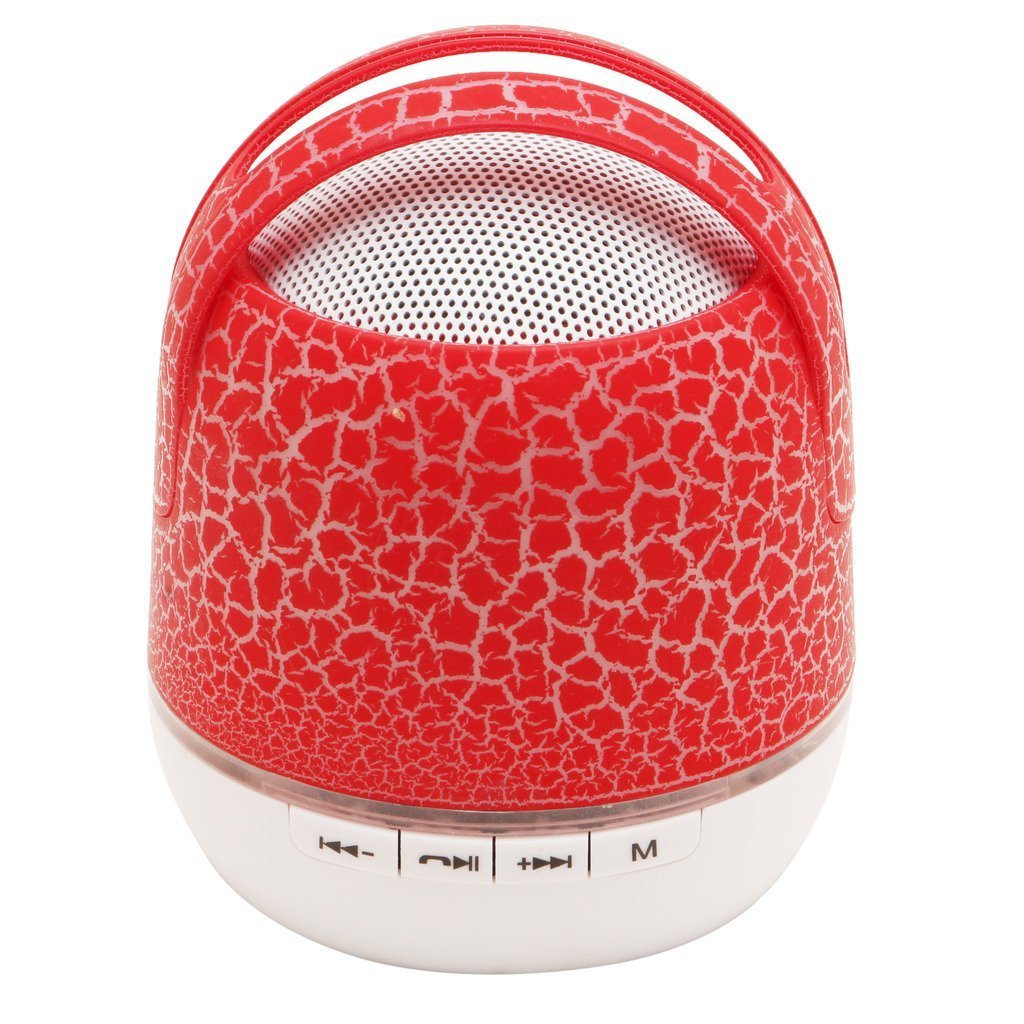
Image 1: UBON BT-60 Wireless Bluetooth Speaker and included USB charging/AUX cable. The speaker features a red and white design with a top handle. The base includes various ports for connectivity.
The speaker's base includes the following ports and controls (from left to right in the image):
- USB Port: For connecting a USB flash drive to play audio files.
- DC 5V (Charging) Port: For connecting the USB charging cable to power the device.
- AUX In Port: For connecting external audio devices using the 3.5mm AUX cable.
- Micro SD Card Slot: For inserting a Micro SD card to play audio files.
- Note: Control buttons (Power, Play/Pause, Volume, Mode) are typically integrated or touch-sensitive on the device, though not explicitly visible in this view.
4. Setup and Basic Operation
4.1 Charging the Speaker
- Connect the small end of the provided USB cable to the DC 5V port on the speaker.
- Connect the standard USB end of the cable to a USB power adapter (not included) or a computer's USB port.
- The charging indicator light (if present) will illuminate, typically red, during charging and turn off or change color when fully charged.
- A full charge provides approximately 6 hours of playback time.
4.2 Powering On/Off
- To power on, press and hold the Power button (location may vary, often a multi-function button) for a few seconds until an indicator light illuminates or an audible prompt is heard.
- To power off, press and hold the Power button again until the indicator light turns off or an audible prompt is heard.
5. Operating Modes
5.1 Bluetooth Mode
- Ensure the speaker is powered on. It will typically enter Bluetooth pairing mode automatically, indicated by a flashing blue LED or an audible prompt.
- On your mobile device (smartphone, tablet, computer), enable Bluetooth and search for available devices.
- Select "UBON BT-60" from the list of found devices.
- Once paired, the speaker will emit an audible confirmation, and the LED indicator will stop flashing and remain solid blue.
- You can now play audio wirelessly from your device.
5.2 Auxiliary (AUX) Mode
- Connect one end of the 3.5mm AUX cable (included) to the AUX In port on the speaker.
- Connect the other end of the AUX cable to the headphone jack or audio output of your external audio device.
- The speaker should automatically switch to AUX mode. If not, press the Mode button (if available) to cycle through modes until AUX mode is selected.
- Control playback and volume from your connected audio device.
5.3 USB Drive / Micro SD Card Playback
- Insert a USB flash drive into the USB Port or a Micro SD card into the Micro SD Card Slot.
- The speaker will automatically detect the storage device and begin playing audio files.
- If it does not start automatically, press the Mode button to switch to USB or SD card mode.
- Use the speaker's control buttons (Play/Pause, Next/Previous) to manage playback.
5.4 FM Radio Mode
- Press the Mode button to switch to FM Radio mode.
- For best reception, ensure the USB charging cable is connected, as it often acts as an antenna.
- Press the Play/Pause button once to initiate an automatic scan for FM stations. The speaker will save all found stations.
- Use the Next/Previous buttons to navigate between saved FM stations.
6. Maintenance
- Cleaning: Use a soft, dry cloth to clean the speaker's exterior. Do not use abrasive cleaners or solvents.
- Storage: Store the speaker in a cool, dry place away from direct sunlight and extreme temperatures.
- Battery Care: To prolong battery life, avoid fully discharging the battery frequently. Charge the speaker regularly, even if not in use for extended periods.
- Water Resistance: The product is listed as "Waterproof: TRUE". However, avoid submerging the speaker in water. It is designed to withstand splashes, not immersion.
7. Troubleshooting
| Problem | Possible Solution |
|---|---|
| Speaker does not power on. | Ensure the battery is charged. Connect the speaker to a power source using the USB cable. |
| Cannot pair via Bluetooth. |
|
| No sound from speaker. |
|
| FM radio reception is poor. |
|
8. Specifications
| Feature | Detail |
|---|---|
| Brand | UBON |
| Model Name | BT 60 |
| Connectivity Technology | Auxiliary, Bluetooth, USB, Wireless |
| Speaker Type | Outdoor |
| Special Feature | Radio |
| Power Source | Battery Powered |
| Battery Average Life | 6 Hours |
| Wireless Communication Technology | Bluetooth |
| Control Method | Touch |
| Is Waterproof | TRUE |
| Item Weight | 150 g |
| Package Dimensions | 9.5 x 9.1 x 6.4 cm |
| Compatible Devices | Smartphone, Tablet, Televisions, Computers |
9. Warranty and Support
For warranty information or technical support, please refer to the documentation provided with your purchase or visit the official UBON website. Keep your proof of purchase for any warranty claims.