
Introduction
The TELEFUNKEN TDP-2 is a two-channel passive direct box designed for converting unbalanced, high-impedance instrument signals into balanced, low-impedance signals suitable for professional audio equipment. Its robust construction and high-quality components ensure reliable performance and excellent signal integrity in various audio environments.
This manual provides essential information for the proper setup, operation, and maintenance of your TDP-2 Dual Passive Direct Box.
Features
- Custom-wound transformer: Ensures optimal signal conversion and isolation.
- -15 dB pad switch: Attenuates high-level input signals to prevent overloading.
- Ground lift switch: Helps eliminate hum and buzz caused by ground loops.
- Rugged aluminum construction: Provides durability for demanding use.
- Recessed switches and connectors: Offers protection against accidental damage.
- 100% through-hole components: Contributes to reliability and ease of service.
Product Overview
Familiarize yourself with the various inputs, outputs, and controls of your TDP-2 Direct Box.
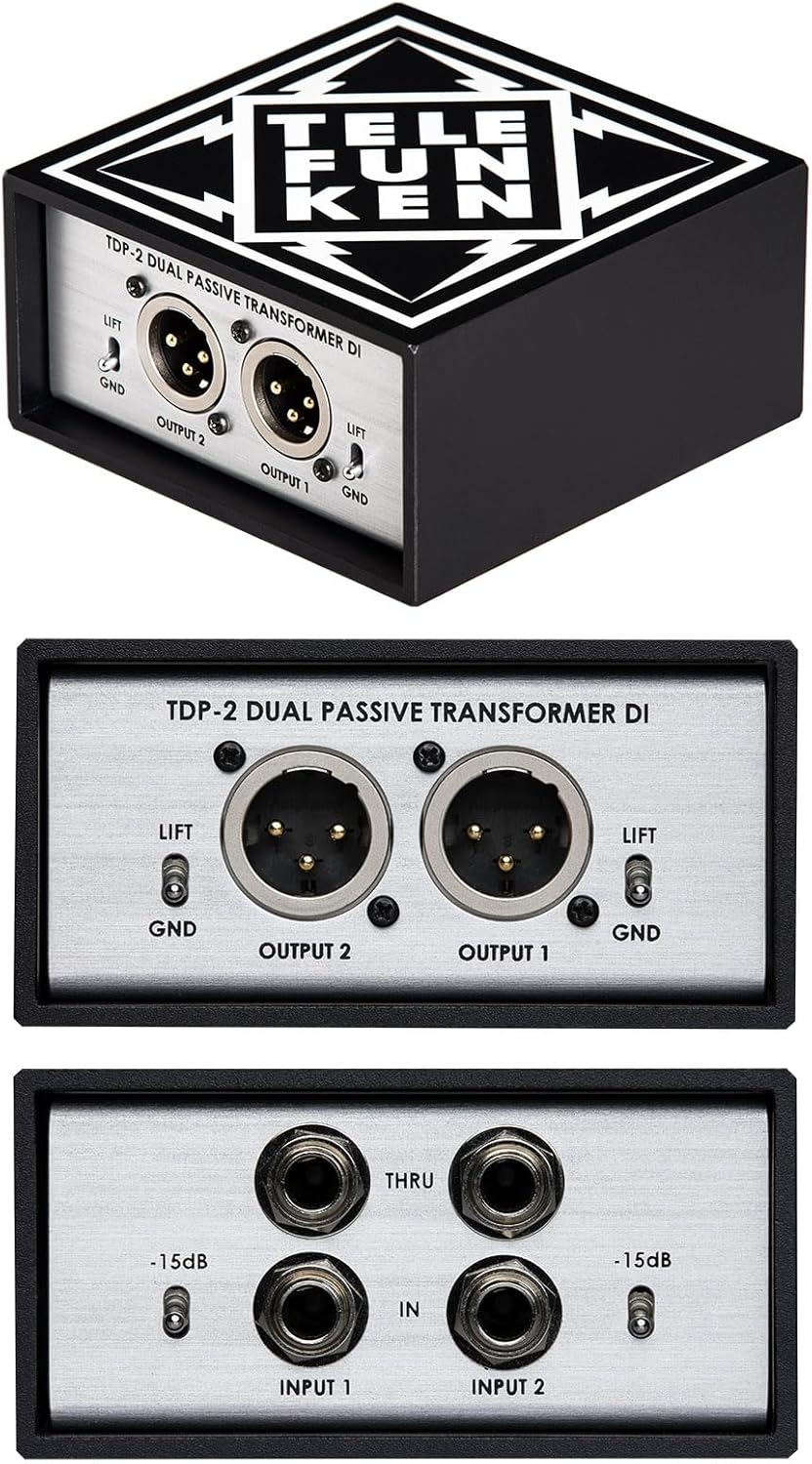
Figure 1: Overall view of the TELEFUNKEN TDP-2 Dual Passive Direct Box, showcasing its compact and robust design.
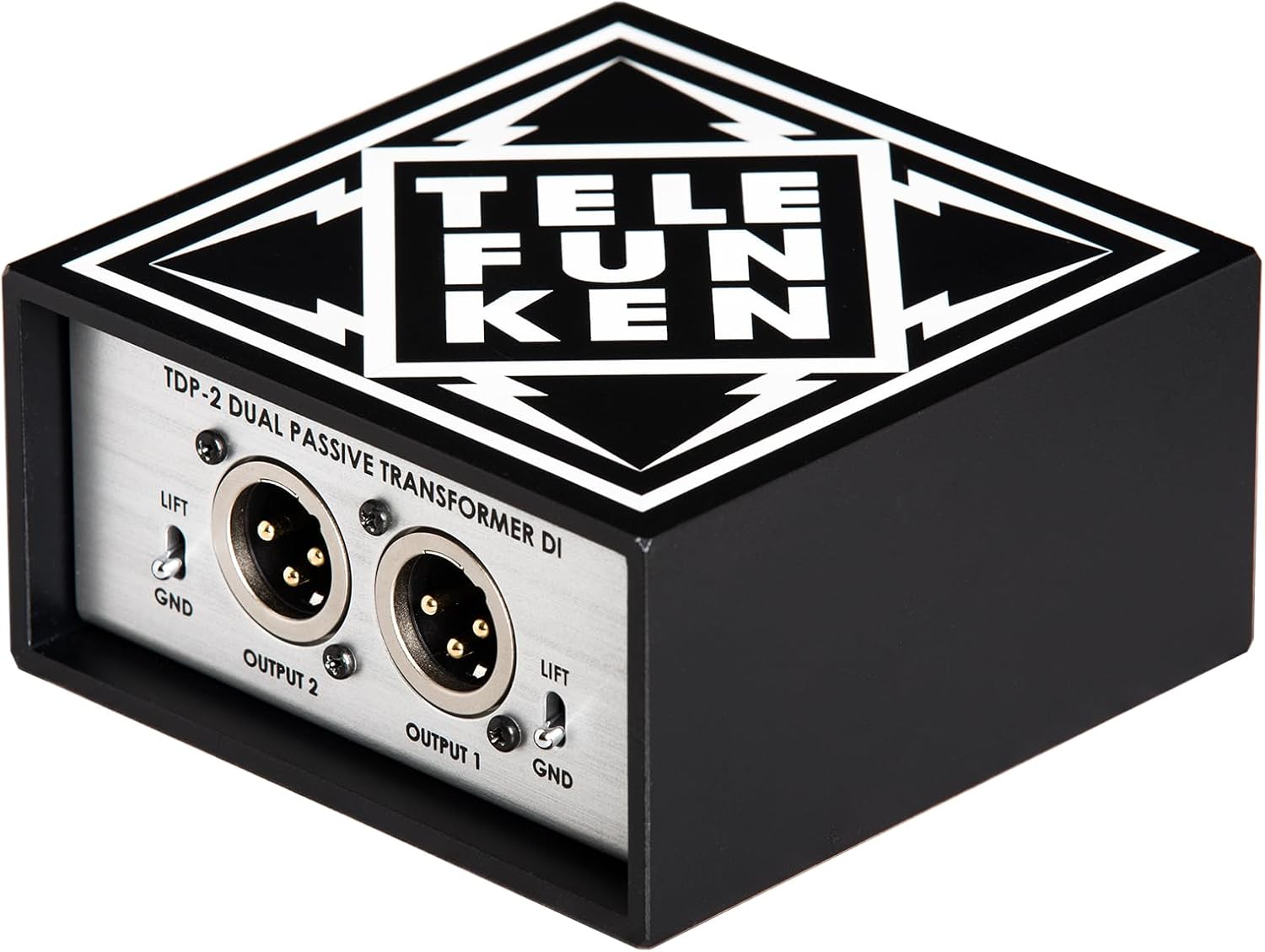
Figure 2: Angled top view of the TDP-2, highlighting the TELEFUNKEN logo and the sturdy metal casing.

Figure 3: Close-up of the input side of the TDP-2, showing the two 1/4-inch input jacks, corresponding THRU jacks, and -15dB pad switches for each channel.

Figure 4: Close-up of the output side of the TDP-2, displaying the two XLR output connectors and individual ground lift switches for each channel.
Setup and Connections
The TDP-2 is designed for straightforward integration into any audio setup. Follow these steps for proper connection:
- Input Connection: Connect your instrument (e.g., acoustic guitar, bass, keyboard, synthesizer) to the 1/4-inch "INPUT" jack on the TDP-2 using a standard instrument cable.
- THRU Connection (Optional): If you need to send the instrument's signal to an amplifier or another device simultaneously, connect a 1/4-inch cable from the "THRU" jack on the TDP-2 to your amplifier's input. This provides a direct, unprocessed signal.
- Output Connection: Connect an XLR cable from the "OUTPUT" jack of the TDP-2 to a balanced input on your mixing console, audio interface, or PA system. This sends the balanced, low-impedance signal.
- Pad Switch: If your instrument has a very high output level, engage the "-15 dB" pad switch to prevent input clipping and distortion. This is particularly useful for active pickups or high-output keyboards.
- Ground Lift Switch: If you experience hum or buzz in your audio signal, try engaging the "LIFT" switch. This disconnects the ground connection between the input and output, often resolving ground loop issues. If the hum persists, try the "GND" position.
Note: The TDP-2 is a passive direct box and does not require external power. It operates using the signal from your instrument.
Operating Instructions
Once connected, the TDP-2 operates automatically. Here are key considerations for optimal performance:
- Signal Level Management: Always monitor your input and output levels at your mixing console or audio interface. Use the -15 dB pad switch on the TDP-2 if the input signal is too hot, indicated by clipping or distortion.
- Ground Loop Elimination: Experiment with the ground lift switch if you encounter unwanted noise. The correct setting (LIFT or GND) will depend on your specific setup and environment.
- Cable Quality: Use high-quality, shielded cables for all connections to minimize noise and ensure the best possible audio fidelity.
- Placement: Position the direct box in a stable location where it won't be easily knocked over or subjected to excessive vibration. Its rugged construction is designed for road use, but careful handling is always recommended.
Maintenance
The TELEFUNKEN TDP-2 is built for durability and requires minimal maintenance. Follow these guidelines to ensure its longevity:
- Cleaning: Use a soft, dry cloth to clean the exterior of the unit. Avoid using abrasive cleaners, solvents, or excessive moisture, which can damage the finish or internal components.
- Storage: When not in use, store the TDP-2 in a cool, dry place, away from extreme temperatures, humidity, and direct sunlight.
- Inspection: Periodically inspect all connectors and switches for any signs of wear or damage. Ensure cables are securely connected and not under strain.
- No User-Serviceable Parts: The TDP-2 contains no user-serviceable parts. Do not attempt to open the unit, as this will void the warranty and could lead to electric shock or damage.
Troubleshooting
If you encounter issues with your TDP-2, refer to the following common problems and solutions:
| Problem | Possible Cause | Solution |
|---|---|---|
| No Sound | Incorrect connections, faulty cables, pad switch engaged unnecessarily. |
|
| Hum or Buzz | Ground loop, interference from other equipment. |
|
| Distorted Sound | Input signal too hot, faulty cable. |
|
Specifications
| Feature | Detail |
|---|---|
| Model Number | TDP-2 |
| Channels | 2 (Dual) |
| Type | Passive Direct Box |
| Input Connectors | 2 x 1/4" TS (unbalanced) |
| Thru Connectors | 2 x 1/4" TS (unbalanced) |
| Output Connectors | 2 x XLR (balanced) |
| Pad Switch | -15 dB (per channel) |
| Ground Lift | Switchable (per channel) |
| Transformer | Custom-wound |
| Construction | Rugged Aluminum/Metal |
| Item Weight | 1.62 pounds (0.73 kg) |
| Product Dimensions | 5.75 x 5.25 x 3.25 inches (14.6 x 13.3 x 8.3 cm) |
Warranty and Support
TELEFUNKEN Elektroakustik products are manufactured to the highest standards. For specific warranty information and support, please refer to the warranty card included with your product or visit the official TELEFUNKEN Elektroakustik website. Keep your proof of purchase for warranty claims.
For technical assistance or service inquiries, contact TELEFUNKEN Elektroakustik customer support through their official channels.


