
Introduction
The Crown CDi 4|1200 DriveCore Analog 4-Channel 1200-Watt Power Amplifier with BLU Link is an advanced amplification solution designed for large-sized installations such as cinemas, houses of worship, hotels, and cruise lines. This amplifier integrates high-performance capabilities with a rich feature set, including network control/monitoring, high-level DSP, and support for driving up to 100Vrms speaker loads without requiring a transformer. The BLU Link feature enhances integration with HARMAN's digital audio bus, allowing for seamless audio channel transmission and reception.

Image: Front view of a Crown CDi DriveCore Series amplifier, illustrating its sleek design and control panel.
Setup
Proper setup ensures optimal performance and longevity of your amplifier. Follow these guidelines for installation and initial configuration.
Physical Installation
The CDi 4|1200 is designed for rack mounting. Ensure adequate ventilation around the unit to prevent overheating. The dimensions of the amplifier are 16 x 19 x 3.5 inches (L x W x H).
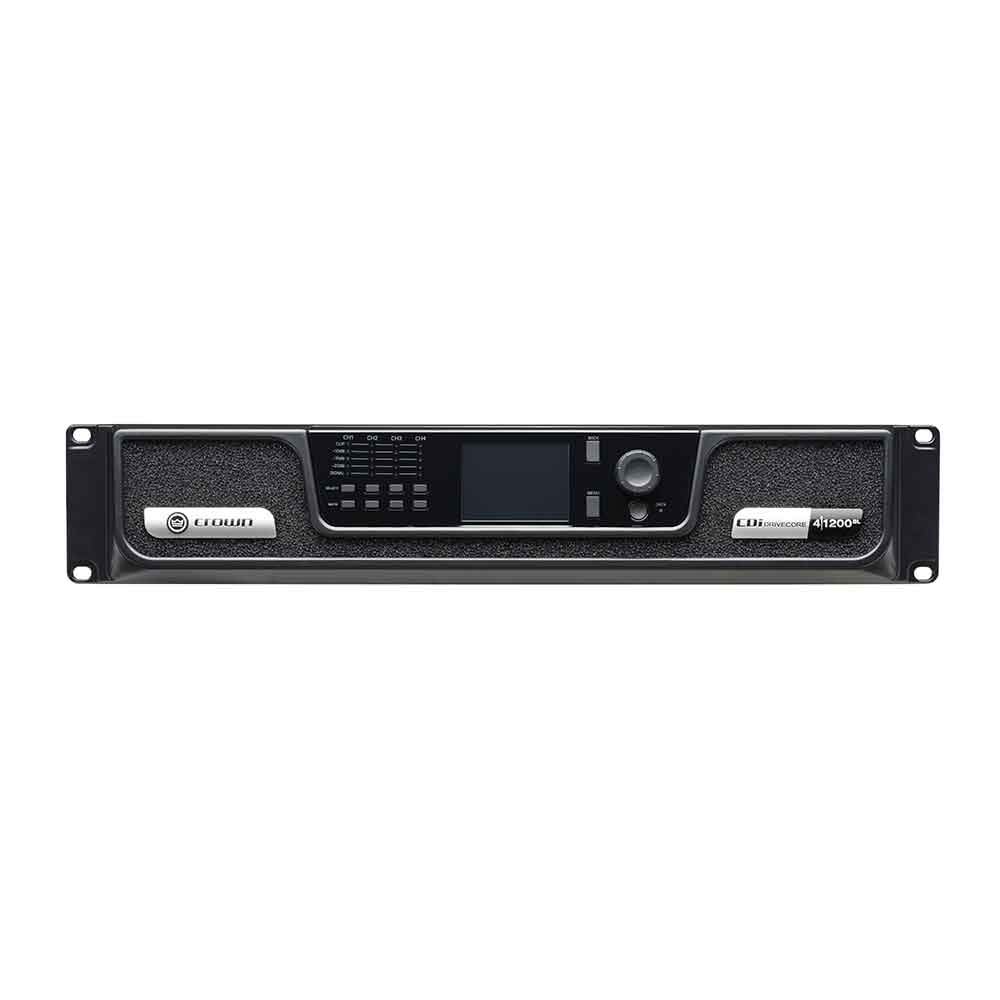
Image: Front view of the Crown CDi 4|1200 amplifier, showing its rack-mountable design and front panel layout.
Power and Connections
Connect the amplifier to a suitable power source (100 Volts or 70 Volts, as specified for your region). The amplifier features 4 channels for audio output. Utilize the BLU Link ports for digital audio networking with compatible HARMAN Pro Audio devices. Standard analog inputs and outputs are also available.
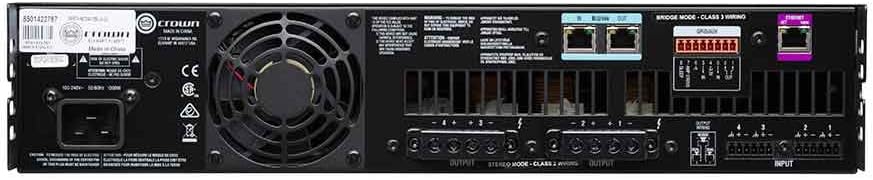
Image: Rear view of the Crown CDi 4|1200 amplifier, highlighting the power input, fan, BLU Link ports, and various audio input/output connections.
Operating Instructions
The CDi 4|1200 amplifier offers versatile operation modes and control options.
Front Panel Controls
The front panel provides access to essential controls and indicators. Use the navigation buttons and rotary encoder to adjust settings, monitor signal levels, and configure the amplifier's DSP functions. Signal, clip, and fault indicators provide real-time status feedback for each channel.

Image: Close-up of the Crown CDi DriveCore amplifier's front panel, showing the display, control knobs, and LED indicators for signal, clip, and fault status.
Network Control and Monitoring
All models in this line are equipped with a network port to provide access to HIQnet Audio Architect software. This software allows for greater configuration and monitoring capabilities, enabling remote control and detailed system management.
Output Modes
The amplifier can be operated at both 100V or 70V direct output, or with 2, 4, or 8 Ohm impedance loads, providing flexibility for various speaker configurations.
Official Product Video
Video: An overview of the Crown CDi DriveCore Analog Power Amplifier, detailing its features and applications.
Maintenance
To ensure the longevity and reliable operation of your Crown CDi 4|1200 amplifier, follow these maintenance recommendations:
- Cleaning: Regularly clean the exterior of the amplifier using a soft, dry cloth. Avoid using abrasive cleaners or solvents, as these can damage the metal and plastic surfaces.
- Ventilation: Ensure that the ventilation grilles on the front and rear panels are free from dust and obstructions. Proper airflow is crucial for dissipating heat and maintaining optimal operating temperatures.
- Connections: Periodically check all audio and power connections to ensure they are secure. Loose connections can lead to signal loss or intermittent performance.
- Environment: Operate the amplifier in a stable environment, away from excessive moisture, dust, and extreme temperatures.
Troubleshooting
If you encounter issues with your amplifier, consult the following common troubleshooting steps:
- No Power: Verify that the power cable is securely connected to both the amplifier and a working power outlet. Check the power switch on the unit.
- No Audio Output: Ensure all input and output cables are correctly connected. Check the input source and speaker connections. Verify that the volume levels on the amplifier and any connected devices are appropriately set.
- Distorted Sound: Reduce the input signal level to prevent clipping. Check speaker impedance compatibility. Ensure all cables are in good condition and properly connected.
- Fault Indicator Lit: If a fault indicator is lit, it suggests an internal issue. Disconnect power and consult the warranty information for service options.
- Overheating: Ensure the amplifier has adequate ventilation and that its cooling fan is operating correctly. Clear any obstructions from the air vents.
Specifications
| Feature | Specification |
|---|---|
| Model | CDi 4|1200BL |
| Brand | Crown |
| Number of Channels | 4 |
| Output Power | 1200 Watts (per channel) |
| Voltage | 100 Volts, 70 Volts |
| Item Dimensions (L x W x H) | 16 x 19 x 3.5 inches |
| Item Weight | 20.1 Pounds |
| Material Type | Metal, Plastic |
| Mounting Type | Surface Mount |
| Specification Met | FCC |
| Included Components | Amplifier |
| GTIN / UPC | 691991006937 |
| ASIN | B01N0S4OII |
Warranty
Crown International, located at 1718 West Mishawaka Road, Elkhart, Indiana 46517-4095 U.S.A., warrants to you, the original purchaser and any subsequent owner of each new Crown product, for three years from the date of purchase by the original purchaser (the "warranty period") that the new Crown product is free of defects in materials and workmanship. We further warrant the new Crown product regardless of the reason for failure, except as excluded in this warranty.
Support
For further assistance, technical support, or service inquiries regarding your Crown CDi 4|1200 amplifier, please contact Crown customer service or visit the official Crown website. Detailed product documentation and software updates may also be available online.