
Introduction
The Brita Stream Filter-As-You-Pour 10-Cup Water Pitcher is designed to provide cleaner, great-tasting water. This BPA-free pitcher utilizes Filter-As-You-Pour technology, allowing water to be filtered as it is dispensed, eliminating waiting times. The filter effectively reduces chlorine, improving both taste and odor. An electronic indicator signals when the filter requires replacement.

Image: Brita Stream 10-Cup Water Pitcher in Chili Red, ready for use.
Setup
1. Unpack Components
Carefully remove all components from the packaging. Ensure you have the pitcher, lid, and one Brita Stream filter.
2. Prepare the Filter
Before first use, rinse the Brita Stream filter under cold tap water for 15 seconds. This helps remove any loose carbon particles.

Image: Step-by-step diagram illustrating the filter preparation and installation process.
3. Install the Filter
Insert the prepared filter into the filter housing located on the underside of the lid. Twist the filter clockwise until it clicks securely into place.
4. Initial Flush
Fill the pitcher with tap water. Discard the first full pitcher of filtered water. This primes the filter and removes any remaining carbon dust. The pitcher is now ready for use.
Video: An official Brita video demonstrating the features and setup of Brita Stream pitchers.
Operating Instructions
1. Filling the Pitcher
Open the fill lid on the top of the pitcher. Place the pitcher under a cold water tap and fill it with water. The Filter-As-You-Pour technology will begin filtering the water as you pour it into a glass.

Image: A Brita Stream pitcher being filled with tap water in a kitchen sink.
2. Pouring Filtered Water
Once filled, simply pour water from the pitcher into your glass. The water will pass through the filter as it exits the pitcher, providing filtered water instantly.
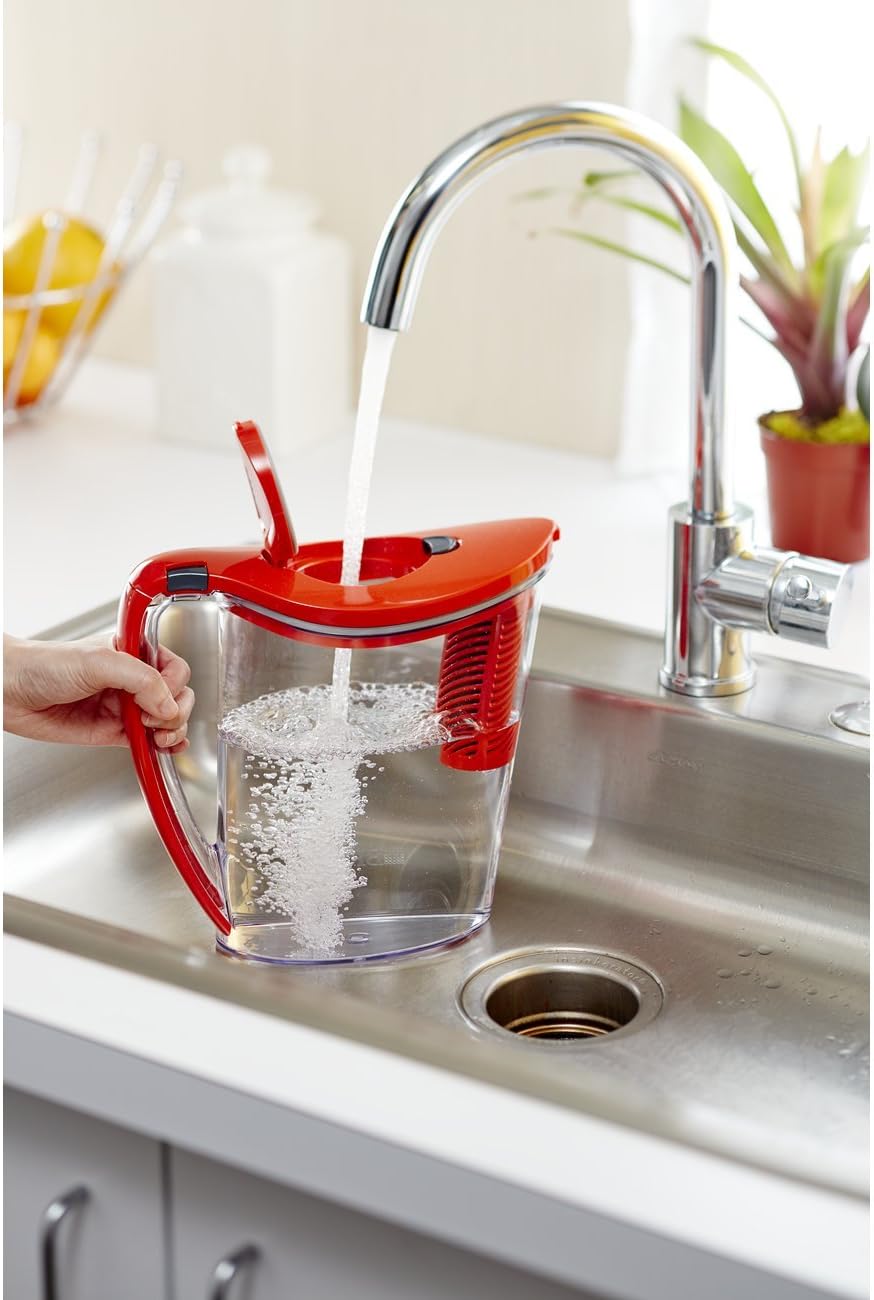
Image: A person pouring filtered water from the Brita Stream pitcher into a glass with ice.
Maintenance
Filter Replacement
The Brita Stream filter should be changed approximately every 40 gallons or every 2 months for optimal performance. The electronic filter replacement indicator on the lid will help you track when a new filter is needed.

Image: Diagram illustrating how the Brita Stream filter works to improve water quality.
To replace the filter, remove the lid and twist the old filter counter-clockwise to detach it. Insert a new, rinsed Brita Stream filter into the housing and twist clockwise until it clicks. Remember to reset the electronic filter indicator after replacement.

Image: The Brita Stream pitcher alongside a new, replacement filter.
Cleaning the Pitcher
The pitcher (excluding the lid and filter) is dishwasher safe. For the lid, hand wash with mild detergent and rinse thoroughly. Do not immerse the lid in water or place it in the dishwasher due to the electronic indicator.
Troubleshooting
- Slow Filtration: Ensure the filter is properly seated and has been rinsed for 15 seconds before first use. If the issue persists with a new filter, contact customer support.
- Unusual Taste/Odor: If you notice an unusual taste or odor after filtering, ensure the filter is new and properly installed. Discard the first few pitchers of water. If the problem continues, replace the filter.
- Electronic Indicator Not Working: Check if the battery needs replacement (if applicable) or if the indicator button is stuck. Refer to the specific instructions for your lid model or contact customer support.
For further assistance, please refer to the Brita website or contact their customer support.
Specifications
- Brand: Brita
- Model Name: Brita Stream Water Pitcher
- Model Number: 10060258362395
- Capacity: 10 cups (40 gallons filter life)
- Material: BPA-free Plastic
- Product Dimensions (L x W x H): 10" x 10.75" x 5.63"
- Item Weight: 1.35 pounds (empty)
- Special Feature: Chlorine Reduction, Electronic Filter Change Reminder
- Compatible Filters: Brita Stream filters only
Warranty and Support
For warranty information or to contact customer support, please visit the official Brita website or refer to the warranty card included with your product. Keep your proof of purchase for any warranty claims.
Brita Customer Service: www.brita.com/contact-us/

