
1. Introduction
Thank you for choosing the Nespresso Vertuo Coffee and Espresso Maker. This machine is designed to provide a premium coffee and espresso experience using Nespresso Vertuo capsules. Please read this manual carefully before first use to ensure proper operation and maintenance.
Important Safety Instructions
- Always place the machine on a flat, stable, heat-resistant surface.
- Do not immerse the machine, power cord, or plug in water or other liquids.
- Keep the machine out of reach of children.
- Unplug the machine from the outlet when not in use and before cleaning.
- Use only Nespresso Vertuo capsules in this machine.
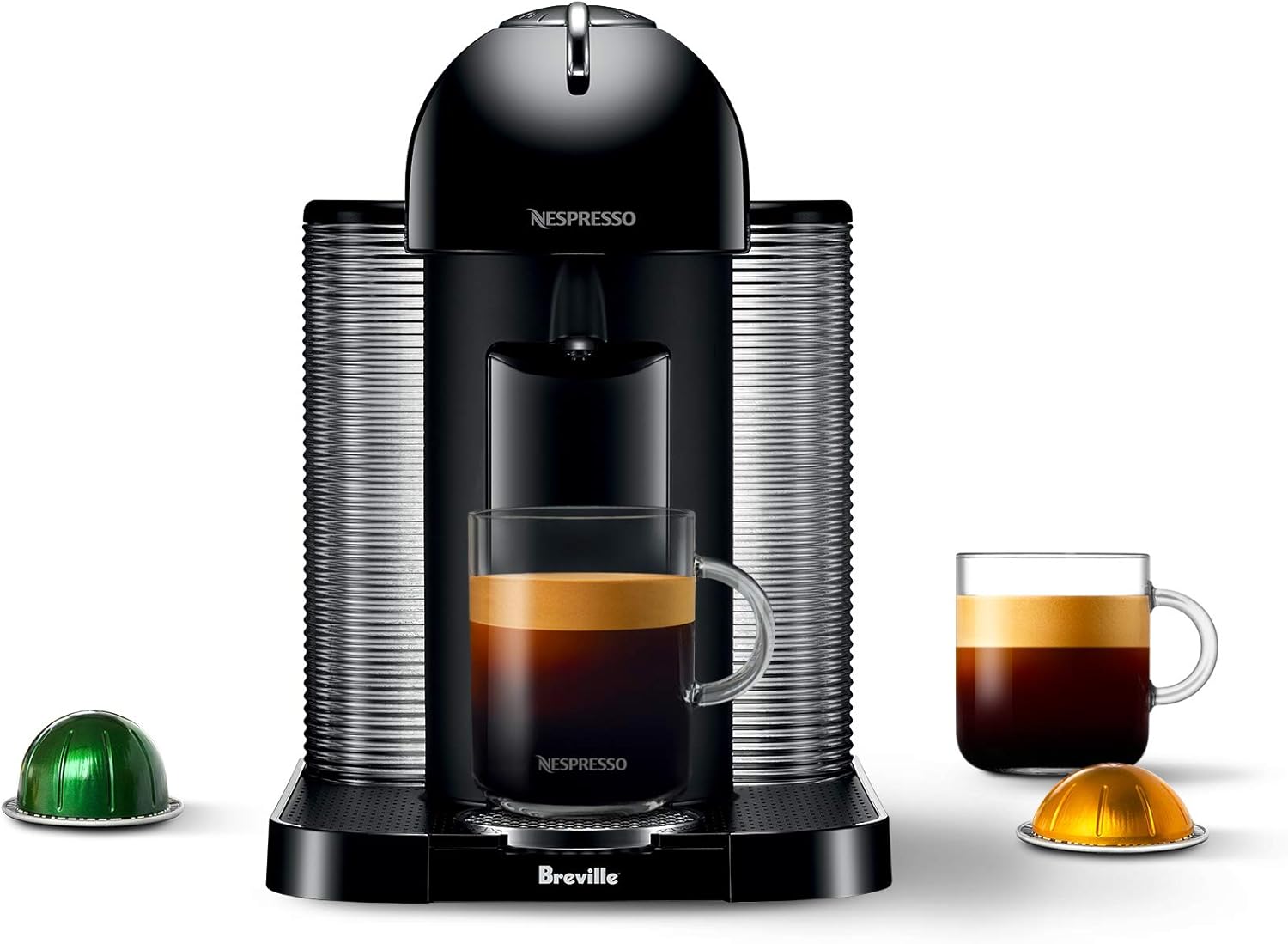
Image 1: Nespresso Vertuo Coffee and Espresso Maker.
2. Machine Components
Familiarize yourself with the main parts of your Nespresso Vertuo machine:
- Water Tank: Removable, 40 oz capacity.
- Brewing Head: Contains the capsule insertion area and Centrifusion extraction system.
- Operating Lever: Used to open and close the brewing head.
- One-Touch Button: Initiates the brewing process.
- Used Capsule Container: Collects ejected capsules (holds up to 17).
- Drip Tray: Adjustable for various cup sizes.

Image 2: Top view of the Nespresso Vertuo machine, highlighting the operating lever and brew button.
3. Initial Setup and First Use
3.1 Unpacking
- Remove the machine from its packaging.
- Remove all protective films and packaging materials.
- Place the machine on a clean, stable surface.
3.2 First Rinse
- Fill the water tank with fresh drinking water.
- Place a container (at least 17 oz) under the coffee outlet.
- Plug the machine into a grounded power outlet. The button will blink white.
- Press the button once. The machine will perform an automatic rinsing cycle. This may take a few minutes.
- The button will turn solid white when the rinsing cycle is complete and the machine is ready.

Image 3: Welcome set of Nespresso Vertuo capsules included with the machine.
4. Operating Instructions
4.1 Brewing Coffee or Espresso
- Ensure the water tank is filled with fresh water.
- Turn on the machine by pressing the button. Wait for the button to turn solid white (approx. 15-20 seconds heat-up time).
- Lift the operating lever to open the brewing head.
- Insert a Nespresso Vertuo capsule into the capsule holder, dome side down.
- Close the brewing head and lock it by pushing the operating lever down.
- Place your cup on the drip tray. Adjust the drip tray height if necessary.
- Press the button once to start brewing. The machine will automatically read the barcode on the capsule and adjust brewing parameters (coffee size, temperature, pressure, brewing time).
- The machine will stop automatically when brewing is complete.
- After brewing, lift the operating lever to eject the used capsule into the container.

Image 4: Nespresso Vertuo brews four cup sizes: 1.35 oz Espresso, 2.7 oz Double Espresso, 5.0 oz Gran Lungo, and 7.7 oz Coffee.

Image 5: The machine automatically adapts brewing parameters (coffee size, temperature, pressure, brewing time) to each capsule via barcode recognition.
5. Cleaning and Maintenance
5.1 Daily Cleaning
- Empty and rinse the used capsule container and drip tray with warm water after each use.
- Wipe the machine exterior with a damp cloth. Do not use abrasive cleaning agents.
- Rinse the water tank regularly with fresh water.
5.2 Descaling
Descaling is essential to maintain the machine's performance and ensure optimal coffee temperature. The frequency depends on water hardness and usage. Refer to the full user manual (PDF link below) for detailed descaling instructions and recommended descaling solutions.
6. Troubleshooting
If you encounter issues with your machine, please consult the following common problems and solutions:
| Problem | Possible Cause | Solution |
|---|---|---|
| No coffee flow | Water tank empty, machine not heated, or descaling needed. | Fill water tank, wait for solid white light, or perform descaling. |
| Leaking water | Water tank not properly seated, or machine internal issue. | Ensure water tank is correctly positioned. If problem persists, contact support. |
| Button blinking red | Error or descaling reminder. | Refer to the full user manual for specific error codes or perform descaling. |
For more detailed troubleshooting, please refer to the official user manual PDF.
7. Specifications
| Feature | Detail |
|---|---|
| Brand | Nespresso (by Breville) |
| Model Name | Vertuo |
| Item Model Number | BNV220BLK1BUC1 |
| Color | Black |
| Product Dimensions | 8.32"D x 11.91"W x 11.93"H |
| Item Weight | 10.8 pounds |
| Water Tank Capacity | 40 oz (Removable) |
| Heat-up Time | 15-20 seconds |
| Automatic Shutoff | After 9 minutes of inactivity |
| Voltage | 110V |
| UPC | 021614999801 |
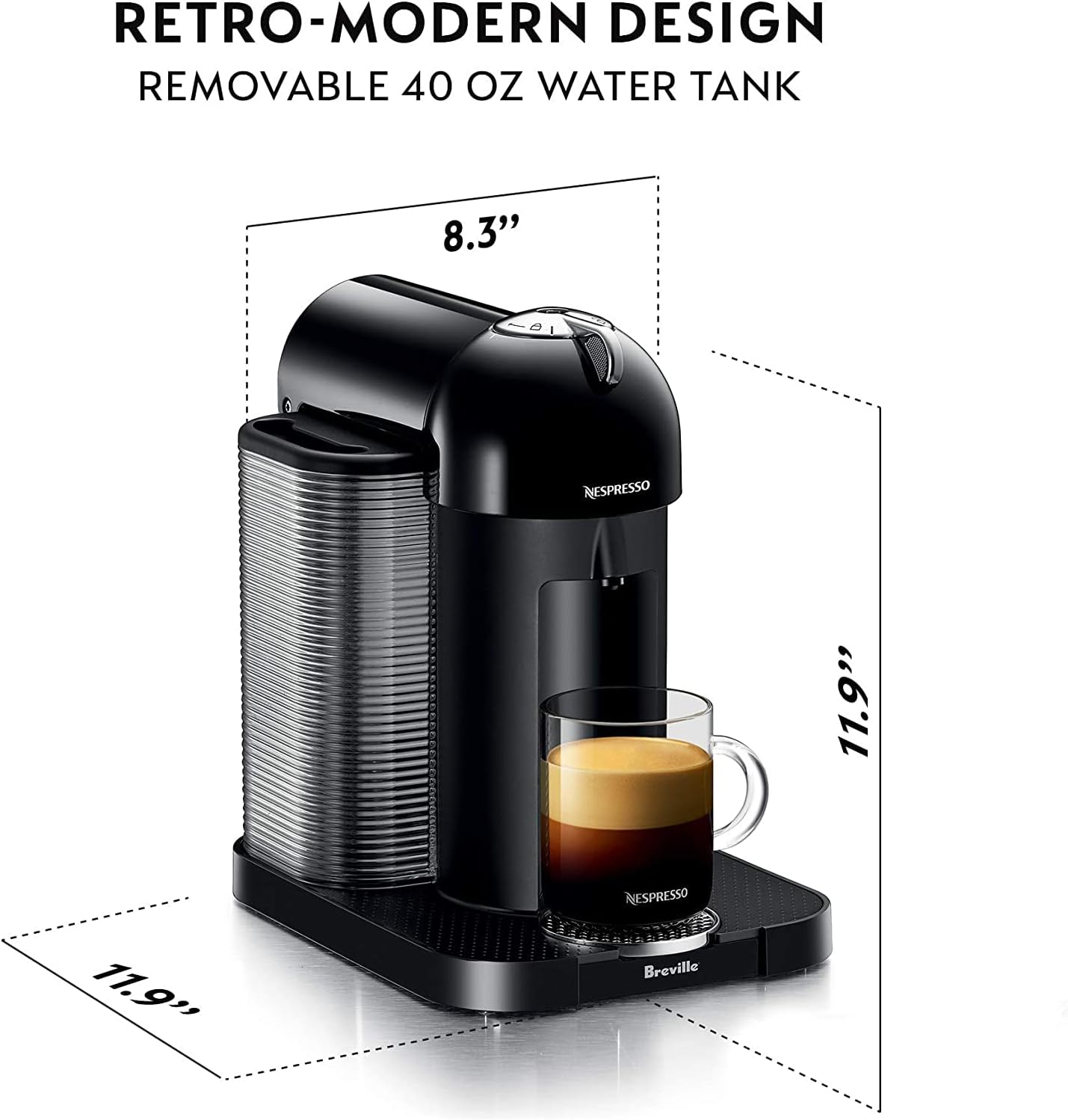
Image 6: Machine dimensions.
8. Warranty and Support
8.1 Product Warranty
This Nespresso machine comes with a limited warranty. Please refer to the warranty card included in your product packaging or the official Nespresso website for specific terms and conditions.
8.2 Customer Support
For further assistance, technical support, or to order accessories, please visit the official Nespresso website or contact Nespresso customer service. You can also download the complete user manual in PDF format for detailed information: