
JBL cs0109-ig0010608
JBL Duet Bluetooth Wireless On-Ear Headphones - User Manual
Model: cs0109-ig0010608
Introduction
The JBL Duet Bluetooth Wireless On-Ear Headphones deliver the signature JBL sound in a versatile and stylish design. These headphones offer up to 16 hours of wireless audio playback, seamless switching between devices, and comfortable leather ear pads with aluminum accents. This manual provides essential information for setting up, operating, maintaining, and troubleshooting your JBL Duet headphones.
Package Contents
- JBL Duet Bluetooth Wireless On-Ear Headphones
- Charging Cable
- Audio Cable (for wired mode)
- Carrying Pouch
Product Overview

Figure 1: Front view of the JBL Duet headphones, showcasing the sleek black design and earcups.
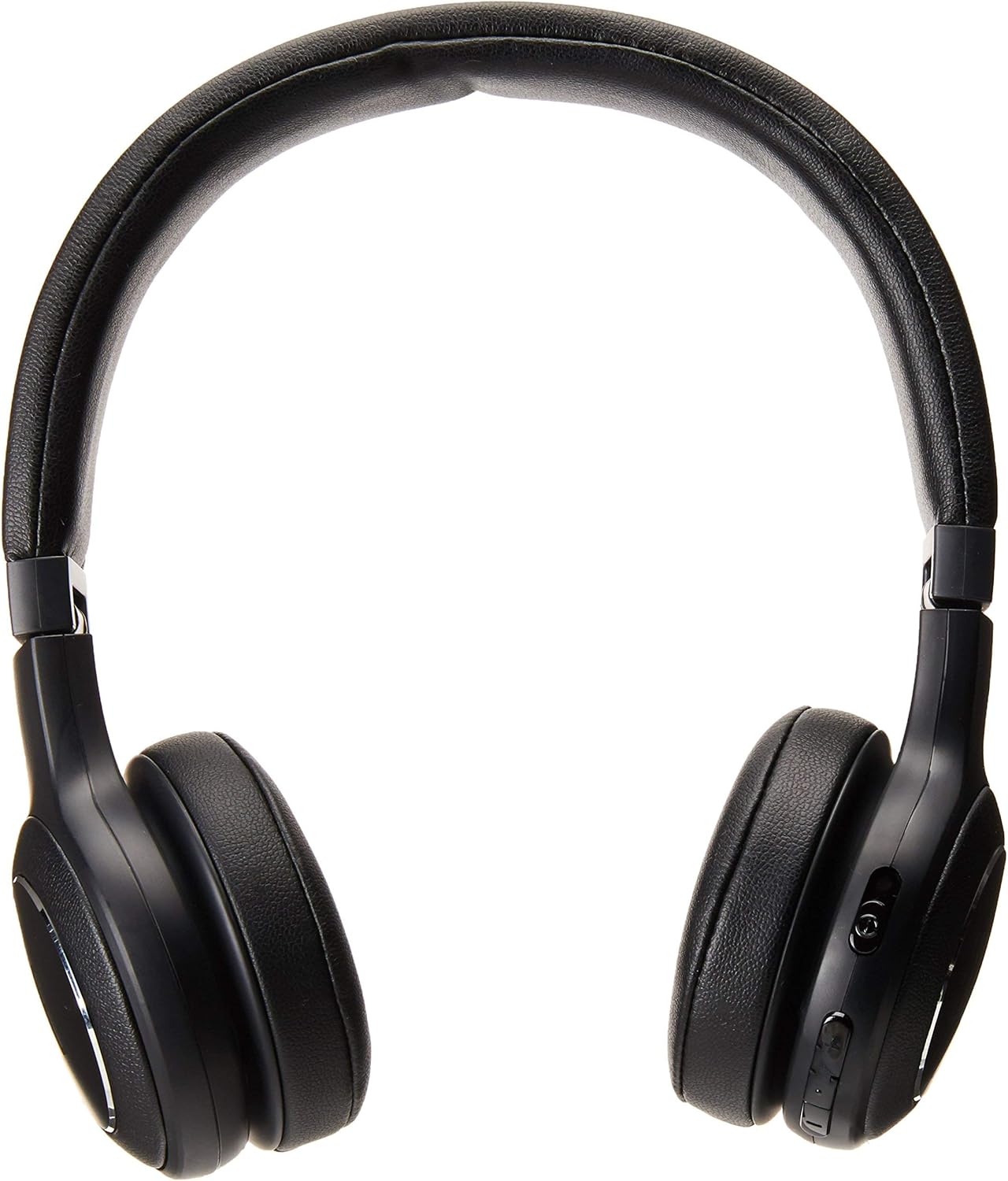
Figure 2: Side view of the JBL Duet headphones, highlighting the control buttons located on the earcup.

Figure 3: Top view of the JBL Duet headphones, showing the adjustable headband and earcups.
Setup
1. Charging the Headphones
Before first use, fully charge your JBL Duet headphones.
- Connect the provided USB charging cable to the charging port on the headphone earcup.
- Connect the other end of the USB cable to a USB power adapter (not included) or a computer's USB port.
- The LED indicator on the headphone will show charging status. A full charge takes approximately 2 hours.
- Once fully charged, the LED indicator will change (refer to the specific light pattern in your quick start guide). The headphones provide up to 16 hours of audio playback on a full charge.
2. Bluetooth Pairing
To connect your headphones wirelessly to a device:
- Ensure the headphones are powered off.
- Press and hold the power button on the earcup for approximately 5 seconds until the LED indicator flashes blue, indicating pairing mode.
- On your Bluetooth-enabled device (smartphone, tablet, computer), go to the Bluetooth settings and enable Bluetooth.
- Select "JBL Duet BT" from the list of available devices.
- Once connected, the LED indicator will turn solid blue.
The JBL Duet headphones support seamless switching between devices. If you are connected to two devices, the headphones will automatically switch to the device receiving an incoming call or playing audio.
Operating Instructions
1. Power On/Off
- Power On: Press and hold the power button for 2 seconds.
- Power Off: Press and hold the power button for 3 seconds.
2. Music Control (Bluetooth Mode)
- Play/Pause: Press the multi-function button once.
- Next Track: Double-press the multi-function button.
- Previous Track: Triple-press the multi-function button.
- Volume Up: Press the Volume + button.
- Volume Down: Press the Volume - button.
3. Call Control (Bluetooth Mode)
- Answer/End Call: Press the multi-function button once.
- Reject Call: Press and hold the multi-function button for 2 seconds.
- Activate Voice Assistant: Press and hold the multi-function button for 2 seconds when not on a call.
4. Wired Mode
You can use the JBL Duet headphones with the included 3.5mm audio cable even when the battery is depleted or if you prefer a wired connection.
- Connect one end of the 3.5mm audio cable to the audio input jack on the headphone earcup.
- Connect the other end to the 3.5mm audio output of your device.
- In wired mode, the 1-button universal remote with microphone on the cable can be used for basic control.
Maintenance
Proper care will ensure the longevity and optimal performance of your JBL Duet headphones.
- Cleaning: Use a soft, dry cloth to wipe the earcups and headband. Do not use liquid cleaners or sprays directly on the headphones.
- Storage: When not in use, store the headphones in the provided carrying pouch to protect them from dust and scratches. Avoid storing in extreme temperatures or high humidity.
- Battery Care: To preserve battery life, avoid fully discharging the battery frequently. Charge the headphones regularly, even if not used for extended periods.
- Avoid Moisture: Do not expose the headphones to water or excessive moisture. They are not waterproof.
Troubleshooting
If you encounter issues with your JBL Duet headphones, refer to the following common solutions:
| Problem | Possible Cause | Solution |
|---|---|---|
| Headphones do not power on. | Battery is depleted. | Charge the headphones for at least 10 minutes. |
| Cannot pair with Bluetooth device. | Headphones not in pairing mode; device Bluetooth off; interference. | Ensure headphones are in pairing mode (flashing blue LED). Turn Bluetooth off and on again on your device. Move closer to the headphones. Try "forgetting" the device on your phone and re-pairing. |
| Bluetooth connection is unstable or drops. | Interference; distance from device; multiple devices connected. | Reduce distance between headphones and device. Avoid obstacles. Disconnect from other paired devices if not actively using them. |
| No sound in wired mode. | Cable not fully inserted; faulty cable; device volume too low. | Ensure the 3.5mm audio cable is securely plugged into both the headphones and the audio source. Test with a different cable if available. Increase volume on the source device. |
| Poor sound quality. | Low battery; poor Bluetooth connection; audio source quality. | Charge the headphones. Ensure a stable Bluetooth connection. Test with different audio sources or files. |
Specifications
| Feature | Detail |
|---|---|
| Model Name | JBLDUETBTBLK |
| Connectivity Technology | Bluetooth, 3.5 mm Jack |
| Wireless Communication Technology | Bluetooth |
| Bluetooth Version | 5.0 |
| Audio Driver Size | 40 mm Dynamic Driver |
| Battery Life | Up to 16 Hours |
| Charging Time | 2 Hours |
| Item Weight | 180 Grams (6.3 ounces) |
| Product Dimensions | 3.9 x 4.9 x 7.3 inches |
| Material | Aluminum |
| Ear Placement | On Ear |
| Noise Control | None |
| Included Components | Headphones |
Warranty and Support
For detailed warranty information and customer support, please refer to the documentation included with your product or visit the official JBL website.
JBL Official Website: www.jbl.com
Related documentscs0109-ig0010608


Ask a question about this manual
Ask about setup, troubleshooting, compatibility, parts, safety, or missing instructions. Manuals+ will review the question and use this page’s manual context to help answer it.