
Naxa NHS-2011
Naxa Electronics NHS-2011 37-Inch Wireless Sound Bar with Bluetooth User Manual
Model: NHS-2011 | Brand: Naxa
1. Introduction
This manual provides comprehensive instructions for the setup, operation, and maintenance of your Naxa Electronics NHS-2011 37-Inch Wireless Sound Bar with Bluetooth. This sound bar is designed to enhance your audio experience by connecting wirelessly to music players via Bluetooth and NFC, offering a powerful sound output from its two full-range drivers.
Key Features:
- 37-inch wireless sound bar system with 1-touch setup for Bluetooth with NFC.
- Two full-range drivers delivering 10W RMS total output power.
- Wireless connectivity via Bluetooth technology.
- NFC for quick wireless connection setup by touching NFC-enabled devices to the speaker.
- Multiple input options: Optical digital audio, RCA stereo audio, and 3.5mm AUX audio.
2. Important Safety Instructions
- Read these instructions thoroughly before operating the device.
- Keep these instructions for future reference.
- Heed all warnings on the product and in the operating instructions.
- Follow all instructions.
- Do not use this apparatus near water.
- Clean only with a dry cloth.
- Do not block any ventilation openings. Install in accordance with the manufacturer's instructions.
- Do not install near any heat sources such as radiators, heat registers, stoves, or other apparatus (including amplifiers) that produce heat.
- Protect the power cord from being walked on or pinched, particularly at plugs, convenience receptacles, and the point where they exit from the apparatus.
- Only use attachments/accessories specified by the manufacturer.
- Unplug this apparatus during lightning storms or when unused for long periods of time.
- Refer all servicing to qualified service personnel. Servicing is required when the apparatus has been damaged in any way, such as power-supply cord or plug is damaged, liquid has been spilled or objects have fallen into the apparatus, the apparatus has been exposed to rain or moisture, does not operate normally, or has been dropped.
3. What's in the Box
Upon unpacking, please ensure all items listed below are present and in good condition:
- Naxa Electronics NHS-2011 37-Inch Wireless Sound Bar with Bluetooth
- Remote Control
- Power Adapter
- User Manual (this document)
4. Product Overview
Familiarize yourself with the components and connections of your NHS-2011 Sound Bar.

Figure 4.1: Front view of the Naxa NHS-2011 37-Inch Wireless Sound Bar. This image displays the sleek, black design of the sound bar, highlighting its elongated shape and speaker grille.
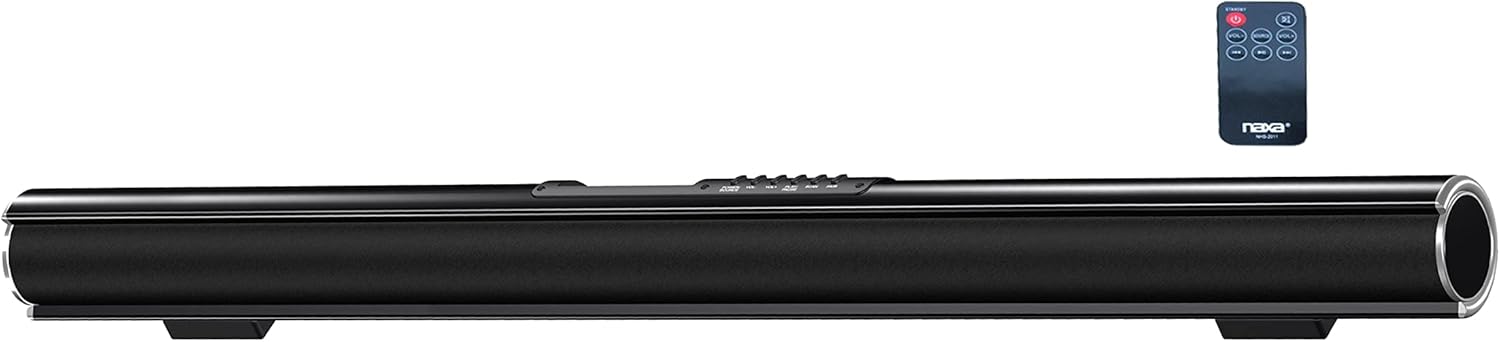
Figure 4.2: Naxa NHS-2011 Sound Bar shown with its included remote control. This view provides a perspective of the sound bar's size relative to its remote, which is used for various functions.
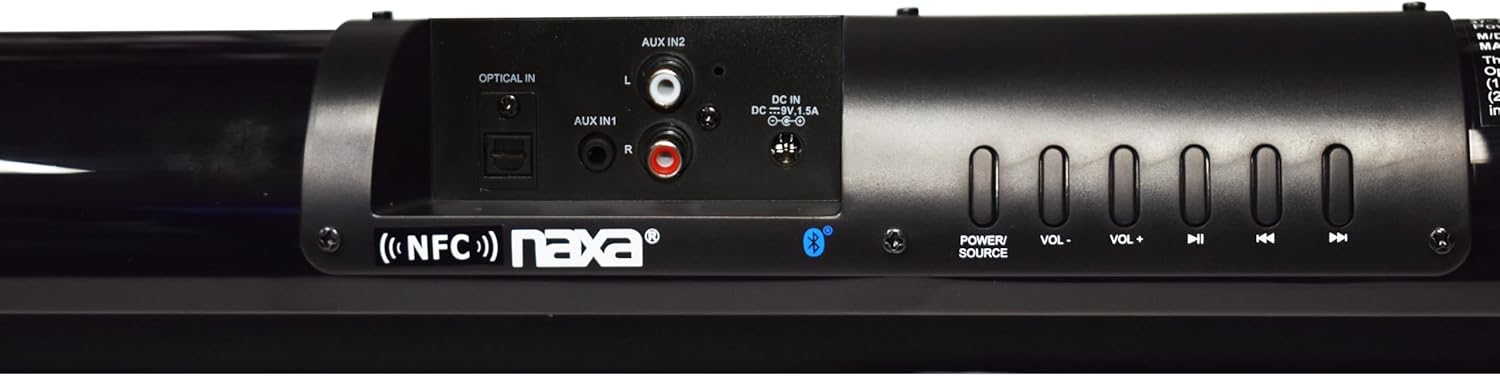
Figure 4.3: Rear panel of the Naxa NHS-2011 Sound Bar, detailing the various input ports and physical control buttons. Visible inputs include Optical In, AUX In 1 (3.5mm), AUX In 2 (RCA L/R), and the DC 12V power input. Control buttons for Power, Volume, and Track navigation are also present.
Controls and Connections:
- Power Button: Turns the sound bar on or off.
- Volume +/- Buttons: Adjusts the master volume level.
- Track Navigation Buttons: For skipping tracks when using Bluetooth or USB/SD (if applicable).
- Source Button: Cycles through input sources (Bluetooth, Optical, AUX1, AUX2, FM).
- Optical In: Digital audio input for connecting to TVs or other devices with an optical output.
- AUX In 1 (3.5mm): Analog audio input for connecting devices with a 3.5mm headphone jack.
- AUX In 2 (RCA L/R): Analog audio input for connecting devices with RCA stereo outputs.
- DC 12V In: Power input for the included AC adapter.
- NFC Area: Located near the controls, for quick pairing with NFC-enabled devices.
5. Setup
5.1 Placement
The Naxa NHS-2011 Sound Bar can be placed on a flat surface in front of your TV or mounted on a wall. Ensure it is placed centrally for optimal sound distribution. For wall mounting, use appropriate hardware (not included) and ensure the wall can support the weight of the sound bar (approximately 2.7 pounds).
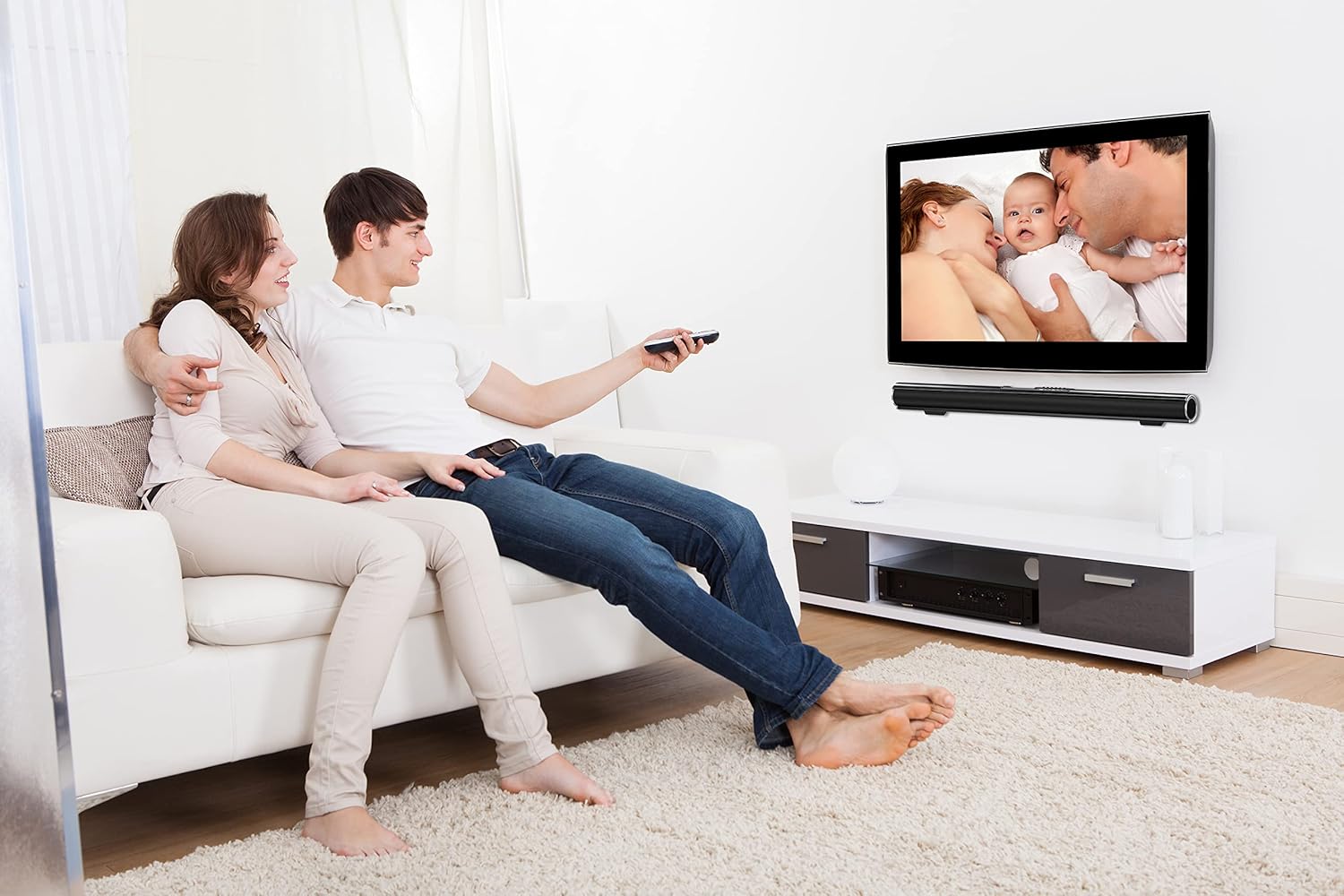
Figure 5.1: Example of the Naxa NHS-2011 Sound Bar integrated into a living room setup, demonstrating both tabletop and wall-mounted placement options beneath a television.
5.2 Power Connection
- Connect the supplied AC power adapter to the DC 12V input port on the back of the sound bar.
- Plug the other end of the power adapter into a standard AC wall outlet (100-240V).
- The sound bar will enter standby mode.
5.3 Audio Connections
Choose one of the following methods to connect your audio source:
Optical Digital Audio Connection:
- Connect an optical audio cable (not included) from the Optical Out port on your TV or audio device to the Optical In port on the sound bar.
- Important Note: Ensure your TV's audio output settings are configured to PCM (Pulse Code Modulation) format. This sound bar is designed to decode PCM audio and may not be compatible with Dolby Digital or other compressed audio formats via the optical input. Refer to your TV's user manual for instructions on changing audio output settings.
RCA Stereo Audio Connection:
- Connect an RCA stereo audio cable (not included) from the Audio Out (L/R) ports on your TV or audio device to the AUX In 2 (RCA L/R) ports on the sound bar.
3.5mm AUX Audio Connection:
- Connect a 3.5mm audio cable (not included) from the headphone jack or AUX Out port on your device to the AUX In 1 (3.5mm) port on the sound bar.
6. Operating Instructions
6.1 Turning On/Off and Source Selection
- Press the Power button on the sound bar or remote control to turn the unit on or off.
- Press the Source button repeatedly to cycle through the available input modes: Bluetooth, Optical, AUX1 (3.5mm), AUX2 (RCA), and FM Radio. The selected mode will be indicated on the sound bar's display.
6.2 Bluetooth Pairing (with NFC)
The sound bar supports both standard Bluetooth pairing and NFC (Near Field Communication) for quick connection.
NFC Pairing (1-touch setup):
- Ensure NFC is enabled on your smartphone, tablet, or other NFC-enabled device.
- Touch the back of your NFC-enabled device to the NFC area on the sound bar (usually indicated by an NFC logo near the controls).
- Your device will prompt you to confirm the Bluetooth pairing. Accept the connection.
- The sound bar will indicate a successful connection, and you can now stream audio wirelessly.
Standard Bluetooth Pairing:
- Turn on the sound bar and switch to Bluetooth mode. The Bluetooth indicator will blink, signifying it's in pairing mode.
- On your Bluetooth-enabled device (smartphone, tablet, computer), enable Bluetooth and search for available devices.
- Select "NHS-2011" (or similar name) from the list of found devices.
- Once paired, the Bluetooth indicator on the sound bar will become solid, and you can begin streaming audio.

Figure 6.1: Illustration demonstrating wireless connection of the Naxa NHS-2011 Sound Bar to an external device via Bluetooth. A smartphone displaying a Bluetooth icon is shown wirelessly connected to the sound bar.
6.3 Adjusting Volume
Use the Volume + or Volume - buttons on the sound bar or remote control to increase or decrease the audio output level.
6.4 Using FM Radio
To use the built-in FM radio:
- Switch the sound bar to FM mode using the Source button.
- Press the Play/Pause button (often combined with other controls) to initiate an automatic station scan. The sound bar will scan and save available FM stations.
- Use the Previous/Next Track buttons to navigate through the saved stations.
7. Maintenance and Care
- Cleaning: Use a soft, dry cloth to clean the exterior of the sound bar. Do not use liquid cleaners or aerosol sprays.
- Ventilation: Ensure the ventilation openings are not blocked. Proper airflow is essential to prevent overheating.
- Storage: If storing the sound bar for an extended period, unplug it from the power outlet and store it in a cool, dry place.
- Avoid Moisture: Keep the sound bar away from water, rain, and excessive humidity.
8. Troubleshooting
If you encounter issues with your sound bar, refer to the following common problems and solutions:
| Problem | Possible Cause | Solution |
|---|---|---|
| No power | Power cord not connected; Power outlet not active. | Ensure the power adapter is securely connected to the sound bar and a working wall outlet. Try a different outlet. |
| No sound | Incorrect input source selected; Volume too low; Cables not connected properly; TV audio output settings incorrect (for Optical). |
|
| Bluetooth pairing fails | Sound bar not in pairing mode; Device too far; Bluetooth disabled on device. |
|
| Static or distorted sound (especially with optical input) | Incompatible audio format (for optical); Loose cable connection; Interference. |
|
| Remote control not working | Batteries dead or inserted incorrectly; Obstruction between remote and sound bar; Remote sensor blocked. |
|
9. Specifications
| Feature | Detail |
|---|---|
| Model Name | NHS-2011 |
| Speaker Type | Surround |
| Speaker Size | 37 Inches |
| Speaker Maximum Output Power | 10 Watts (RMS) |
| Connectivity Technology | Auxiliary, Bluetooth, NFC, Optical, RCA |
| Wireless Communication Technology | Bluetooth, NFC |
| Audio Output Mode | Stereo |
| Surround Sound Channel Configuration | 2.0 |
| Control Method | Touch |
| Power Source | AC 100-240V adapter (DC 12V, 1.2A) |
| Product Dimensions (D x W x H) | 3.15"D x 37"W x 3.3"H |
| Item Weight | 2.68 Pounds |
| Color | Black |
| Mounting Type | Wall Mount |
| Compatible Devices | Smartphone, Tablet |
| UPC | 840005011539 |
| Manufacturer | Naxa Electronics, Inc. |
10. Warranty Information
The Naxa NHS-2011 Sound Bar comes with a Limited Warranty. For specific details regarding the warranty period, coverage, and terms and conditions, please refer to the warranty card included with your product or visit the official Naxa Electronics website. Keep your purchase receipt as proof of purchase for any warranty claims.
11. Customer Support
For technical assistance, troubleshooting beyond this manual, or inquiries about your Naxa NHS-2011 Sound Bar, please contact Naxa Electronics customer support.
- Online Support: Visit the official Naxa Electronics website for FAQs, product registration, and support resources.
- Contact Information: Refer to the Naxa website or your product packaging for the most current contact details (phone number, email).
When contacting support, please have your product model number (NHS-2011) and purchase information ready.
Related documentsNHS-2011


Ask a question about this manual
Ask about setup, troubleshooting, compatibility, parts, safety, or missing instructions. Manuals+ will review the question and use this page’s manual context to help answer it.