
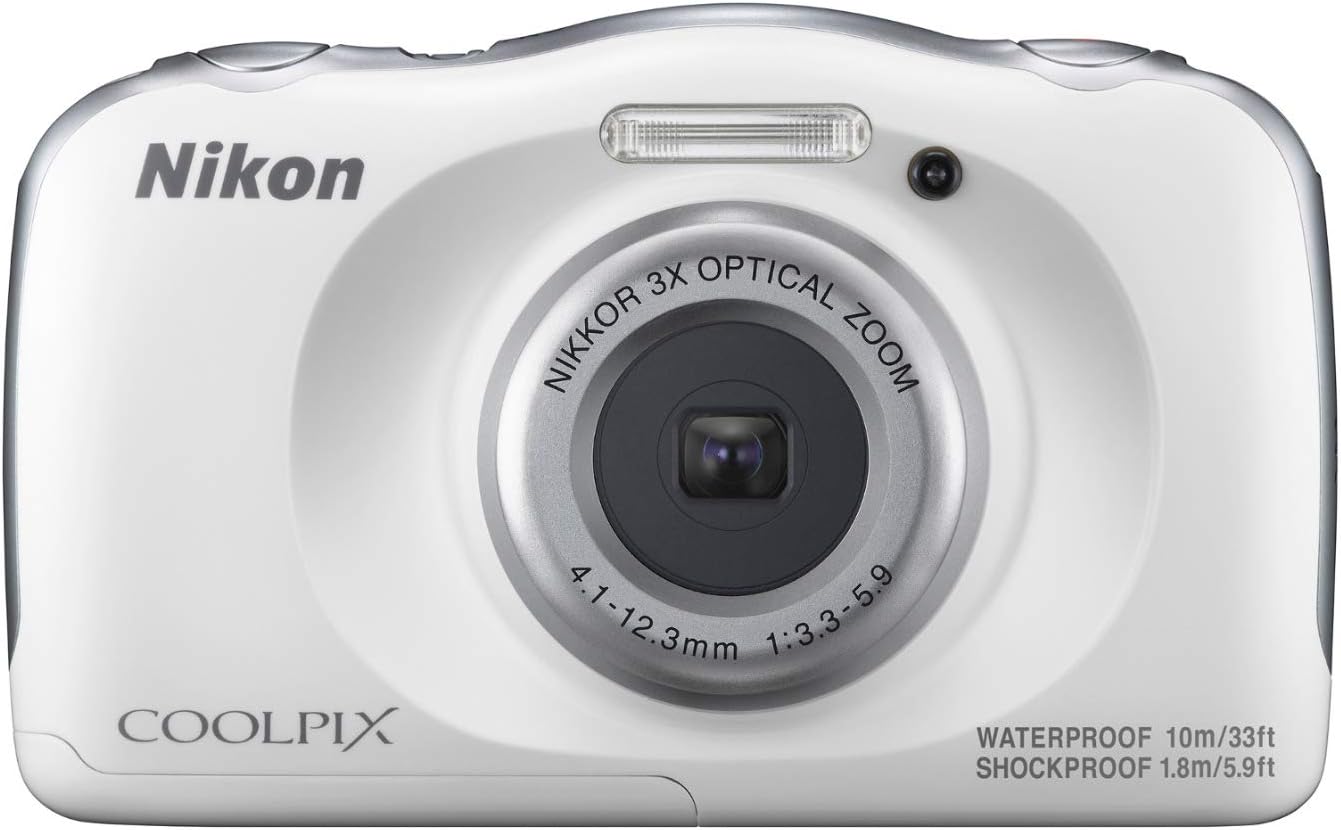
Nikon COOLPIX W100
Nikon COOLPIX W100 Digital Camera User Manual
Model: COOLPIX W100 (White) - Model Number: 26515
1. Introduction
The Nikon COOLPIX W100 is a durable and user-friendly digital camera designed for various environments, including underwater and outdoor adventures. It features a rugged body that is waterproof up to 33 feet (10m), dustproof, freeze-proof down to 14°F (-10°C), and shockproof from drops up to 6 feet (1.8m). Equipped with a 13.2MP CMOS sensor and a NIKKOR 3x optical zoom lens, it captures high-resolution photos and Full HD 1080p videos. The camera also includes SnapBridge connectivity (Wi-Fi, NFC, and Bluetooth) for seamless image transfer and remote control via a smart device.
This manual provides essential information for setting up, operating, maintaining, and troubleshooting your COOLPIX W100 camera to ensure optimal performance and longevity.
2. Safety Information
Please read these safety precautions carefully before using your camera to prevent injury or damage to the product.
- Waterproof and Dustproof Integrity: Ensure all covers (battery chamber, USB/HDMI port) are securely closed before exposing the camera to water or dust. Failure to do so may result in water damage and void the warranty.
- Battery Safety: Use only specified batteries and chargers. Do not disassemble, crush, heat, or burn batteries. Dispose of batteries properly according to local regulations.
- Temperature Extremes: Avoid exposing the camera to extreme temperatures outside its operating range (32°F to 104°F / 0°C to 40°C).
- Cleaning: Use a soft, lint-free cloth for cleaning. For water exposure, rinse with fresh water and dry thoroughly before opening any compartments.
- Children: This camera is designed to be robust, but adult supervision is recommended when used by young children.
3. Package Contents
Verify that all items are present in your camera package:
- Nikon COOLPIX W100 Digital Camera
- Strap
- EN-EL19 Rechargeable Li-ion Battery
- EH-73P Charging AC Adapter
- UC-E21 USB Cable
- Brush
4. Setup
4.1. Charging the Battery
- Insert the EN-EL19 battery into the camera's battery compartment.
- Connect the UC-E21 USB cable to the camera's USB port and the EH-73P Charging AC Adapter.
- Plug the AC adapter into a power outlet. The charge lamp will light up, indicating charging is in progress. It will turn off when charging is complete.
4.2. Inserting a Memory Card
The camera supports SD, SDHC, and SDXC memory cards. A memory card is required to store photos and videos.
- Open the battery/card compartment cover.
- Insert the memory card into the card slot with the label facing the correct direction until it clicks into place.
- Close the compartment cover securely.
4.3. Powering On/Off
- To turn on the camera, press the [ON/OFF] button.
- To turn off the camera, press and hold the [ON/OFF] button until the screen turns off.

5. Operating the Camera
5.1. Basic Photography
- Turn on the camera.
- Frame your shot using the 2.7-inch LCD monitor.
- Press the shutter-release button halfway down to focus. The focus lamp will light up when focus is achieved.
- Press the shutter-release button all the way down to take the picture.
5.2. Video Recording
The COOLPIX W100 can record Full HD 1080p videos at 30 frames per second.
- Turn on the camera.
- Press the dedicated movie-record button (usually marked with a red dot) to start recording.
- Press the movie-record button again to stop recording.
5.3. SnapBridge Connectivity
SnapBridge allows you to connect your camera to a smart device (smartphone or tablet) via Bluetooth for automatic image transfer, remote shooting, and more.
- Install the Nikon SnapBridge app on your smart device.
- Enable Bluetooth on both your camera and smart device.
- Follow the pairing instructions within the SnapBridge app to establish a connection.
- Once paired, images can be automatically transferred to your smart device, or you can use the app for remote control.
6. Maintenance
Proper maintenance ensures the longevity and performance of your camera.
- Cleaning the Camera Body: Wipe the camera body with a soft, dry cloth. For stubborn dirt, use a cloth lightly dampened with water. Do not use organic solvents.
- Cleaning the Lens: Use a lens brush or a blower to remove dust. For smudges, use a soft lens cloth.
- After Underwater Use: After using the camera in water, rinse it thoroughly with fresh water to remove salt, sand, or chlorine. Dry the camera completely with a soft cloth before opening any compartments.
- Storage: When not in use for extended periods, remove the battery and store the camera in a cool, dry place away from direct sunlight and high humidity.
- Battery Care: Recharge the battery regularly, even if not in use, to maintain its capacity. Avoid fully discharging the battery frequently.
7. Troubleshooting
This section addresses common issues you might encounter with your COOLPIX W100.
| Problem | Possible Cause / Solution |
|---|---|
| Camera does not turn on. | Battery is depleted. Charge the battery. Battery is not inserted correctly. Reinsert the battery. |
| Cannot take pictures. | Memory card is full. Delete some images or insert a new card. Memory card is not inserted. Insert a memory card. Lens cap is on (if applicable). Remove lens cap. |
| Images are blurry. | Camera shake. Hold the camera steady or use a tripod. Lens is dirty. Clean the lens. Subject is too close. Check minimum focus distance. |
| SnapBridge connection fails. | Bluetooth is off on camera or smart device. Enable Bluetooth. App is not updated. Update SnapBridge app. Interference. Move closer to the smart device. |
| Water inside camera. | Compartment covers were not securely closed. Immediately turn off the camera, remove battery, and contact Nikon service. Do not attempt to dry or use. |
8. Specifications
| Feature | Detail |
|---|---|
| Sensor Type | 13.2 MP 1/3.1-inch CMOS |
| Lens | NIKKOR 3x Optical Zoom (30-90mm equivalent) |
| Image Stabilization | Electronic VR (Vibration Reduction) |
| Display | 2.7-inch 230k-dot LCD |
| Video Recording | Full HD 1080p at 30 fps |
| ISO Sensitivity | ISO 125-1600 |
| Storage Media | SD, SDHC, SDXC memory cards |
| Connectivity | Wi-Fi, NFC, Bluetooth (SnapBridge), USB, HDMI |
| Waterproof Rating | Up to 33 ft (10m) |
| Shockproof Rating | Up to 6 ft (1.8m) |
| Freeze-proof Rating | Down to 14°F (-10°C) |
| Dimensions (W x H x D) | Approx. 4.4 x 2.7 x 1.5 inches (109.5 x 67.0 x 38.0 mm) |
| Weight | Approx. 6.3 oz (177 g) including battery and memory card |
9. Warranty and Support
Nikon products are manufactured to the highest standards and are guaranteed against defects in material or workmanship for a specified period from the date of purchase. For detailed warranty terms and conditions, please refer to the warranty card included with your product or visit the official Nikon website.
For technical support, service, or inquiries regarding your Nikon COOLPIX W100, please contact Nikon customer support or visit their official support page. You can also refer to the official User Guide PDF for more in-depth information:
Related documentsCOOLPIX W100


Ask a question about this manual
Ask about setup, troubleshooting, compatibility, parts, safety, or missing instructions. Manuals+ will review the question and use this page’s manual context to help answer it.