
Ghost Controls TDS2XP
Ghost Controls TDS2XP Solar Dual Swing Gate Opener Instruction Manual
Model: TDS2XP | Brand: Ghost Controls
Introduction
This manual provides comprehensive instructions for the installation, operation, and maintenance of your Ghost Controls TDS2XP Heavy-Duty Solar Automatic Gate Opener Kit. This system is designed for dual swing gates, offering automated access control for residential driveways. Please read this manual thoroughly before beginning installation or operation to ensure safe and efficient use.
Safety Information
WARNING: Automatic gate openers can cause serious injury or death if not installed and operated correctly. Always follow all safety instructions.
- Keep hands and feet clear of the gate and gate opener at all times.
- Do not allow children to play on or near the gate.
- Ensure all safety devices (e.g., photo eyes, warning signs) are properly installed and functioning.
- Disconnect power before performing any maintenance or service.
- Only use the gate opener for its intended purpose as described in this manual.

Image: A warning label indicating potential hazards associated with automatic gate openers, emphasizing the importance of keeping clear of the gate.
Package Contents
The Ghost Controls TDS2XP kit includes the following components:
- Two (2) Gate Opener Arms
- One (1) 10 Watt Monocrystalline Solar Panel
- One (1) Control Box with Control Panel
- Two (2) 3-Button Remote Transmitters
- Two (2) Tube Gate Brackets
- Mounting Hardware
- Battery Harness
- Instruction Manual (this document)
Note: A 12V deep cycle marine type battery is REQUIRED and NOT included in this kit.

Image: All components included in the Ghost Controls TDS2XP Solar Dual Swing Gate Opener Kit, laid out for clear identification.
Setup and Installation
Installation of the Ghost Controls TDS2XP gate opener requires commonly available tools. No welding or high-voltage electrical work is required.
1. Gate Compatibility
This system is designed for dual swing gates up to 900 pounds or up to 12 feet in length per gate leaf (maximum gate opening of 24 feet). It is suitable for decorative, chain link, tube, plantation, and wood gates. It is not recommended for solid panel gates due to wind resistance.

Image: A chart illustrating the maximum gate length and weight capacities for various Ghost Controls gate opener models, including the TDS2XP.
2. Mounting the Control Box and Arms
Mount the control box and gate opener arms securely to your gate posts. Ensure the mounting points are stable and can support the weight and forces exerted by the gate opener. For tube gates, utilize the provided tube gate brackets. If your gate opens outside of your property, you may need to add push-to-open brackets (sold separately).

Image: A Ghost Controls gate opener arm and control box installed on a wooden gate post, demonstrating typical mounting configuration.

Image: A close-up view of the tube gate brackets, showing how they attach to a tubular gate frame for the opener arm.
3. Solar Panel Installation
The 10-watt monocrystalline solar panel should be mounted in a location that receives maximum direct sunlight throughout the day. Orient the panel to face south (in the Northern Hemisphere) for optimal charging. You can add up to 30 watts of solar panels to your system for increased charging capacity.
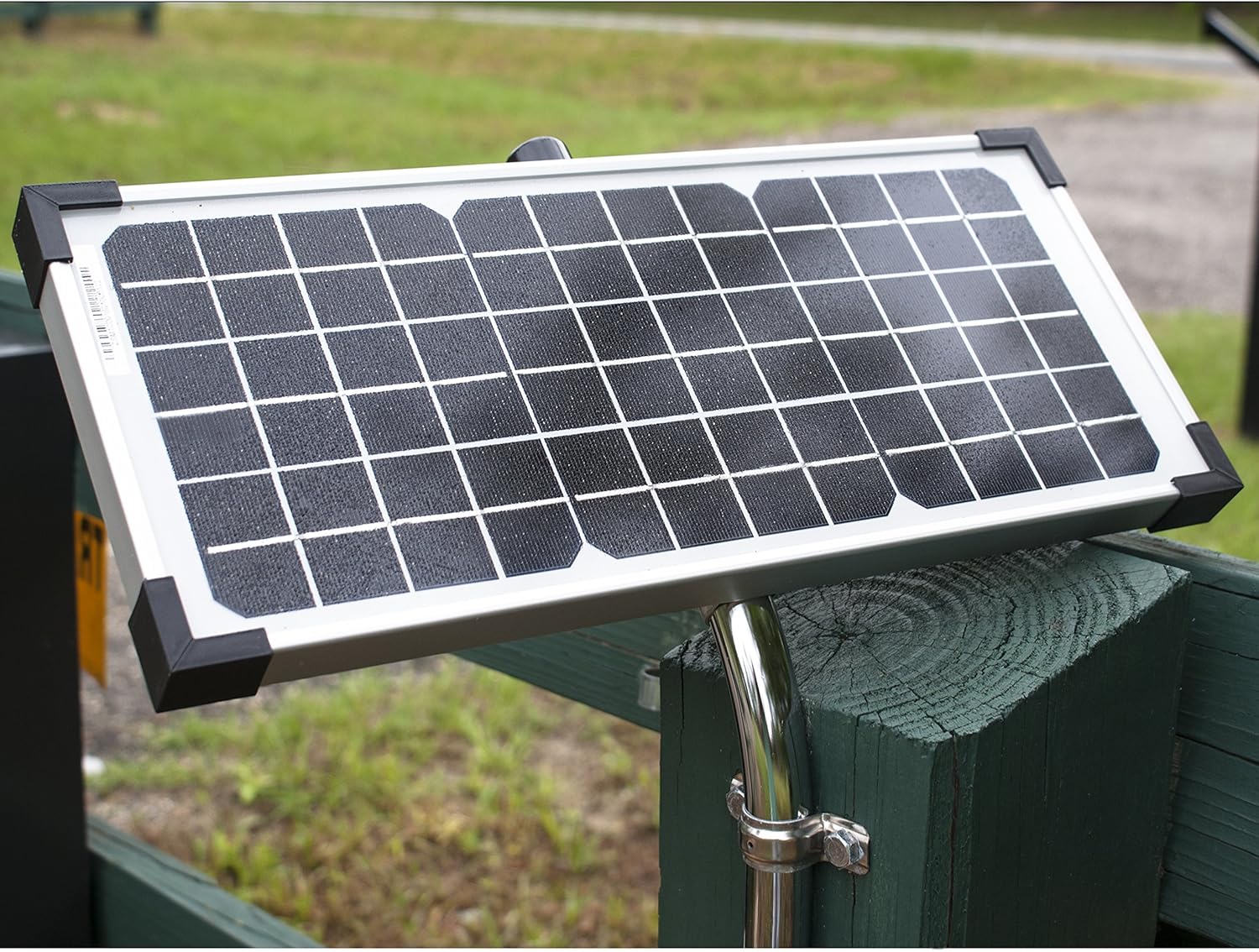
Image: A 10-watt monocrystalline solar panel from Ghost Controls, mounted on a post, designed to charge the gate opener's battery.

Image: A map of the United States divided into solar zones, with a table recommending the number of gate cycles per day based on the number of 10W solar panels installed in each zone.
4. Battery Connection
Connect your 12V deep cycle marine type battery (not included) to the control box using the provided battery harness. Ensure correct polarity. The solar panel will keep this battery charged.
Operating Instructions
1. Remote Control Operation
The kit includes two 3-button remote transmitters. Press the designated button on the remote to open or close the gate. The remote control range is up to 1,000 feet.

Image: Two black 3-button remote transmitters for Ghost Controls gate openers, featuring distinct buttons for gate operation.
2. Smart Gate Opener Compatibility
The TDS2XP is compatible with third-party devices, allowing control of your automatic gate opener using a smartphone app (sold separately). This feature provides enhanced convenience and monitoring capabilities.
3. Safety Features
The system incorporates "Safety Force" technology and soft start/stop functionality to ensure safe operation and reduce wear on the gate and opener.
Maintenance
Regular maintenance ensures the longevity and optimal performance of your gate opener.
- Monthly: Inspect the gate and opener for any signs of wear, damage, or loose connections. Ensure the gate moves freely without obstruction.
- Quarterly: Check the battery voltage and terminals for corrosion. Clean the solar panel surface to ensure maximum sunlight absorption.
- Annually: Lubricate moving parts of the gate hinges and opener arms as recommended by the manufacturer.
- Keep the area around the gate clear of debris, vegetation, and anything that could obstruct the gate's movement.
Troubleshooting
If you encounter issues with your Ghost Controls gate opener, refer to the following common troubleshooting steps:
| Problem | Possible Cause | Solution |
|---|---|---|
| Gate does not open/close | No power to the unit, dead battery, remote not programmed, obstruction. | Check battery connections and charge. Reprogram remote. Clear any obstructions. |
| Gate opens partially or reverses | Obstruction detected, gate binding, limit settings incorrect. | Remove obstruction. Check gate hinges for binding. Re-adjust limit settings. |
| Remote range is poor | Battery in remote is low, interference, antenna issue. | Replace remote battery. Check for sources of interference. Ensure control box antenna is unobstructed. |
| Solar panel not charging battery | Panel dirty, insufficient sunlight, faulty wiring, charge controller issue. | Clean solar panel. Ensure panel is optimally oriented. Check all wiring connections. |
For more detailed troubleshooting or issues not listed here, please refer to the comprehensive troubleshooting guide available on the Ghost Controls website or contact customer support.
Specifications
- Model: TDS2XP
- Gate Type: Dual Swing Gates
- Max Gate Length (per leaf): Up to 12 feet
- Max Gate Weight (per leaf): Up to 900 pounds
- Power Source: Battery-Powered (12V deep cycle marine type battery required, not included)
- Solar Panel: 10 Watt Monocrystalline (included)
- Remote Range: Up to 1,000 feet
- Voltage: 12 Volts
- Item Weight: Approximately 46.4 pounds (kit)
- Product Dimensions: 41 x 8.5 x 10.5 inches (packaging/overall kit)
- Certification: UL325
- Installation Method: Do-It-Yourself
Warranty Information
Ghost Controls provides the following warranty for the TDS2XP kit:
- Parts and Accessories: 18 Months
- Motor and Gear Assembly of Arm: Lifetime
Please retain your proof of purchase for warranty claims. The warranty covers defects in materials and workmanship under normal use. It does not cover damage due to improper installation, misuse, abuse, or acts of nature.
Customer Support
For technical assistance, troubleshooting, or warranty inquiries, please contact Ghost Controls customer support.
- Website: www.ghostcontrols.com
- Phone: Refer to the Ghost Controls website for current contact numbers.
Additional resources, including installation videos and FAQs, may be available on the official Ghost Controls website.
Related documentsTDS2XP


Ask a question about this manual
Ask about setup, troubleshooting, compatibility, parts, safety, or missing instructions. Manuals+ will review the question and use this page’s manual context to help answer it.