
Spanninga 999159
Spanninga Axendo 40 Lux Bicycle Light User Manual
Model: 999159
1. Introduction
Thank you for choosing the Spanninga Axendo 40 Lux Bicycle Light. This high-quality bicycle light is designed to provide excellent illumination and enhance your visibility for safer cycling. With its robust construction and user-friendly features, the Axendo 40 Lux is an essential accessory for any cyclist. Please read this manual carefully before use to ensure proper installation, operation, and maintenance.
2. Safety Information
- Always ensure the light is securely mounted before riding.
- Do not look directly into the light beam to avoid temporary vision impairment.
- Keep the light away from water and moisture, although it has an IPX6 rating, prolonged submersion is not recommended.
- Do not attempt to disassemble or modify the light, as this will void the warranty and may cause damage.
- Store the light in a cool, dry place when not in use.
3. Package Contents
Please check the package for the following items:
- Spanninga Axendo 40 Lux Bicycle Light
- Integrated USB Charging Cable
- Handlebar Mounting Bracket
- User Manual (this document)
4. Setup
4.1 Mounting the Light
The Spanninga Axendo 40 Lux comes with an adjustable attachment designed for all handlebars.
- Identify the handlebar mounting bracket.
- Place the bracket around your bicycle's handlebar at the desired position.
- Securely tighten the bracket using the provided screw or lever mechanism until it is firm and does not rotate.
- Slide the Axendo 40 Lux light onto the bracket until it clicks into place, ensuring it is facing forward and level.
4.2 Initial Charge
Before first use, it is recommended to fully charge the light. Refer to the 'Charging the Battery' section for detailed instructions.
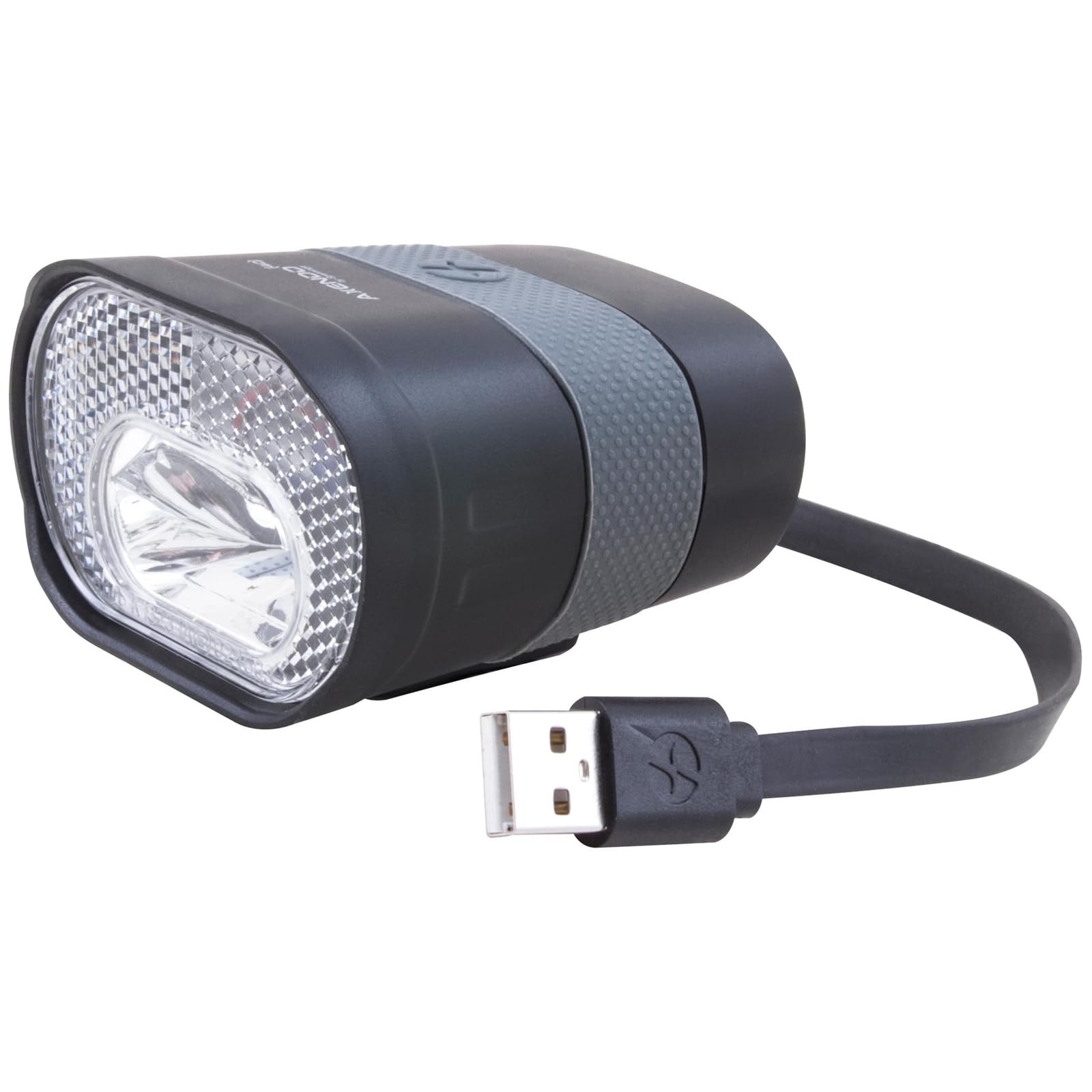
Image: Spanninga Axendo 40 Lux Bicycle Light showing the main light unit and its integrated USB charging cable.
5. Operating the Light
5.1 Power On/Off
To turn the light ON or OFF, press and hold the power button located on the top of the light for approximately 2 seconds.
5.2 Changing Light Modes
Once the light is ON, short press the power button to cycle through the available light modes. The Axendo 40 Lux typically features multiple modes, such as constant beam and flashing modes, to suit different riding conditions and battery life preferences.
6. Charging the Battery
The Spanninga Axendo 40 Lux is equipped with a rechargeable battery and an integrated USB connection.
- Locate the integrated USB cable on the light unit.
- Plug the USB connector into any standard USB power source (e.g., computer USB port, USB wall adapter, power bank).
- The charging indicator light (usually red) will illuminate to show that the light is charging.
- Once fully charged, the indicator light will change color (e.g., green or turn off). Charging typically takes a few hours depending on the power source.
- Disconnect the light from the USB power source once charging is complete.
7. Maintenance
7.1 Cleaning
Wipe the light with a soft, damp cloth to remove dirt and grime. Do not use harsh chemicals or abrasive cleaners, as they may damage the casing or lens.
7.2 Storage
If storing the light for an extended period, ensure it is fully charged and store it in a cool, dry place. Recharge the battery every 3-6 months to maintain battery health.
8. Troubleshooting
| Problem | Possible Cause | Solution |
|---|---|---|
| Light does not turn on | Battery is depleted | Charge the light fully using the USB cable. |
| Light flickers or dims | Low battery or loose connection | Recharge the battery. Ensure the light is securely mounted. |
| Light does not charge | Faulty USB cable/port or light | Try a different USB port or cable. Contact customer support if the issue persists. |
| Mounting bracket is loose | Not tightened sufficiently | Re-tighten the mounting bracket screw/lever firmly on the handlebar. |
9. Specifications
| Feature | Detail |
|---|---|
| Model Number | 999159 |
| Brightness | 40 LUX |
| Power Source | Rechargeable Battery (USB Powered) |
| Material | Aluminum |
| Colour | Black/White |
| Mounting Type | Handlebar Mount |
| Product Dimensions | 17.9 x 15 x 8.2 cm |
| Item Weight | 70 g |
| International Protection Rating | IPX6 |
10. Warranty and Support
Spanninga products are manufactured to the highest quality standards. For warranty information or technical support, please refer to the warranty card included with your purchase or visit the official Spanninga website. Keep your proof of purchase for warranty claims.
For further assistance, please contact Spanninga customer service through their official channels.
Related documents999159


Ask a question about this manual
Ask about setup, troubleshooting, compatibility, parts, safety, or missing instructions. Manuals+ will review the question and use this page’s manual context to help answer it.