
1. Introduction
The Crenova iScope Digital Waterproof Handheld Endoscope is a portable, handheld, multifunctional inspection system designed for various applications. It features a 2.7-inch LCD screen for real-time viewing and recording, an 8.2mm diameter snake camera with adjustable LED lights, and a high-performance camera for clear output. Its lightweight and portable design, powered by a rechargeable battery, makes it ideal for inspecting hard-to-reach or hard-to-see areas without the need for external devices like PCs or mobile phones.
Applications include:
- Automotive / Diesel Repair and Maintenance
- Inspection of hard-to-reach or hard-to-see areas or equipment
- Plumbing, construction, and restoration applications
- Science Education
- Outdoor Exploration
2. Package Contents
Please check the package contents upon opening to ensure all items are present:
- 1 x Digital Endoscope Unit (with 2.7-inch LCD monitor)
- 1 x User's Manual
- 1 x Probe (3-meter cable with 8.2mm camera)
- 1 x Video-out cable
- 1 x Micro USB cable (for charging)
- Accessories: Hook, Magnet, Mirror
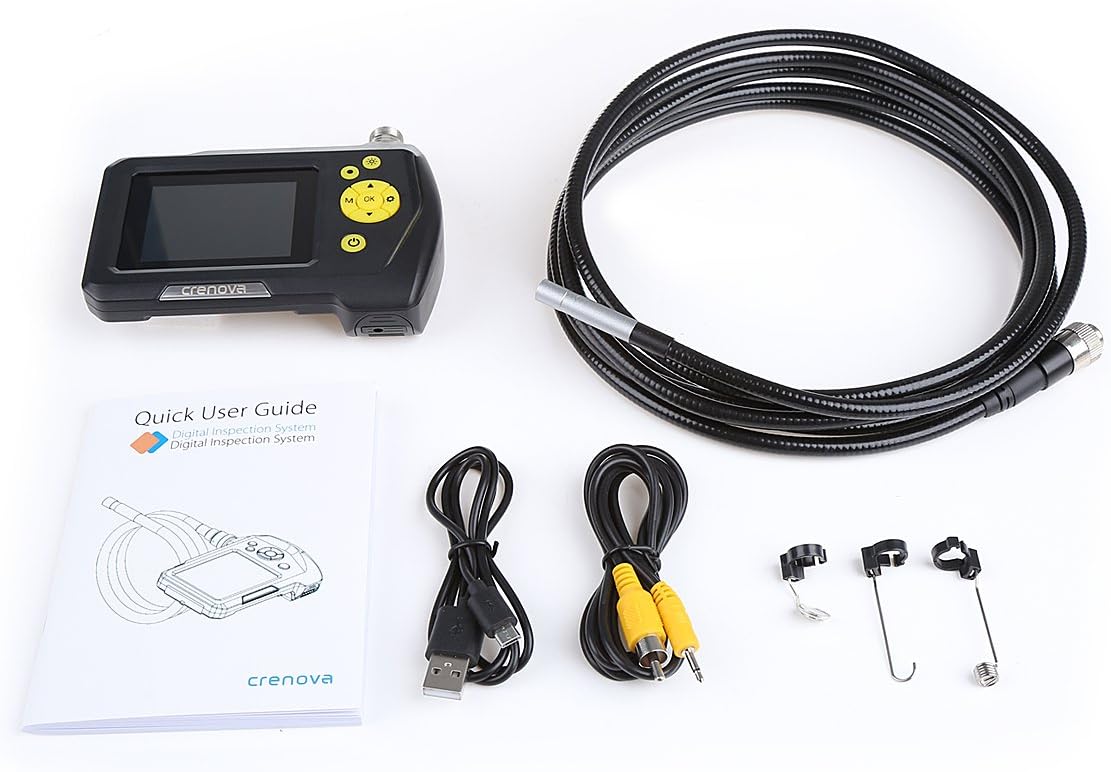
Figure 2.1: Complete package contents including the endoscope unit, probe, cables, and accessories.
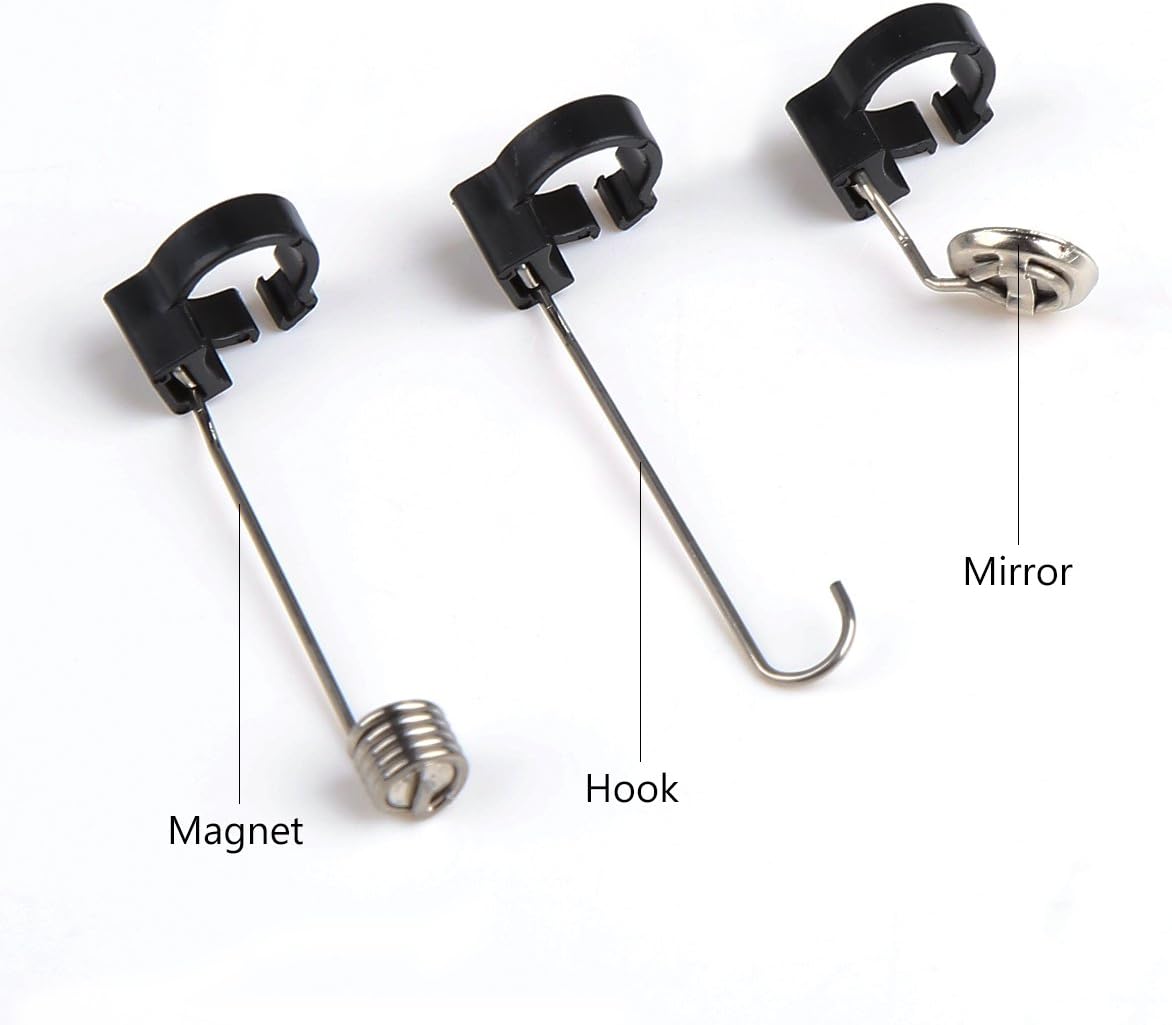
Figure 2.2: Close-up view of the included accessories: magnet, hook, and mirror attachments.
3. Product Features
The Crenova Endoscope is equipped with several features to enhance its utility:
- Integrated Display: 2.7-inch Color LCD screen for direct viewing.
- Rotatable Screen: Display can be rotated 360° for optimal viewing angles.
- High-Resolution Imaging: Supports image capturing up to 2048x1536 pixels and video recording up to 1280x720 pixels.
- Adjustable LED Lights: 6 adjustable LED lights on the camera tip for illumination in dark environments.
- Waterproof Camera: The camera and tube part are IP67 waterproof, allowing for underwater inspection.
- Long Battery Life: Powered by a 2600mAh Lithium Battery, providing 5-6 hours of continuous operation.
- Portable Design: Lightweight and handheld, eliminating the need for external devices.

Figure 3.1: The Crenova endoscope unit held in hand, showing its compact and portable design.

Figure 3.2: The endoscope unit with its 3-meter flexible cable, highlighting the front and back views of the monitor.
4. Setup
- Charge the Device: Before first use, fully charge the endoscope unit using the provided Micro USB cable. Connect the Micro USB cable to the unit's USB port and the other end to a standard USB power adapter (not included). The charging indicator will show the status.
- Insert TF Card (Not Included): For saving images and videos, insert a TF (microSD) card into the designated slot on the side of the unit. Ensure the card is inserted correctly until it clicks into place.
- Connect the Probe: Align the connector of the 3-meter probe cable with the port on top of the endoscope unit. Push firmly until it is securely connected.

Figure 4.1: Side view of the endoscope unit, indicating the TF Card slot, AV output, and USB (Power Interface) port.
5. Operating Instructions
Familiarize yourself with the control buttons on the endoscope unit:

Figure 5.1: Layout of the control buttons on the Crenova endoscope unit, including LED control, Snap, Power, Up/Zoom, Down/Rotate, Menu, Mode, and OK keys.
- Power On/Off: Press and hold the Power button () to turn the device on or off.
- Adjust LED Lights: Press the LED of camera button () to cycle through different brightness levels of the camera's LED lights.
- Capture Image: In live view mode, press the Snap button () to take a still photograph.
- Record Video: Press the Mode button () to switch to video recording mode. Then, press the OK button () to start/stop recording.
- Menu Navigation: Press the Menu button () to access settings. Use the Up/Zoom () and Down/Rotate () buttons to navigate options, and OK to confirm.
- Viewing Media: In playback mode (switch with Mode button), use the navigation buttons to browse captured images and videos.
- Using Accessories: The hook, magnet, and mirror accessories can be attached to the camera tip for retrieving objects, picking up metallic items, or viewing at a 90-degree angle, respectively.
6. Maintenance
- Cleaning: After each use, gently wipe the camera lens and probe with a soft, dry cloth. For stubborn dirt, a slightly damp cloth can be used, ensuring no liquid enters the main unit.
- Battery Care: To prolong battery life, avoid fully discharging the battery frequently. Charge the device regularly, especially if it will be stored for an extended period.
- Storage: Store the endoscope in a cool, dry place, away from direct sunlight and extreme temperatures. Keep the probe coiled neatly to prevent kinks or damage.
- Waterproof Note: The IP67 waterproof level applies only to the camera (including the tube) part. The main monitor unit is NOT waterproof and should not be submerged in water.
7. Troubleshooting
- Buttons are unresponsive:
- If some of the buttons cannot be pressed to work, try re-plugging the TF card (not included) in its slot. Ensure it is seated correctly.
- No image on screen:
- Ensure the probe cable is securely connected to the main unit. Check if the device is powered on and fully charged.
- Poor image quality:
- Adjust the LED light brightness using the dedicated button. Clean the camera lens if it appears dirty or smudged.
- Device does not power on:
- Ensure the battery is charged. Connect the Micro USB cable and attempt to power on while charging.
For issues not covered here, please refer to the Warranty and Support section for contact information.
8. Specifications
| Category | Specification |
|---|---|
| Monitor Screen Type | 2.7 inch Color LCD |
| Monitor Rotation | 360° rotation |
| Video Recording Resolution | 320x240, 640x480, 1280x720 (Pixels) |
| Image Capturing Resolution | 640x480, 1600x1200, 2048x1536 (Pixels) |
| Power Source | 2600mAh Lithium Battery |
| Max Battery Life | 5-6 hours |
| Camera Diameter | 8.2mm |
| Shaft Diameter | 7.0mm |
| Shaft Length | 100cm (3 meters) |
| Viewing Angle | 60° |
| Waterproof Rating | IP67 (for camera and tube part only) |
| Light Source Type | LED |
| UPC | 713803783819 |
9. Warranty and Support
This Crenova endoscope product comes with a 12-month warranty from the date of purchase.
If you encounter any problems or have concerns regarding your device, please do not hesitate to contact Crenova customer support. You can reach us via Amazon E-mail for assistance. Please provide your order details and a clear description of the issue to facilitate a quick resolution.