
Product Overview
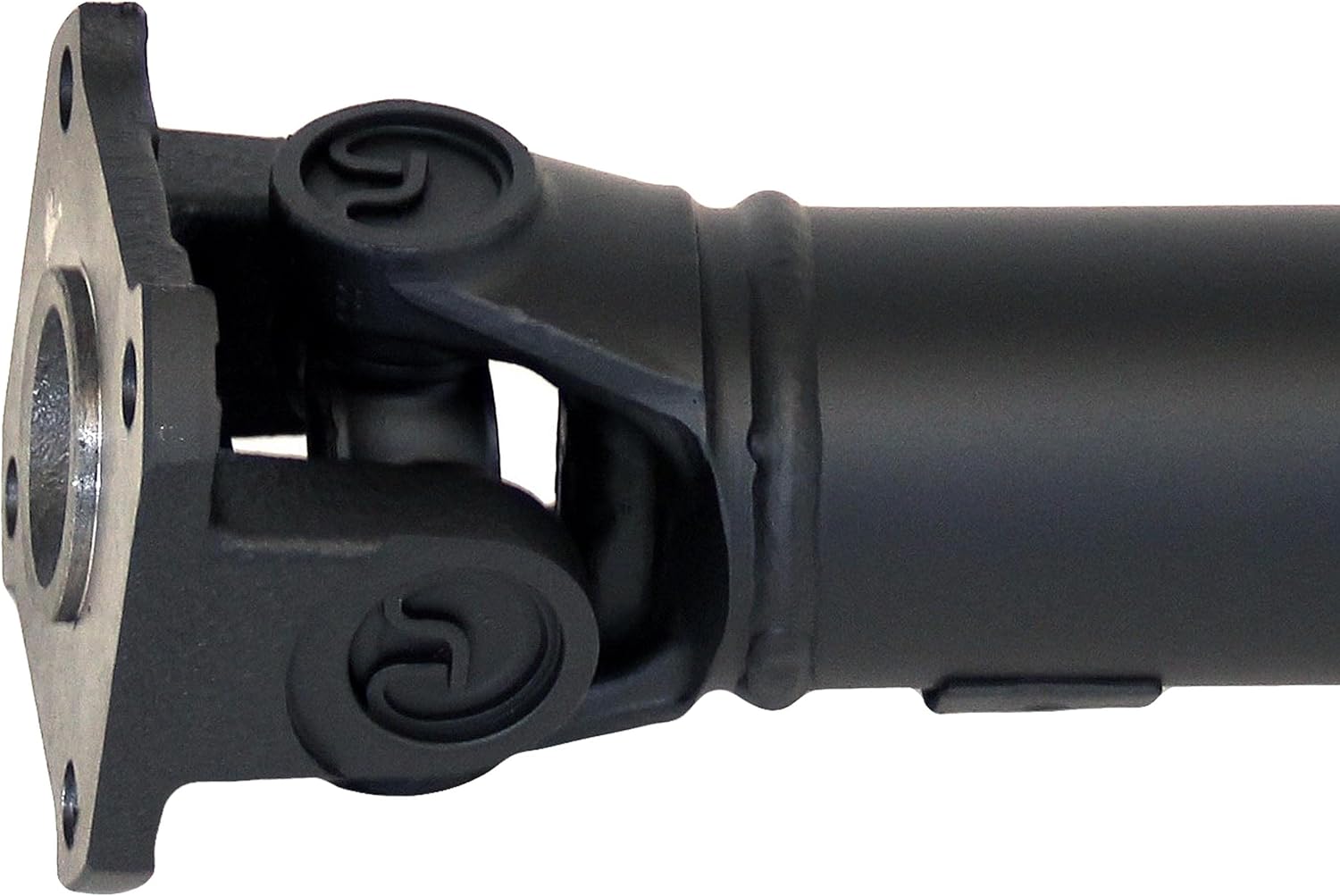
The Dorman 936-221 Rear Driveshaft Assembly is an OE FIX solution designed to address common issues with original equipment driveshafts, particularly those with non-serviceable universal joints. This assembly provides a direct replacement, ensuring proper fit and function for compatible vehicles. It is engineered for durability and ease of future maintenance.
Key Features:
- Ready to Install: Shipped pre-assembled and factory balanced for immediate smooth operation.
- Simplifies Repair: Features serviceable U-joints, making future maintenance simpler and more cost-effective.
- All-New Manufacturing: Constructed from 100% new components, eliminating core charges and return hassles associated with remanufactured parts.
- Quality Engineering: Designed and validated in the United States, backed by decades of automotive aftermarket experience.
- Precise Fitment: Engineered to ensure accurate fit for specified vehicle applications.
Product Specifications
| Specification | Detail |
|---|---|
| Brand | Dorman |
| Model Number | 936-221 |
| Item Weight | 25.3 pounds |
| Product Dimensions | 59.5 x 7.5 x 7.5 inches |
| Country of Origin | USA |
| Manufacturer Part Number | 936-221 |
| OEM Part Number | KAP-400; 491003E910 |
| Hollander Number | 431-50367 |
| Compatible Vehicles | Kia Sorento: 2007, 2008, 2009 |
What's in the Box
The Dorman 936-221 Rear Driveshaft Assembly package includes:
- 1 x Dorman 936-221 Rear Driveshaft Assembly
Installation (Setup)
Installation of a driveshaft assembly requires specialized tools and automotive knowledge. It is highly recommended that this procedure be performed by a certified automotive technician to ensure proper installation, alignment, and safety. Incorrect installation can lead to vibrations, premature wear, or failure of the component.
Before installation, verify that the Dorman 936-221 is the correct part for your specific vehicle's make, model, and trim level. Refer to your vehicle's service manual for detailed, model-specific installation procedures, torque specifications, and safety precautions.
Visual Aid:

Installation Video Resources:
Video 1: Dorman - OE Solutions 936-221 Rear Driveshaft Assembly. This video provides an overview of the Dorman OE FIX driveshaft, highlighting its features and benefits, including the ease of installation and future serviceability.
Video 2: Broad coverage and built to last | Dorman replacement driveshafts. This video showcases the manufacturing process and quality control measures for Dorman driveshafts, emphasizing their durability and extensive vehicle coverage.
Operation
Once properly installed, the Dorman 936-221 Rear Driveshaft Assembly is designed to provide smooth and reliable power transfer from the transmission to the differential. Its factory-balanced design minimizes vibrations, contributing to a comfortable driving experience and optimal vehicle performance.
Maintenance
A significant advantage of the Dorman OE FIX driveshaft is its serviceable universal joints. Unlike many original equipment designs where U-joints are permanently staked and require full driveshaft replacement upon failure, the Dorman assembly allows for individual U-joint replacement.
Recommended Maintenance:
- Regular Inspection: Periodically inspect the driveshaft for signs of wear, damage, or loose components, especially the universal joints and center support bearing (if applicable).
- Lubrication: If equipped with grease fittings, ensure universal joints are lubricated according to your vehicle manufacturer's recommendations or at regular service intervals.
- Prompt Repair: Address any unusual noises (clunking, squeaking), vibrations, or play in the driveshaft immediately to prevent further damage to the driveshaft or other drivetrain components.
Troubleshooting
If you experience issues after installing or during the use of your Dorman driveshaft, consider the following common symptoms and potential causes:
| Symptom | Possible Cause | Action |
|---|---|---|
| Vibration during acceleration | Improper driveshaft angle, worn U-joints, unbalanced driveshaft, loose mounting bolts. | Inspect U-joints and mounting. Verify driveshaft angle and balance. Re-torque bolts. Professional inspection recommended. |
| Clunking noise when shifting gears or accelerating | Worn U-joints, excessive play in splines, loose differential bolts. | Inspect U-joints for play. Check spline condition. Ensure all mounting hardware is secure. |
| Squeaking or chirping noise (especially at low speeds) | Lack of lubrication in U-joints, worn U-joints. | Lubricate U-joints if equipped with grease fittings. Inspect for wear and replace if necessary. |
For persistent issues or complex diagnostics, always consult a qualified automotive technician.
Warranty
Dorman backs the 936-221 Rear Driveshaft Assembly with a Limited Lifetime Warranty. This warranty covers defects in material and workmanship under normal use and service. For specific terms, conditions, and claim procedures, please refer to the official Dorman warranty documentation or contact Dorman customer support.
Support
For further assistance, technical support, or inquiries regarding the Dorman 936-221 Rear Driveshaft Assembly, please visit the official Dorman website or contact their customer service department. Dorman is committed to providing high-quality automotive solutions and support to their customers.
You can find more information and contact details on the Dorman Store on Amazon.
