
1. Introduction
This manual provides essential information for the safe and effective operation, maintenance, and troubleshooting of your BLACK+DECKER BDB530-IN 530W 2-in-1 Corded Electric Air Blower & Vacuum Cleaner. Please read these instructions carefully before using the product and retain them for future reference.
The BLACK+DECKER BDB530-IN is a versatile tool designed for both blowing and vacuuming applications, ideal for cleaning dust, debris, and light materials in various environments such as homes, workshops, and gardens.

Image 1.1: The BLACK+DECKER BDB530-IN 2-in-1 Corded Electric Air Blower & Vacuum Cleaner.
2. Safety Instructions
Always observe basic safety precautions to reduce the risk of fire, electric shock, and personal injury when operating this tool.
- Read All Instructions: Familiarize yourself with the controls and proper use of the tool.
- Wear Eye Protection: Always wear safety glasses or goggles to protect your eyes from flying debris.
- Wear Hearing Protection: Prolonged use may require hearing protection.
- Dress Properly: Do not wear loose clothing or jewelry that could get caught in moving parts. Keep hair, clothing, and gloves away from openings and moving parts.
- Maintain a Firm Grip: Hold the tool firmly with both hands during operation.
- Keep Work Area Clean: Cluttered areas invite accidents.
- Avoid Dangerous Environments: Do not use power tools in damp or wet locations, or expose them to rain. Keep work area well lit.
- Stay Alert: Watch what you are doing, use common sense. Do not operate tool when you are tired.
- Disconnect Power: Always disconnect the tool from the power supply before making adjustments, changing accessories, or storing the tool.
- Inspect for Damage: Before each use, check for damaged parts. Ensure guards and other parts are in working order.
- Use Correct Extension Cord: If an extension cord is used, ensure it is suitable for outdoor use and has adequate wire gauge for the tool's current rating.
- Do Not Abuse the Cord: Never carry the tool by its cord or yank it to disconnect from an outlet. Keep cord away from heat, oil, sharp edges, and moving parts.
- Do Not Point at People or Animals: Never direct the air stream towards people, animals, or loose objects that could become projectiles.
- Do Not Block Air Vents: Ensure air vents are clear during operation to prevent overheating.
3. Package Contents
Verify that all items listed below are present in your package:
- 1 x BLACK+DECKER BDB530-IN Air Blower Unit
- 1 x Nozzle
- 1 x Dust Bag

Image 3.1: The package includes the main blower unit, a nozzle, and a dust bag for vacuum operations.
4. Product Features and Components
Familiarize yourself with the key components of your BLACK+DECKER BDB530-IN:
- Main Unit: The core motor and fan housing.
- Nozzle: Directs the airflow for blowing or suction.
- Dust Bag: Collects debris during vacuum operation.
- On/Off Switch: Activates and deactivates the tool.
- Lock-on Button: Allows for continuous operation without holding the trigger.
- Blast Port: Where high-velocity air is discharged in blower mode.
- Suction Port: Where the nozzle or dust bag is connected for vacuum mode.

Image 4.1: The handle features a trigger switch for momentary operation and a lock-on button for continuous use.

Image 4.2: The nozzle controls and directs airflow from the blast port.

Image 4.3: The suction port is used for vacuuming, connecting to hoses, ducts, or the dust bag.
5. Setup
5.1. Attaching the Nozzle for Blower Mode
- Ensure the tool is unplugged from the power source.
- Align the nozzle with the blast port (the larger opening at the front of the tool).
- Push the nozzle firmly onto the blast port until it clicks into place or is securely seated.
5.2. Setting up for Vacuum Mode
- Ensure the tool is unplugged from the power source.
- Attach the nozzle to the suction port (the side opening of the tool). Push firmly until secure.
- Attach the dust bag to the blast port (the larger opening at the front). Ensure the dust bag opening is fully seated over the port to prevent debris leakage.
- Verify both attachments are securely fastened before operation.

Image 5.1: The blower configured with both the nozzle and dust bag for vacuum operation.
6. Operating Instructions
6.1. Blower Mode Operation
- Ensure the nozzle is securely attached to the blast port.
- Plug the tool into a suitable power outlet.
- To start, press the On/Off switch. For continuous operation, press the lock-on button while the switch is depressed, then release the switch.
- Direct the airflow towards the debris you wish to clear. Maintain a safe distance from the surface and avoid pointing the nozzle at people or animals.
- To stop, release the On/Off switch. If the lock-on button is engaged, press and release the On/Off switch again to disengage it.

Image 6.1: The blower effectively clears light debris, making DIY tasks easier.

Image 6.2: The blower is used to clear sawdust from a workbench.
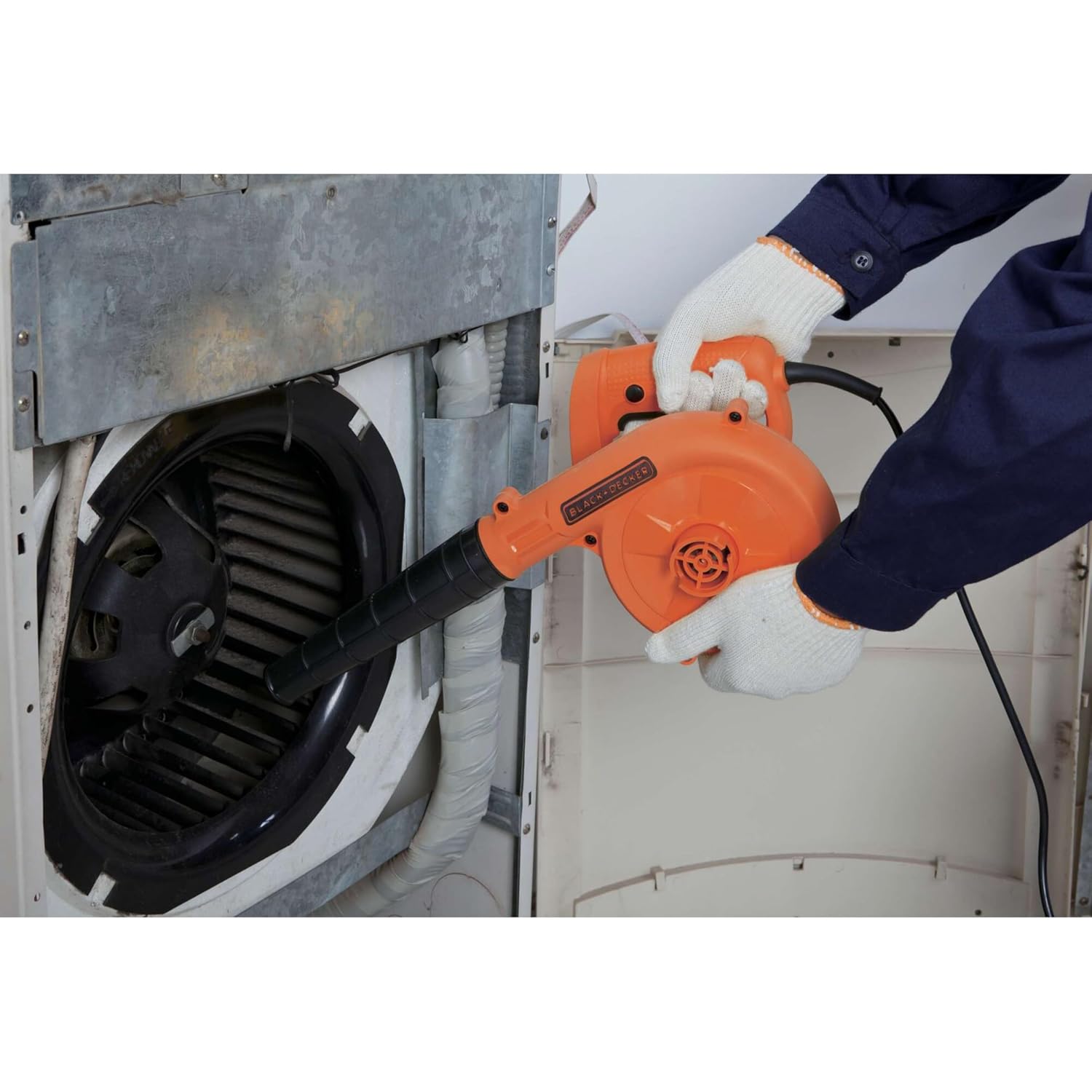
Image 6.3: The blower can be used for cleaning dust from appliances like air conditioning units.
6.2. Vacuum Mode Operation
- Ensure the nozzle is attached to the suction port and the dust bag is attached to the blast port.
- Plug the tool into a suitable power outlet.
- To start, press the On/Off switch. For continuous operation, press the lock-on button while the switch is depressed, then release the switch.
- Position the nozzle over the debris you wish to vacuum. The tool will draw air and debris into the dust bag.
- Monitor the dust bag and empty it when it becomes full to maintain optimal suction performance.
- To stop, release the On/Off switch. If the lock-on button is engaged, press and release the On/Off switch again to disengage it.
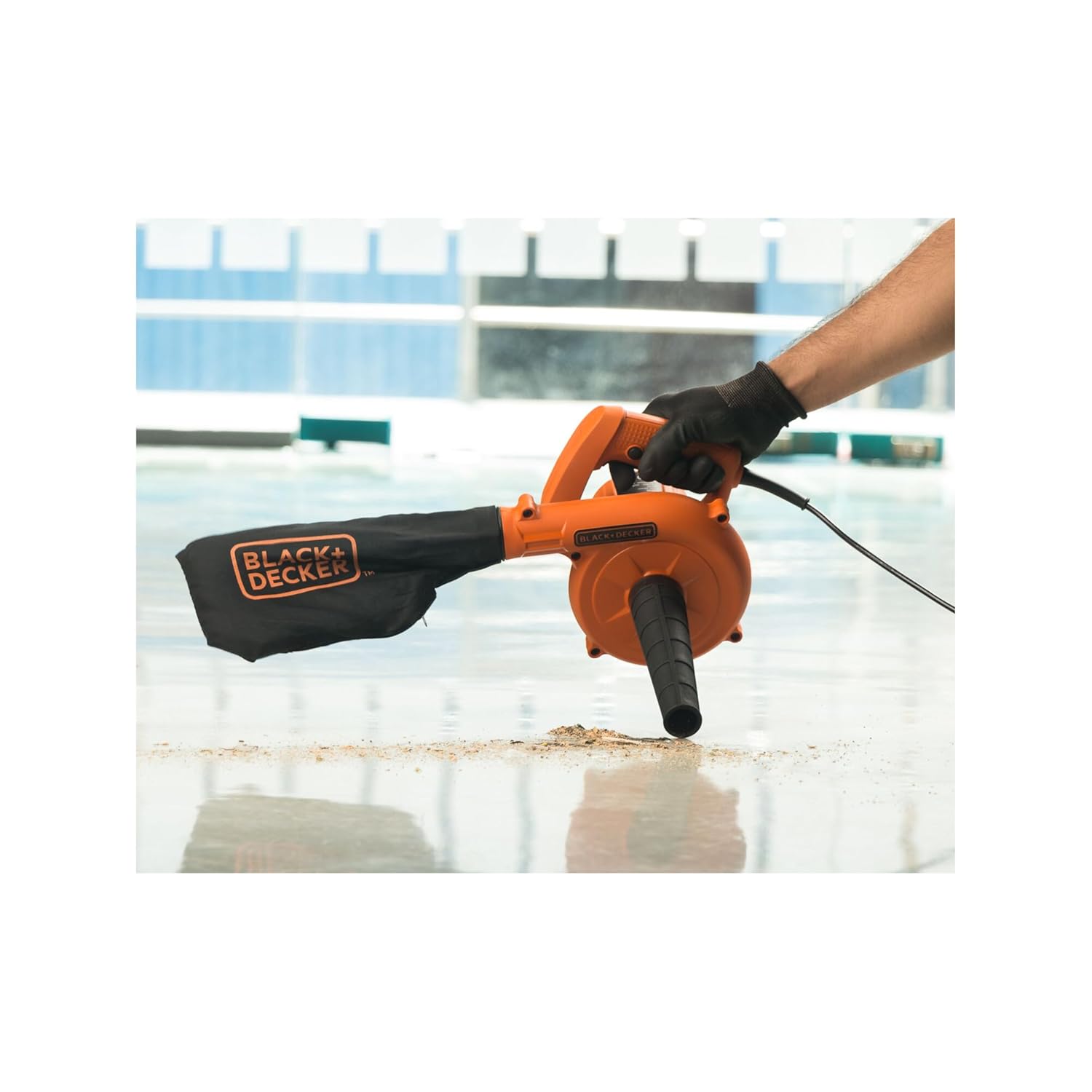
Image 6.4: The tool in vacuum mode, collecting debris into the attached dust bag.
7. Maintenance
Regular maintenance ensures optimal performance and extends the life of your tool.
- Cleaning: Disconnect the tool from the power supply. Use a soft brush or cloth to clean the exterior of the tool. Do not use water or chemical cleaners.
- Dust Bag: Empty the dust bag regularly. Clean the inside of the dust bag if necessary to prevent clogging and maintain suction efficiency.
- Air Vents: Keep the air vents clear of dust and debris to prevent overheating. Use compressed air if necessary.
- Cord Inspection: Periodically inspect the power cord for any damage, cuts, or fraying. If damaged, have it repaired by a qualified service technician.
- Storage: Store the tool in a dry, secure place out of reach of children.
8. Troubleshooting
Refer to the following table for common issues and their solutions:
| Problem | Possible Cause | Solution |
|---|---|---|
| Tool does not start. | No power supply. Faulty power cord/plug. | Check power outlet and connections. Inspect cord and plug for damage. Contact service if damaged. |
| Low blowing/suction power. | Blocked nozzle/dust bag. Full dust bag. Air vents obstructed. | Clear any blockages from the nozzle or dust bag. Empty the dust bag. Clean air vents. |
| Tool overheats. | Blocked air vents. Prolonged heavy use. | Clear air vents. Allow the tool to cool down. Reduce continuous operating time. |
| Excessive vibration. | Loose components. Internal damage. | Check if nozzle/dust bag is securely attached. If problem persists, discontinue use and contact customer service. |
9. Specifications
Key technical specifications for the BLACK+DECKER BDB530-IN:
- Model Name: BDB530-IN
- Power Source: Corded Electric
- Wattage: 530 Watts
- Maximum Speed: 16000 RPM
- Airflow Volume: 3.5 m³/min
- Item Weight: 1.6 Kilograms
- Material: Plastic
- Product Dimensions: 18.5L x 18W x 30H Centimeters
- Special Feature: Leaf Vacuum, Lightweight
- Included Components: 1-Piece blower, 1-Piece nozzle, 1-Dust bag
- Country of Origin: India

Image 9.1: Overview of the BLACK+DECKER BDB530-IN's technical specifications.
10. Warranty and Support
BLACK+DECKER products are manufactured to high quality standards. For warranty information, service, or support, please contact the manufacturer directly.
Customer Care Contact:
- Phone: 1800-203-0644 (Monday - Saturday, 09:00 AM - 06:00 PM IST, except Government Holidays)
- Email: SBD-CUSTOMERCOMMUNICATIONS@SBDINC.COM
- WhatsApp: +91 96060 55835 (Scan QR code for direct contact)
- Number of Authorized Service Centers: 500+

Image 10.1: BLACK+DECKER customer care contact information for support and inquiries.


