1. Introduction
The AGSHOME DP-D100 WiFi Door/Window Sensor is a smart device designed to enhance home security by detecting the opening and closing of doors, windows, cabinets, or drawers. It integrates with smart home platforms like Smart Life, Tuya Smart, Amazon Alexa, and Google Assistant, providing real-time notifications and control via your smartphone.

2. Product Overview
2.1 Package Contents

- Main Sensor Unit
- Magnetic Contact
- CR2 Batteries (pre-installed or included)
- Mounting Screws
- Adhesive Pads
- User Manual
2.2 Product Dimensions
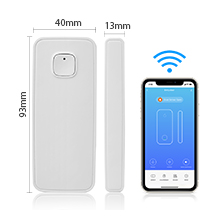
3. Setup
3.1 Preparation
- Ensure your Wi-Fi network is 2.4 GHz. 5 GHz networks are not supported.
- Remove the battery insulation tab if present.
- Download the 'Smart Life' or 'Tuya Smart' app from your smartphone's app store.
3.2 Device Pairing (AP Mode)
Follow these steps to connect your sensor using AP (Access Point) mode:
- Open the Smart Life or Tuya Smart app.
- Press and hold the button on the main sensor unit until the indicator light blinks slowly.
- In the app, select 'Add Device' and choose the sensor type.
- Select 'AP Mode' for pairing.
- Connect your phone to the sensor's Wi-Fi hotspot (usually named 'SmartLife-XXXX' or 'Tuya-XXXX').
- Return to the app to complete the pairing process.
3.3 Device Pairing (EZ Mode)
Alternatively, you can use EZ (Easy) mode for pairing:
- Open the Smart Life or Tuya Smart app.
- Press and hold the button on the main sensor unit until the indicator light blinks rapidly.
- In the app, select 'Add Device' and choose the sensor type.
- Select 'EZ Mode' for pairing.
- Confirm your 2.4 GHz Wi-Fi network and enter the password.
- The app will automatically scan and add the device.
3.4 Mounting the Sensor
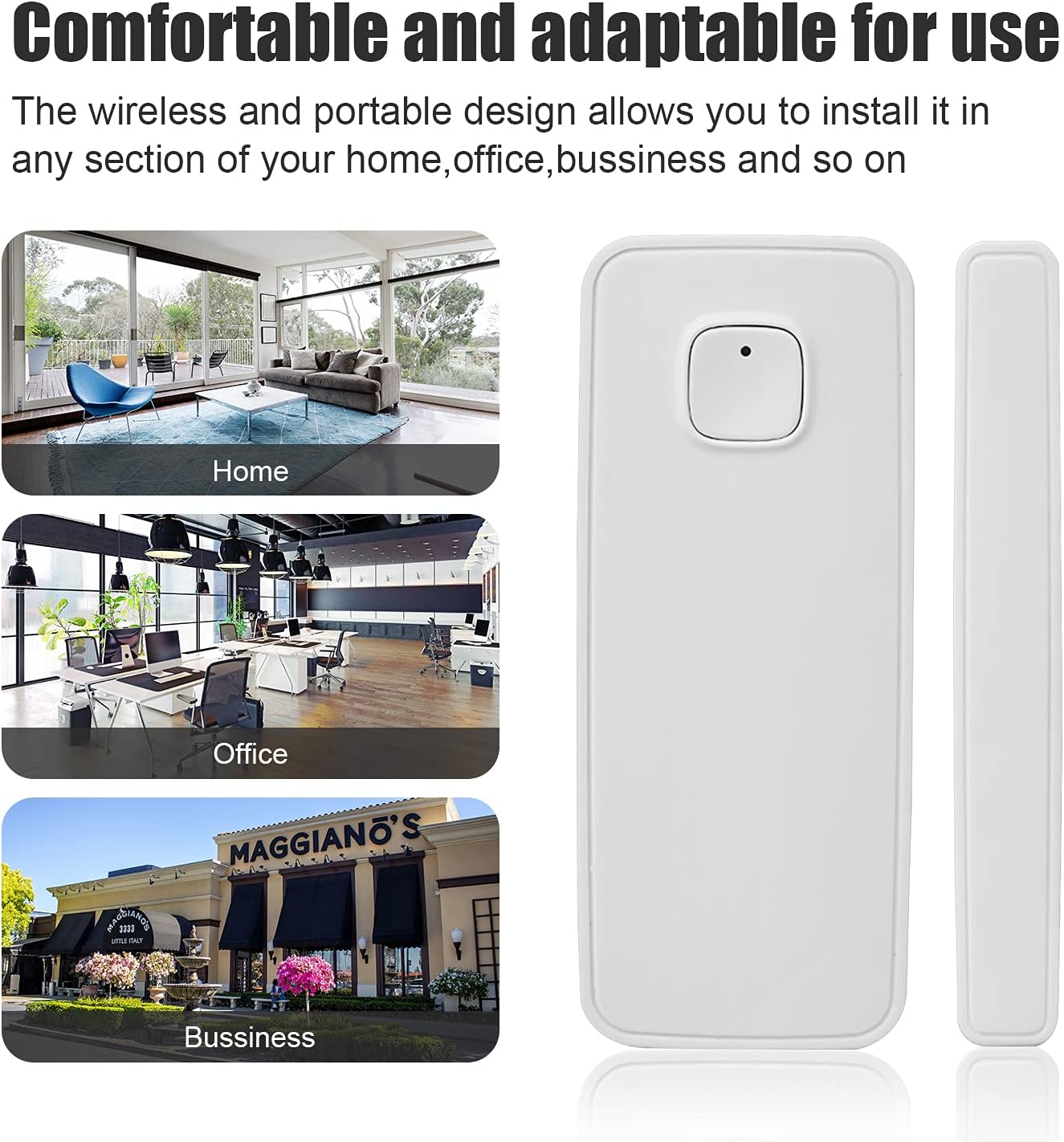
The sensor can be mounted using either adhesive pads or screws.
- Adhesive Mounting: Clean the surface where the sensor will be placed. Peel off the backing from the adhesive pads and firmly press the main sensor unit and magnetic contact onto the desired locations. Ensure the two parts are aligned and within 1/16 inch (approximately 1.5 mm) of each other when the door/window is closed.
- Screw Mounting: Use the provided screws to secure the main sensor unit and magnetic contact to the door/window frame. Ensure proper alignment and close proximity (within 1/16 inch) for accurate detection.

4. Operating the Sensor
4.1 Real-time Monitoring and Alerts
Once installed and paired, the sensor will send real-time notifications to your smartphone when the monitored door or window is opened or closed. You can view the history of these events within the Smart Life or Tuya Smart app.
4.2 Smart Assistant Integration
The AGSHOME DP-D100 sensor is compatible with Amazon Alexa and Google Assistant, allowing for voice control and integration into smart home routines.

To connect with Alexa:
- Open the Amazon Alexa app.
- Go to 'Skills & Games' and search for 'Smart Life' or 'Tuya Smart'.
- Enable the skill and link your Smart Life/Tuya Smart account.
- Discover devices, and your sensor should appear.
4.3 Sensor Functionality Overview
5. Maintenance
5.1 Battery Replacement
The sensor uses one CR2 battery. With low power consumption, the battery life is typically over one year. When the battery is low, you will receive a notification via the app. To replace the battery:
- Carefully open the main sensor unit.
- Remove the old CR2 battery.
- Insert a new CR2 battery, ensuring correct polarity.
- Close the sensor unit securely.
6. Troubleshooting
- Sensor not connecting to Wi-Fi: Ensure your Wi-Fi network is 2.4 GHz. 5 GHz networks are not supported. Verify the Wi-Fi password is correct. Try resetting the sensor and attempting the pairing process again.
- No notifications: Check app settings to ensure notifications are enabled. Verify the sensor has sufficient battery power. Ensure the sensor and magnetic contact are properly aligned and within close proximity (recommended 1/16 inch or less).
- Inaccurate detection: Ensure the main sensor unit and magnetic contact are installed correctly and are very close to each other when the door/window is closed. The small arrow on the magnetic piece should face the main sensor unit.
- Alexa/Google Assistant not responding: Confirm the Smart Life/Tuya Smart skill is enabled in your smart assistant app and your account is linked. Try re-discovering devices.
7. Specifications
| Feature | Detail |
|---|---|
| Model Number | DP-D100 |
| Brand | AGSHOME |
| Control Method | App |
| Connectivity | 2.4 GHz WiFi (5 GHz not supported) |
| Power Source | 1 CR2 Battery (included) |
| Battery Life | Over 1 year (typical) |
| Compatible Devices | Smartphone, Amazon Alexa, Google Assistant |
| Item Weight | 1.6 ounces |
| Package Dimensions | 3 x 2 x 1 inches |
8. Warranty and Support
For warranty information and technical support, please refer to the contact details provided in your product packaging or visit the official AGSHOME website. If you encounter issues with the Smart Life or Tuya Smart app, you may also contact their respective support channels.


