
1. Introduction
This manual provides instructions for the safe and effective use of your UpBright 2-Prong AC Charging Cord. This cord is designed to provide AC power input for charging compatible Duralast Gold Power Stations and Jump Starters. Please read this manual thoroughly before use and retain it for future reference.
2. Product Overview
The UpBright AC Charging Cord is a replacement or spare power cable for specific Duralast Gold devices. It features a standard 2-prong AC plug for wall outlets and a corresponding 2-slot connector for your power station or jump starter.

Figure 1: UpBright 2-Prong AC Charging Cord. This image shows the full length of the black AC charging cord, coiled for storage, with both the 2-prong wall plug and the 2-slot device connector visible.
2.1 Compatibility
This AC charging cord is compatible with the following Duralast Gold Power Stations and Jump Starters:
- Duralast Gold BP-DLG1200PS (1200 Peak Amps Power Station LCA Jump Starter)
- Duralast Gold BP-DL1200PS (1200 Peak Amps Power Station LCA Jump Starter)
- Duralast Gold DLG1000PS (1000 Peak Amps Power Station LCA Jump Starter)
- Duralast DL-1000 DL1000 (1000 Peak Amp Jump Starter + Portable Power)
- Duralast 750 Peak Amps Jump Starter
Note: This is an AC power cord ONLY. It is designed to provide power to charge your compatible device, not to jump-start a vehicle directly.
3. Setup
Follow these steps to connect the AC charging cord to your Duralast Gold Power Station or Jump Starter:
- Identify the AC Input Port: Locate the 2-slot AC input port on your Duralast Gold Power Station or Jump Starter. Refer to your device's manual for the exact location.
- Connect to Device: Insert the 2-slot connector end of the UpBright AC Charging Cord firmly into the AC input port of your Duralast Gold device. Ensure a snug fit.
- Connect to Power Outlet: Plug the 2-prong end of the AC charging cord into a standard 120-volt AC wall outlet.

Figure 2: Close-up of the 2-prong AC plug and the 2-slot device connector. This image highlights the specific connectors of the charging cord, showing the male plug for the wall outlet and the female receptacle for the device.
4. Operating Instructions
Once the AC charging cord is properly connected, your Duralast Gold Power Station or Jump Starter should begin charging. Refer to your device's specific instruction manual for details on charging indicators, expected charging times, and battery maintenance procedures.
- Ensure the wall outlet is functional and provides stable power.
- Monitor your device's charging status as indicated by its built-in lights or display.
- Disconnect the cord from the wall outlet and the device once charging is complete or if the device indicates a full charge.

Figure 3: The AC charging cord in a typical usage scenario. This image shows the cord extended, ready for connection, illustrating its length and flexibility.
5. Maintenance
Proper care of your AC charging cord will ensure its longevity and safe operation:
- Storage: Store the cord in a cool, dry place, away from direct sunlight and extreme temperatures. Avoid tightly coiling or bending the cord, which can damage internal wires.
- Inspection: Periodically inspect the cord for any signs of damage, such as cuts, fraying, or exposed wires. Do not use a damaged cord.
- Cleaning: If necessary, wipe the cord with a dry, soft cloth. Do not use liquid cleaners or immerse the cord in water.
Important Note on Batteries: Rechargeable batteries, such as those in your Duralast Gold Power Station, have a finite lifespan, typically 1 to 3 years. If your device's battery is old or damaged, it may not accept a charge even with a functional charging cord.
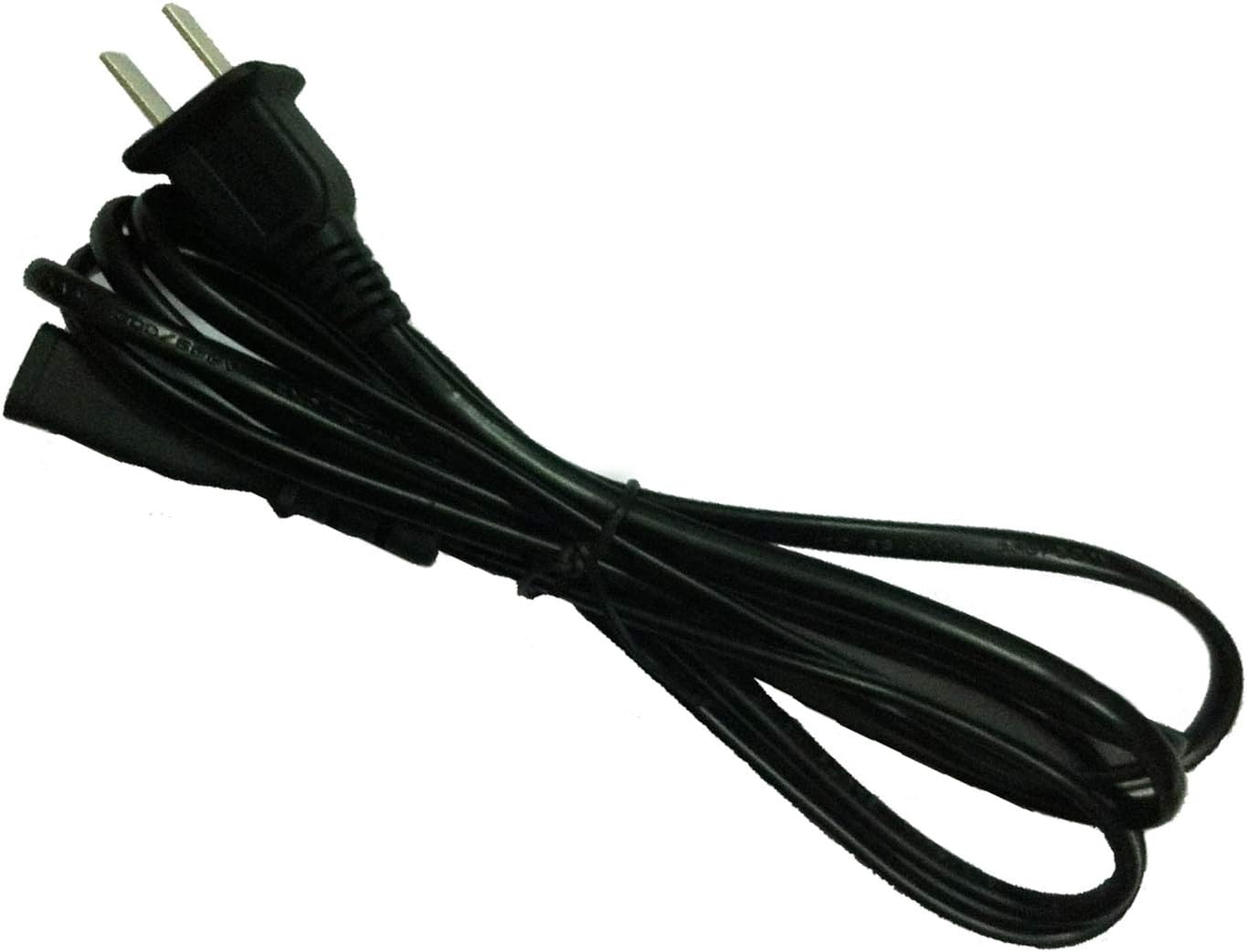
Figure 4: The AC charging cord neatly coiled. This image demonstrates how the cord can be stored to prevent tangling and damage.
6. Troubleshooting
If your Duralast Gold Power Station or Jump Starter is not charging, consider the following:
- Check Connections: Ensure both ends of the AC charging cord are securely plugged into the device and the wall outlet.
- Verify Power Outlet: Test the wall outlet with another appliance to confirm it is supplying power.
- Inspect Cord: Examine the charging cord for any visible damage. If damaged, discontinue use and replace it.
- Device Battery Condition: If the power station's battery is old or severely depleted, it might not accept a charge. Consult your Duralast Gold device's manual or a professional for battery assessment.
7. Specifications
| Feature | Specification |
|---|---|
| Product Type | AC Charging Cord |
| Brand | UpBright |
| Connector Type | 2-Prong AC Plug (Type A) to 2-Slot Device Connector |
| Color | Black |
| Voltage | 12 Volts (for compatible device input) |
| Product Dimensions | 5 x 2 x 1 inches (approximate, packaged) |
| Item Weight | 2.39 ounces |
8. Warranty and Support
UpBright products are typically covered by a warranty. For this AC Charging Cord, the following terms apply:
- Refund Period: 30 days from the date of purchase.
- Exchange Period: 24 months from the date of purchase.
For warranty claims, technical support, or any inquiries regarding your UpBright AC Charging Cord, please contact the manufacturer directly through their official website or the retailer where the product was purchased.