
1. Introduction
The Newmowa Dual USB Charger is designed for efficient and convenient charging of Canon NB-13L camera batteries. This charger allows you to power two batteries simultaneously, ensuring your camera is always ready for use. Its compact design and versatile USB input make it ideal for travel and various charging environments.
Compatible Battery Models: Canon NB-13L
Compatible Camera Models: Canon PowerShot G5X, G7X, G7 X Mark II, G9X, G9 X Mark II, G1 X Mark III, SX620 HS, SX720 HS, SX730 HS
2. Package Contents
- 1 x Newmowa Dual USB Charger
- 1 x Micro USB Cable
3. Setup Instructions
Follow these steps to set up your Newmowa Dual USB Charger:
- Connect the Charger: Insert the micro USB cable into the charger's input port.
- Connect to Power Source: Connect the other end of the USB cable to a compatible 5V 2A USB power source. This can be a USB wall charger, car charger, power bank, or a laptop's USB port.
- Insert Batteries: Carefully insert one or two Canon NB-13L batteries into the charging slots of the charger, ensuring correct orientation.

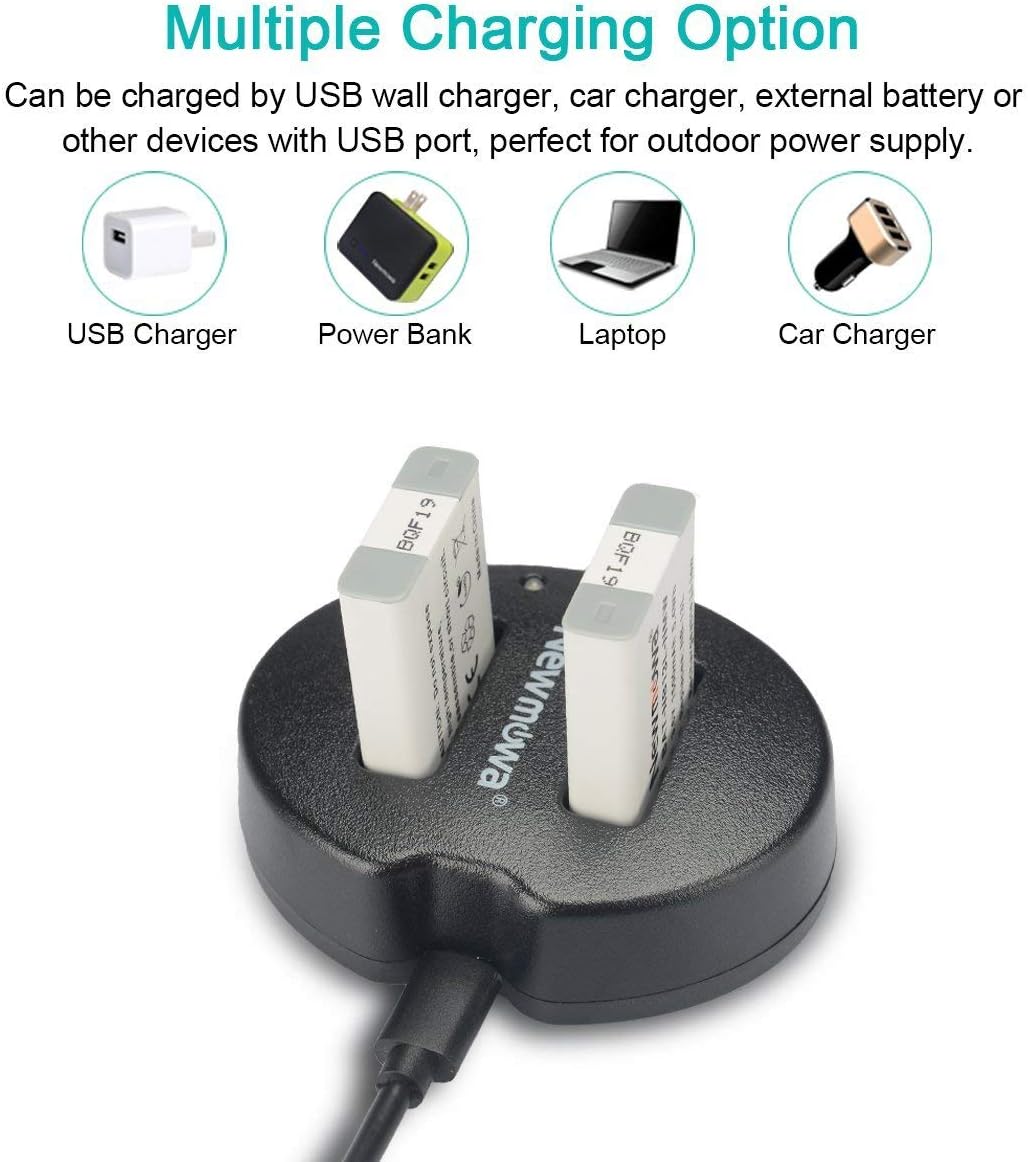
4. Operating Instructions
The Newmowa Dual USB Charger is designed for simple and intuitive operation:
- Charging Status Indicators: Each charging slot has an independent LED indicator.
- When a battery is charging, the corresponding LED will illuminate RED.
- Once the battery is fully charged, the LED will turn GREEN.
- The charger can charge one or two batteries simultaneously. Each battery's charging status is monitored independently.

5. Maintenance
To ensure the longevity and optimal performance of your charger, follow these maintenance guidelines:
- Keep the charger clean and dry. Avoid exposure to moisture, dust, and dirt.
- Do not store the charger in extremely hot or cold environments.
- Clean the charging contacts periodically with a dry, soft cloth to ensure good connection.
- Avoid dropping or subjecting the charger to strong impacts.
6. Troubleshooting
If you encounter issues with your charger, refer to the following common problems and solutions:
| Problem | Possible Cause | Solution |
|---|---|---|
| Charger LEDs do not light up. | No power supply; faulty cable; incorrect battery insertion. | Check USB power source connection. Try a different USB cable. Ensure batteries are inserted correctly. |
| Battery not charging (LED remains off or green immediately). | Battery not making proper contact; battery already full; faulty battery. | Re-insert battery, ensuring good contact. Test with a different battery. If the battery is known to be depleted and still shows green, the battery or charger may be faulty. |
| Slow charging. | Insufficient power input. | Ensure your USB power source provides at least 5V 2A output. Some laptop USB ports may provide lower current. |
7. Specifications
| Feature | Detail |
|---|---|
| Model Number | CHG-NB13L-USB |
| Input | 5V 2A |
| Output | 8.4V 600mA*2 |
| Dimensions | 3.07 x 2.99 x 2.13 inches |
| Item Weight | 1.76 ounces (50 Grams) |
| Certifications | CE, FCC |
8. Safety Information
Please read and adhere to the following safety precautions to prevent damage to the charger, batteries, or personal injury:
- Do not disassemble or modify the charger.
- Keep the charger away from water, moisture, and high humidity.
- Avoid exposing the charger to direct sunlight or high temperatures.
- Do not use the charger if it appears damaged or has been dropped.
- This charger is equipped with multiple circuit protections, including over-charging, short-circuit, high-temperature, and surge protection. It is constructed with high-quality, fire-resistant materials.
- Use only compatible batteries (Canon NB-13L) with this charger.
- Keep out of reach of children.
