
REMAX RM-585
REMAX RM-585 Original Touching Metal Earphones User Manual
Model: RM-585 | Brand: REMAX
1. Introduction
Thank you for choosing the REMAX RM-585 Original Touching Metal Earphones. This manual provides comprehensive instructions to help you set up, operate, and maintain your new earphones, ensuring optimal performance and longevity. Please read this manual carefully before using the product.
2. Product Overview
The REMAX RM-585 earphones are designed to deliver an immersive audio experience with high-quality sound reproduction. Featuring a durable metal construction and a comfortable in-ear design, they are suitable for various audio devices.
Key Features:
- Brand: Remax
- Model Number: REMAX RM-585
- Color: Black
- Connectivity: Wired (3.5mm Jack)
- Type: In-Ear Earphones
- Microphone Included: Yes
- Noise Cancelling: Yes (Active Noise Cancellation)
- Compatibility: Compatible with almost all devices featuring a 3.5mm audio jack.
- Multi-functional Line Control: For call management and music playback.
- Speaker Size: 9mm for clear audio.

Figure 2.1: Main view of the REMAX RM-585 earphones, highlighting the in-ear design and the inline control unit.
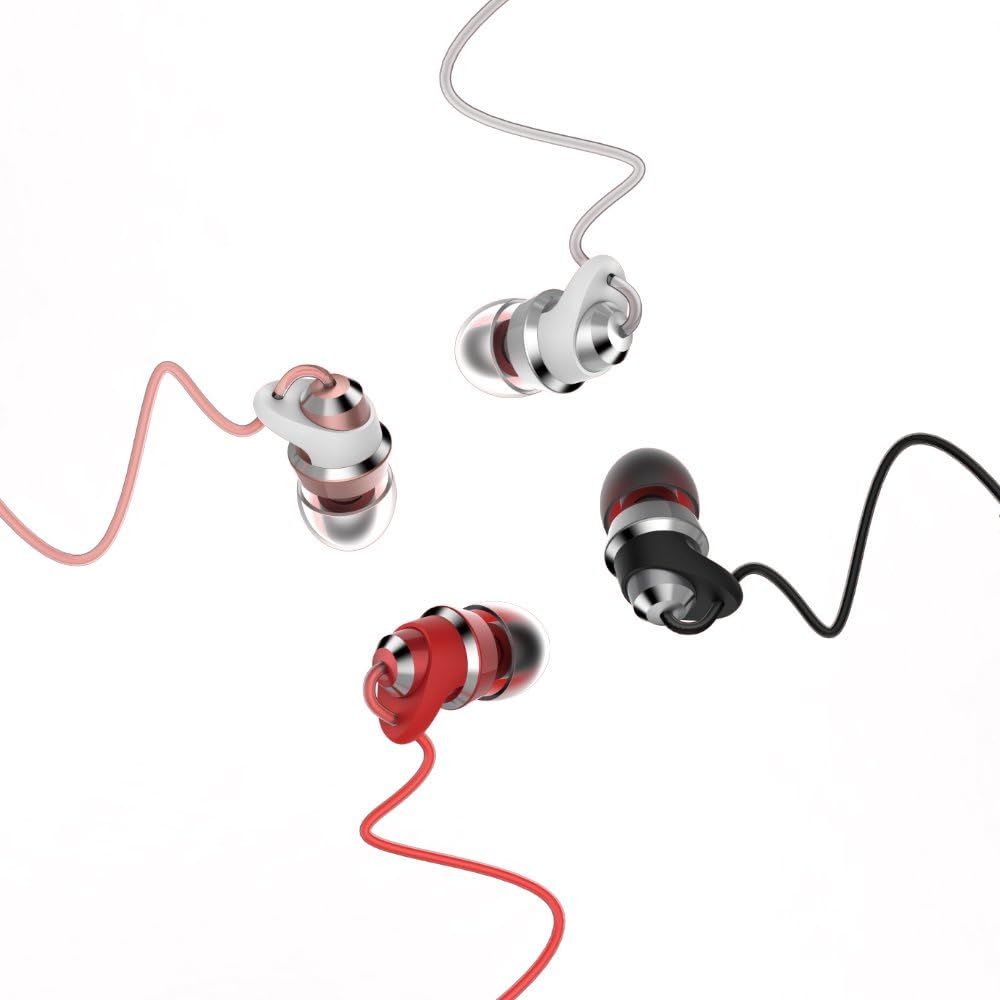
Figure 2.2: The REMAX RM-585 earphones are available in various colors, showcasing their sleek metal design.
3. Package Contents
Upon opening the package, please verify that all the following items are included:
- 1x REMAX RM-585 Earphones
- 1x Set of Ear Tips (S/M/L sizes)
- 1x Instructions for Use Manual

Figure 3.1: The retail packaging of the REMAX RM-585 earphones.

Figure 3.2: Contents of the REMAX RM-585 earphone package, including the earphones, ear tips, and user manual.
4. Setup
Setting up your REMAX RM-585 earphones is straightforward:
- Select Ear Tips: Choose the ear tips (S, M, or L) that provide the most comfortable and secure fit for your ears. A good seal is essential for optimal sound quality and noise isolation.
- Connect to Device: Insert the 3.5mm audio jack of the earphones into the headphone port of your smartphone, tablet, laptop, or any other compatible audio device.
- Adjust Volume: Adjust the volume on your connected device to a comfortable listening level before placing the earphones in your ears.

Figure 4.1: Proper placement of the REMAX RM-585 earphones in the ear for a secure and comfortable fit.
5. Operating Instructions
The REMAX RM-585 earphones feature a convenient multi-functional inline control for managing calls and music playback:
Call Management:
- Answer/End Call: Press the multi-functional button once to answer an incoming call or to end an ongoing call.
Music Playback:
- Play/Pause: Press the multi-functional button once to play or pause the current track.
- Next Track: Press the multi-functional button twice quickly to skip to the next song.
- Previous Track: Press the multi-functional button three times quickly to go back to the previous song.
6. Maintenance
To ensure the longevity and optimal performance of your REMAX RM-585 earphones, follow these maintenance guidelines:
- Cleaning: Regularly clean the ear tips with a soft, dry cloth. For deeper cleaning, remove the ear tips and wash them with mild soap and water, ensuring they are completely dry before reattaching.
- Cable Care: Avoid sharp bends or excessive pulling on the cable to prevent internal damage. Store the earphones neatly to prevent tangling.
- Storage: When not in use, store the earphones in a clean, dry place, away from extreme temperatures and direct sunlight.
- Avoid Moisture: Do not expose the earphones to water or excessive moisture. They are not waterproof.
7. Troubleshooting
If you encounter any issues with your REMAX RM-585 earphones, please refer to the following common troubleshooting steps:
- No Sound:
- Ensure the 3.5mm jack is fully inserted into your device's audio port.
- Check the volume level on your device.
- Test the earphones with another device to rule out a device-specific issue.
- Poor Sound Quality:
- Ensure the ear tips are properly seated and form a good seal in your ear canal.
- Clean any debris from the ear tips or speaker grilles.
- Try different sized ear tips.
- Microphone Not Working:
- Ensure the earphones are fully plugged into your device.
- Check your device's audio settings to ensure the correct microphone input is selected.
- Test the microphone with another application or device.
- Inline Control Not Responding:
- Ensure the earphones are securely connected.
- Some devices may have limited compatibility with inline controls; test with another device if possible.
8. Specifications
Detailed technical specifications for the REMAX RM-585 earphones:
| Feature | Specification |
|---|---|
| Brand Name | REMAX |
| Model Name | RM-585 |
| Item Model Number | RM-585-BLACK |
| Color | Black |
| Headphones Form Factor | In Ear |
| Connectivity Technology | Wired |
| Headphones Jack | 3.5 mm Jack |
| Microphone Included | Yes |
| Noise Control | Active Noise Cancellation |
| Speaker Size | 9mm |
| Impedance | 16Ω ± 15% |
| Sensitivity | 92dB ± 4dB (SPL at 1000Hz 1MW) |
| Frequency Response | 20Hz - 20,000Hz |
| Normal Input Power | 1mW (0.126V) |
| Maximum Input Power | 2mW (0.22V) |
| Total Harmonic Distortion | <5% at 200Hz - 10000Hz |
| Cable Length | 1200mm ± 50mm (1.2 meters) |
| Product Weight | 93 grams |
| Included Components | Ear Cushions (Ear Tips) |
| Age Range Description | Adult |
| First Available Date | February 14, 2021 |
9. Warranty and Support
For warranty information and customer support, please refer to the warranty card included in your product packaging or visit the official REMAX website. Keep your purchase receipt as proof of purchase for any warranty claims.
For further assistance, you may contact REMAX customer service through their official channels.
Related documentsRM-585


Ask a question about this manual
Ask about setup, troubleshooting, compatibility, parts, safety, or missing instructions. Manuals+ will review the question and use this page’s manual context to help answer it.