
1. Introduction
This manual provides comprehensive instructions for the RM-Series RMC1497 Replacement TV Remote Control. This remote is designed to fully replace your original RMC1497 remote control without requiring any programming or complex setup. It offers a direct, ready-to-use solution for controlling your television.
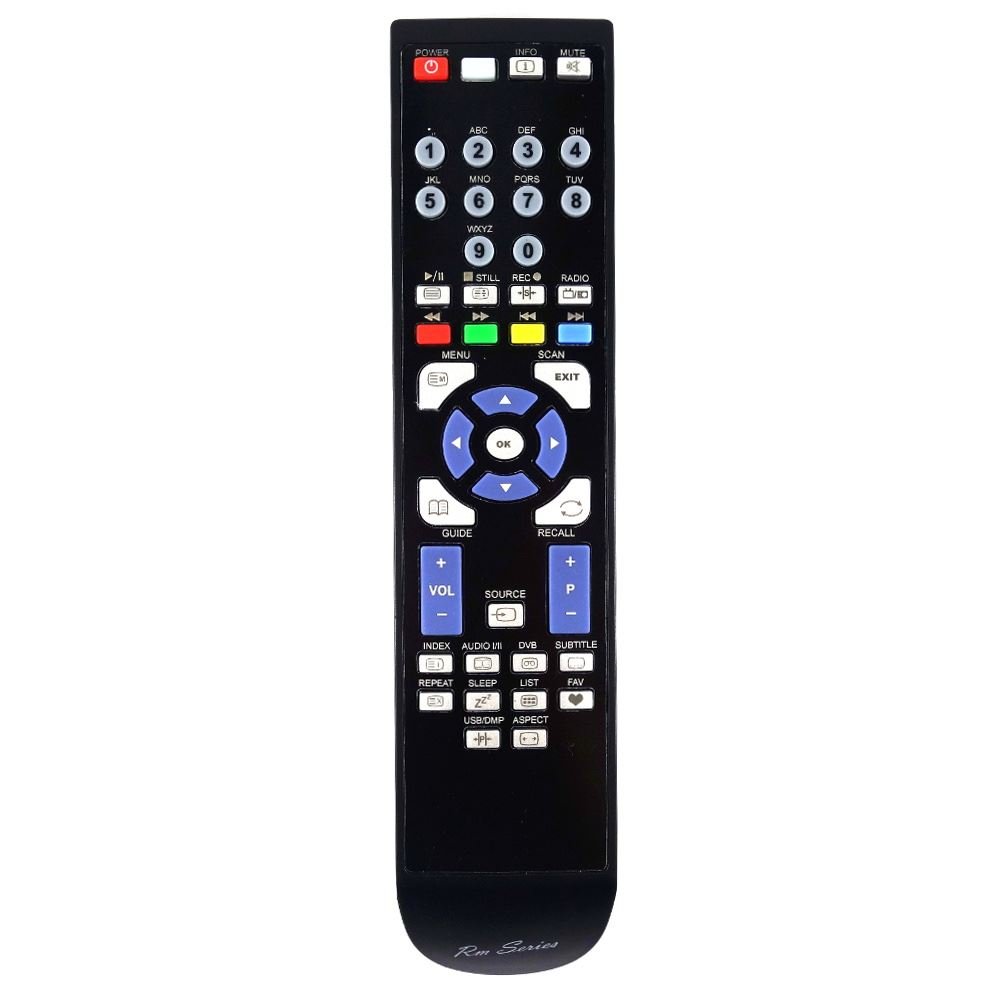
Image of the RM-Series RMC1497 Replacement TV Remote Control, showing its ergonomic design and button layout.
2. Setup
2.1 Battery Installation
The RM-Series RMC1497 remote control operates on standard AAA batteries (not included). To install the batteries:
- Locate the battery compartment on the back of the remote control.
- Slide the battery cover downwards or in the direction indicated by an arrow to open it.
- Insert two AAA batteries, ensuring the positive (+) and negative (-) terminals align correctly with the markings inside the compartment.
- Replace the battery cover by sliding it back into position until it clicks securely.
2.2 First Use
After battery installation, the remote control is ready for immediate use. No programming or pairing is required. Point the remote control directly at your television and press the desired function button.
3. Operating the Remote Control
The RM-Series RMC1497 remote control is designed to replicate the functions of your original RMC1497 remote. Each button corresponds to a specific function on your television.
3.1 Basic Functions
- Power Button: Turns the television on or off.
- Channel Buttons (CH+/CH-): Changes the television channel up or down.
- Volume Buttons (VOL+/VOL-): Adjusts the television volume up or down.
- Mute Button: Silences the television audio.
- Number Buttons (0-9): Directly selects television channels.
- Menu Button: Accesses the television's main menu.
- Navigation Buttons (Up, Down, Left, Right, OK): Navigates through menus and confirms selections.
For specific advanced functions, refer to your television's original user manual.
4. Maintenance and Care
- Cleaning: Wipe the remote control with a soft, dry cloth. Do not use liquid cleaners or abrasive materials.
- Battery Replacement: Replace batteries when the remote control's response becomes sluggish or stops working. Always replace both batteries at the same time.
- Storage: Store the remote control in a dry place, away from direct sunlight and extreme temperatures.
- Avoid Drops: Protect the remote control from drops and impacts, as this can damage internal components.
5. Troubleshooting
| Problem | Solution |
|---|---|
| Remote control does not work. | Check battery installation. Ensure batteries are inserted with correct polarity. Replace old batteries with new ones. Ensure there are no obstructions between the remote and the TV's infrared sensor. Point the remote directly at the TV. |
| Some buttons do not respond. | Clean the remote control surface, especially around the unresponsive buttons, to remove any debris. If the issue persists, the remote may be faulty. |
| TV responds intermittently. | This could indicate low battery power. Replace the batteries. Ensure you are within the maximum operating range (10 meters). |
If troubleshooting steps do not resolve the issue, contact customer support.
6. Specifications
- Brand: RM-Series
- Model: RMC1497
- Connectivity Technology: Infrared
- Controller Type: Button Control
- Maximum Range: 10 Meters
- Compatible Devices: Television
- Special Features: Ergonomic
7. Warranty and Support
This product is covered by a standard manufacturer's warranty. For warranty claims or technical support, please contact your retailer or the RM-Series customer service department. Please have your model number (RMC1497) and purchase information ready.
Note: Specific warranty terms may vary by region and retailer.