
1. Introduction
Thank you for choosing the First Alert 5200DF 12-inch Keypad Portable Security Safe. This manual provides essential instructions for the proper setup, operation, and maintenance of your new security safe. Please read this manual thoroughly before using the safe to ensure optimal performance and security.
This portable security safe is designed to protect your valuables, documents, and personal items from unauthorized access. Its electronic keypad offers convenient access, while the override key provides an alternative entry method.
2. Safety Information
- Battery Safety: Always use the recommended battery type (AA batteries, typically 4). Do not mix old and new batteries, or different types of batteries. Remove batteries if the safe will not be used for an extended period to prevent leakage.
- Override Keys: Keep the override keys in a secure location, separate from the safe. Do not store them inside the safe.
- Placement: Ensure the safe is placed on a stable, flat surface. While portable, consider securing it to a fixed object if prolonged stationary use is intended.
- Children: This safe is not a toy. Keep it out of reach of children to prevent accidental lockout or misuse.
- Water Resistance: This safe is NOT water resistant. Do not expose it to water or high humidity.
3. Package Contents
Please check the package contents carefully. If any items are missing or damaged, contact customer support.
- First Alert 5200DF Portable Security Safe
- Override Keys (2 included)
- User Manual (this document)
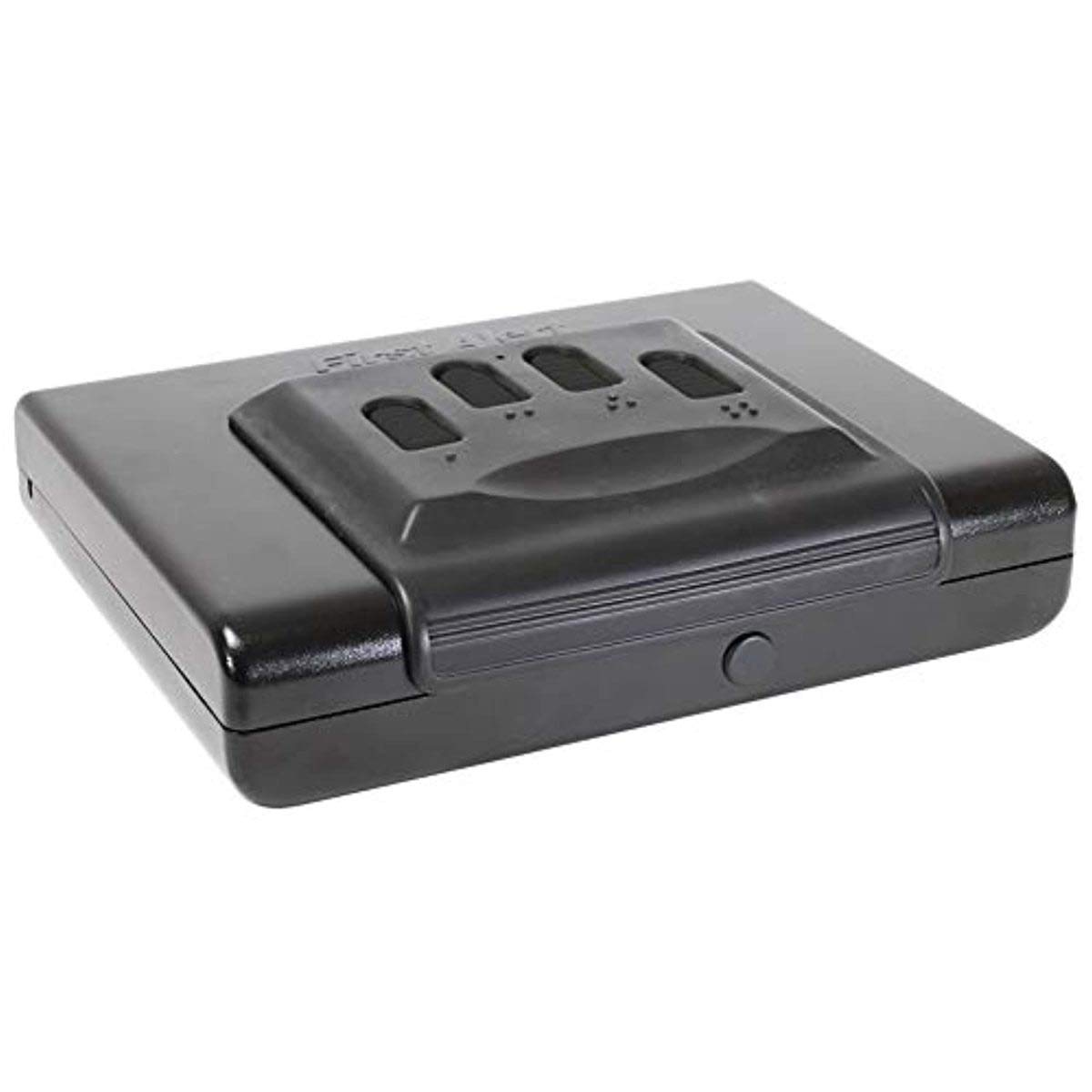
Image: The First Alert 5200DF portable security safe, showing its gray exterior, electronic keypad, and carrying handle.
4. Setup
4.1 Installing Batteries
- Locate the battery compartment on the inside of the safe door.
- Open the battery compartment cover.
- Insert four (4) AA alkaline batteries, ensuring correct polarity (+/-).
- Close the battery compartment cover securely.
- Test the keypad by pressing any button; a beep should confirm power.
4.2 Setting Your Personal Access Code
The safe comes with a factory default code (usually 1-5-9-A or similar, refer to packaging if different). It is highly recommended to change this immediately.
- With the safe door open, locate the red or green reset button on the inside of the door, near the hinge.
- Press the reset button. The safe will beep, and the indicator light will illuminate.
- Within 5 seconds, enter your desired 3 to 8 digit personal code on the keypad.
- Press the "A" or "B" button (or "#" or "*" depending on model) to confirm. The safe will beep again, indicating the new code is set.
- Important: Write down your new code and store it in a secure location, separate from the safe.
- Test the new code with the door open before closing it.
5. Operating the Safe
5.1 Opening with Your Personal Access Code
- Enter your 3 to 8 digit personal access code on the keypad.
- Press the "A" or "B" button (or "#" or "*" depending on model) to confirm.
- If the code is correct, the indicator light will turn green, and you will hear a beep.
- Within 5 seconds, turn the handle clockwise (or knob) to open the safe door.
- If an incorrect code is entered, the indicator light will flash red, and you will hear an error beep. After three incorrect attempts, the keypad may temporarily lock for a few minutes.
5.2 Opening with the Override Key
The override key provides emergency access if batteries fail or the code is forgotten.
- Locate the keyhole, usually concealed behind a removable cover on the keypad panel.
- Insert the override key into the keyhole.
- Turn the key clockwise (or counter-clockwise, depending on model) while simultaneously turning the handle to open the safe.
- Once open, you can replace the batteries if needed.
5.3 Locking the Safe
To lock the safe, simply close the door and turn the handle counter-clockwise (or knob) until it is fully engaged. The safe will automatically lock.
6. Maintenance
6.1 Battery Replacement
When the batteries are low, the safe may emit a warning beep or the indicator light may flash red more frequently during operation. Replace batteries promptly to avoid lockout.
- Open the safe using your code or the override key.
- Follow the steps in Section 4.1 to replace the old batteries with new AA alkaline batteries.
- Your personal access code should be retained even during battery replacement, but it is good practice to re-test it with the door open.
6.2 Cleaning
Wipe the exterior of the safe with a soft, damp cloth. Do not use abrasive cleaners or solvents, as these can damage the finish or electronic components.
7. Troubleshooting
| Problem | Possible Cause | Solution |
|---|---|---|
| Safe does not open with code. | Incorrect code entered. Low batteries. Keypad locked after multiple incorrect attempts. | Re-enter code carefully. Replace batteries (Section 6.1). Wait 5-10 minutes for keypad to reset, then try again. Use override key if urgent. |
| Keypad does not respond. | Dead batteries. Loose battery connection. | Replace batteries (Section 6.1). Ensure batteries are correctly seated. |
| Forgotten access code. | Code was not recorded or remembered. | Use the override key to open the safe. Once open, reset the code (Section 4.2). |
| Door does not close or lock properly. | Obstruction in the door frame. Locking mechanism misalignment. | Check for any items blocking the door. Ensure the handle is fully turned to engage the locking bolts. |
8. Specifications
- Model: 5200DF
- Brand: First Alert
- Lock Type: Electronic Keypad with Override Key
- Material: Alloy Steel
- Color: Gray
- Chamber Width: 12 inches
- Item Weight: Approximately 0.27 g (Note: This weight seems unusually low for a safe. Please verify actual product weight if possible.)
- Power: 4 x AA Batteries (not included)
- Special Feature: Portable
- Water Resistance: Not Water Resistant
- UPC: 029054014191
9. Warranty and Support
First Alert products are manufactured to high-quality standards. For specific warranty details, please refer to the warranty card included with your purchase or visit the official First Alert website. Keep your proof of purchase for warranty claims.
For technical support, replacement parts, or further assistance, please contact First Alert customer service. Contact information can typically be found on the product packaging or the official First Alert website.
Website: www.firstalert.com


