
1. Product Overview
The FERMAX RF KEYSINGLE-MINI remote control, model 8424299052595, is designed for convenient and secure access control. This compact RF remote control provides reliable operation for compatible FERMAX systems.
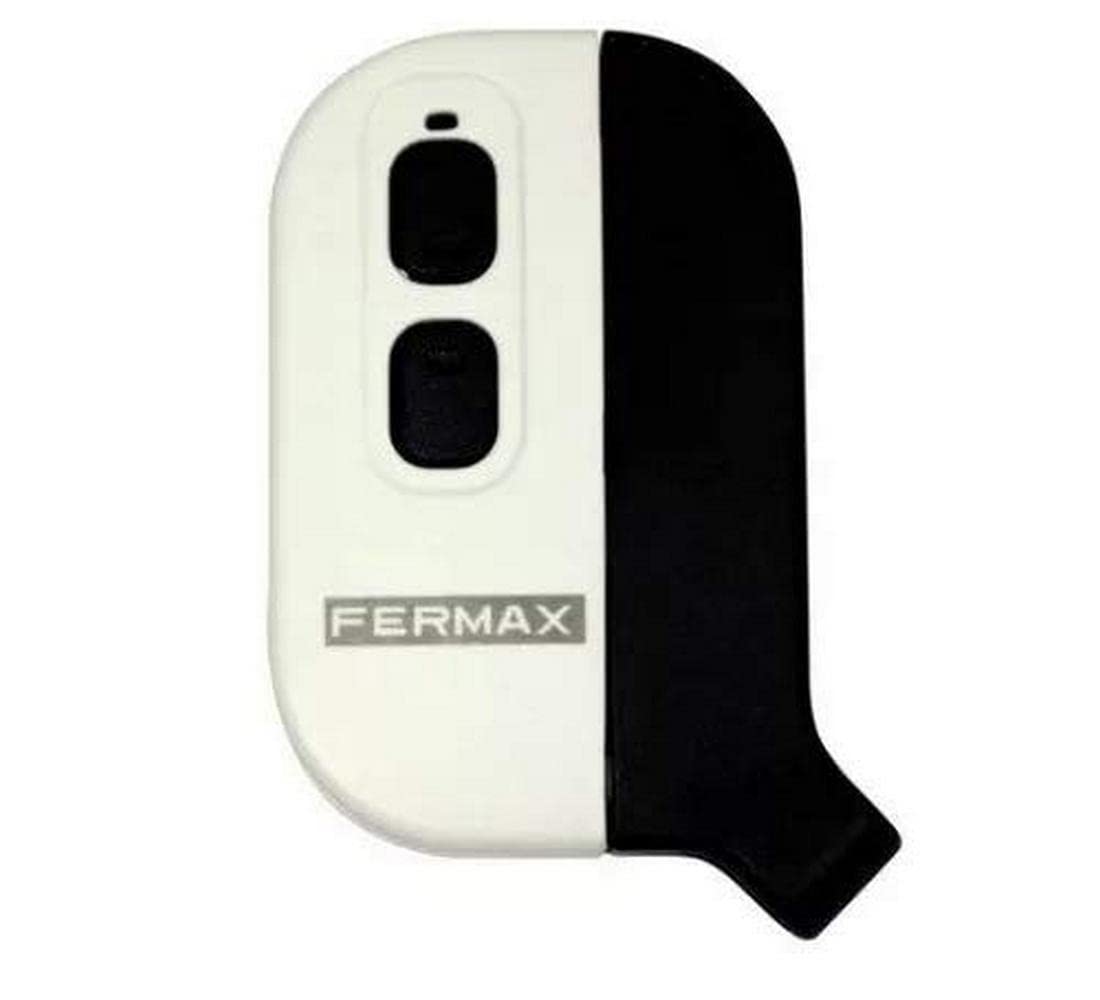
Image 1: FERMAX RF KEYSINGLE-MINI Remote Control. This image displays the compact design of the remote control, highlighting its single button and overall form factor.
2. Safety Information
- Keep the device away from water and excessive moisture.
- Do not attempt to open or modify the device. This may void the warranty and cause damage.
- Avoid exposing the device to extreme temperatures or direct sunlight.
- Dispose of the device and any components according to local regulations.
3. Package Contents
Verify that all items are present in the package:
- 1 x FERMAX RF KEYSINGLE-MINI Remote Control (Model 8424299052595)
4. Setup
To use your RF KEYSINGLE-MINI remote control, it must first be paired with a compatible FERMAX receiver or access control system. Refer to the instructions provided with your FERMAX receiver for specific pairing procedures.
- Prepare the Receiver: Place your FERMAX receiver in pairing mode. This usually involves pressing a button on the receiver for a few seconds. Consult your receiver's manual for exact steps.
- Activate Remote Pairing: While the receiver is in pairing mode, press and hold the button on your RF KEYSINGLE-MINI remote control for approximately 3-5 seconds.
- Confirm Pairing: The receiver will typically provide a visual or audible confirmation (e.g., an LED flash or a beep) once the remote control is successfully paired.
- Test Operation: After successful pairing, test the remote control by pressing its button to ensure it activates the intended function (e.g., opening a gate or door).
If pairing fails, ensure the remote control is within range of the receiver and repeat the steps.
5. Operating Instructions
The FERMAX RF KEYSINGLE-MINI remote control features a single button for straightforward operation.
- Activating a Function: Press the button firmly once to activate the programmed function (e.g., open/close a gate, unlock a door).
- Range: Ensure you are within the operational range of your FERMAX receiver for the remote control to function correctly. Obstacles may reduce the effective range.
6. Maintenance
The RF KEYSINGLE-MINI remote control requires minimal maintenance.
- Cleaning: Wipe the surface of the remote control with a soft, dry cloth. Do not use abrasive cleaners or solvents.
- Battery: This device does not require user-replaceable batteries. If the device ceases to function, refer to the troubleshooting section or contact support.
- Storage: Store the remote control in a dry place, away from direct sunlight and extreme temperatures.
7. Troubleshooting
| Problem | Possible Cause | Solution |
|---|---|---|
| Remote control does not respond. | Not paired correctly, out of range, or internal fault. | Ensure the remote is paired with the receiver. Move closer to the receiver. If issues persist, contact FERMAX support. |
| Intermittent operation. | Interference, low signal strength, or environmental factors. | Check for sources of interference. Ensure clear line of sight to the receiver if possible. |
8. Specifications
| Feature | Detail |
|---|---|
| Manufacturer | Fermax |
| Model Number | 8424299052595 |
| Reference | 8424299052595 |
| Size | One Size |
| Color | Multicolor |
| Voltage | 100 |
| Power | 100 |
| Quantity of Items | 1 |
| Battery(s) / Cell(s) Required | No |
| Availability of Spare Parts | Information unavailable on spare parts |
| ASIN | B01MS6UJUZ |
| Date First Available | 26 April 2022 |
9. Warranty and Support
For warranty information, technical support, or service inquiries, please contact FERMAX directly or refer to their official website. Keep your purchase receipt as proof of purchase.
FERMAX Official Website: www.fermax.com

