
1. Introduction
Thank you for choosing the Timex Ironman Original Shock watch, model TW5M09500. This digital watch is designed for durability and functionality, featuring a chronograph, timer, multiple alarms, and Indiglo backlight. This manual provides essential information for proper setup, operation, and care of your watch.
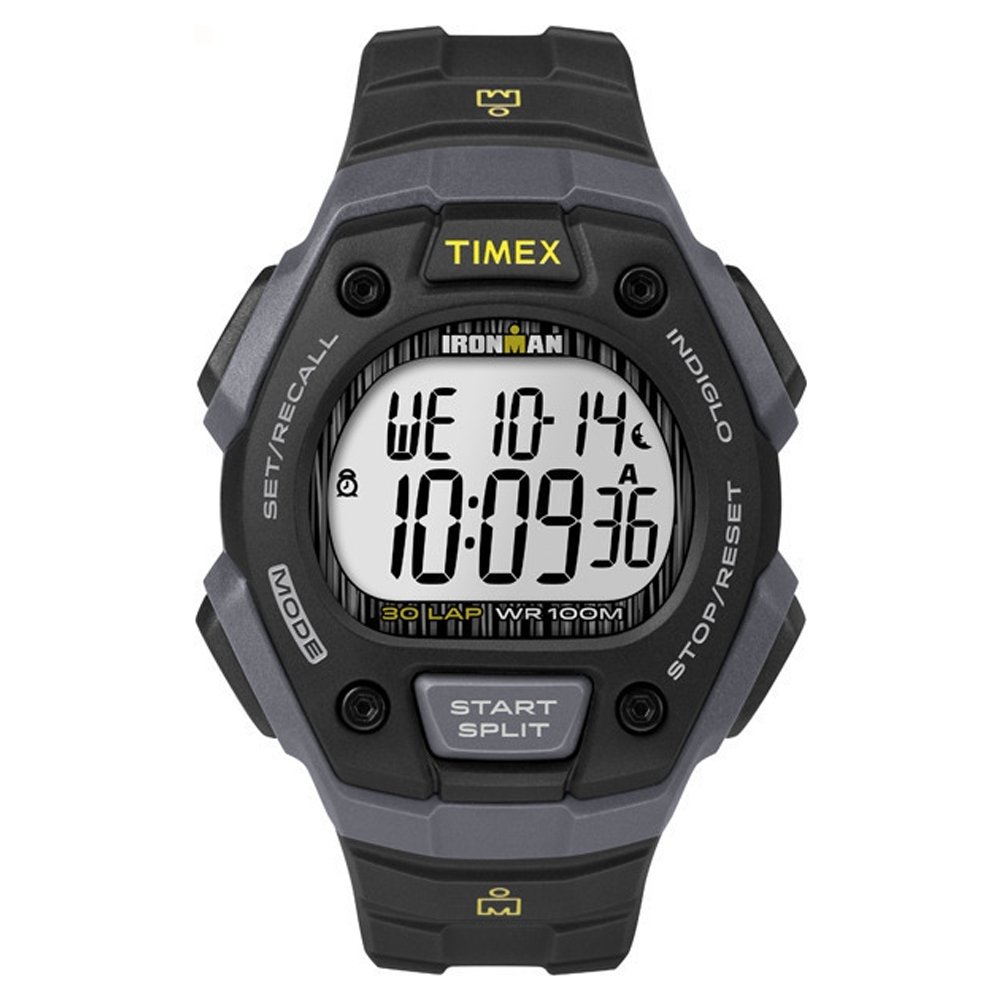
Image: Front view of the Timex Ironman Original Shock watch, showcasing its digital display and robust design in black and gray.
2. Setup
Before using your watch, it is important to set the time and date correctly.
2.1. Setting Time and Date
- Enter Time Set Mode: Press and hold the SET/RECALL button (usually top left) until the time display flashes.
- Adjust Digits: Use the START/SPLIT button (usually top right) to increase the flashing digit, or the STOP/RESET button (usually bottom right) to decrease it.
- Move to Next Digit: Press the MODE button (usually bottom left) to move to the next digit (hours, minutes, seconds, month, day, year).
- Exit Time Set Mode: Once all settings are adjusted, press the SET/RECALL button again to save and exit.

Image: Side view of the watch, illustrating the button layout for setting adjustments.
2.2. Setting Alarms
- Enter Alarm Mode: Press the MODE button repeatedly until "ALARM" appears on the display.
- Set Alarm Time: Press and hold the SET/RECALL button until the alarm time flashes. Adjust hours and minutes using the START/SPLIT and STOP/RESET buttons, and move between digits with the MODE button.
- Activate/Deactivate Alarm: In Alarm Mode, press the START/SPLIT button to toggle the alarm on or off. An alarm icon will appear when active.
- Exit Alarm Mode: Press the MODE button to return to the main time display.
3. Operating Modes
Your Timex Ironman watch offers several useful functions accessible via the MODE button.
3.1. Chronograph (Stopwatch)
- Enter Chronograph Mode: Press the MODE button until "CHRONO" or "STOPWATCH" appears.
- Start/Stop: Press START/SPLIT to begin timing. Press it again to pause.
- Lap/Split Time: While the chronograph is running, press SET/RECALL to record a lap or split time. The main timer continues running in the background.
- Reset: When paused, press STOP/RESET to clear the chronograph to zero.
3.2. Timer (Countdown)
- Enter Timer Mode: Press the MODE button until "TIMER" appears.
- Set Countdown Time: Press and hold SET/RECALL to set the desired countdown duration. Adjust digits using START/SPLIT and STOP/RESET, and move between digits with MODE. Press SET/RECALL to save.
- Start/Stop: Press START/SPLIT to begin the countdown. Press again to pause.
- Reset: When paused, press STOP/RESET to reset the timer to its set duration.
3.3. Indiglo Night-Light
The Indiglo night-light illuminates the watch display for easy reading in low-light conditions.
- Activate: Press the INDIGLO button (usually top left, often integrated with SET/RECALL or a dedicated button) to activate the backlight. It will remain lit for a few seconds.
4. Maintenance
4.1. Battery Replacement
The watch is powered by one 'A' type battery. When the display dims or functions become erratic, it may be time to replace the battery. It is recommended to have the battery replaced by a qualified watch technician to ensure proper sealing and water resistance.
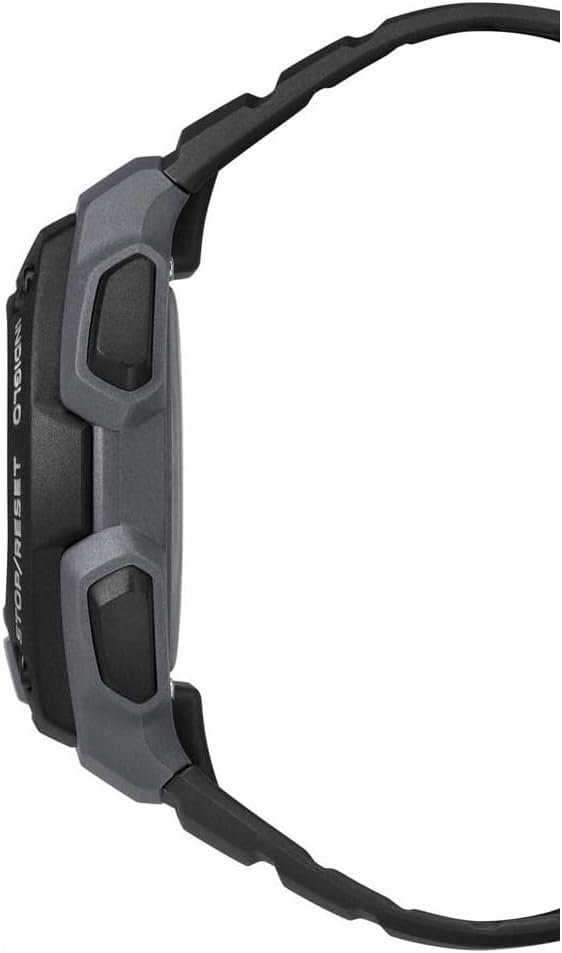
Image: Rear view of the Timex Ironman Original Shock watch, showing the strap and buckle mechanism.
4.2. Water Resistance
This watch is water-resistant up to 100 meters (330 feet). This means it is suitable for swimming, showering, and snorkeling. Do not press any buttons while the watch is submerged, as this can compromise the water seal. Avoid exposing the watch to extreme temperature changes, which can also affect water resistance.
4.3. Cleaning
Clean your watch regularly with a soft, damp cloth. For resin straps, mild soap and water can be used. Avoid harsh chemicals or abrasive materials that could damage the watch case or strap.
5. Troubleshooting
| Problem | Possible Cause | Solution |
|---|---|---|
| Display is blank or dim | Low battery | Replace battery (recommended by professional). |
| Watch "freezes" or stops responding | Temporary electronic glitch | Press and hold all four buttons simultaneously for a few seconds to perform a soft reset. If the issue persists, replace the battery. |
| Water inside the watch | Buttons pressed underwater, damaged seal, or extreme temperature change | Immediately take the watch to a qualified service center for inspection and repair. Do not attempt to open it yourself. |
| Time/Date incorrect | Incorrect setting, or battery recently replaced | Refer to Section 2.1 "Setting Time and Date" to re-adjust. |
6. Specifications
- Model Number: TW5M09500
- Display Type: Digital
- Movement Type: Quartz
- Case Material: Resin
- Strap Material: Resin
- Case Diameter: 40 mm
- Case Thickness: 13 mm
- Water Resistance: 100 Meters (330 feet)
- Special Features: Chronograph, Indiglo Night-Light, Timer, Alarm
- Battery: 1 'A' type battery (included)
- Product Dimensions: 6.8 x 12.8 x 7.4 cm; 45.3 g
7. Warranty and Support
Your Timex Ironman Original Shock watch is covered by a manufacturer's warranty. For specific details regarding warranty coverage, duration, and terms, please refer to the warranty card included with your purchase or visit the official Timex website.
For technical support, service, or inquiries about your watch, please contact Timex customer service through their official website or the contact information provided in your product packaging.
Official Timex Website: www.timex.com
