
Introduction
Welcome to the user manual for your Timechant FIVE SENSES Atomic English Talking Watch. This watch is designed to provide clear, audible time and date announcements, making it ideal for seniors and individuals with visual impairments. It features automatic time synchronization via an atomic signal, ensuring accuracy and convenience. Please read these instructions carefully to ensure proper setup and operation of your watch.

Image Description: A close-up front view of the Timechant FIVE SENSES Atomic English Talking Watch. The watch has a black and silver design with a digital display showing "MON 9:13 11-21" on a blue background. Buttons labeled "SET ALARM" and "ALARM" are visible on the left side, and "TIME" on the right. The watch face also displays "FIVE SENSES" and "Atomic Talking".
Setup
1. Battery Installation
Your watch typically comes with a battery pre-installed. If you need to replace the battery, use a CR2032 coin cell battery. Carefully open the battery compartment on the back of the watch, insert the new battery with the positive (+) side facing up, and securely close the compartment.
2. Initial Power On and Atomic Time Synchronization
The watch is designed to automatically set its time and calendar by receiving an atomic clock signal (WWVB signal in the USA). For the best reception, place the watch near a window overnight, especially between 1:00 AM and 5:00 AM. The watch will attempt to synchronize daily.
- Ensure the watch is in an area with minimal electronic interference.
- The watch will adjust for Daylight Saving Time automatically once synchronized.

Image Description: An illustration depicting the Timechant Atomic Talking Watch receiving an automatic time update signal. The watch displays "MON 9:13 11-21". Speech bubbles around the watch indicate its talking functions: "The Alarm Time is 10 A.M.", "Alarm is off", "US Time Updated", and "The Time is 10:08 AM", "Today is Wednesday July 8, year 2024". A radio tower icon with signal waves is shown above the watch, symbolizing atomic time synchronization.
3. Time Zone Setting
While the watch automatically sets the time, you may need to manually select your time zone. Refer to the specific button functions in the "Operating Instructions" section to adjust the time zone if necessary.
Operating Instructions
Your watch features several buttons for various functions. The exact button layout and labels are typically found on the watch itself.

Image Description: An image showcasing the Timechant Atomic Talking Watch alongside a list of its key features. Icons represent "Radio Controlled - Set it self", "Switch DST & WT Automatically", "Clear And Loud Male Voice", "Backlight", "Big Numbers Easy To See", "Alarm And Hourly Chime", and "Long Battery Life". The watch itself is black and silver with a digital display.
1. Announcing Time and Date
- To hear the current time: Press the designated "TIME" button (usually located on the right side). The watch will announce the current time.
- To hear the date: Press the "TIME" button twice in rapid succession. The watch will announce the day, month, and year.
- To hear signal reception status: Press the "TIME" button three times in rapid succession. The watch will indicate if the atomic signal was successfully updated.
2. Setting and Using the Alarm
- To set the alarm: Press the "SET ALARM" button (usually on the left side) to enter alarm setting mode. Use the "TIME" button to adjust the hour and minute. Press "SET ALARM" again to confirm.
- To turn the alarm on/off: Press the "ALARM" button (usually on the left side). The watch will announce "Alarm On" or "Alarm Off". Note that the "Off" announcement may sometimes be less clear.
- When the alarm sounds, press any button to silence it.
3. Backlight Function
To illuminate the display in low-light conditions, press the designated backlight button (refer to your watch's specific button layout). The backlight will typically stay on for a few seconds.
Maintenance
1. Battery Replacement
When the watch's voice becomes faint or the display dims, it's time to replace the battery. As mentioned in the setup, use a CR2032 coin cell battery. Ensure proper polarity when inserting the new battery.
2. Cleaning
Wipe the watch case and strap with a soft, damp cloth. Avoid using harsh chemicals or abrasive cleaners, as these can damage the watch's finish or internal components.
3. Water Exposure
While some watches may offer a degree of water resistance, it is generally recommended to avoid submerging the watch in water or exposing it to heavy rain or showers. Water damage is typically not covered under warranty.
Troubleshooting
- Watch not setting time automatically:
- Ensure the watch is placed near a window, away from electronic devices that might cause interference.
- Allow sufficient time (overnight) for the atomic signal to be received.
- Verify you are in a region that receives the WWVB atomic signal (USA).
- Check battery level; a low battery can affect signal reception.
- Voice is unclear or too quiet:
- Replace the battery with a fresh CR2032 coin cell.
- Ensure the speaker is not obstructed.
- Incorrect time displayed:
- Confirm your time zone setting is correct.
- Attempt manual atomic signal reception by placing the watch near a window overnight.
- Watch parts separating:
- Handle the watch with care. If parts separate, they may be snapped back into place. If the issue persists, contact customer support.
Specifications
| Model Number | 4331792668 |
| Brand | Timechant |
| ASIN | B01MQNLRTN |
| Batteries | 1 CR2032 battery (estimated, based on common usage for similar watches and review) |
| Clasp Type | Tang Buckle |
| Package Dimensions | 4.2 x 2.8 x 2.6 inches |
| Item Weight | 2.82 ounces |
| First Available | November 24, 2016 |
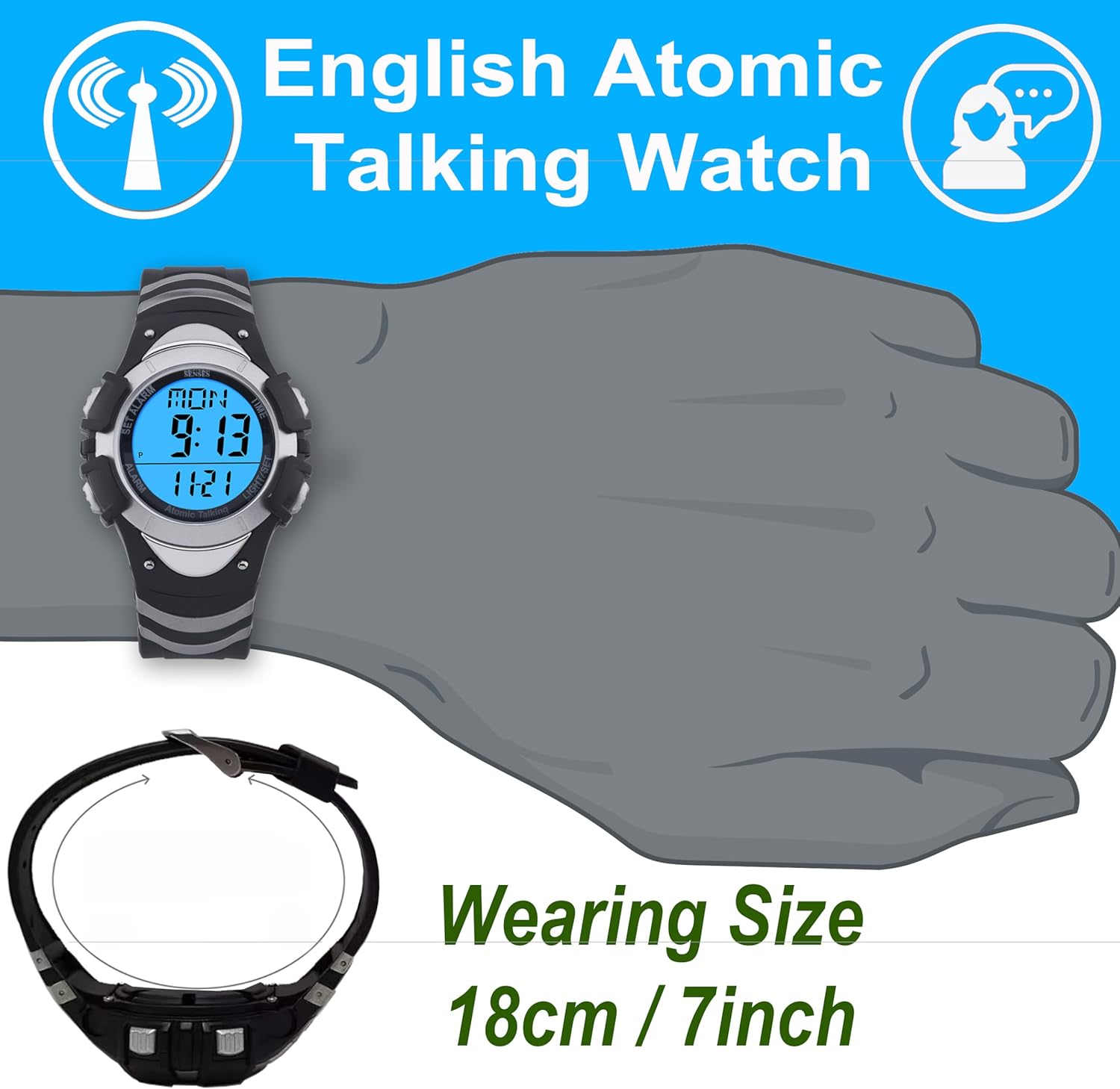
Image Description: A diagram illustrating the wearing size of the watch. A stylized hand is shown with the watch on the wrist, and an arrow indicates the circumference of the watch strap, labeled "Wearing Size 18cm / 7inch".
Warranty and Support
For information regarding warranty coverage or technical support, please refer to the documentation included with your purchase or contact Timechant customer service directly. Contact details can typically be found on the manufacturer's website or on the product packaging.