
Sharp R-360S
Sharp R-360S Countertop Microwave Oven User Manual
Model: R-360S | Brand: Sharp
1. Introduction
This manual provides essential information for the safe and efficient operation of your Sharp R-360S Countertop Microwave Oven. Please read these instructions thoroughly before using the appliance and retain them for future reference.
The Sharp R-360S is a 23-liter solo microwave oven with 900W power, designed for countertop use. It features various automatic cooking and defrost programs, a digital clock, and a flatbed interior for easy cleaning and versatile dish placement.
2. Important Safety Instructions
When using electrical appliances, basic safety precautions should be followed, including the following:
- Read all instructions before using the appliance.
- Do not attempt to operate this oven with the door open as this can result in harmful exposure to microwave energy.
- Do not place any object between the oven front face and the door or allow soil or cleaner residue to accumulate on sealing surfaces.
- Do not operate the oven if it is damaged. It is particularly important that the oven door closes properly and that there is no damage to the: (1) door (bent), (2) hinges and latches (broken or loosened), (3) door seals and sealing surfaces.
- The oven should not be adjusted or repaired by anyone except properly qualified service personnel.
- Liquids or other foods must not be heated in sealed containers since they are liable to explode.
- Only use utensils that are suitable for use in microwave ovens.
- When heating food in plastic or paper containers, keep an eye on the oven due to the possibility of ignition.
- If smoke is observed, switch off or unplug the appliance and keep the door closed in order to stifle any flames.
- This appliance is intended to be used in household and similar applications.
- The microwave oven is intended for heating food and beverages. Drying of food or clothing and heating of warming pads, slippers, sponges, damp cloth and similar may lead to risk of injury, ignition or fire.
3. Product Overview
Familiarize yourself with the components of your Sharp R-360S microwave oven.
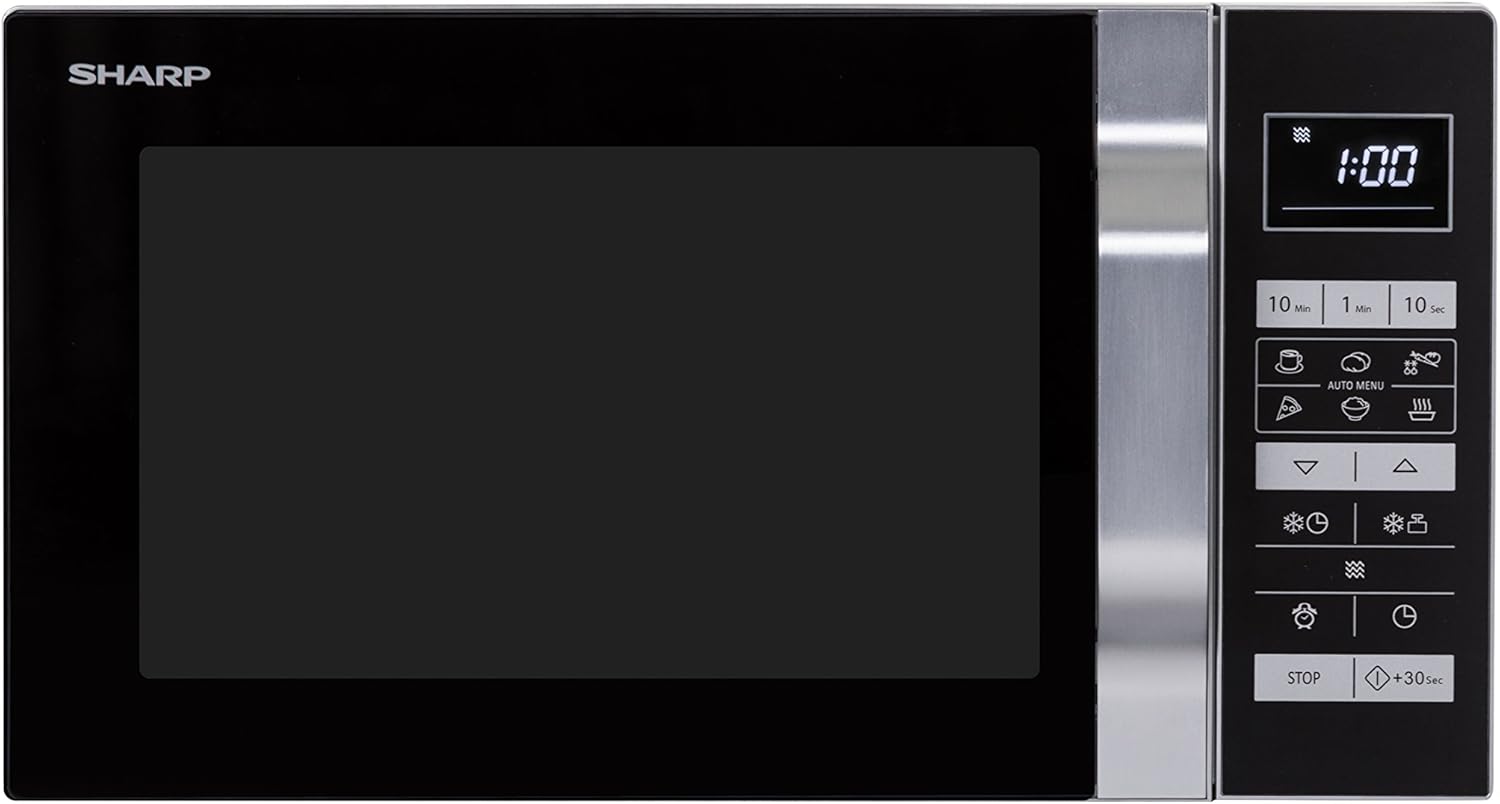
Figure 3.1: Front view of the Sharp R-360S microwave oven, showing the door, control panel, and display.

Figure 3.2: Interior view of the Sharp R-360S microwave oven with the door open, highlighting the spacious flatbed design.

Figure 3.3: Close-up of the digital control panel, showing the display, time setting buttons, and auto menu options.
Control Panel Features:
- Digital Display: Shows time, cooking settings, and program indicators.
- Time Setting Buttons (10 Min, 1 Min, 10 Sec): Used to set cooking duration.
- Auto Menu Buttons: Pre-programmed settings for various food types (e.g., pizza, beverages, defrost).
- Power Level Buttons: Adjust microwave power output.
- Defrost Buttons: Specific settings for defrosting by weight or time.
- Clock Button: To set the current time.
- Start/+30 Sec Button: Initiates cooking or adds 30 seconds to cooking time.
- Stop Button: Stops cooking or clears settings.
4. Setup and Installation
Follow these steps to set up your microwave oven:
- Unpacking: Carefully remove the microwave oven and all packing materials. Check for any damage. Do not operate if damaged.
- Placement: Place the oven on a flat, stable surface that can support its weight (approximately 13.6 kg). Ensure there is adequate ventilation space: at least 20 cm (8 inches) above the oven, 10 cm (4 inches) at the rear, and 5 cm (2 inches) on each side. Do not block air vents.
- Power Connection: Plug the oven into a grounded electrical outlet. Ensure the voltage matches the rating label on the oven. The power requirement is 900 Watts.
- Initial Cleaning: Before first use, wipe the interior and exterior with a damp cloth.
5. Operating Instructions
5.1. Setting the Clock
- Press the Clock button.
- Use the time setting buttons (10 Min, 1 Min, 10 Sec) to enter the current time.
- Press the Clock button again to confirm.
5.2. Basic Microwave Cooking
- Place food in a microwave-safe container inside the oven. Close the door securely.
- Use the time setting buttons (10 Min, 1 Min, 10 Sec) to set the desired cooking time.
- Press the Start/+30 Sec button to begin cooking. The oven will start at full power (900W).
- To adjust power level: After setting time but before pressing Start, press the Power Level button repeatedly to cycle through power options (e.g., P100, P80, P50, P30, P10). Then press Start/+30 Sec.
5.3. Auto Menu Programs
The oven includes pre-set programs for common foods. Refer to the icons on the control panel for specific programs like pizza or beverages.
- Place the food in the oven.
- Press the relevant Auto Menu button.
- The display may prompt for quantity or weight. Use the time setting buttons to adjust.
- Press Start/+30 Sec to begin.

Figure 5.1: The Sharp R-360S microwave oven in use, demonstrating its capacity for items like pizza.
5.4. Defrosting
The oven offers automatic defrosting based on weight or time.
- Place the frozen food in the oven.
- Press the Defrost button (often indicated by a snowflake icon).
- Use the time setting buttons to enter the weight of the food or the desired defrosting time.
- Press Start/+30 Sec to begin.
6. Maintenance and Cleaning
Regular cleaning helps maintain the performance and longevity of your microwave oven.
- Interior Cleaning: After each use, wipe the interior with a damp cloth and mild detergent. For stubborn stains, place a bowl of water with lemon slices inside and microwave for 2-3 minutes to loosen residue, then wipe clean. The flatbed interior makes cleaning easier as there is no turntable to remove.
- Exterior Cleaning: Wipe the exterior surfaces with a soft, damp cloth. Avoid abrasive cleaners.
- Door Seals: Regularly clean the door seals and adjacent parts with a damp cloth to ensure proper sealing.
- Odor Removal: To remove odors, combine a cup of water with several tablespoons of lemon juice or vinegar in a microwave-safe bowl. Microwave on high for 5 minutes.

Figure 6.1: Close-up of the flat interior base of the Sharp R-360S, designed for easy cleaning and accommodating various dish sizes.
7. Troubleshooting
If you encounter issues with your microwave, consult the table below before contacting service.
| Problem | Possible Cause | Solution |
|---|---|---|
| Oven does not start | Door not closed properly; Power cord unplugged; Fuse blown or circuit breaker tripped. | Ensure door is firmly closed; Check power cord connection; Check household fuse/circuit breaker. |
| Food not heating | Incorrect cooking time/power level set; Door not closed properly. | Increase cooking time/power level; Ensure door is firmly closed. |
| Light not working | Bulb needs replacement. | Contact qualified service personnel for bulb replacement. |
| Display shows "E" or error code | Internal malfunction. | Unplug the oven for a few minutes, then plug back in. If error persists, contact service. |
8. Specifications
Technical details for the Sharp R-360S Countertop Microwave Oven.
| Feature | Detail |
|---|---|
| Model Number | R-360S |
| Type | Countertop Solo Microwave Oven |
| Capacity | 23 Liters |
| Microwave Power Output | 900 Watts |
| Power Levels | 5 |
| Control Type | Touch |
| Interior Material | Steel (White) |
| Exterior Material | Glass, Stainless Steel |
| Color | Silver |
| Product Dimensions (L x W x H) | 49 x 39 x 28.7 cm (19.3 x 15.4 x 11.3 inches) |
| Interior Dimensions (L x D x H) | 340 x 338 x 197 mm |
| Weight | 13.6 kg (29.98 lbs) |
| Special Features | Heating function, Integrated display, Clock function, Defrost function, Flatbed interior (no turntable) |
| Power (Fuse) | 10 A |
9. Warranty and Support
Sharp Home Appliances provides a manufacturer's warranty for this product. Please refer to the warranty card included with your purchase for specific terms and conditions, including warranty period and coverage details.
For technical support, service, or spare parts inquiries, please contact Sharp Home Appliances customer service. Contact information can typically be found on the manufacturer's website or on the product packaging.
Please have your model number (R-360S) and purchase date available when contacting support.
Related documentsR-360S


Ask a question about this manual
Ask about setup, troubleshooting, compatibility, parts, safety, or missing instructions. Manuals+ will review the question and use this page’s manual context to help answer it.