
Introduction
This manual provides detailed instructions for the installation, operation, and maintenance of your Maxxima LED Dimmer Electrical Light Switch. This versatile switch is designed for both 3-way and single pole applications, offering precise control over your lighting. It is compatible with LED, incandescent, and CFL dimmable bulbs, with a maximum capacity of 600W for incandescent and 150W for dimmable LED/CFL. Please read this manual thoroughly before installation and use to ensure safe and proper functionality.

Overview of the Maxxima Dimmer Light Switch.
Important Safety Information
WARNING: To avoid fire, shock, or death; turn off power at the circuit breaker or fuse box and test that the power is off before wiring.
- This device must be installed in accordance with all national and local electrical codes.
- Use only with compatible dimmable LED, incandescent, or CFL bulbs. Do not use with non-dimmable lighting.
- Not for use with ceiling fans or motor-controlled devices.
- If you are unsure about any part of these instructions, consult a qualified electrician.
- Ensure all wire connections are secure and properly insulated.
Product Features
- Versatile Compatibility: 3-way and single pole compatible with a horizontal slide control for dimming.
- High Capacity: Supports 600W maximum for incandescent bulbs and 150W maximum for dimmable LED/CFL bulbs.
- Adjustable Sensitivity: Features a trim dial below the cover plate for sensitivity adjustment, ensuring optimal compatibility with various LED lamps.
- Complete Kit: Includes wall plate and mounting screws for easy installation.
- Sleek Design: White finish, suitable for modern home aesthetics.

Front view of the Maxxima Dimmer Switch with wall plate.
Specifications
| Specification | Value |
|---|---|
| Model Number | MEW-DM600 |
| Color | White |
| Wattage (Incandescent) | 600 Watts Max |
| Wattage (Dimmable LED/CFL) | 150 Watts Max |
| Operating Voltage | 120VAC, 60Hz |
| Current Rating | 1.25 Amps |
| Operation Mode | Off |
| Contact Type | Normally Open |
| Connector Type | Screws |
| Circuit Type | Dimmer |
| Item Weight | 4.6 ounces |
| Package Dimensions | 4.92 x 2.96 x 2.24 inches |
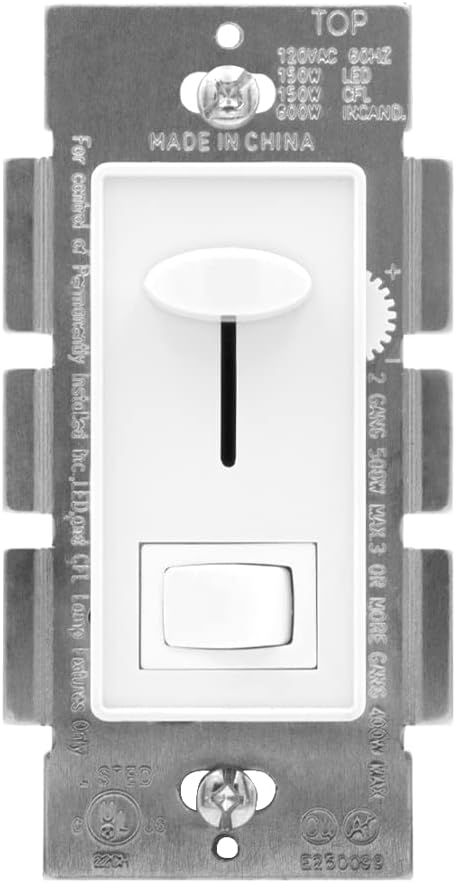
Rear view of the dimmer switch with specifications printed on the housing.
Installation Guide
Before You Begin:
- Turn off power at the circuit breaker or fuse box.
- Ensure the existing switch box is properly grounded.
- Identify your wiring configuration (single pole or 3-way).
Wiring Instructions:
The Maxxima dimmer switch is designed for easy installation. It includes pre-stripped wires for direct connection.
- Carefully remove the existing switch from the wall box.
- Identify the LINE (hot) wire, LOAD wire, and GROUND wire from your wall box. For 3-way installations, also identify the TRAVELER wires.
- Connect the GREEN wire from the dimmer to the GROUND wire in the wall box.
- For Single Pole installation:
- Connect one of the BLACK wires from the dimmer to the LINE (hot) wire from the wall box.
- Connect the other BLACK wire from the dimmer to the LOAD wire from the wall box.
- Cap off the RED wire from the dimmer with a wire nut; it is not used in single pole setups.
- For 3-Way installation:
- Connect one of the BLACK wires from the dimmer to the COMMON (LINE or LOAD) wire from the wall box. This is typically the wire connected to the darker screw on the old switch.
- Connect the other BLACK wire and the RED wire from the dimmer to the two TRAVELER wires from the wall box. The specific assignment of black and red to travelers does not matter.
- Ensure the other 3-way switch in the circuit is also properly wired for 3-way operation.
- Secure all connections with wire nuts.
- Carefully push the wires back into the wall box and mount the dimmer switch using the provided screws.
- Attach the wall plate.
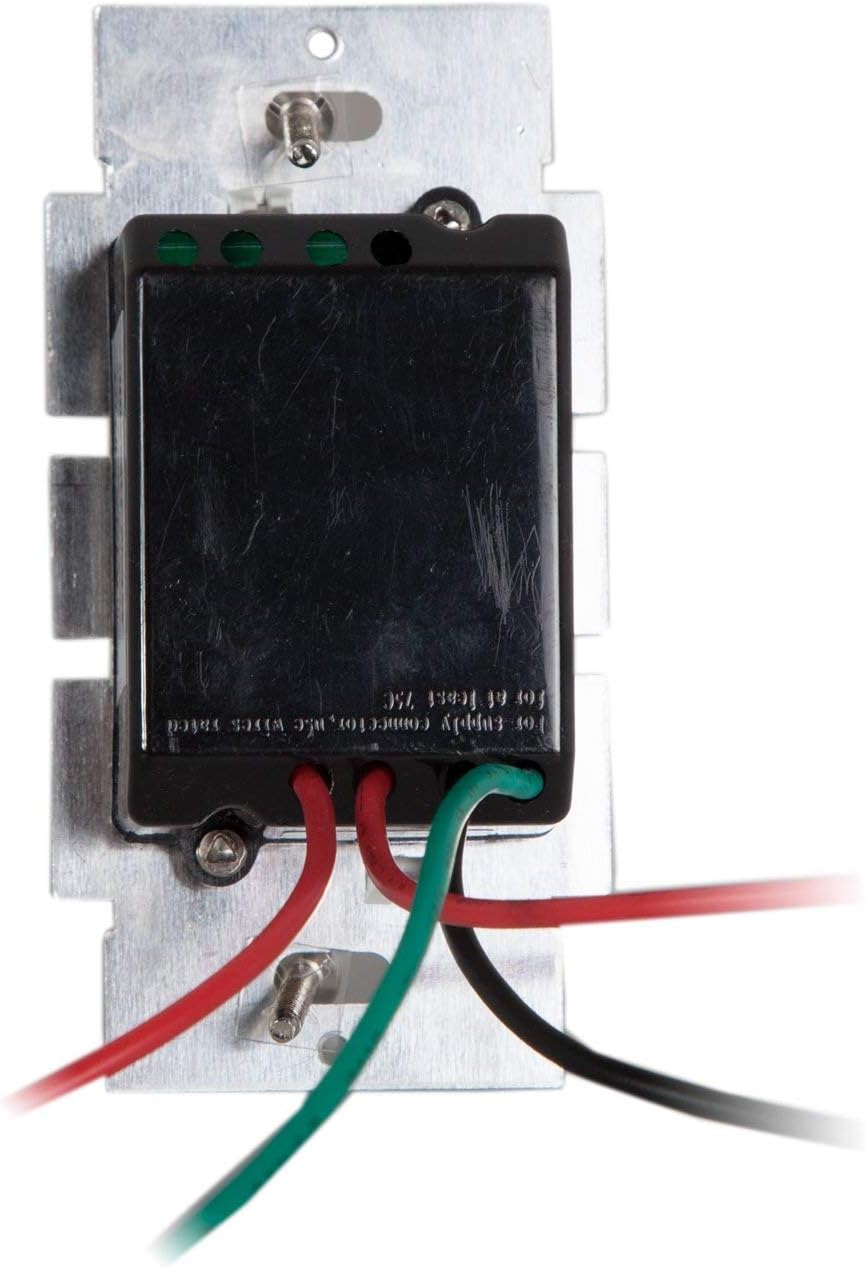
Wiring connections for the dimmer switch.

The dimmer switch is designed for easy installation.
Sensitivity Adjustment (Trim Dial):
For optimal performance with LED lamps, especially to prevent flickering at low dimming levels, adjust the trim dial. This small dial is located below the cover plate on the side of the dimmer module.
- After installation and restoring power, turn the lights on and dim them to their lowest desired level using the main slide control.
- Carefully remove the wall plate.
- Locate the small trim dial on the side of the dimmer module.
- Using a small screwdriver, slowly adjust the trim dial until the lights are stable and do not flicker at the lowest setting.
- Replace the wall plate.

Location and function of the trim dial for sensitivity adjustment.

Detailed view of the trim lever for sensitivity adjustment.
Operating Instructions
The Maxxima dimmer switch features a simple and intuitive design for controlling your lighting.
- On/Off Toggle Switch: Press the bottom toggle switch to turn the lights ON or OFF.
- Dimming Control: Use the vertical slide control to adjust the brightness level.
- Slide the control upwards to increase brightness.
- Slide the control downwards to decrease brightness.
- The dimmer will remember your last dimming setting when the lights are turned off and back on.
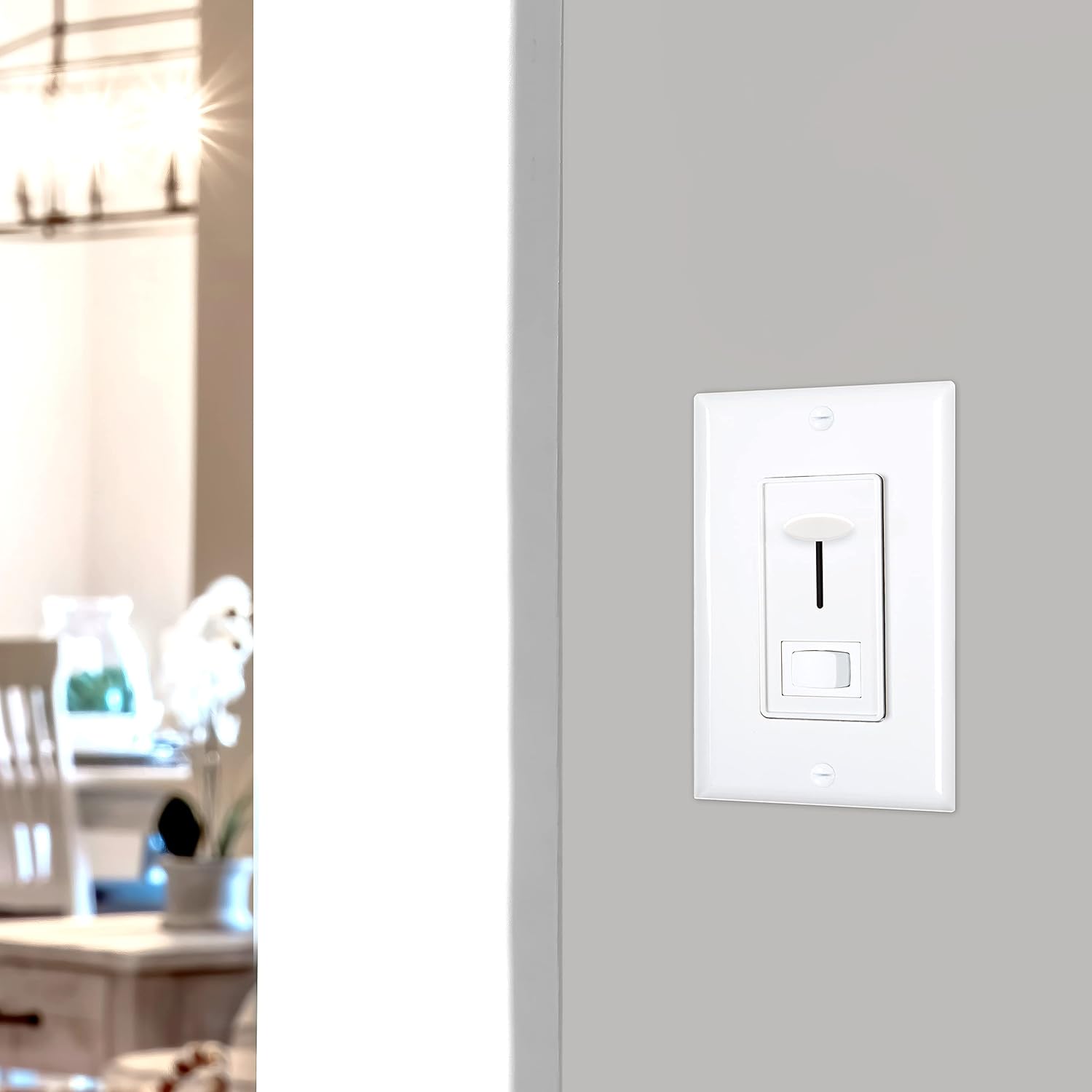
The dimmer switch seamlessly integrates into home environments.
Maintenance
Your Maxxima dimmer switch is designed for long-lasting performance with minimal maintenance.
- Cleaning: To clean the surface of the dimmer and wall plate, use a soft, damp cloth. Do not use abrasive cleaners, solvents, or harsh chemicals, as these may damage the finish or internal components.
- Inspection: Periodically inspect the switch for any signs of damage, loose connections, or unusual operation. If any issues are observed, turn off power at the circuit breaker and consult a qualified electrician.
- No user-serviceable parts inside. Do not attempt to disassemble the unit.
Troubleshooting
| Problem | Possible Cause | Solution |
|---|---|---|
| Lights do not turn ON. |
|
|
| Lights flicker or hum at low dimming levels. |
|
|
| Dimmer gets warm. |
|
|
| Lights do not dim smoothly. |
|
|
Warranty and Support
This Maxxima LED Dimmer Electrical Light Switch comes with a 1-Year Warranty from the date of purchase. This warranty covers defects in materials and workmanship under normal use.
For technical support, warranty claims, or general inquiries, please contact Maxxima customer service.
- Website: www.maxximastyle.com
- Email: support@maxximastyle.com
- Phone: Refer to Maxxima's official website for current contact numbers.


