
1. Introduction
Thank you for choosing the ENJOY PET Cordless Low Noise Dog Grooming Clippers. This manual provides essential information for the safe and effective use, maintenance, and troubleshooting of your new grooming kit. Please read it thoroughly before first use and retain it for future reference.
2. Product Overview & What's Included
The ENJOY PET grooming kit is designed for efficient and comfortable pet hair trimming. It features low-noise operation and a cordless design for ease of use.

Included Components:
- Electric Dog Clippers (with 24-tooth titanium ceramic blades)
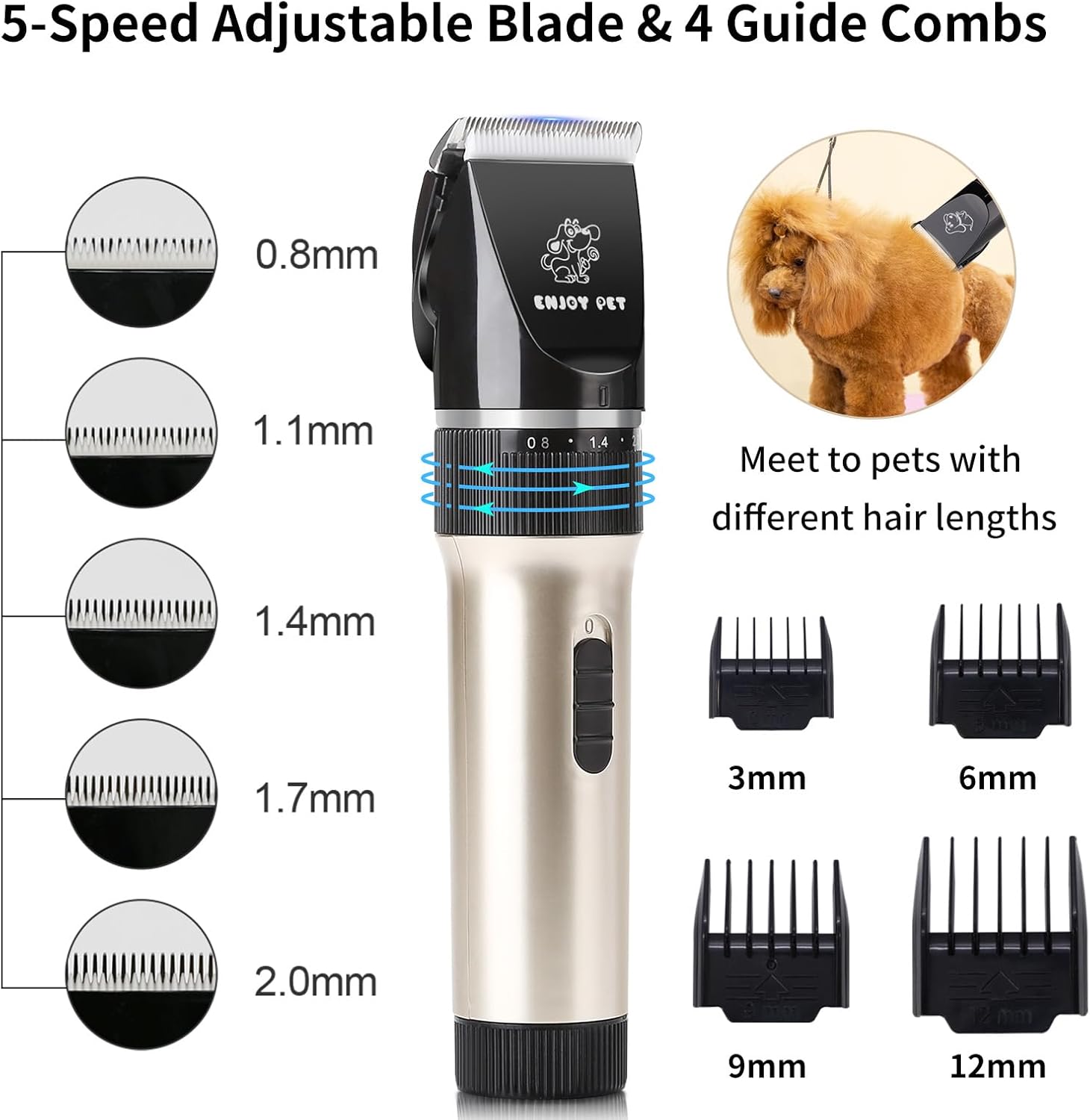
- 4 Adjustable Guide Combs (3mm, 6mm, 9mm, 12mm)
- 1 Charger
- 1 Lubricating Oil bottle
- 1 Cleaning Brush
- 1 Metal Comb
- 1 Professional Grooming Scissor
3. Setup
- Unpack: Carefully remove all components from the packaging.
- Charge Battery: Before first use, fully charge the clippers. Connect the charger to the charging port at the bottom of the clippers and plug it into a standard electrical outlet. A full charge takes approximately 3 hours.
- Lubricate Blades: Apply a few drops of the included lubricating oil to the clipper blades before each use to ensure smooth operation and prolong blade life.
- Select Guide Comb (Optional): Choose the appropriate guide comb (3mm, 6mm, 9mm, or 12mm) based on the desired hair length. Align the comb with the clipper head and slide it on until it clicks securely into place.
4. Operating Instructions
4.1 Preparing Your Pet
- Bathe and Dry: Ensure your pet is clean and completely dry before grooming.
- Brush Fur: Use the included comb to thoroughly brush your pet's coat, removing any tangles or mats. For pets with long or thick hair, it is recommended to trim with the scissors first to prevent the clippers from jamming.
4.2 Using the Clippers
- Power On: Press the power button to turn on the clippers. The low-noise motor (50 dB) is designed to minimize pet anxiety.
- Adjust Blade Length: The clippers feature a 5-speed adjustable head (0.8mm to 2.0mm) for fine-tuning the cutting length. Rotate the ring on the clipper body to select the desired blade length.
- Grooming Technique: Hold the clippers firmly and move them smoothly in the direction of hair growth. Use gentle, even strokes.
- Cordless Operation: The clippers offer up to 4 hours of uninterrupted grooming on a full charge, allowing for flexible use indoors or outdoors.

Video 1: Demonstrates the ENJOY PET dog clippers in use, showcasing their quiet operation and effectiveness during a grooming session.
Video 2: Shows the pet clippers being used for cat and dog grooming, emphasizing their versatility and ease of handling for various pets.
5. Charging and Battery
The clippers are equipped with a powerful 2000mAh Lithium-Ion battery. A full charge provides over 4 hours of continuous use.
- Charging Time: Approximately 3 hours for a full charge.
- Battery Life: Up to 4 hours of working time.
- Recharge Cycles: Designed for over 500 recharges.

6. Maintenance
- Cleaning Blades: After each use, turn off the clippers and use the cleaning brush to remove any trapped hair from the blades.
- Lubrication: Regularly apply a few drops of the lubricating oil to the blades to maintain their sharpness and smooth operation.
- Storage: Store the clippers and accessories in a dry place. Ensure blades are oiled before storing for extended periods.
- Detachable Blades: The titanium ceramic blades are detachable for easy cleaning and replacement. To detach, gently push the blade assembly forward until it separates from the clipper body.

7. Troubleshooting
- Clippers not turning on: Ensure the battery is fully charged. If the issue persists, check the charger connection.
- Hair jamming/pulling: Ensure blades are clean and lubricated. For long or thick hair, pre-trim with scissors. Check that the correct guide comb is securely attached.
- Reduced cutting performance: Clean and lubricate blades. If performance does not improve, blades may need replacement.
- Overheating: Allow the clippers to cool down if they become warm during extended use. Ensure blades are clean and lubricated to reduce friction.
8. Specifications
| Feature | Detail |
|---|---|
| Model Number | G Dog Grooming Kit EP |
| Blade Material | 24-tooth Titanium Ceramic |
| Motor Noise Level | 50 dB |
| Battery Type | Lithium-Ion |
| Battery Capacity | 2000mAh |
| Charging Time | 3 Hours |
| Operating Time | Up to 4 Hours |
| Adjustable Blade Settings | 0.8mm - 2.0mm (5 speeds) |
| Guide Comb Sizes | 3mm, 6mm, 9mm, 12mm |
| Product Dimensions | 9.6 x 9.9 x 2.7 inches |
| Product Weight | 15.17 ounces |
9. Warranty and Support
For warranty information or technical support, please refer to the product packaging or contact ENJOY PET customer service directly. Keep your purchase receipt as proof of purchase.
