Nerf Rival Nemesis MXVII-10K Blaster Instruction Manual
Model: MXVII-10K
1. Introduction
This manual provides instructions for the safe and proper use of your Nerf Rival Nemesis MXVII-10K Blaster. This fully motorized blaster features a high-capacity hopper designed for 100 high-impact rounds, capable of firing at a velocity of 100 feet per second (30 meters per second).
2. Safety Information
- Always use official Nerf Rival rounds. Other rounds may not meet safety standards.
- Do not aim at eyes or face. Eye protection is recommended for players and people within range.
- Do not modify the blaster or rounds. Unauthorized modifications may cause the blaster to malfunction or result in injury.
- Keep away from small children. This product is recommended for ages 14 and up.
3. What's in the Box
- Nerf Rival Nemesis MXVII-10K Blaster
- 100 High-Impact Rounds
- Instruction Manual
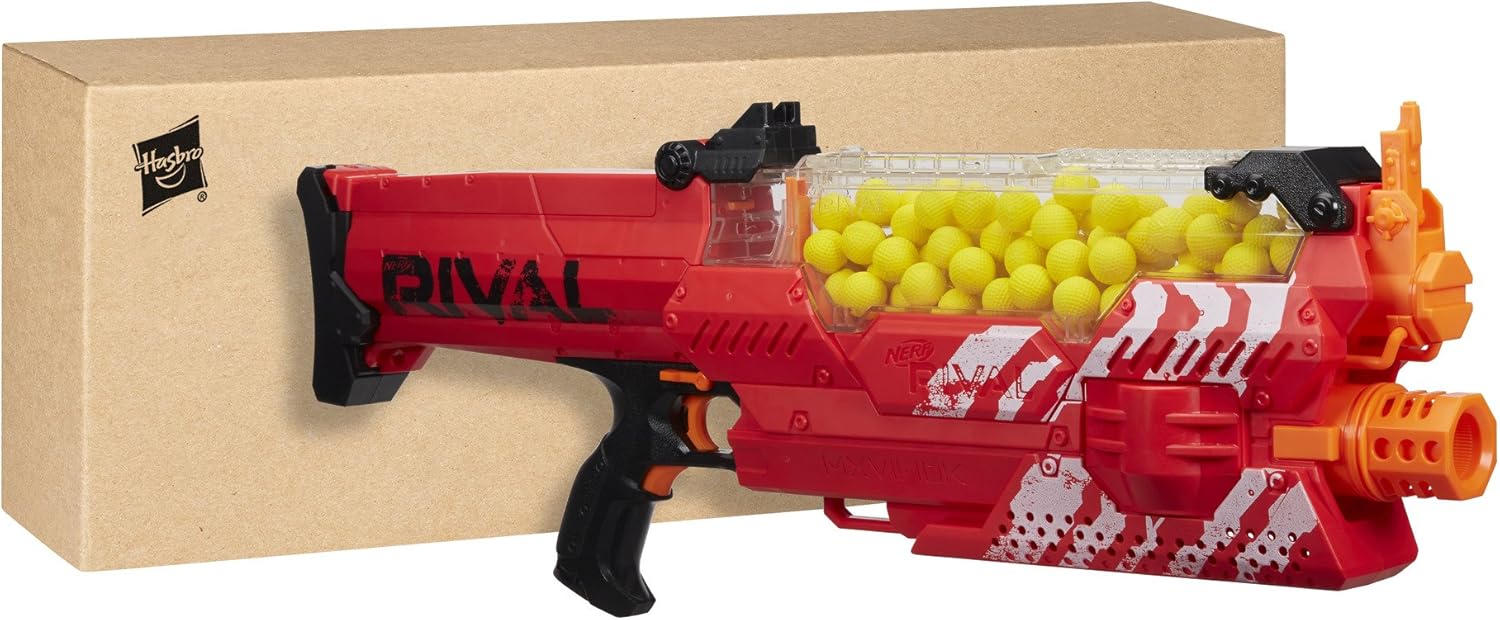
Image: Nerf Rival Nemesis MXVII-10K Blaster and its packaging.

Image: Nerf Rival Nemesis MXVII-10K Blaster with included rounds.
4. Setup
4.1. Battery Installation
The Nerf Rival Nemesis MXVII-10K Blaster requires 6 'D' batteries (not included) or a Nerf Rival Rechargeable Battery Pack (sold separately). To install batteries:
- Locate the battery compartment on the blaster.
- Use a Phillips head screwdriver to open the battery compartment cover.
- Insert 6 'D' batteries, ensuring correct polarity (+/-).
- Replace the cover and secure it with the screw.
4.2. Loading Rounds
The blaster features an easy-loading hopper system.
- Open the hopper door located on top of the blaster.
- Pour the 100 high-impact rounds into the hopper.
- Close the hopper door securely. Ensure it is fully latched for proper operation.

Image: Loading rounds into the blaster's hopper.
5. Operating Instructions
5.1. Firing the Blaster
The Nemesis MXVII-10K is a fully motorized blaster.
- Ensure the lockout button (safety) is disengaged.
- Press and hold the acceleration button (usually located below the main trigger) to power up the motor.
- While holding the acceleration button, pull the trigger to fire rounds.

Image: Operating the Nerf Rival Nemesis Blaster.

Image: Aiming the blaster.
5.2. Lockout Button (Safety)
The blaster is equipped with a lockout button to prevent accidental firing. Engage the lockout button when the blaster is not in use or during reloading.
5.3. Reloading
To reload, simply open the hopper door and add more rounds. The hopper is designed for quick and easy replenishment of ammunition.

Image: Removing the hopper for reloading.
6. Maintenance
- Keep the blaster clean and free of debris. Use a dry cloth to wipe down the exterior.
- Store rounds in a clean, dry place to maintain their shape and performance.
- Remove batteries if the blaster will not be used for an extended period to prevent corrosion.
7. Troubleshooting
- Blaster not firing: Ensure batteries are correctly installed and charged. Check that the lockout button (safety) is disengaged. Verify the hopper door is fully closed.
- Rounds not firing properly/weakly: Replace batteries with fresh ones or use a fully charged Nerf Rival Rechargeable Battery Pack. Ensure only official Nerf Rival rounds are used.
- Jams: If a round jams, ensure the blaster is powered off and the safety is engaged. Carefully remove the jammed round from the hopper or firing mechanism.
8. Specifications
| Product Dimensions | 4.76 x 12.24 x 29.17 inches |
| Item Weight | 5 pounds |
| Model Number | B8240UF0 |
| Recommended Age | 14 years and up |
| Manufacturer | Hasbro |

Image: Side view of the Nerf Rival Nemesis Blaster.
9. Product Videos
Nerf Rival Nemesis Red Toy Overview
Video: A brief overview of the Nerf Rival Nemesis Red Blaster, demonstrating its features and operation.
Product Overview Video
Video: An official product overview showcasing the Nerf Rival Nemesis Blaster.
10. Warranty and Support
For warranty information or technical support, please refer to the manufacturer's official website or contact their customer service department. Keep your purchase receipt for proof of purchase.


